[Most Recent Entries] [Calendar View]
Tuesday, October 23rd, 2012
| Time | Event | ||
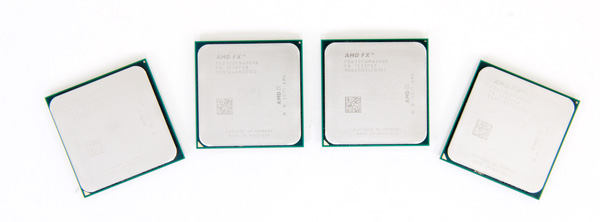
| 4:00a | The Vishera Review: AMD FX-8350, FX-8320, FX-6300 and FX-4300 Tested Last year's launch of AMD's FX processors was honestly disappointing. The Bulldozer CPU cores that were bundled into each Zambezi chip were hardly power efficient and in many areas couldn't significantly outperform AMD's previous generation platform. Look beyond the direct AMD comparison and the situation looked even worse. In our conclusion to last year's FX-8150 review I wrote the following:
The performance advantage that Intel enjoyed at the time was beyond what could be erased by a single generation. To make matters worse, before AMD could rev Bulldozer, Intel already began shipping Ivy Bridge - a part that not only increased performance but decreased power consumption as well. It's been a rough road for AMD over these past few years, but you have to give credit where it's due: we haven't seen AMD executing this consistently in quite a while. As promised we've now had multiple generations of each platform ship from AMD. Brazos had a mild update, Llano paved the way for Trinity which is now shipping, and around a year after Zambezi's launch we have Vishera: the Piledriver based AMD FX successor. Read on for our full review! 
 | ||
| 3:20p | Apple's iPad mini Event Live Blog We've lined up and are getting ready to bring you live coverage from Apple's special event today. Widely expected to make an appearance are the iPad mini as well as the 13-inch Retina MacBook Pro. We'll have live updates from the event here starting at 10:00AM Pacific (1PM Eastern). Stay tuned! 
| ||
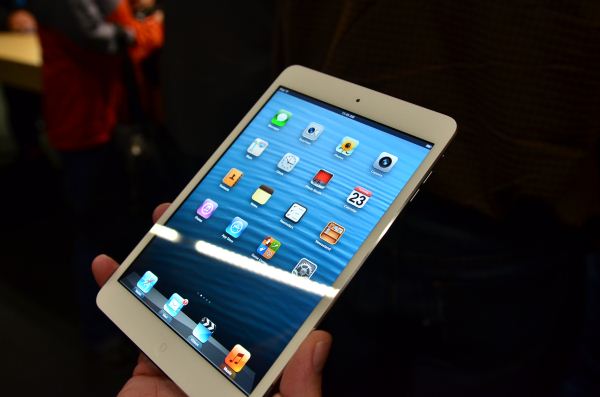
| 6:25p | iPad mini Hands On - Updated with More Photos & Videos
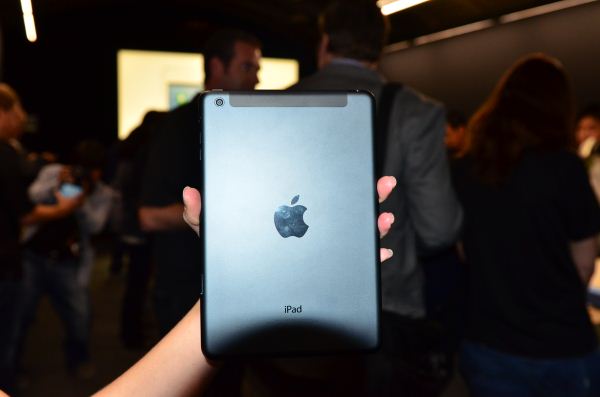
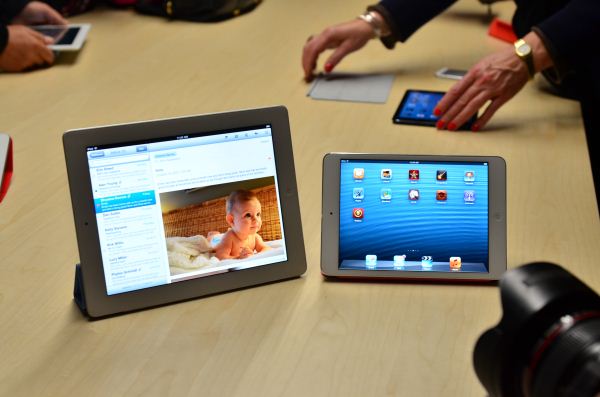
We just spent a good amount of time with the iPad mini and the easiest way to describe the device is that it's lighter than you'd expect. The build quality and finish both feel good as you'd expect, but the device is just considerably lighter than the iPad which results in superior in hand feel. The display doesn't feel cramped either thanks to the reasonably large diagonal size. It's clear that the iPad mini is a nod to those who want something even more portable than the standard iPad. In terms of performance, there's a pretty noticeable difference between the A5 in the iPad mini and the A6X in the 4th gen iPad as you'd expect. I do wish that Apple had brought the A6 to the mini, however something has to give in pursuit of the lower price point. The LTE version of the iPad mini has an RF window at the top of the unit similar to the standard iPad, although it does blend in a bit better on the black model. Check out more photos and impressions in the gallery and video below.
Gallery: iPad mini Hands On      

| ||
| 7:06p | iPad (4th gen) Hands On
Although it's physically no different than the 3rd gen iPad we have some hands on video showing the perf of the new A6X.

| ||
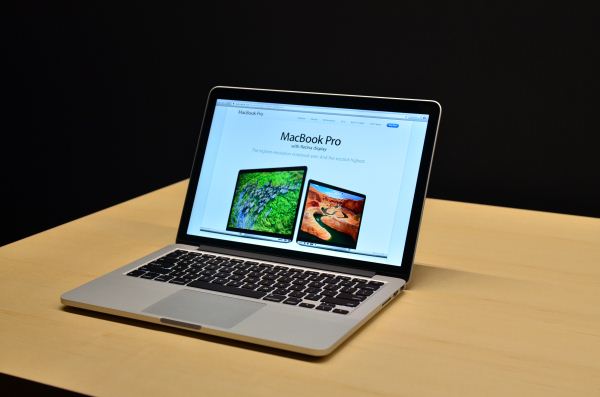
| 7:14p | 13-inch MacBook Pro with Retina Display: Hands On
We just spent some time with the other major announcement from today: Apple's 13-inch MacBook Pro with Retina Display. The 3.5 lbs machine is obviously lighter than the 15-inch rMBP but you do give up quad-core and a discrete GPU, which makes this more of an upgrade for 13-inch MBP users than an alternative to the 15-inch rMBP. It may also do a bit to tempt 13-inch MacBook Air users. The same resolution scaling that we disucssed in the 15-inch rMBP review is present on the 13-inch model, although I don't yet know the specifics about what scaled resolutions are available. The default resolution is 1280 x 800 scaled to fit the panel's native 2560 x 1600 resolution. I would guess the two higher resolution modes are upscaled 1440 x 900 and 1680 x 1050 but I'll find out for sure later this afternoon. Check out the gallery below for more shots of the 13-inch rMBP.

| ||
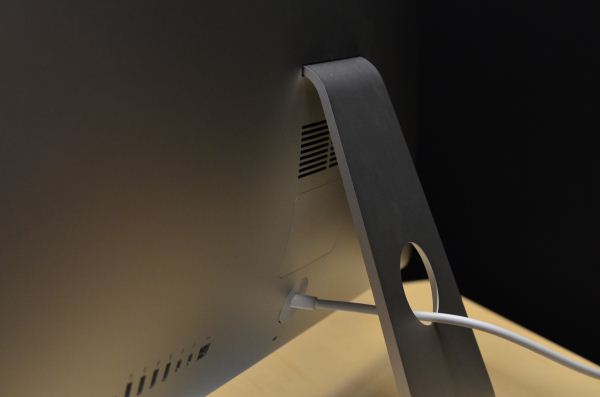
| 7:17p | Up Close with the New 27-inch iMac's User Serviceable Memory Panel
Both of the 21.5 and 27-inch iMacs use SO-DIMMs, however the 27-inch model does allow for end user upgrades. Remove the power cable and there's a button that will pop out a little panel giving you access to the system's SO-DIMM slots. The 21.5-inch model needs to be taken apart to gain access to the memory slots unfortunately. 
| ||
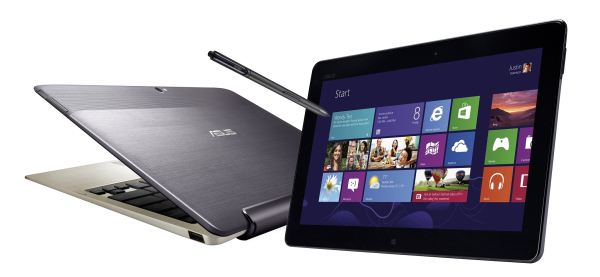
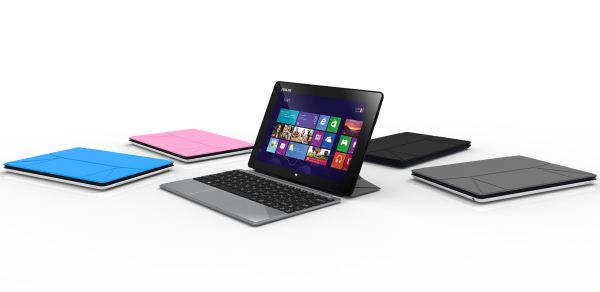
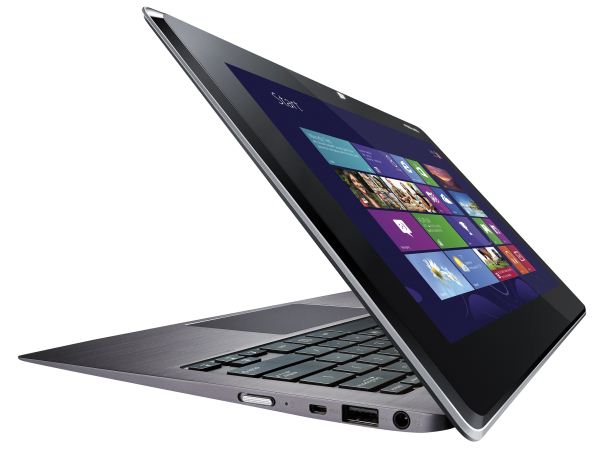
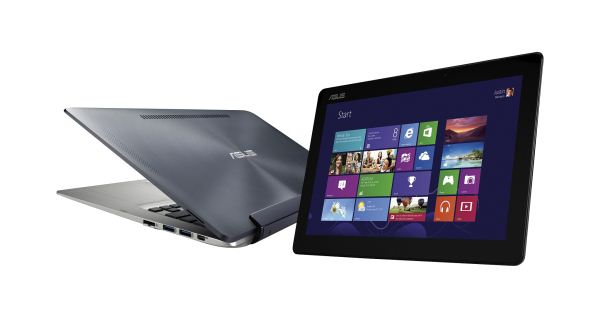
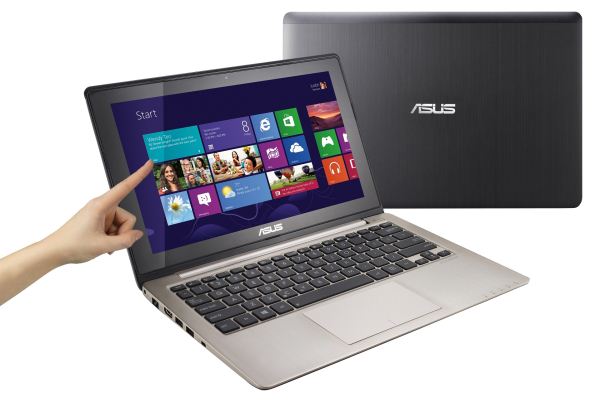
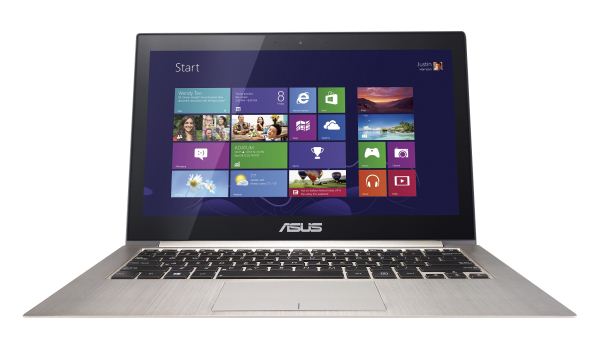
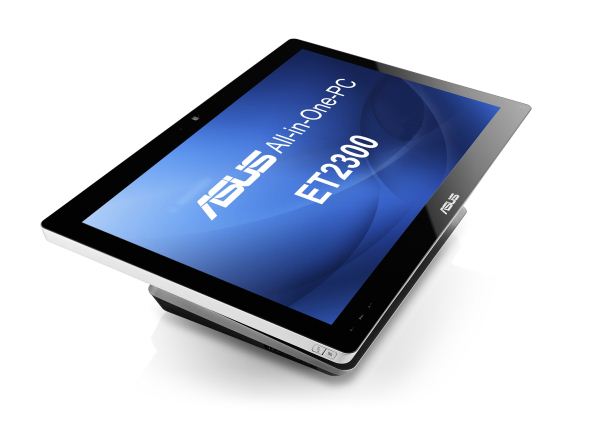
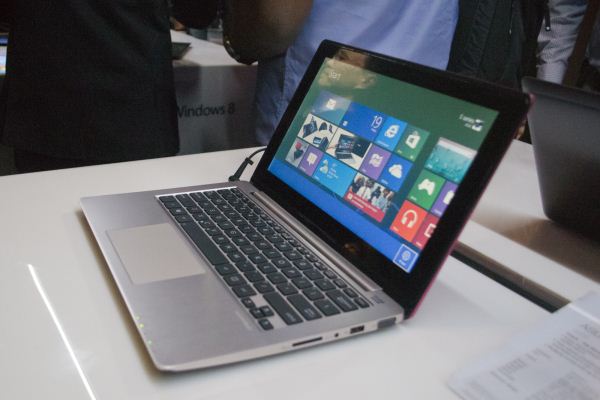
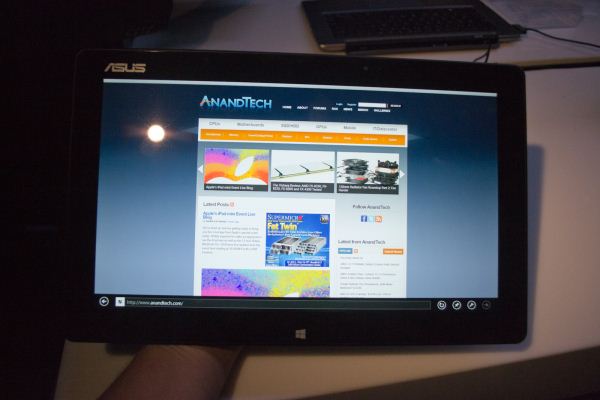
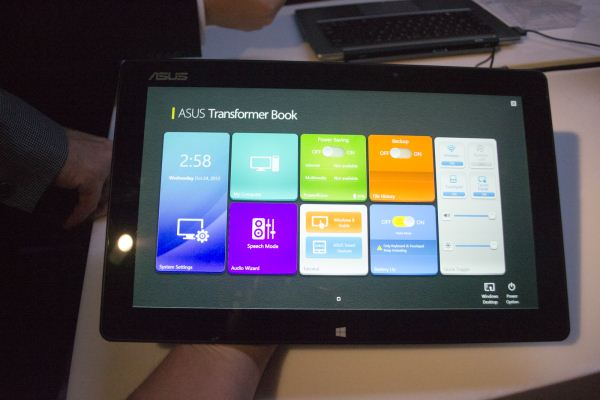
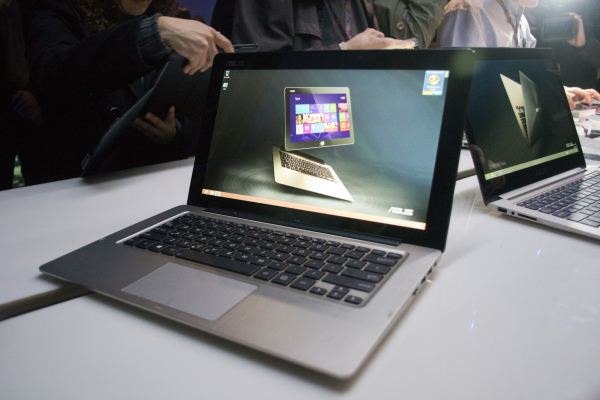
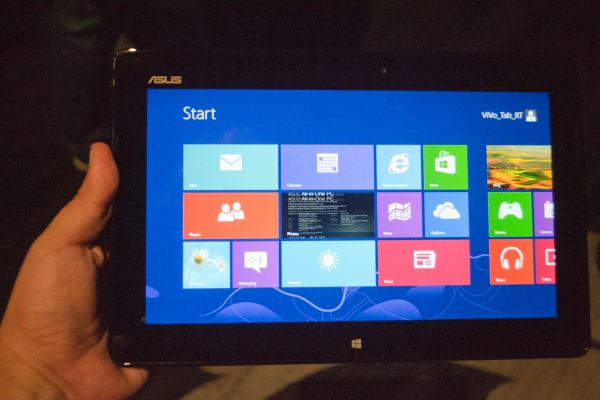
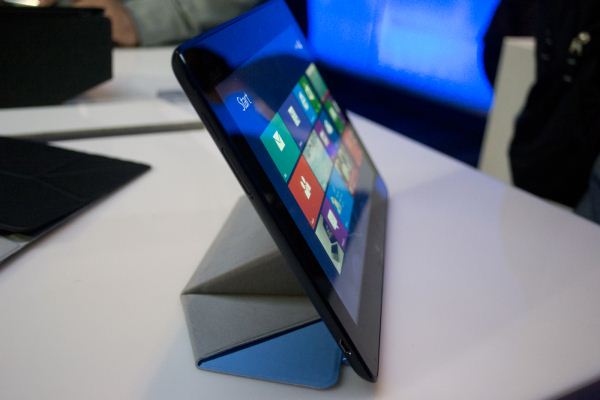
| 8:02p | ASUS Windows 8 and RT Products Revealed ASUS has spent the last few years showing how good design can yield big dividends in the Windows notebook and Android tablet markets. With today’s announcement of their Windows 8 and RT line-up, they marry the two efforts to show off some innovative and impressive new approaches to the traditional PC. Most of the products revealed today are Intel-based, but we’ll start with the lone ARM device, the ASUS VivoTab RT. ASUS VivoTab Family The ASUS VivoTab RT will be their first foray into Windows tablets, and it certainly borrows some design elements from its Android predecessors. The docking mechanism has been updated to give the all metallic slate and its dock a more streamlined look. The slate alone is just 8.3 mm thick, and comes in 32GB and 64GB SKUs, with a 10.1” 1366x768 Super IPS+ display. There’s an 8MP/1080p rear-shooter and a 2MP front shooter, and the sides are graced with ⅜” audio jack (headphone/mic combo), microHDMI, microSD and a curious quad-speaker set-up courtesy of SonicMaster. The tablet sports a 25Whr battery, rated at 9 hours per ASUS, with a second 22Whr battery in the dock that pushes run time to 16 hours. NVIDIA acquired baseband manufacturer Icera earlier this year, and we’ve wondered when we’d see the first collaboration of that marriage. Today’s the day it seems, the VivoTab RT features NVIDIA’s Tegra 3 chipset, alongside the Icera 410 baseband, which brings with it DC-HSPA+ and LTE connectivity. We’re still digging for more details on the baseband, particularly it’s LTE category and manufacturing process, but it will be nice to test a new LTE baseband against the legacy and Qualcomm parts that currently fill the market. At, $599 for the WiFi model, we are definitely competing with higher specced iPad SKUs. If you were considering a Windows RT tablet, though, this one could be a real contender. In addition to the VivoTab RT there will be two other models, both Intel-based. The VivoTab 11.6” will feature a Wacom Digitizer and stylus for excellent. The Clover Trail-based VivoTab Smart will come with an optional keyboard cover and magnetic Smart Cover, which will fold into a stand for upright use. ASUS TAICHI We first saw the ASUS TAICHI at IFA 2012, and not much has changed since then. This dual-screen notebook is an innovative approach to the convertible, and could be a solution to those looking for a tablet and notebook experience. At 1.25 kg, though, this is a heavier tablet experience than we’ve come to expect. Windows 8 is a sufficient departure from the past that there’s room to explore and innovate in software, in a way that hasn’t existed in Windows for sometime. That makes us hopeful that in addition to serving the tablet and notebook dichotomy, that second screen could be put to new and interesting uses. To that end, ASUS is including an optional TAICHI UI that will provide a hub for ASUS provided applications that take advantage of the second display and offer settings for its control. Prices for the TAICHI start at $1299, with a dual-core Core i5 3317U processor (max clock 2.6 GHz), 4GB RAM and 128GB SSD; and prices max out at $1599 with the Core i7 3517 (max clock 3.0 GHz), 256GB SSD and a digitizer and stylus. All should be available this November. ASUS Transformer Book Having chosen the VivoTab monicker for their ARM-based Windows tablets, the Transformer brand is inherited by a different take on the tablet/notebook paradigm. Described now as a detachable notebook, the ASUS Transformer Book is marketed as the thinnest and most powerful Core i7-based Windows 8 tablet available. There’s a compelling story to be told in figuring out what is the best combination of power and portability. With the 13” Transformer Book, ASUS is pegging power, at the expense of portability, and the results are intoxicating. The dual-core Core i7 processor flies, seemingly unhindered by thermal or energy limitations. In the tablet itself is a 128GB SSD, with an additional 500GB mechanical drive in the dock. The 1080p 13" display looks great, though the 16:9 form factor gives it an elongated appareance. Connectivity on the tablet itself is limited, but the dock features USB 3.0 and ethernet. Holding a device with that much power in your hand, quickly flying through web pages and photos, it’s the closest I’ve come to being wowed by a tablet in a long time. Its size isn’t going to do it any favors as a mobile device, but I don’t think that’s the point. This isn’t a no compromises tablet, this is a no compromises detachable notebook. ASUS VivoBook Series The Vivo name encompasses ASUS devices focused on enhancing the touch experience. The VivoBook series will all feature a metal chassis, with styling unique from the Zenbook family and multi-touch capacitive displays. The initial models will start with the X202 and its 11.6” display, Core i3 processor, 4GB RAM and 500GB mechanical storage. The S400 bumps the display to 14” and processor up to a Core i7, and features an SSD caching scheme with 24GB of NAND and a 320/500GB mechanical drive. Pricing and availability are still unclear, but we will update when we know more. Expect these to slot in below the ZENBOOK line. ASUS ZENBOOK The entire ASUS ZENBOOK line is refreshed for Windows 8, with two SKUs getting optional capacitive touch-screens. The top of the line ZENBOOK U500VZ features a quad-core Core i7 processor, 8GB of RAM, NVIDIA’s GT650M GPU with 2GB GDDR5, a 15.6” 1080p display and comes in a dual-256GB SSD RAID 0 configuration for seriously speedy I/O. That’s an impressive amount of kit for about two grand. The mid-tier spec is the UX31A, with your choice of Core i5 or i7 processors, up to 8GB of memory and 256GB SSD for storage. At just 18mm at its thickest, and that 13.3” 1080p capacitive touchscreen, this could be a solid mid-range option. ASUS ET2300 All-In-One The ASUS All-In-One lineup gets refreshed, as well, with a new model adding a slightly different form factor. The ET2300 is a 23” Core i7 powered All-In-One that comes standard with the NVIDIA GT630M, Thunderbolt connectivity, WiDi 2.0 and a double-hinged design for folding flat. Touch-centric All-In-Ones are a curious breed, and there market niche seems to still be ill-defined despite the growing number of OEMs adopting the interface. WIth Windows 8 we’ll see a lot more of these this season. ASUS is taking a broad approach to Windows 8, and that approach is paying dividends with interesting designs and an effort to cover all their bases. So is it a hit? Take a read of our first Windows RT tablet review here, and find out. Gallery: ASUS Windows 8/RT Line-up       
| ||
| 9:45p | ASUS VivoTab, VivoBook, ZenBook and Transformer Book Hands-on
The ASUS event was exemplary when it came to tech events in one very key matter: lots of hands-on time. Plenty of devices were available, and the showcase was open for a while, so we got to get a bit intimate with some of the new gear they announced today. So let's have a look. VivoBook
We'll start with the VivoBook, the most mainstream product that was announced today. The emphasis on affordability is notable, but the design doesn't suffer in the looks department. SKUs will start around $499 and while there was a clear lag in opening apps, owing in large part to the mechanical storage, the interface was easy to navigate and scrolling around images and websites was a breeze. Plenty of color options will be available, and that S400 SKU should bring a vast performance improvement, for not much more scratch. Transformer Book
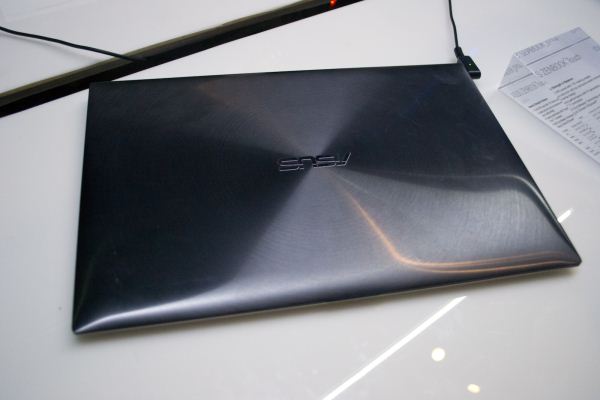
I touched on this in the announcement post, but the Transformer Book is really something strange to behold. I've never considered my 13" notebook something I'd want to hold in one hand, but despite the comic proportions, the 13" Transformer Book has a good in the hand feel. The 16:9 aspect ratio of the 1080p screen makes it awkward in one-handed landscape use, but there's a certain strange appeal. I don't see this as a tablet to take on the road, but rather a notebook, whose screen can be untethered from the base. If nothing else, it's the fastest tablet device I've played with, running Sunspider at a scorching 145 ms. No surprise, though; a dual-core Core i7 processor will best anything ARM based. There's another aspect to the Transformer Book that I hadn't touched on: software. Though Windows 8 is the OS, ASUS has provided their own hub, called Asus Home. It's unclear what plans ASUS has to expend this hub, for now it mostly serves as a resource for modifying various device settings. A chief concern for Windows 8 and RT is the changes to configuration menus, and so it's not surprising for OEMs to try to simplify that with hardware specific apps. ASUS solution is innocuous enough, we just hope that OEMs don't feel the need to add too much to these layers. Once docked, the Transformer Book doesn’t look so different from the Zenbook line, the keyboard is comfortably wide, with well spaced keys and a broad touchpad. Docking the screen allows it to leverage the included USB 3 ports, mechanical storage and two additional speakers. If you're torn between a small notebook and a large tablet, you might have met your match. Zenbook We've met the Zenbook line before, and come way pleased. The form factor remains the same: attractive, sleek and slim. Tapering at all of the edges gives the illusion of an even thinner body, though even at its thickest it's not close to portly. The main addition to the Zenbook line is the optional touch screen on the UX31A and UX500VZ. I wasn't sure how I'd feel about a touchscreen notebook, but it was amazing how quickly I adapted to the paradigm, forgetting so completely about the touchpad that I neglected to test multitouch gestures on it. Unsurprisingly, the touchscreen outperformed the touchpad. VivoTab RT
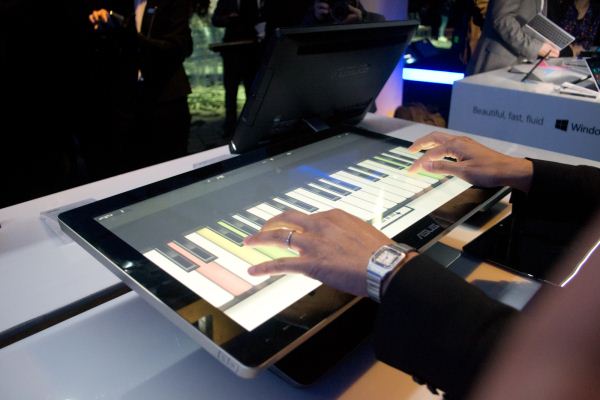
There's way more detail in Vivek's review, but in short, the VivoTab RT is the mainstream Windows RT tablet we'll see everyone release. The ASUS variant hits all the specs you'd expect: 10.1" display, Tegra 3 processor, 2GB RAM, a slim, lightweight body. Where it breaks new ground is in the inclusion of the Icera LTE baseband. They didn't have any Icera packing units on hand, but we'll hopefully see those before the holidays. VivoTab Smart As the Clovertrail entrant into the Windows 8 Tablet space, the VivoTab Smart carries the burden of Atom. Anand has covered this many times, the Atom core is generations old, and due for a refresh in a big way. Despite this, it has always held an IPC lead over its ARM-based competition, and their efforts have been to bring its power envelope as low as possible. The result, though, is that it felt a hair slower than some of the other hardware on hand. Final software and a trip through the bench may prove me wrong, but for now, I was most dissatisfied with this device, today. The deficit was most evident when switching between apps or opening the app drawer; any long-time Android user will recognize that long pause after hitting the button and actually seeing the drawer open. ASUS ET2300 All-In-One The days of the big beige box are long past us. No one misses those days, but are touchscreen all-in-one PC’s the future? ASUS thinks so, and has a stable of models that stretch from 21.5” to 27” and spruces them up with some software flourishes. Touchscreens aren’t new to PC’s, but their adoption hasn’t been rapid, and so software that takes advantage of them is lacking. With Windows 8’s very touch-focused UI, the impetus to incorporate these panels is high, and hopefully so will the impetus to create software for them. For now, in addition to the OS experience, ASUS is featuring a music creation app, more an exhibition than say GarageBand. More software from ASUS should follow, and all Windows 8 Metro apps should work well with the panel. Where questions remain is productivity use cases; when we work on PC’s we use keyboards and mice/trackpads, will that change? Time will tell on that, but this all-in-one is well appointed, though disappointingly doesn’t come with an SSD. The ET2300 has a 23” 1080p display, and Intel Core i7 processors. The inclusion of Thunderbolt, Intel WiDi 2.0, HDMI input and USB 3.0 give the ET2300 a satisfying degree of future proofing. And while we’d like to see a more impressive discrete GPU, we’re glad to at least see a 2GB video RAM option. The chassis boasts more versatility than pure aesthetics. The dual-hinged design does make manipulating the screen easy, and the chunky display and base leave plenty of room for the aforementioned ports and optical drive. 
|





| << Previous Day |
2012/10/23 [Calendar] |
Next Day >> |