[Most Recent Entries] [Calendar View]
Wednesday, October 31st, 2012
| Time | Event | ||
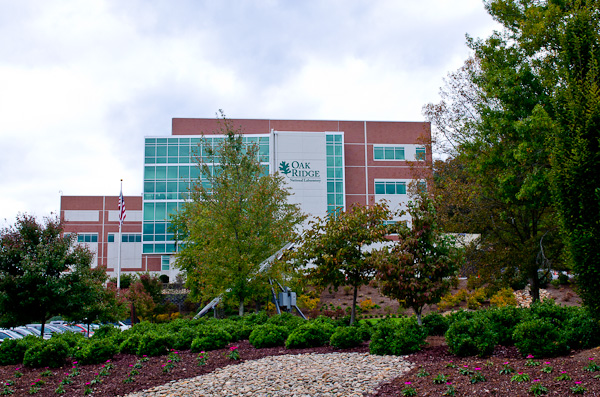
| 5:28a | Inside the Titan Supercomputer: 299K AMD x86 Cores and 18.6K NVIDIA GPUs Earlier this month I drove out to Oak Ridge, Tennessee to pay a visit to the Oak Ridge National Laboratory (ORNL). I'd never been to a national lab before, but my ORNL visit was for a very specific purpose: to witness the final installation of the Titan supercomputer. ORNL is a US Department of Energy laboratory that's managed by UT-Battelle. Oak Ridge has a core competency in computational science, making it not only unique among all DoE labs but also making it perfect for a big supercomputer. Titan is the latest supercomputer to be deployed at Oak Ridge, although it's technically a significant upgrade rather than a brand new installation. Jaguar, the supercomputer being upgraded, featured 18,688 compute nodes - each with a 12-core AMD Opteron CPU. Titan takes the Jaguar base, maintaining the same number of compute nodes, but moves to 16-core Opteron CPUs paired with an NVIDIA Kepler K20 GPU per node. The result is 18,688 CPUs and 18,688 GPUs, all networked together to make a supercomputer that should be capable of landing at or near the top of the TOP500 list. Over the course of a day in Oak Ridge I got a look at everything from how Titan was built to the types of applications that are run on the supercomputer. Having seen a lot of impressive technology demonstrations over the years, I have to say that my experience at Oak Ridge with Titan is probably one of the best. Normally I cover compute as it applies to making things look cooler or faster on consumer devices. I may even dabble in talking about how better computers enable more efficient datacenters (though that's more Johan's beat). But it's very rare that I get to look at the application of computing to better understanding life, the world and universe around us. It's meaningful, impactful compute. Read on for our inside look at the Titan supercomputer. 
 | ||
| 1:00p | Samsung Chromebook (XE303) Review: Testing ARM's Cortex A15 Google announced the Chrome OS project two years ago, and with it came the first Chromebook: the CR-48. The Chrome OS concept seemed revolutionary at the time. In 2010 we were well into the latest round of questioning whether today's PCs were fast enough. The Ultrabook revolution hadn't yet begun, and the iPad was starting to gain momentum. Capitalizing on the market being flooded with poor quality, yet affordable PC notebooks that still struggled with the same virus/malware issues they'd been facing for years, Google took the opportunity to attempt to revolutionize the PC OS. Chrome OS was that attempt at a revolution. As an OS built around a web browser, Chrome OS offered many of the advantages that the Chrome browser itself brought to the table: sandboxing and constant/painless updates. All user data is encrypted on the drive by default. Security was and remains a major feature of Chrome OS. Google's revolution extended to hardware as well. The Cr-48 notebook delivered a good keyboard, trackpad and solid state storage. Future Chromebooks would do the same. While the price points of these machines (<$500) kept ultra high resolution IPS displays out of the bill of materials, Google promised good build quality and solid state storage - two things you couldn't find in cheap notebooks of the time. For Chrome OS and Google's Chromebooks to remain relevant, they also had to move down the pricing stack. With its most recent announcement, Google has done just that. The new Chromebook (Samsung XE303C12) is priced at $249, while maintaining much of what made its predecessors interesting. Even more interesting than its aggressive price point is the choice of SoC inside Google's new Chromebook: Samsung's Exynos 5 Dual, featuring two ARM Cortex A15 CPU cores. This move makes the new Chromebook the very first non-x86 machine to ship with Chrome OS. Given that I also happen to have a dual-core Atom based Chromebook from 2011, the new Exynos 5 based machine gave me a unique opportunity to get a preview of how ARM's next-generation CPU core would stack up against Atom. Read on for our review. 
|



| << Previous Day |
2012/10/31 [Calendar] |
Next Day >> |