[Most Recent Entries] [Calendar View]
Wednesday, November 28th, 2012
| Time | Event | ||
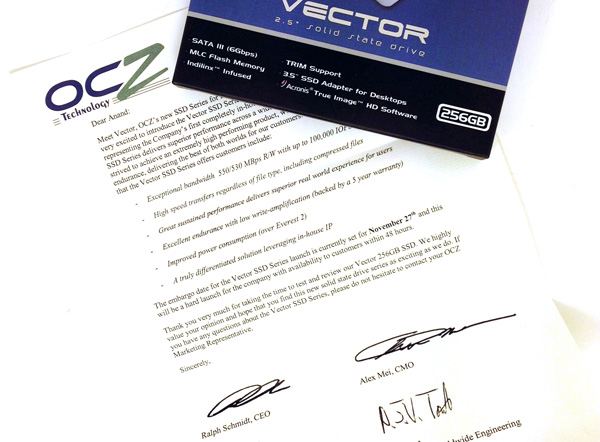
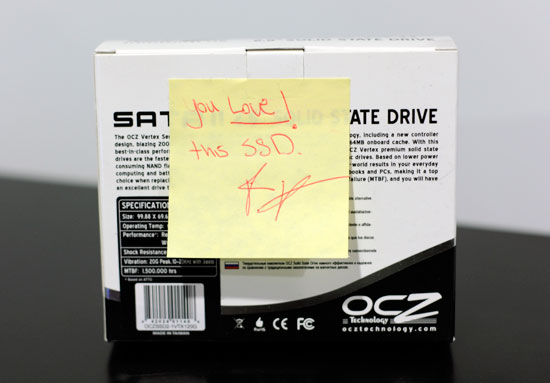
| 1:10a | OCZ Vector (256GB) Review Times are changing at OCZ. There's a new CEO at the helm, and the company is now focused on releasing fewer products but that have gone through more validation and testing than in years past. The hallmark aggressive nature that gave OCZ tremendous marketshare in the channel overstayed its welcome. The new OCZ is supposed to sincerely prioritize compatibility, reliability and general validation testing. Only time will tell if things have changed, but right off the bat there's a different aura surrounding my first encounter with OCZ's Vector SSD. Gone are the handwritten notes that accompanied OCZ SSD samples in years past, replaced by a much more official looking letter: Read on for our full review of OCZ's Vector SSD. 
 | ||
| 3:53p | TRIM & RAID-0 SSD Arrays Work With Intel 6-Series Motherboards Too A few months ago, Intel brought TRIM support to RAID-0 SSD arrays but limited it to its latest 7-series chipsets. As 7 and 6-series chipsets are very similar, there was no good explanation to why Intel didn't include support for 6-series chipsets other than forced feature differentiation and/or not wanting to go through a lengthy validation process on an older platform. We have covered the reasons why you should want TRIM in the past but the main benefits are obvious: more consistent performance and higher endurance. Limiting the support to only 7-series chipsets was a huge letdown. Fortunately the Internet is full of extremely knowledgeable and ethusiastic people with the drive to look for unofficial solutions. AnandTech forum members Dufus and Fernando 1 have been able to modify the RAID OROM so that TRIM and RAID-0 SSD arrays now work with at least Z68 and P67 chipsets, both of which are unsupported by the official OROM. While the forum thread is already full of posts showing that the modification works, I wanted to try it myself and to see how smooth the process was. Read on for my findings and complete instructions for the modification. 
| ||
| 4:06p | Update on Samsung SSD 840/840 Pro Failures
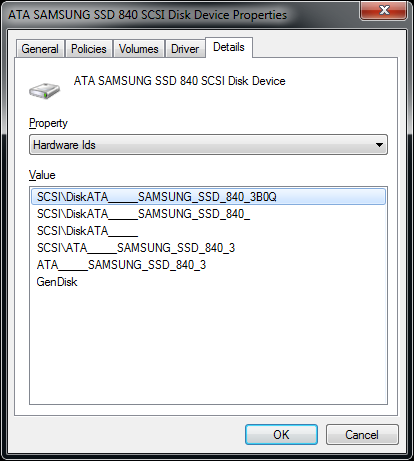
In our review of Samsung's SSD 840 Pro I noted that my drive died shortly after I completed testing. Samsung sent me a replacement, which also stopped working (although it still pulled current) after a couple of days. Kristian's Samsung SSD 840 review sample shared a similar fate. I spoke with Samsung about this problem a couple of weeks ago and was told that there was a bug in the pre-production firmware (version 2B0Q/5B0Q for 840 Pro/840) loaded on our drives. All retail samples should ship with a newer firmware revision (3B0Q/6B0Q) that have this bug fixed. To confirm what firmware revision is on your drive, look at the end of the hardware id string for the SSD in Device Manager. Samsung sent me an 840 Pro with the updated firmware and so far I haven't had any issues. I'm trying to retrace my steps in bricking the drive and things are looking good thus far. As always, if things change I will update you all. 
|


| << Previous Day |
2012/11/28 [Calendar] |
Next Day >> |