[Most Recent Entries] [Calendar View]
Tuesday, July 30th, 2013
| Time | Event | ||||||||||||||||||||||||||||||||||||||||||
| 9:34a | Looking at CPU/GPU Benchmark Optimizations in Galaxy S 4
Somehow both Anand and I ended up with international versions of Samsung’s Galaxy S 4, equipped with the first generation Exynos 5 Octa (5410) SoC. Anand bought an international model GT-I9500 while I held out for the much cooler SK Telecom Korean model SHV-E300S, including Samsung’s own SS222 LTE modem capable of working on band 17 (AT&T LTE) and Band 2,5 WCDMA in the US. Both of these came from Negri Electronics, a mobile device importer in the US. For those of you who aren’t familiar with the Exynos 5 Octa in these devices, the SoC integrates four ARM Cortex A15 cores (1.6GHz) and four ARM Cortex A7 cores (1.2GHz) in a big.LITTLE configuration. GPU duties are handled by a PowerVR SGX 544MP3, capable of running at up to 533MHz. We both had plans to do a deeper dive into the power and performance characteristics of one of the first major smartphone platforms to use ARM’s Cortex A15. As always, the insane pace of mobile got in the way and we both got pulled into other things. More recently, a post over at Beyond3D from @AndreiF gave us reason to dust off our international SGS4s. Through some good old fashioned benchmarking, the poster alleged that Samsung was only exposing its 533MHz GPU clock to certain benchmarks - all other apps/games were limited to 480MHz. For the past few weeks we’ve been asked by many to look into this, what follows are our findings. Characterizing GPU BehaviorSamsung awesomely exposes the current GPU clock without requiring root access. Simply run the following command over adb and it’ll return the current GPU frequency in MHz:
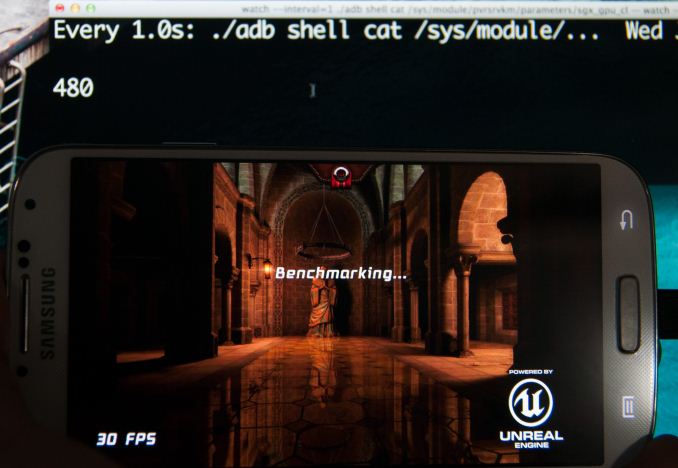
Let’s hope this doesn’t get plugged, because it’s actually an extremely useful level of transparency that I wish more mobile platform vendors would offer. Running that command in a loop we can get real time updates on the GPU frequency while applications run different workloads. Running any games, even the most demanding titles, returned a GPU frequency of 480MHz - just like @AndreiF alleged. Samsung never publicly claimed max GPU frequencies for the Exynos 5 Octa (our information came from internal sources), so no harm no foul thus far.
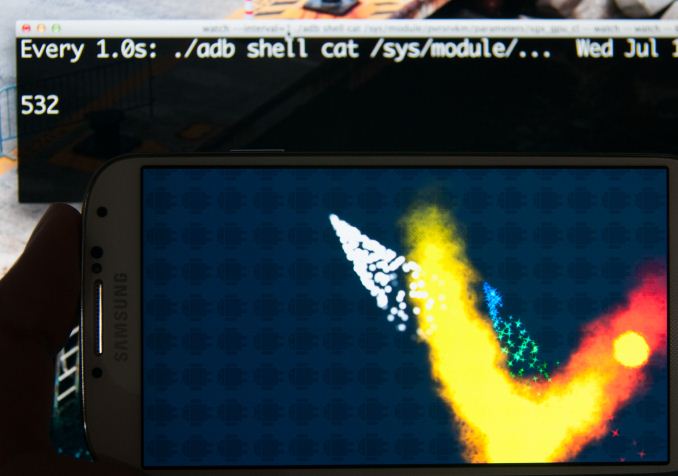
Firing up GLBenchmark 2.5.1 however triggers a GPU clock not available elsewhere: 532MHz. The same is true for AnTuTu and Quadrant.
Interestingly enough, GFXBench 2.7.0 (formerly GLBenchmark 2.7.0) is unaffected. We confirmed with Kishonti, the makers of the benchmark, that the low level tests are identical between the two benchmarks. The results of the triangle throughput test offer additional confirmation for the frequency difference:
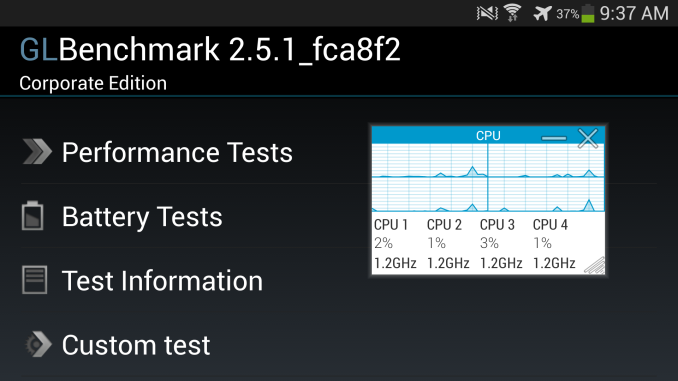
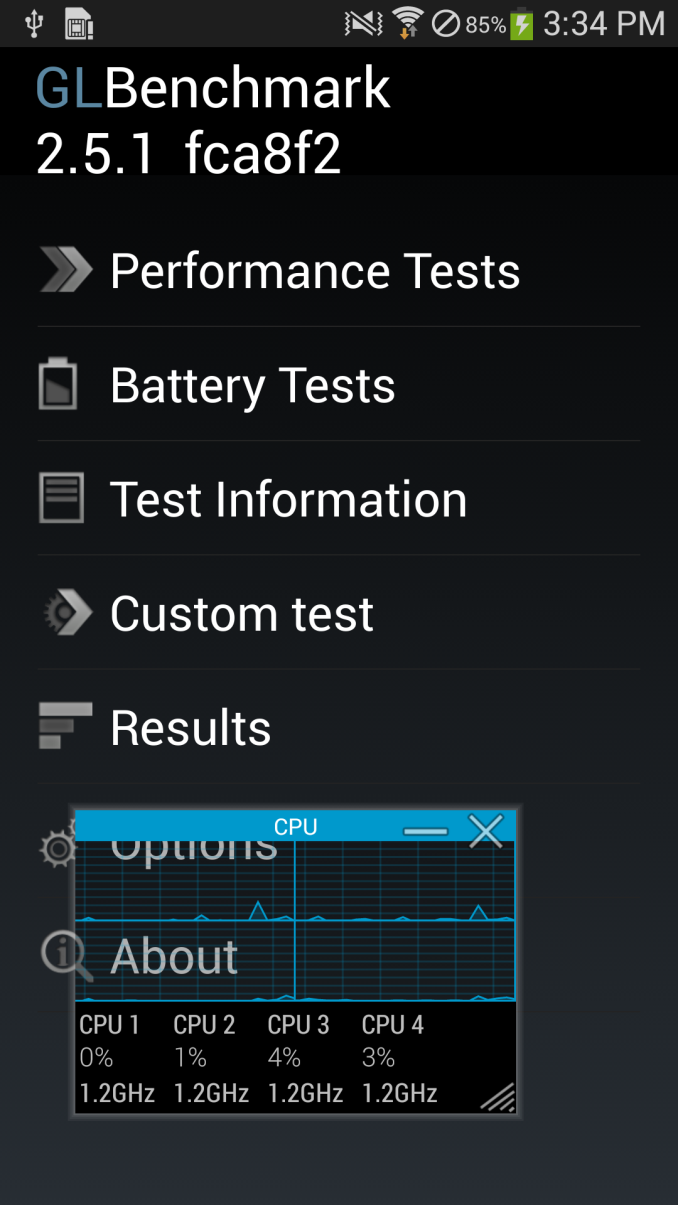
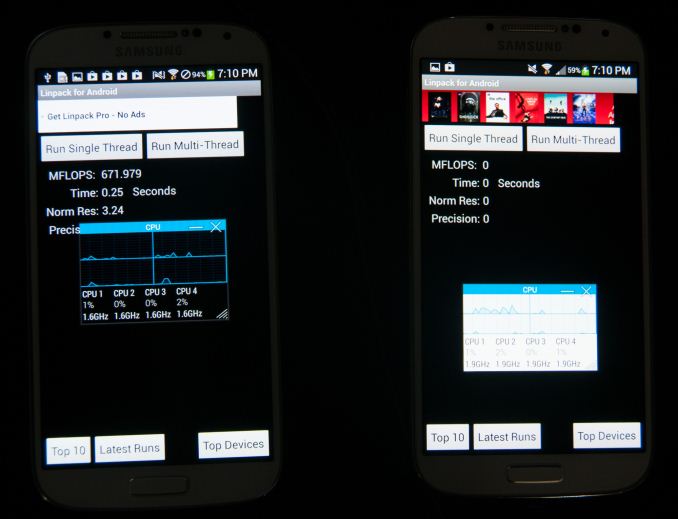
We should see roughly an 11% increase in performance in GLBenchmark 2.5.1 over GFXBench 2.7.0, and we end up seeing a bit more than that. The reason for the difference? GLBenchmark 2.5.1 appears to be singled out as a benchmark that is allowed to run the GPU at the higher frequency/voltage setting. The CPU is also AffectedThe original post on B3D focused on GPU performance, but I was curious to see if CPU performance responded similarly to these benchmarks. Using System Monitor I kept an eye on CPU frequency while running the same tests. Firing up GLBenchmark 2.5.1 causes a switch to the ARM Cortex A15 cluster, with a default frequency of 1.2GHz. The CPU clocks never drop below that, even when just sitting idle at the menu screen of the benchmark.
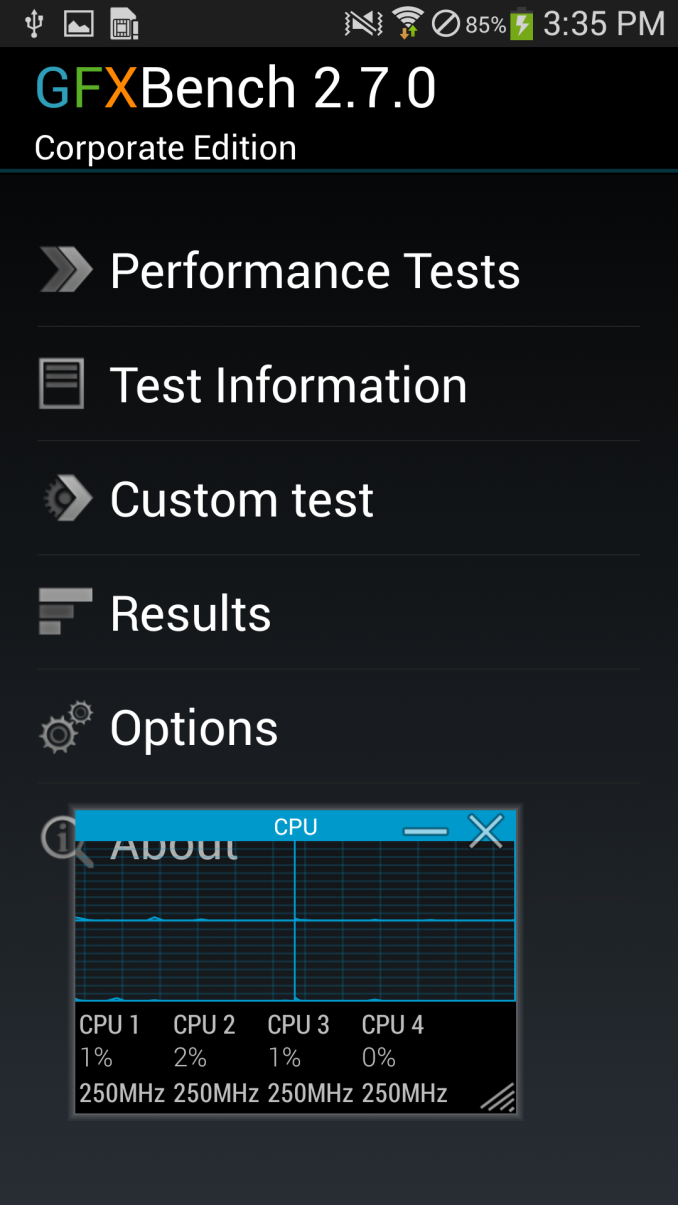
Run GFXBench 2.7 however and the SoC switches over to the Cortex A7s running at 500MHz (250MHz virtual frequency). It would appear that only GLB2.5.1 is allowed to run in this higher performance mode. A quick check across AnTuTu, Linpack, Benchmark Pi, and Quadrant reveals the same behavior. The CPU governor is fixed at a certain point when either of those benchmarks is launched.
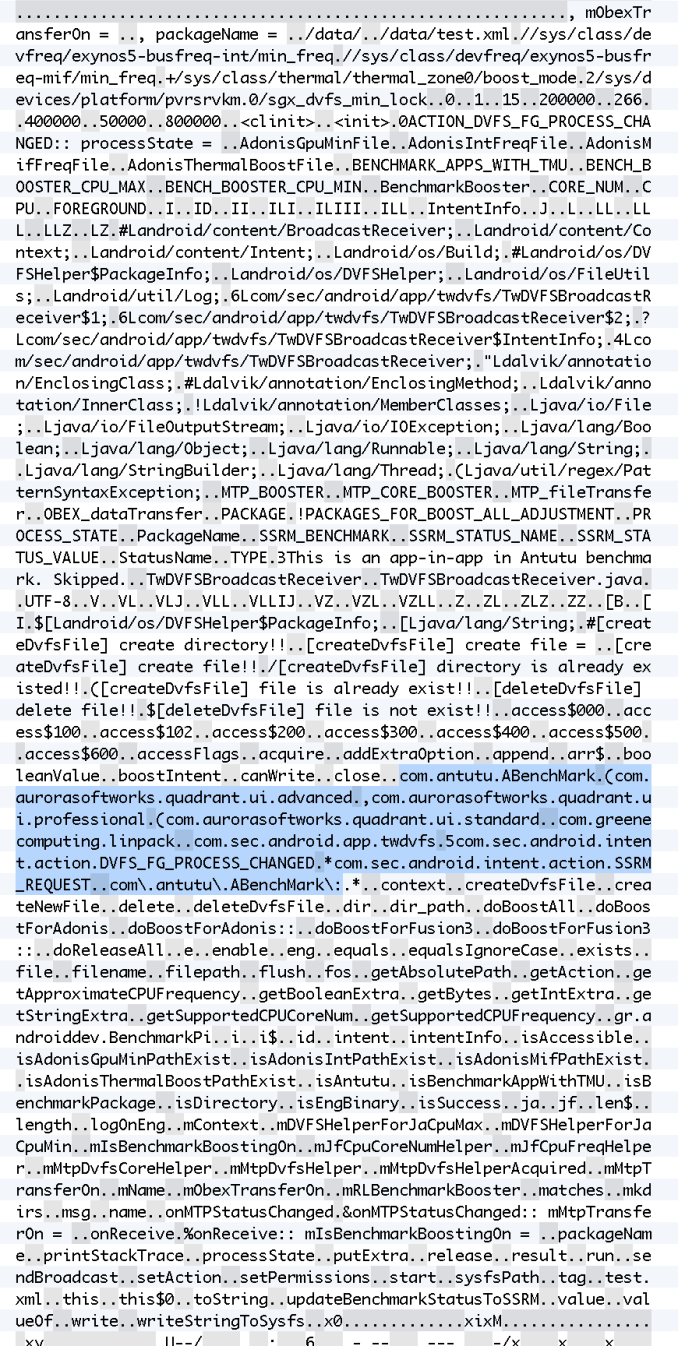
Interestingly enough, the same behavior (on the CPU side) can be found on Qualcomm versions of the Galaxy S 4 as well. In these select benchmarks, the CPU is set to the maximum CPU frequency available at app launch and stays there for the duration, all cores are plugged in as well, regardless of load, as soon as the application starts. Note that the CPU behavior is different from what we saw on the GPU side however. These CPU frequencies are available for all apps to use, they are simply forced to maximum (and in the case of Snapdragon, all cores are plugged in) in the case of these benchmarks. The 532MHz max GPU frequency on the other hand is only available to these specific benchmarks. Digging DeeperAt this point the benchmarks allowed to run at higher GPU frequencies would seem arbitrary. AnTuTu, GLBenchmark 2.5.1 and Quadrant get fixed CPU frequencies and a 532MHz max GPU block, while GFXBench 2.7 and Epic Citadel don’t. Poking around I came across the application changing the DVFS behavior to allow these frequency changes – TwDVFSApp.apk. Opening the file in a hex editor and looking at strings inside (or just running strings on the .odex file) pointed at what appeared to be hard coded profiles/exceptions for certain applications. The string "BenchmarkBooster" is a particularly telling one:
You can see specific Android java naming conventions immediately in the highlighted section. Quadrant standard, advanced, and professional, linpack (free, not paid), Benchmark Pi, and AnTuTu are all called out specifically. Nothing for GLBenchmark 2.5.1 though, despite its similar behavior. We can also see the files that get touched by TwDVFSApp while it is running:
When the TwDVFSApp application grants special DVFS status to an application, the boost_mode file goes from value 0 to 1, making it easy to check if an affected application is running. For example, launching and closing Benchmark Pi:
There are strings for Fusion3 (the Snapdragon 600 + MDM9x15 combo) and Adonis (the codename for Exynos 5 Octa):
What's even more interesting is the fact that it seems as though TwDVFSApp seems to have an architecture for other benchmark applications not specifically in the whitelist to request for BenchmarkBoost mode as an intent, since the application is also a broadcast receiver.
So we not only can see the behavior and empirically test to see what applications are affected, but also have what appears to be the whitelist and how the TwDVFSApp application grants special DVFS to certain applications. Why this Matters & What’s NextNone of this ultimately impacts us. We don’t use AnTuTu, BenchmarkPi or Quadrant, and moved off of GLBenchmark 2.5.1 as soon as 2.7 was available (we dropped Linpack a while ago). The rest of our suite isn’t impacted by the aggressive CPU governor and GPU frequency optimizations on the Exynos 5 Octa based SGS4s. What this does mean however is that you should be careful about comparing Exynos 5 Octa based Galaxy S 4s using any of the affected benchmarks to other devices and drawing conclusions based on that. This seems to be purely an optimization to produce repeatable (and high) results in CPU tests, and deliver the highest possible GPU performance benchmarks. We’ve said for years now that the mobile revolution has/will mirror the PC industry, and thus it’s no surprise to see optimizations like this employed. Just because we’ve seen things like this happen in the past however doesn’t mean they should happen now. It's interesting that this is sort of the reverse of what we saw GPU vendors do in FurMark. For those of you who aren't familiar, FurMark is a stress testing tool that tries to get your platform to draw as much power as possible. In order to avoid creating a situation where thermals were higher than they'd be while playing a normal game (and to avoid damaging graphics cards without thermal protection), we saw GPU vendors limit the clock frequency of their GPUs when they detected these power-virus style of apps. In a mobile device I'd expect even greater sensitivity to something like this. I suspect we'll eventually get to that point. I'd also add that just like we've seen this sort of thing many times in the PC space, the same is likely true for mobile. The difficulty is in uncovering when something strange is going on. What Samsung needs to do going forward is either open up these settings for all users/applications (e.g. offer a configurable setting that fixes the CPU governor in a high performance mode, and unlocks the 532MHz GPU frequency) or remove the optimization altogether. The risk of doing nothing is that we end up in an arms race between all of the SoC and device makers where non-insignificant amounts of time and engineering effort is spent on gaming the benchmarks rather than improving user experience. Optimizing for user experience is all that’s necessary, good benchmarks benefit indirectly - those that don’t will eventually become irrelevant. | ||||||||||||||||||||||||||||||||||||||||||
| 4:20p | A Post About Loss and One of Our Own, Abigail Key
If you've read any of our motherboard reviews from around 2005 - 2009, chances are you're familiar with the name Gary Key. He was a member of the AT team, heading up motherboard reviews and helping me out with a lot of our CPU/chipset coverage on the site during that time. Gary now works at ASUS, but I still view him as part of the AnandTech family. Last month his 15 year old daughter, Abby, was involved in a fatal car crash in Oklahoma. I originally wanted to do a post last month when it happened, but I shied away from doing so in order to give the Key family more privacy. I've been speaking with Gary regularly since it happened and believe that the time is now right. I'd never met Abby. Gary was at my house a few weeks before all of this happened. Abby needed a Mac for some college classes she was taking, so I gave her one of my old MBPs. She loved that notebook. Gary told me that she'd send pictures of it to her friends, along with her latest pair of toe socks - her other recent obsession. She loved pink. That bright pink MeMO Pad HD7 sample? It was destined for Gary, and then Abby. Gary was always a proud father. And understandably so. He'd always tell me about how well Abby was doing in school and about how they were in trouble since she expressed interest in eventually going to Duke. She was a straight A student, excited about becoming a Junior in high school next year. He always told me about how kind hearted Abby was. I've learned more about her desire to help and support others more since her passing than I ever knew before. I'm saddened that the world has lost a wonderful person with such potential. I've been getting regular updates from Gary, photos of Abby, notes on things she used to love to do, and every single time the emails bring me to tears. Gary has been doing incredibly well with all of this. I can't imagine anyone being stronger than he has been over these past few weeks. Here's where you all come in. If you've ever read anything Gary wrote, if he ever helped you in any way, or if you just want to lend some words of support to an honestly wonderful person and his family - please feel free to do so in the comments below. Gary didn't ask for me to do a post here, but I'm sure he and his family would really appreciate any kind words from his virtual family at AnandTech. | ||||||||||||||||||||||||||||||||||||||||||

| << Previous Day |
2013/07/30 [Calendar] |
Next Day >> |