[Most Recent Entries] [Calendar View]
Monday, March 30th, 2015
| Time | Event | |||||||||||||||||||||||||||||||||||||||
| 8:00a | The Phanteks Enthoo Pro Case Review The Enthoo Pro is most popular tower case of Phanteks, which the company claims to be "beautifully crafted, amazingly flexible, budget friendly and with maximized cooling potential". One might imagine this tries to put too many eggs in one basket - we received a review unit and put it through our test suite. | |||||||||||||||||||||||||||||||||||||||
| 6:45p | ASUS Launches The Transformer Book Chi
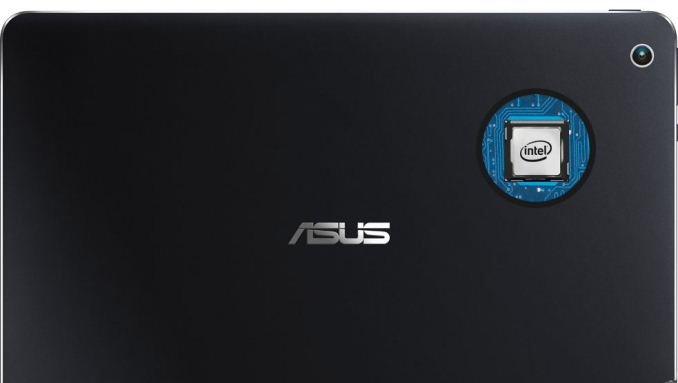
Though the Chi series was first announced at Computex way back in June 2014, it has been a long time getting to market. ASUS is now accepting pre-orders for two models of the Chi. The T100 Chi will be the replacement for the well-received Transformer Book T100, and the T300 Chi is the flagship model. Both will be fanless designs, and include the now traditional Transformer Book keyboard dock.
Starting with the T100 Chi, we get a nice update to a good design. The T100 Chi is a tablet convertible , so all of the components are in the 10.1 inch display. Speaking of the display, ASUS has went with a 16:10 ratio, with a 1920x1200 resolution. It is nice to see a few devices bucking the 16:9 trend, especially with tablets. It also features a laminated IPS display, which removes the air gaps between the different display layers. This is not a new feature of course, but one that has normally been reserved for more premium devices. And the premium feel does not end there, with the T100 Chi being made completely out of aluminum. The T100 is powered by the Intel Atom Z3775 quad-core processor, and has 2 GB of memory. Storage is eMMC in 32 and 64 GB tiers. The T100 Chi has a MSRP of $399, which is very much keeping in line with the previous T100, and comes with the keyboard dock.
The T300 Chi is 12.5 inch tablet, with the same laminated display as the T100, but we are back to the 16:9 ratio. Two resolutions are offered, with a 1920x1080 model being the mainstream version, or you can opt for a WQHD 2560x1440 version as well. The 1080p model comes with the Intel Core M-5Y10 CPU, 4 GB of memory, and a 128 GB SSD with micro SDXC expansion. The higher resolution T300 Chi will come with the Intel Core M-5Y71, 8 GB of memory, and a 128 GB SSD with micro SDXC expansion. The tablet alone is just 1.6 lbs, and combined with the included keyboard dock, the weight doubles to 3.2 lbs.
Both models feature support for the ASUS Transformer Book Chi Active Stylus Pen, which has 256 pressure levels supported and could therefore be based on N-Trig technology.
The keyboard docks have always been the key to the Transformer Book series, and the Chi models feature a unique magnetic hinge to perform the connection. The new models also offer support for additional modes beside attached and detached, with flipped and tented now joining the capabilities. While they do not feature the kickstand of the Surface, if you do have somewhere to rest the tablet, the tent mode should offer some nice functionality. The ASUS Transformer Book Chi T100 and T300 are available for pre-order starting today. Source: ASUS | |||||||||||||||||||||||||||||||||||||||
| 7:41p | Google Updates Gmail for Android With A Unified Inbox
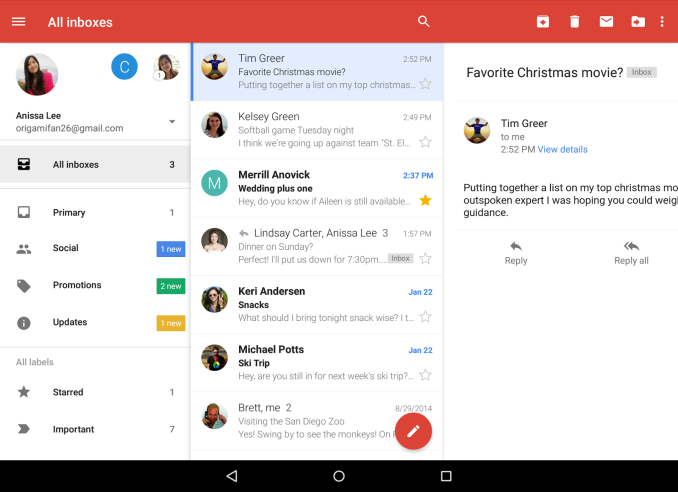
Today Google's Gmail team is shipping an update to Gmail for Android, which has now become the standard mail application for Android Lollipop users. The update brings a great feature that a few other mail applications have offered for some time, which is the ability to display emails from multiple accounts in a single unified inbox. Google has simply named this feature "All Inboxes", and it's accessible via the sliding drawer on the left side of the application on smartphones, and the left pane on tablets. As someone who has to use multiple email accounts on a daily basis, this is a feature that I've hoped Gmail would adopt for quite some time, and it's great to finally have it rolling out. In addition to the new unified inbox, Google is also enabling support for displaying threaded conversations on non-Gmail accounts. This means that users who have long email threads on their email accounts from other providers will be able to view them in a single thread, which was previously limited to Gmail accounts. The omission of this feature just seemed like an oversight when third party account support was integrated into Gmail, and it's good to see Google ensuring parity between the features for Gmail accounts and other providers now that the application acts as the standard Android mail app. In addition to the two major features above, this update to Gmail also brings a few smaller features like better auto-complete when searching, larger attachment previews, 1-tap saving to Google Drive, and improved animation responsiveness. The update is currently rolling out now, although it may take some time for devices to receive it as Google always performs staged releases for application and system updates. | |||||||||||||||||||||||||||||||||||||||
| 10:05p | Windows 10 Build 10049: Meet Project Spartan
Microsoft has released a new build to the fast ring for Windows Insiders today. When build 10041 dropped on the 18th of March, we made note that updates would not be coming at a much quicker pace. Little did we know that we would get a new build only twelve days later. There is big news with this build as well with the public availability of Microsoft’s new browser, codenamed Project Spartan. Back in January we took a look at some of the parts of Project Spartan. At that time, the goal from Microsoft was to include the new rendering engine which would be the heart of Spartan in both Internet Explorer and the new, as yet unnamed browser. Those plans have shifted though. Internet Explorer will still be available for legacy applications (think business) but it will not include the new rendering engine, which is EdgeHTML. Project Spartan will be exclusively EdgeHTML and not include the legacy MSHTML rendering engine for compatibility. Microsoft’s metrics on compatibility with the new browser have shown them that it is really not necessary. So the new browser should be free of any of the legacy code which caused issues with standards. On our initial look at EdgeHTML rendering within Internet Explorer, we saw some pretty substantial performance gains. We will dig into that again with the new build and report back if any additional progress has been made. So what is “Project Spartan” then? Technically it is a new branch of Internet Explorer’s Trident layout engine, but slimmed down and built for the modern web rather than compatibility with legacy things like ActiveX controls. If that is needed, Internet Explorer will still be available in Windows 10. For the vast majority of users though, they just need a clean, fast, secure browser. Whether Spartan is any of that will have to be seen, but it is more than just a new layout and ECMAscript engine too.
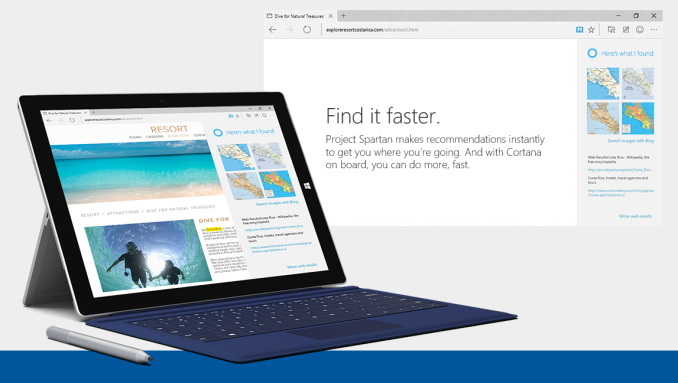
Spartan (I really wish they would just name this browser already) has some interesting technology which Microsoft hopes will bring some mindshare back to their browser. For instance, Cortana, which is Microsoft’s digital assistant and search engine front end, is now built directly into the browser. Being contextually aware should help with relevant search results, and if you type things like “what is the weather” into the address bar, Cortana will respond.
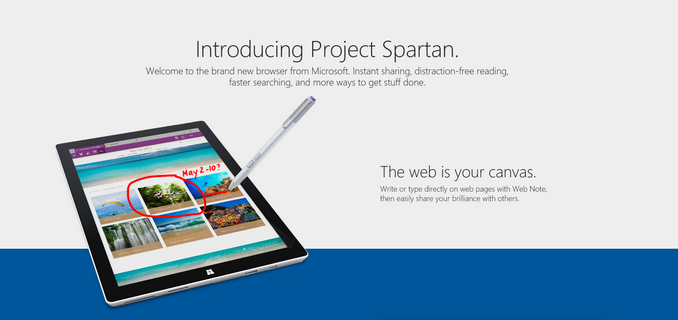
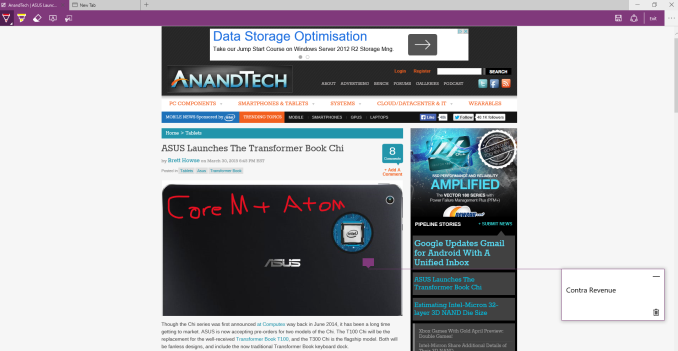
Another feature coming to the new browser is the ability to annotate web pages, and inking is supported for this. The resultant page will be sharable as well, so comments about pages can be shared with friends or colleagues. This may or may not be interesting, but even with the preview just going out, there have already been some clever uses of it shared on social media.
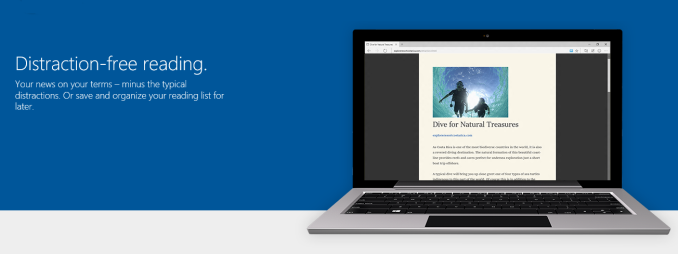
The new browser also supports both Reading List and Reading View, which are extensions to already deployed technologies from Windows 8.1. Reading List is clearly a list of sites, and Reading View offers a distraction-free browsing experience. One of the best features of the new browser though is that it will be updated through the store, so hopefully the extremely long wait times between feature updates will go away. There was always the capability of this with Windows Update, but Internet Explorer is certainly behind in adoption of new web standard drafts as compared to other browsers. For those in the Fast Ring, go check your Windows Updates and get a crack at the new browser, but before you do, be sure to check out the list of known bugs, as there are some serious ones in this build such as Hyper-V being broken on this build. Remember though, this is called the Fast ring for a reason! Source: Windows Blog | |||||||||||||||||||||||||||||||||||||||


| << Previous Day |
2015/03/30 [Calendar] |
Next Day >> |