[Most Recent Entries] [Calendar View]
Friday, September 4th, 2015
| Time | Event | ||||||||||||||||||||||||||||||||||||||||||||||||||||||||||||||||||||||||||||||||||||||||||||||||||||||||||||||||||||||||||||||
| 3:00a | OSVR Updates Hardware And Software For VR Dev Kits
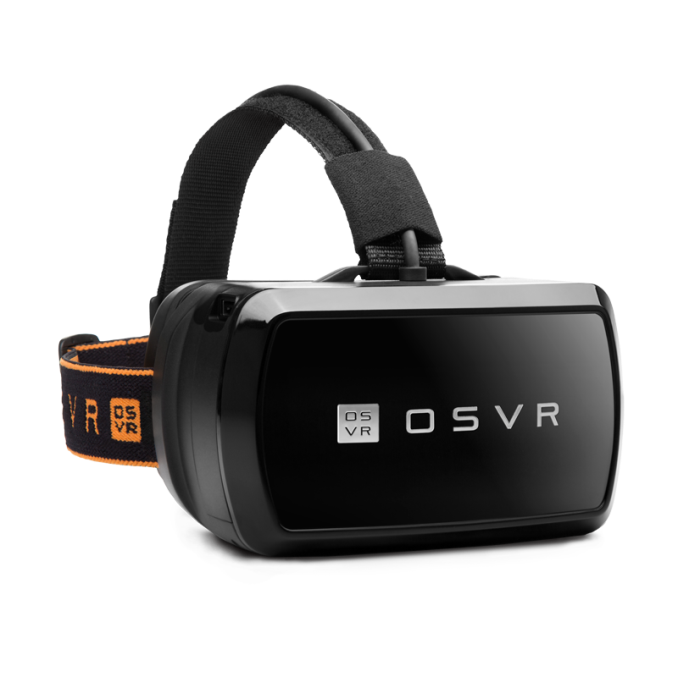
OSVR is Open Source Virtual Reality, which is trying to stake its claim in the yet unrealized Virtual Reality landscape. Today they have announced that they have updated their Hacker Development Kit (HDK) to version 1.3, and they have also updated their software to leverage VR technology from NVIDIA and to provide an application profiler.
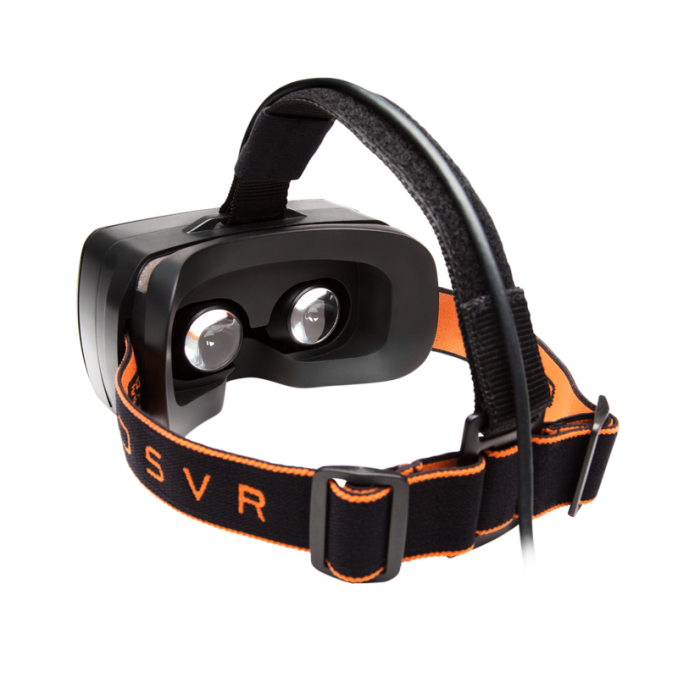
Pre-orders for the HDK v1.3 are going to go live on the first of October, and shipments will begin later in the month. The new kit improves the optics and display modules. The optics module is very important in VR because of how close the displays sit in relation to your eye. Without optics, it is very difficult to focus on something so close. The new optics expands the eyebox which provides sharper images without having to use independent adjustable lenses. The optics module will also offer individual eye focus which will let people who wear glasses adjust each eye to let them use the kit without glasses. The display module has also been upgraded, and it is now a 1920x1080 resolution 5.5-inch silver screen OLED display which has a 120 Hz refresh rate. Low persistence is the key to VR which is one of the main reasons for OLED on these devices, and the higher refresh rate will likely allow them to do what Oculus is doing to improve persistence, which is to interleave a black frame between images.
OSVR has also worked with NVIDIA to leverage their Gameworks VR technology. Ryan covered this when it was first announced, so I will direct you there to get an overview for what Gameworks VR brings to the table. Specifically for OSVR they have pointed to a few parts of this technology which they are leveraging. Direct Mode lets the NVIDIA driver treat the VR headset as a head mounted display rather than a traditional PC monitor which helps with plug and play support and compatibility. Front Rendering Buffering lets the GPU render directly to the front buffer which reduces latency, and Context Priority lets the developer have more control over the GPU scheduling. OSVR has also launched a Performance Profiler which uses Event Tracing for Windows to track the performance of a VR application at all stages, allowing developers to locate bottlenecks which may cause stuttering in a typical PC game, but would quickly cause a loss of immersion in a VR scenario. OSVR is up against some pretty big names, but they have added over 60 new supporters to their open source solution. Content is going to be the key to their success, as it will be for any of the VR headsets. Source: Razer | ||||||||||||||||||||||||||||||||||||||||||||||||||||||||||||||||||||||||||||||||||||||||||||||||||||||||||||||||||||||||||||||
| 3:01a | Razer Updates The Diamondback And Orochi Gaming Mice, Releases Mobile Version Of Kraken Headphones
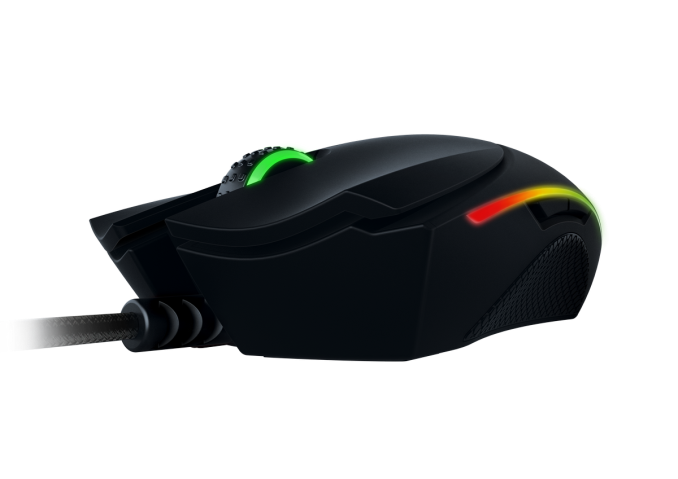
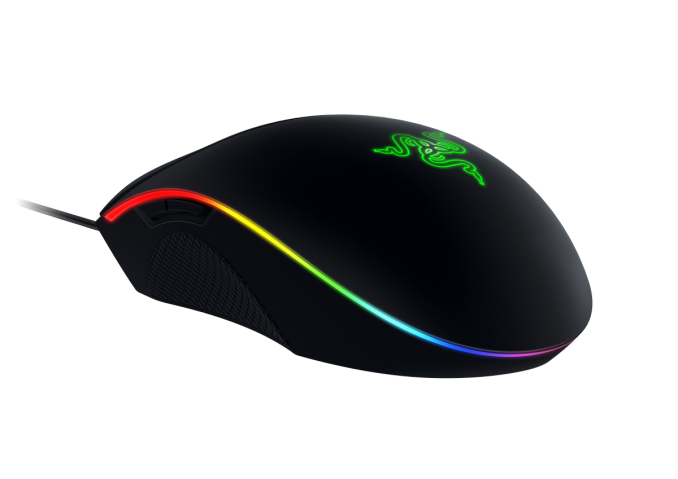
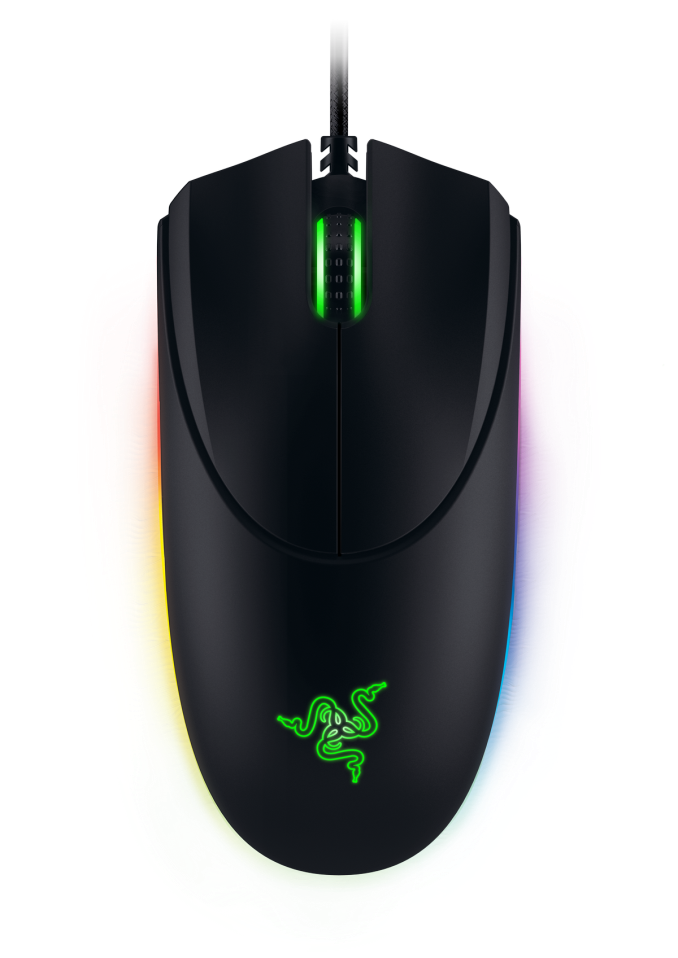
Today Razer is updating some of their most classic accessories. The Diamondback mouse was first released way back in 2004, and it was the first gaming mouse to feature an optical sensor, the Orochi is Razer’s mobile gaming mouse, and Razer is also launching an updated version of their Kraken headset. As I mentioned the Diamondback is one of Razer’s oldest peripherals dating all the way back to 2004. For 2015, the Diamondback has kept the ambidextrous design which is going to make left-handed people happy. Most gaming mice seem to cater only to right-handed people. The big addition for this year is a new sensor with the mouse now featuring a 16,000 DPI laser sensor. Razer states that it can handle up to 210 inches per second with 50 g of acceleration. The DPI levels can be adjusted at 1 DPI at a time using Razer’s Synapse software. The mouse has a lift-off cut-off distance which is adjustable down to 0.1 mm so players can reset the mouse without affecting their positioning.
The Diamondback also features Razer’s Chroma lighting which lets you set the LED lights to one of 16.8 million colors. Macros can be assigned to any button on the Diamondback using the software and you can set individual game profiles for DPI levels and other settings as well.
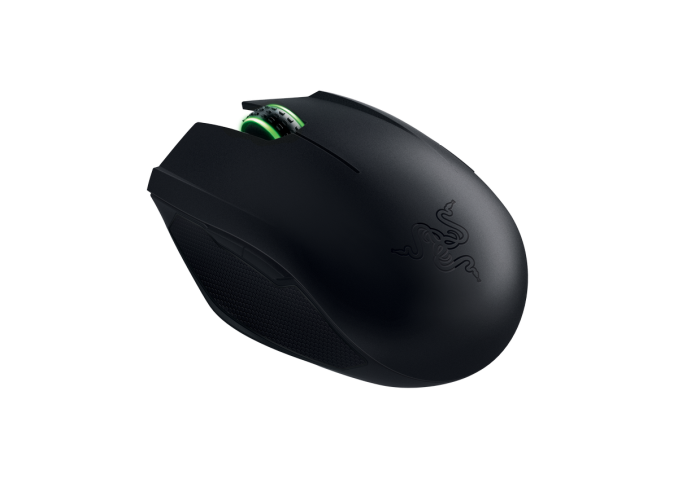
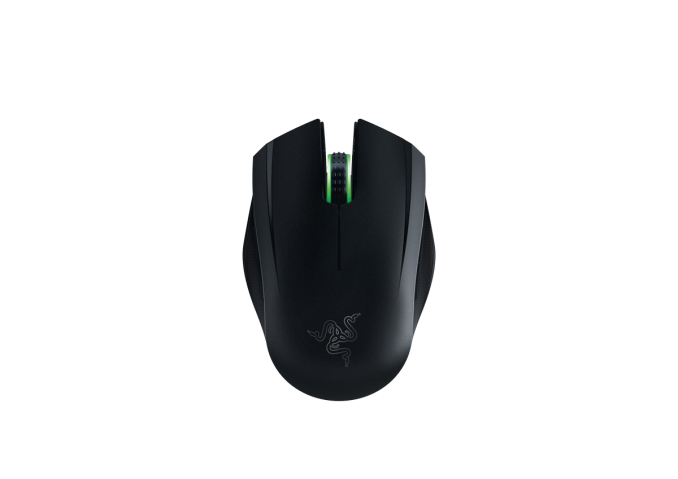
It features nine programmable buttons, and offers 1000 Hz polling on USB. Without the USB cable, the mouse weighs in at 89 grams, or 0.2 lbs. The cable itself is a 2.1 m / 7 ft braided fiber cable. You can pre-order now on Razer’s store for $90, with availability in October. The second mouse is a portable gaming mouse. The Orochi is now updated with a new sensor as well. It moves from a 6400 DPI sensor to an 8200 DPI laser sensor, which Razer says is the highest DPI sensor to ever be put in a mobile gaming mouse. It features the same 210 inches per second and 50 g acceleration specs as the Diamondback.
What is kind of neat about the Orochi is that it can be used as a wired or wireless mouse. For the 2015 model, Razer has turned to BlueTooth LE to be able to double the battery life of the outgoing model. The two AA batteries are now rated for up to 60 hours of continuous use, which Razer says should last for around seven months of normal usage. When the mouse is hooked up over USB, it offers 1000 Hz polling, and when connected wirelessly it drops down to 125 Hz. Response time is rated at 1 ms for wired and 8 ms for wireless.
Razer has also outfitted the mouse with rubberized sides for better grip, and the Orochi also features Razer’s Chroma lighting. The mouse comes with a 1 m / 3.28 ft braided fiber USB charging cable, and the mouse itself weighs in at 110 g or 0.24 lbs. The Orochi is also available for pre-order at $70 and ships in October.
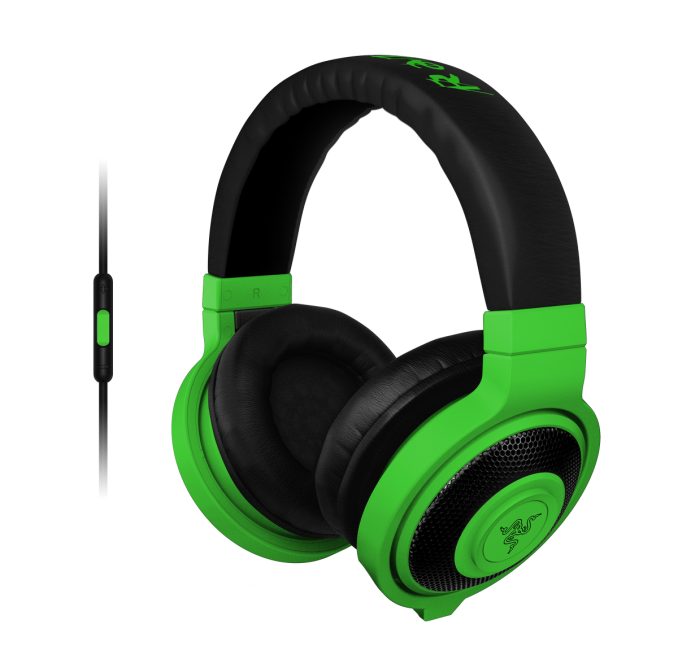
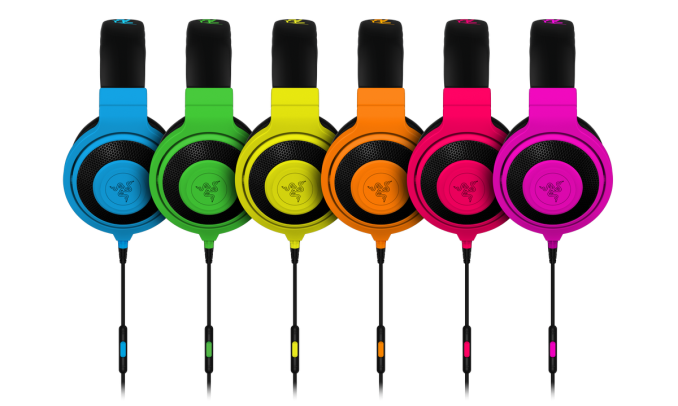
Finally, Razer is adding a new model to their headphone lineup, which is the Kraken Mobile. These headphones use the same 40 mm drivers as the regular Krakens, but now feature a detachable in-line microphone and remote made for Apple iOS devices. Razer will also be offering an accessory pack for Android device use. Basically think of the Kraken headsets, but mobile branded to be used with your smartphone and allow the headphones to control playback on the phone, and accept incoming calls.
The Kraken Mobile headphones will be available worldwide in six colors beginning this month for $90. Source: Razer | ||||||||||||||||||||||||||||||||||||||||||||||||||||||||||||||||||||||||||||||||||||||||||||||||||||||||||||||||||||||||||||||
| 8:00a | Toshiba Announces Q300 And Q300 Pro Consumer SSDs
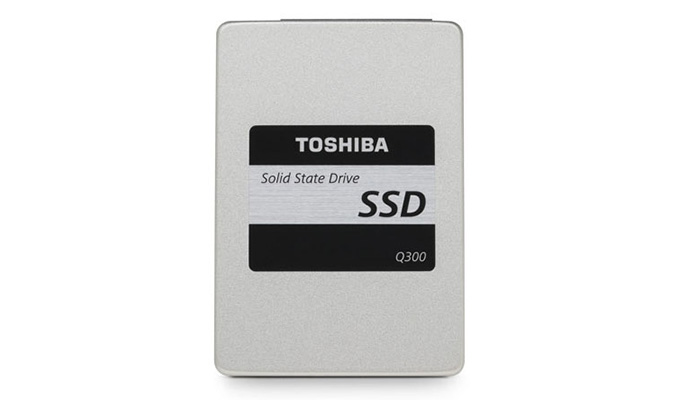
After all the enterprise and OEM drive announcements last month surrounding Flash Memory Summit, we've finally got a new drive to talk about that will be sold directly to consumers and available through retailers. Toshiba's Q300 and Q300 Pro drives are client-focused SATA drives using Toshiba-branded flash and controllers. The Q300 uses TLC flash and has an endurance rating of about 0.23 drive writes per day for three years. The Q300 Pro uses MLC flash and is rated for about 0.34 drive writes per day for five years.
TLC-based drives require more power for writes, but the idle power rating is quite high and makes the Q300 unsuitable for mobile use.
The Q300 Pro seems tuned for a read-oriented workload, with significantly lower random write performance than the Q300, despite TLC being inherently slower for writes. On the other hand, power consumption is much more reasonable, although the Q300 Pro idle power is still a little behind the competition. The Q300 Pro is listed as using the same TC58 controller that is in the TLC-based OCZ Trion 100, which bore suspicious similarity to the Phison S10 as seen in the Corsair Neutron XT. The Q300 is shipping now, and the Q300 Pro will ship later this month, when ordered directly from Toshiba's website. Our review samples are on the same timetable, so look for our benchmarks in a few weeks. | ||||||||||||||||||||||||||||||||||||||||||||||||||||||||||||||||||||||||||||||||||||||||||||||||||||||||||||||||||||||||||||||
| 4:30p | Samsung Gear S2 Launch Event & Hands-On
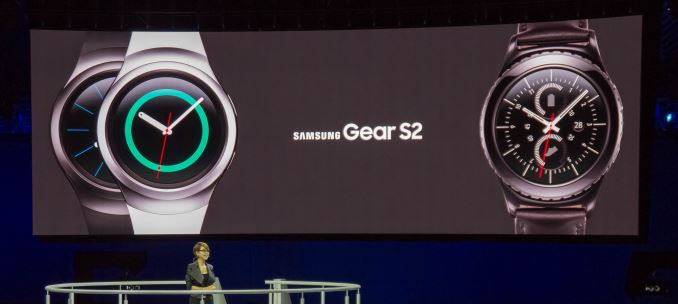
After quite a long day yesterday here in Berlin I finally managed to catch a breath to sit down and go over what was likely the biggest reveal over the course of this year's IFA. Last night Samsung formally presented the Gear S2 to the public and demonstrated what the new smartwatch is all about. We've already covered the initial paper-launch a few days ago where took a look at the basic specification sheet of the three new smartwatch models. As a reminder, we're talking about 3 SKUs - the Gear S2 BT, Gear S2 3G and the Gear S2 Classic.
One additional piece of information that we weren't sure of was the exact SoC selection. I was able to talk one of the Korean employees present during the launch and he pointed out that the Gear S2 uses the same SoC as the first Gear S - meaning an Exynos 3250. This is a SoC specifically designed for wearable use and features two ARM Cortex A7 cores at 1 GHz and a Mali-400MP2 GPU running at 133MHz. The way the three units differ is in their design and internal function. The Gear S2 BT and Gear S2 3G both sport the same modern look and only slightly differ in their size, with the 3G version bulking up a bit in all dimensions as well as in weight. The classic shares the internal specs of the normal BT version but changes its exterior design to a more traditional watch look.
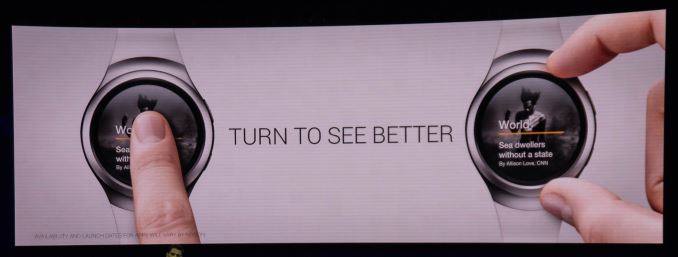
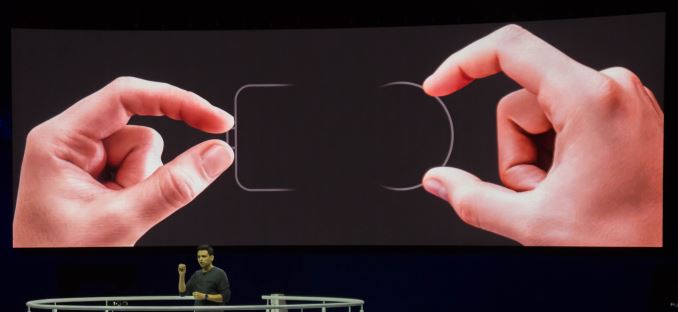
Samsung kept the presentation short and to the point - and that point is the rotating bezel. This is what makes the Gear S2 differentiate from all other smartwatches and Samsung rightfully put the feature center-stage during the talk.
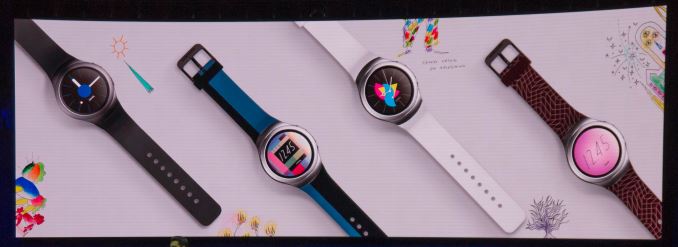
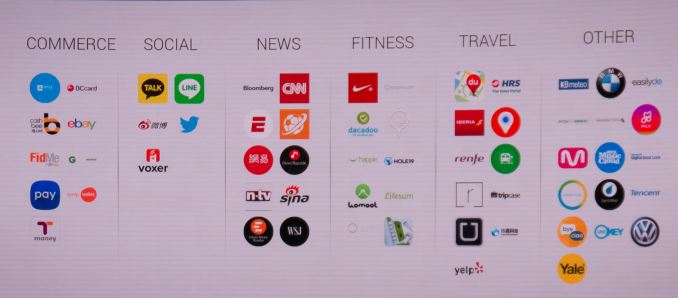
Samsung argues that screen-estate on a smartwatch is valuable, and you don't want to waste any of it by swiping the screen for navigation. Rotating bezels have existed for decades on traditional watches such as diver watches, so Samsung took inspiration from such designs and made the bezel the primary control. Before going into more details on how the bezel functions, we'll have a quick look at the ecosystem that Samsung promises to build around the watch. Samsung announced various cooperations with designers as well as companies to create a base portfolio of accessories such as watch-bands and applications.
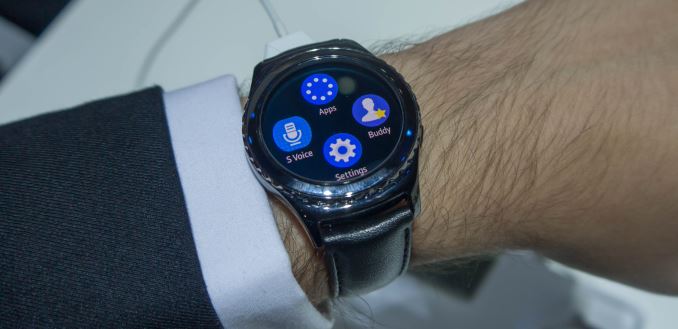
The applications the demo units were loaded with were all working well although I didn't try too many of them rather than playing with Samsung's new Tizen OS in general. The availability of applications is definitely going to be a crucial factor in the success of the Gear S2, so I hope that Samsung is able to push as many developers as possible in creating content for the watch. Starting off with the Gear S2 classic I was in for quite a ride in terms of design. Over the last few years ever since Samsung released the first Galaxy Gear there's been one common denominator for all smartwatches released to date: their extremely bulky size. I think that the thickness of my wrists falls below that of the average person, so up until now all smartwatches I tried out were extremely off-putting because their large size simply didn't fit me well. As a warning and disclosure: I'm probably the least objective person to talk about watch designs and evaluating them as my personal taste veers extremely towards minimalistic and thin watches. If I were to go into a jewllery shop with a selection mechanical watches I'd probably dismiss 95% of designs right off the bat.
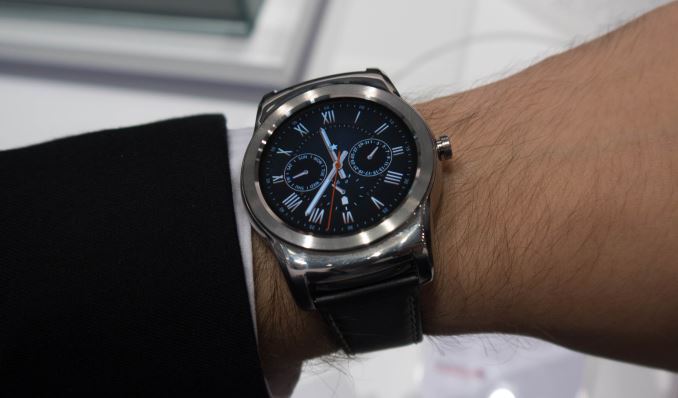
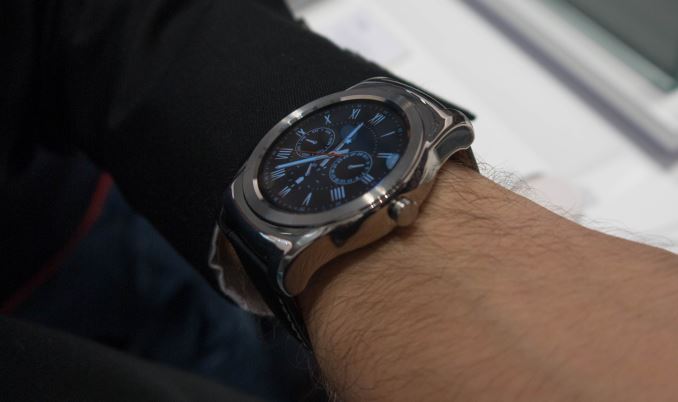
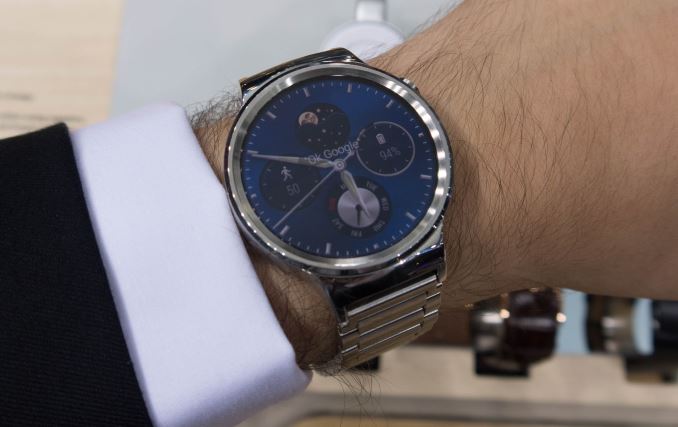
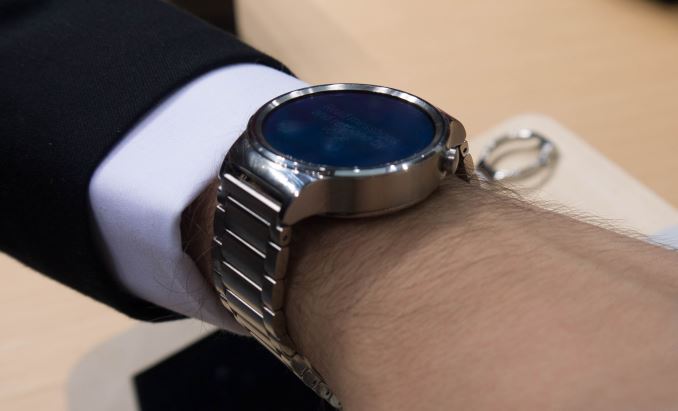
The LG Watch Urbane and the Huawei Watch are examples of what I would rather consider to be blunt weapons instead of practical watches that I would be able to wear daily. Unfortunately up until now this left small-wristed users with a lack of proper options when it came to smartwatches. That being said, when I first put on the Gear S2 Classic it was quite a revelation to find a smartwatch that not only was a (subjective) visual fit, but more importantly was actually comfortable to wear.
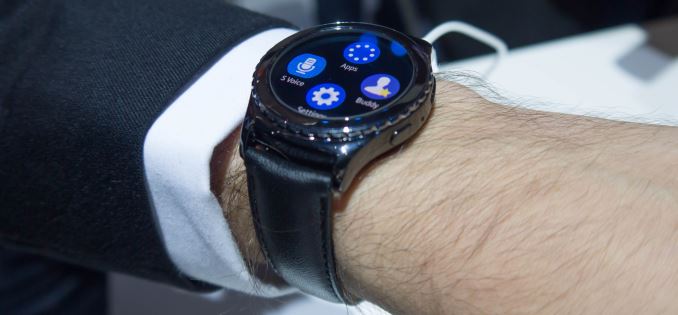
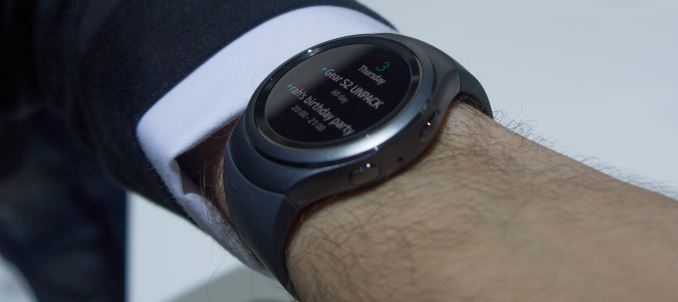
The S2 Classic is a very good implementation of a smartwatch that doesn't immediately identify as a smartwatch. Samsung here has managed the task of blending the traditional watch style with smartwatch internals resulting in something that on the street would be very hard to pick out from normal watches.
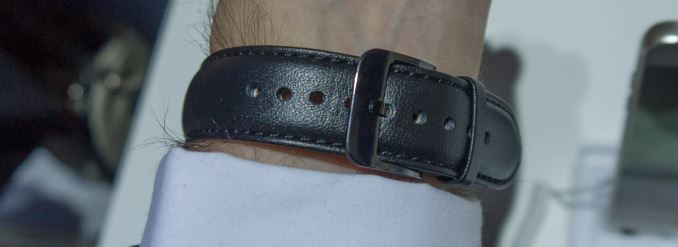
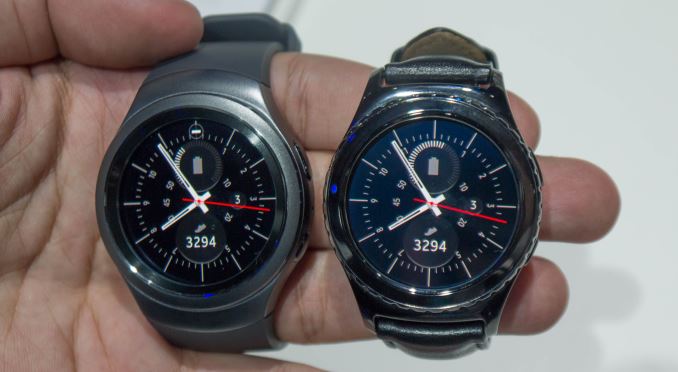
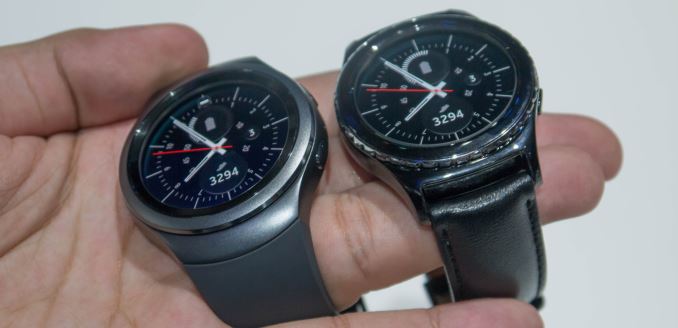
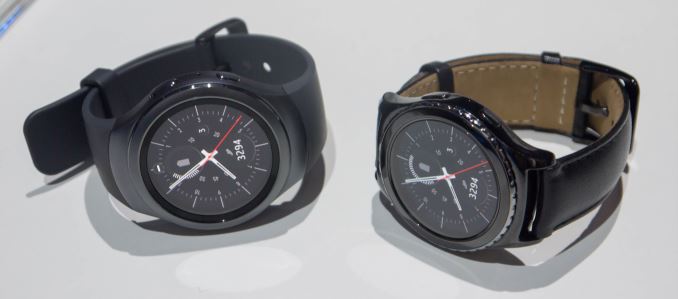
One thing I wasn't too happy about the Gear S2 Classic was the stock leather watch-band. While I had no issues with the design and looks of the band, putting it down was quite harder than putting it on as the buckle tongue mechanism was much too stiff. I hope this was just an effect of the brand-new leather's hardness as opposed to any functional issue with the buckle tongue itself. As I tried the Gear S2 Classic first, I was expecting the normal version to be bulkier and less comfortable. I was in for my second shock for the day as I actually found the differences to be minimal. Due to the more streamlined and rounded design of the Gear S2, it was able to hide the fact that it's a few mm bigger than the Classic.
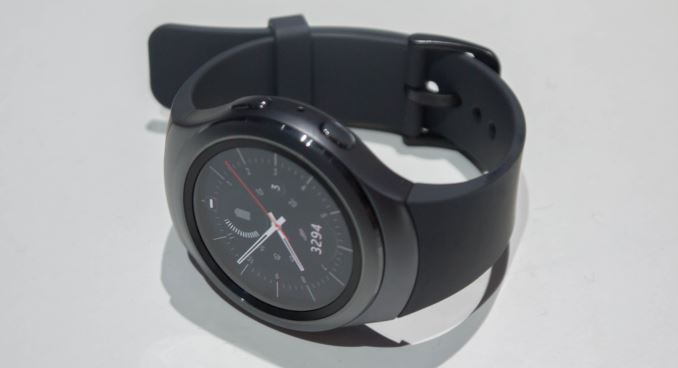
While the Gear S2 Classic has the more traditional look going for it, the normal Gear S2 expresses more modern design characteristics. One of the most important ones in terms of look and feel is the sand-blasted metal finish of the watch body that gives it a distinct feeling over the glossy surface of the S2 Classic. The second-most noticeable difference in feel between the two variants is the rotating bezel design. The Gear S2 Classic includes little notches on the side of the bezel ring which aren't present on the standard variant. I found the slight curve and bevelled edges of the normal version one of the factors that made it actually more comfortable to use than the Classic.
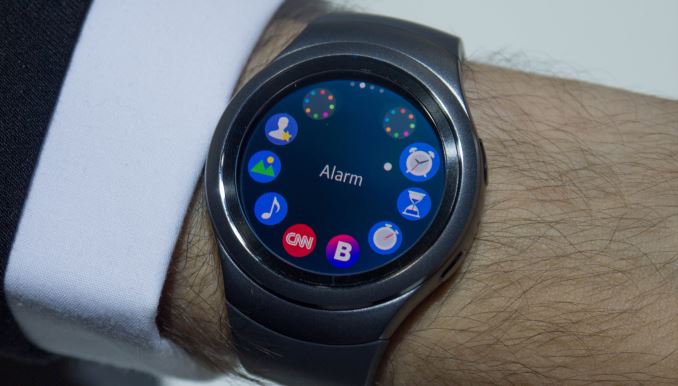
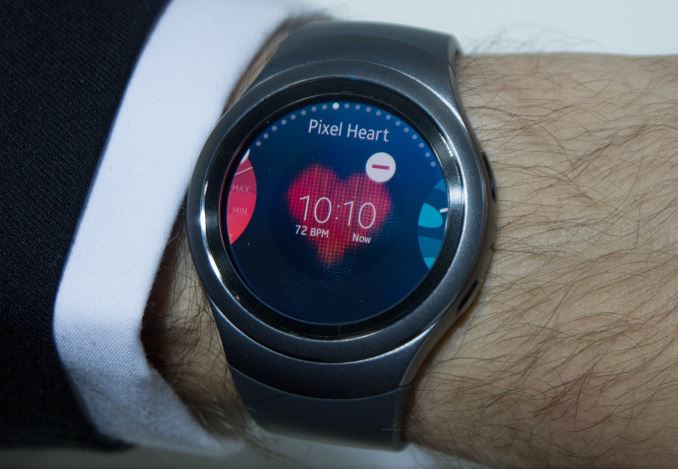
This is something I found to be extremely important, because the bezel ring navigation is something as crucial and defining to these devices as bread is to butter. I don't think it took me more than a mere 20 seconds to adapt to the rotary nature of the controls after which it felt like something so obvious and simple as if this was the way smartwatches had always been designed to be controlled. The best way I could describe the experience is as if you simply had a mouse-wheel laid horizontally, as that is exactly how it felt to me as I scrolled through the menus and interfaces. The physical feel of the rotating bezel could also be compared to the feel of a clicking mouse-wheel, only that the clicks are much more fine-grained and solid. I feel that Samsung managed not only to create an innovative way of input but actually nailed the physical feedback feel of the rotation mechanism. The interface seems also to be well-designed for the rotary control. The two main selection interfaces consist of the home-screen selection and the application drawer. The home-screens (or main screens) are the widgets for applications and may display any arbitrary information. At the "center" of the home screens is of course the watch face itself, which one can directly get to via the home button. The app-drawer is also extremely intuitive to use with the rotating bezel. It functionally is nothing else than a linear menu when one scrolls through it with the bezel ring. Visually, this is represented in a circle of icons, but each circle contains 8 actual apps and 2 additional icons that jump to the previous or next 8 apps. So you can either use the touch-screen to go from selection screen to selection screen via the top "app-circle" shortcuts, or you simple turn the bezel until you get where you want. Because selection via the bezel is so fast, I found myself prefering to use this method than falling back to the touch-screen for anything other than launching an app. Launching apps or confirming a selections seems to be the last major repetitive use-case needing the touch-screen functionality, which kind of derails a bit the experience of using hardware controls. I imagine what an additional "select" button would be able to do to the experience.
As earlier mentioned, the screen on the Gear S2 comes with a pixel density of 302ppi, making this quite a reasonably sharp wearable. The screen also seemed brighter than other smartwatches. The demo units were by default set to ~70% brightness but once you manually set them to 100% via the settings menu it really brought out the contrast of the very black-dominant UI. I had some gripes with the default DPI and density some of the interface elements used. The screen sports a high-enough resolution that it could easily accommodate more information if one designed apps to take advantage of it, so I hope that in the future there will be some option to better adjust font and element sizes, as the system font-size control did not seem to have much an effect on apps.
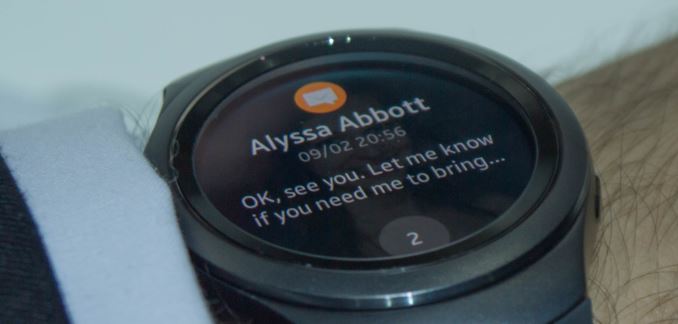
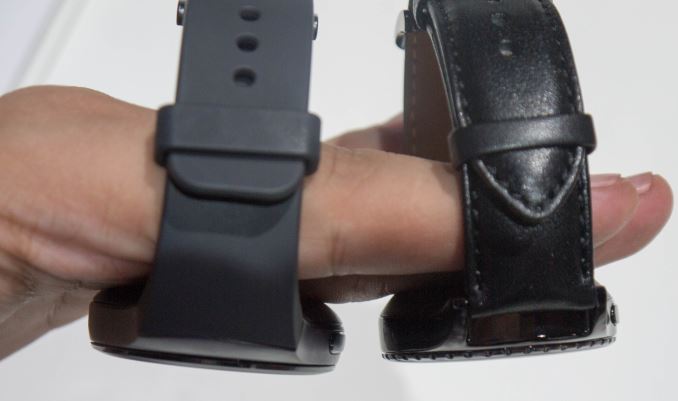
An odd characteristic of the display is that the glass seems much thicker than any other smartwatch out there. As I hope that it can be distinguished in the picture above, the actual AMOLED display sits around 1.5-2mm below the glass surface and bezel of the watch. The result is that the Gear S2 is able to replicate the "watch-face through glass" feel of a traditional watches better than any previous smartwatch attempt. In doing so it however sacrifices some of the "image pop-out" feel of zero-gap displays available on other smartwatches.
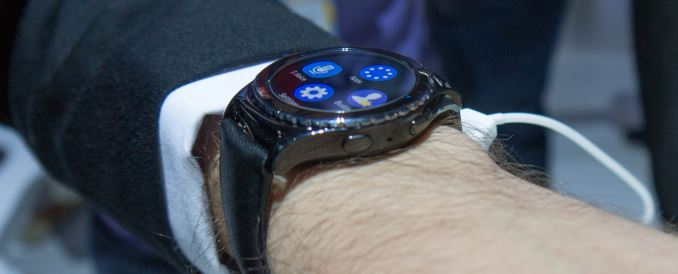
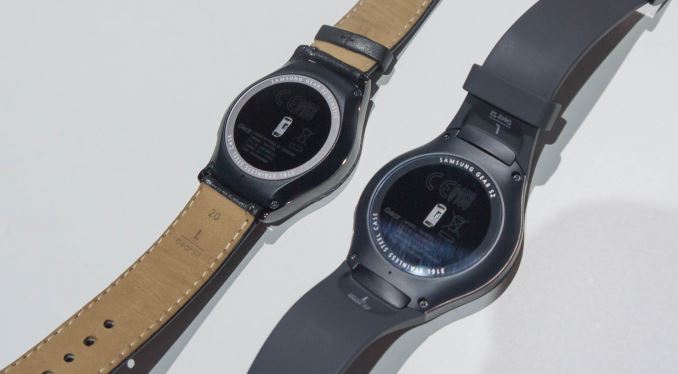
Both variants are roughly the same thickness, except that again the normal variant has rounder edges compared to the classic. The devices have two buttons on their right side; the top one acts as a back button and the bottom serves as the device's home button. For right-hand users who wear the watch on their left arm I would have wished if they had put the home button on the bottom left side of the watch for it to be easily accessible with one's thumb. The back button though is well located for right-handed people as it's in good reach for one's index finger. The watches are IP68 certified which means the watches are water-resistant up to 3m of depth. Due to this, they don't have any physical charging port but rather rely on wireless charging. Samsung claims that charging will be quite fast, but we won't be able to tell until we review the S2.
All in all, Samsung aimed high with the Gear S2 and instead of iterating on its previous designs, it chose to take on the smartwatch category from a new perspective. This seems to have paid off as the Gear S2 is the best feeling smartwatch I've been able to get my hands on to date. The rotary bezel design is something I envision to become a standard and defining feature for Samsung watches as I yet have to find a fault with it. With excellent hardware and design, the success and consumer satisfaction of the Gear S2 will strictly fall in the hands of the software ecosystem. The Gear S2 presents itself as Tizen's biggest growth opportunity to date, and unless other Android Wear vendors manage to catch up with Samsung on the hardware side, I imagine that the S2 together with Samsung's helping push will be able to generate enough of gravity that it may pull in some much needed developer attention. More importantly, Samsung doesn't limit compatibility Gear S2 to only Samsung devices, but is open to any and all Android 4.4 devices and up (The version of Android which introduced Bluetooth Low-Energy), which should help adoption-rate. | ||||||||||||||||||||||||||||||||||||||||||||||||||||||||||||||||||||||||||||||||||||||||||||||||||||||||||||||||||||||||||||||

| << Previous Day |
2015/09/04 [Calendar] |
Next Day >> |