[Most Recent Entries] [Calendar View]
Thursday, June 30th, 2016
| Time | Event |
| 8:00a | Samsung Introduces Carrier Unlocked Galaxy S7 In The US
One of the large complaints about the Galaxy S7 is that it is a carrier-locked device even when purchased without any sort of contract or payment plan. There are some exceptions, such as Samsung Experience Stores here in Canada that sell the phone with an unlock code included, but this doesn't prevent the phone from loading bloatware that corresponds to the carrier that you use with it once you put in your SIM. Given that contracts seem to actually be falling out of favor, it makes sense to offer an unlocked version of a smartphone for buyers who are willing to pay for the device outright, and who want to avoid preinstalled apps and customizations from their carriers. Today Samsung announced that they are introducing a carrier-unlocked Galaxy S7 in the United States for the sort of consumers that I just described. The new unlocked Galaxy S7 and Galaxy S7 Edge are launching today, and Samsung states that they work on all the top US carriers, with network compatibility presumably being the same as a Galaxy S7 that you would purchase from a carrier and unlock yourself. These new unlocked phones are available from a number of retailers starting today, including Amazon, Best Buy, and Target. The Galaxy S7 is priced at $669.99, while the Galaxy S7 Edge is $769.99. |
| 8:00a | The Lenovo ThinkPad P70 Review: Mobile Xeon Workstation It’s been almost a year now since Lenovo first announced the new P50 and P70 mobile workstations, which were 15-inch and 17-inch notebooks, respectively. The part of the announcement which likely caused the most buzz was that Intel was now going to offer their professional Xeon parts in a laptop, with the launch of the Xeon E3-1500M v5 chip. Previous to this, mobile workstations would only have the option of a consumer level processor, excluding the ability to have ECC memory, which is a staple in desktop workstations. |
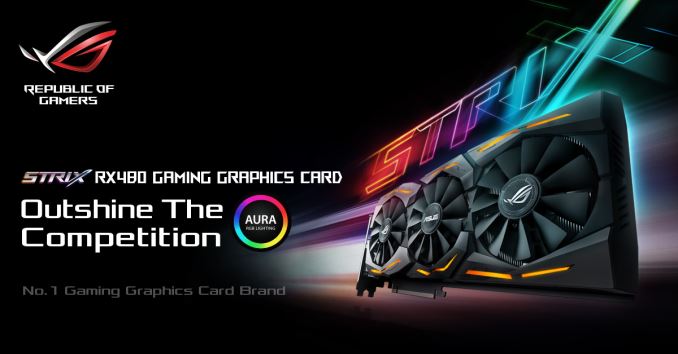
| 2:00p | ASUS Reveals Their New RX 480 GPU Design
After a lengthy tease from AMD we are finally seeing the new AMD Radeon RX 480 roll out. As we saw in our preview the card successfully makes leaps in its power to performance profile and brings a healthy performance jump to the mainstream market. It goes without saying that there will be custom cards coming from other vendors. ASUS is the first to throw their hat into the ring with their new ROG Strix RX 480. This card will of course feature AMD’s new Polaris 10 core which brings us performance improvements with less power and heat. The ROG Strix RX 480 will also be an 8GB card running at 8GHz on the cards 256-bit bus, though ASUS has not yet released clock speeds for the GPU core. The new card will be housed in ASUS’s DirectCU III cooler which will allow more performance and less noise. Around back the card will have a back plate. With both the back plate and the black metal shroud featuring Asus’s new Aura RGB lighting which will be helpful in color matching the card to a wide variety of builds. ASUS is first to the punch with their custom cards, but many are sure to follow with the new release of the AMD Radeon RX 480. We’ll be sure to report on them as announcements come in. |
| 2:15p | AMD Releases Radeon Software Crimson 16.2.2 Drivers
AMD has now brought us their latest card in the Radeon RX 480. With new cards comes new drivers. We are also getting fixes and a list of new features moved into Radeon Settings. So let’s get into what this release contains. To cover the resolved issues first, we can see that the RTG tackled flickering and stuttering issues found with Crossfire enabled in several games. Fixes are found for Hitman, Heroes of the Storm, The Witcher 3: Wild Hunt, and Star Wars Battlefront. With Elite Dangerous we are seeing a fix for minor stuttering issues in Crossfire. Unfortunately, the flickering in Crossfire remains for Need for Speed with some light sources in game. Along with the appreciated fixes, we get the necessary support for the new Radeon RX 480 and a Crossfire profile for World of Tanks. We are also seeing a global Crossfire toggle, HDMI Scaling, Display Color Temperature, Desktop Color and the Vulkan version number report all move into Radeon Settings. This may be a motion to move away from the Radeon Additional Settings menu which currently houses a lot of options that don’t live in Radeon Settings as first class citizens. We’ll have to keep an eye out to see for sure. Alongside all these features is a new one with Radeon WattMan, which is a new utility built into Radeon Settings that allows more fine grained control of power and performance on a per game basis. As always, those interested in reading more or installing the updated hotfix drivers for AMD’s desktop, mobile, and integrated GPUs can find them either under the driver update section in Radeon Settings or onAMDs Radeon Software Crimson Edition download page. |
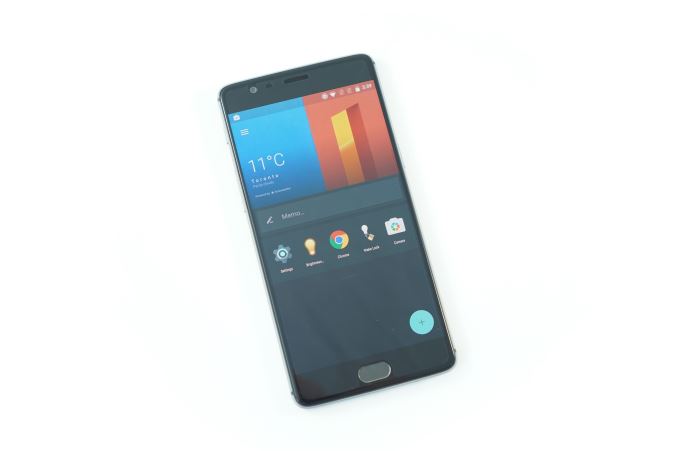
| 3:00p | Revisiting The OnePlus 3: sRGB, Memory Management, & More
Last week I published my review of the OnePlus 3. I reviewed the OnePlus 2 for AnandTech, and given that the OnePlus 2 had many problems it seemed appropriate that I should examine the improvements that OnePlus made with their latest smartphone. As I used the phone, I was glad to see that OnePlus had clearly taken feedback from the reviews of the OnePlus 2 to heart and spent the year since then working on creating a truly great phone. From the chassis, to the camera, to the SoC, the OnePlus 3 really delivered a level of quality comparable to phones that cost significantly more. Unfortunately, the display seemed to be an exception to this trend, with a level of inaccuracy that I haven't seen before. Not long after the review OnePlus created a beta update that introduced an sRGB gamut mode, which promised to fix the issues I noted in my review. Read on to see whether these changes were enough to make my recommendation of the OnePlus 3 an unconditional one. |
| 3:25p | Windows 10 Anniversary Update Launching August 2nd
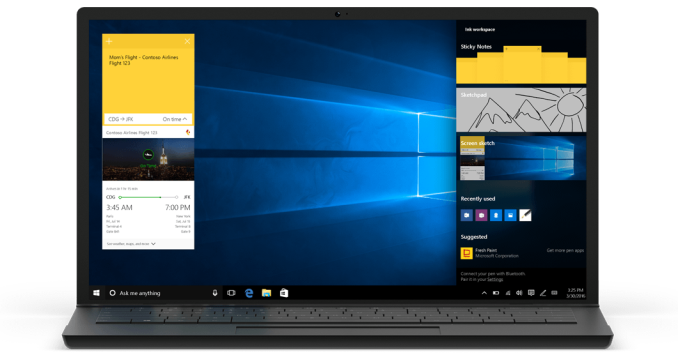
While certainly not as big of an update as the original launch of Windows 10, the next major update now has a release date. August 2nd will be the date where all of the latest additions and features will be coming to Windows 10. The insider preview has been testing many of these for a while, providing feedback and bug reports to hopefully have a smooth launch. There’s quite a few small changes coming, such changes to the Start Menu and lock screen, as well as new icons and locations for some of the settings to give it a better look and feel. Welcome changes will be things like being able to adjust music playback on the lock screen, as well as do some Cortana interaction without having to unlock the device. One of the features that has been sorely lacking since launch though is extensions for the new browser, Edge. With the Anniversary Update, extensions will finally be available. There are a few extensions already in the preview builds, such as Adblock, Adblock Plus, Lastpass, Microsoft Translator, and a few more. The ability to use Lastpass is almost a make or break feature for me, so this is very much welcome. Extensions will be available through the store, and will be kept up to date through the store too. First shown off at Build at the end of March, Microsoft is focusing even more on their pen support with Windows Ink. On a system with pen support, there will be an icon in the system tray to launch Windows Ink, where you can get quick access to pen-enabled apps, as well as discover more. They’ve added some excellent features for Windows Ink, including a digital ruler, and even the ability to set reminders by writing on notes. There seems to be a very vocal group that uses the inking quite a bit, and these changes should make that even more useful.
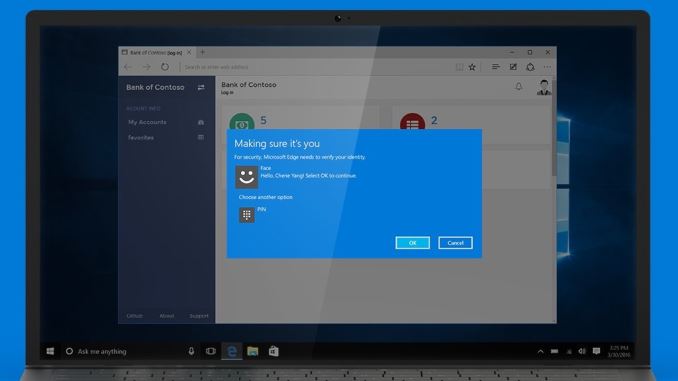
Windows Hello, which is the biometric authentication system which debuted with Windows 10, will also get some upgrades. Windows Hello support will be available in Microsoft Edge to allow Windows Hello login through the browser to supported sites and web apps. Hopefully this will be the first step on eliminating the password problem.
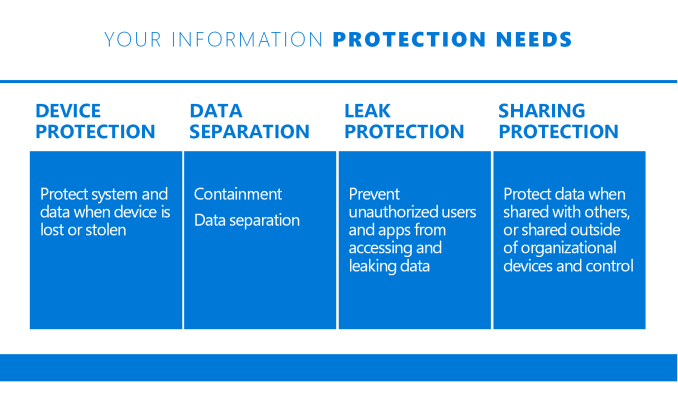
When this ships, Windows 10 will be about a year old, so it makes a lot of sense to start to deliver on some of the enterprise features promised when Windows 10 was first announced. The key one here is Windows Information Protection, formerly known as Enterprise Data Protection. This will help eliminate data leaks by securing devices, separating data, and preventing unauthorized users from opening the data. It’s a major feature for enterprises, and for those that want to read about it a bit more, they’ve posted a blog post about this update.
Gaming hasn’t been forgotten either, with Xbox Play Anywhere announced at E3, where you can buy a supported game once on either PC or Xbox, and play the same game with the same save files on either. There’s a lot more coming, and we’ll be looking into the changes further closer to the launch date. Microsoft has also announced that the free upgrade offer would be ending at the end of July. If you were holding off upgrading but still wanted to, that date is quickly approaching. Source: Microsoft |



| << Previous Day |
2016/06/30 [Calendar] |
Next Day >> |