[Most Recent Entries] [Calendar View]
Wednesday, November 30th, 2016
| Time | Event | ||||||||||||||||||||||||||||||||||||||||||
| 7:00a | Intel Forms New Group for Autonomous Vehicles and Announces $250M Investment
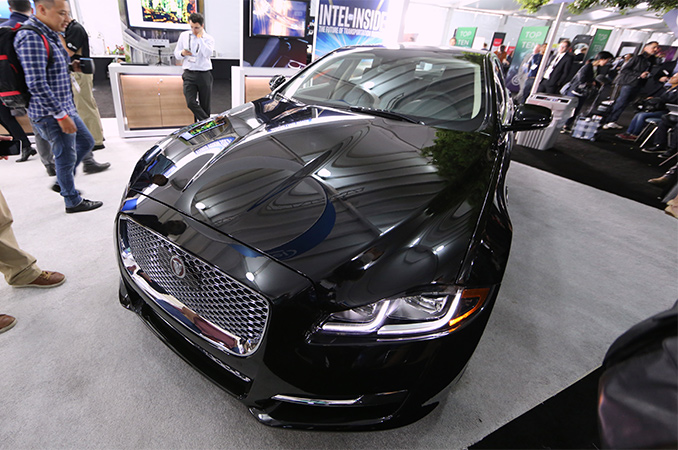
Intel this week announced several initiatives to push into the emerging autonomous driving market. The company formally established a new internal organization called the Automated Driving Group (ADG) dedicated solely to the development of solutions for autonomous vehicles, and announced plans to invest $250 million in the creation of various technologies that enable autonomous driving. Intel has also teamed up with Delphi and Mobileye to develop a turnkey autonomous driving platform that could be used by different automakers. The first cars featuring the platform are expected to emerge in 2019. Intel Bets on Self-Driving CarsIntel has been working with various makers of cars for over a decade, so the company is not a complete newbie to the auto industry. For example, Intel’s CPUs have powered several generations of infotainment systems in many cars by various brands. However, when it comes to autonomous vehicles, much more sophisticated computing platforms are needed. Firstly, such platforms use a multitude of sensors in addition to sonar, LIDAR, odometry, and cameras. Secondly, they use very specific processing units that analyze sensory data in real time as well as AI technologies to make decisions. Over the past few years, Intel acquired numerous companies to accumulate various types of IP it needs not only for autonomous vehicles, but also for many other AI-driven applications. For example, Intel bought Saffron Technology specializing in cognitive computing (AI + signal processing) in late 2015, a developer of driver assistance system called Yogitech in April ’16, machine learning specialist Nervana Systems in August ‘16 as well as computer vision expert Movidius in September ‘16. All of Intel’s assets related to self-driving cars will now be poured into the ADG, which will be managed by Doug Davis, a long-time Intel veteran who oversaw the company’s efforts in embedded computing, networking, and IoT. Kathy Winter, who used to manage software and services for automated driving at Delphi, will assist Mr. Davis. It is noteworthy that Intel did not form a group that would address cars in general and which goal would have been top-to-bottom platforms for autonomous systems. The company intends to address very specific components of future cars and will thus have to make sure that its platforms for autonomous vehicles are compatible with technologies developed by third parties. Initially, the company plans to develop a platform for self-driving cars with Delphi and Mobileye, but eventually it will inevitably have to work with the likes of NXP, Infineon or Renesas (the largest suppliers of automotive semiconductors, according to IHS).
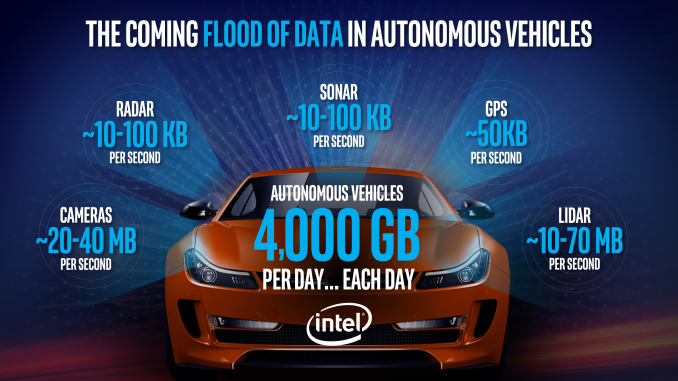
Meanwhile, Intel’s CEO points out that every self-driving car is going to generate roughly 4 TB of data every day, which leads to three implications. Firstly, such cars are going to need powerful chips to process the data in real-time. Secondly, developers of autonomous driving platforms will have to own datacenters to analyze the vast amounts of data captured by vehicles and develop more sophisticated AI technologies. Thirdly, the communications infrastructure will have to handle increased amounts of data. Intel’s Xeon CPUs already power the majority of the world’s datacenters and the proliferation of autonomous cars will drive demand for the company’s processors in the future. In the meantime, ADG is supposed to bring more Intel chips to cars, creating new business opportunities. First Intel-Powered Self-Driving Cars to Hit the Road in 2019One of the first projects that the ADG will work on will be a platform for autonomous vehicles jointly developed by Intel, Delphi and Mobileye that is due in 2019. Another important project for the ADG will be collaborative work with BMW and Mobileye on an autonomous car platform that the former intends to use by 2021. Unfortunately, for now, Intel does not disclose any other efforts that its ADG will deal with. Intel, Delphi and Mobileye have already developed a prototype of their platform based on Intel’s current-gen Core i7 CPU (they do not disclose which one, so we can think of everything between the i7-6600U and the i7-6950X) and an undisclosed Mobileye silicon. Intel says that over time the platform will migrate to a more powerful CPU to be introduced over the next few weeks, but we do not know whether that chip will power vehicles in 2019, when the platform is set to be used commercially. Meanwhile, Mobileye says that the platform will feature compute performance of approximately 20 TFLOPS (we suspect we are dealing with 8-bit integer operations here), which is in line with what NVIDIA expects from its Xavier SoC for self-driving cars that will start sampling in late 2017. NVIDIA and a number of other companies have worked on solutions for autonomous cars for several years now, but while Intel is announcing its intentions to address self-driving vehicles only today, this does not mean that the company is starting only now and from scratch (still, it is evident that Intel is somewhat behind of its rival here). As a result of its recent acquisitions, the chip giant already has a lot of IP related to AI, deep learning, computer vision and other technologies needed for self-driving cars. Moreover, the company’s ADG intends to invest $250 million over the next two years in the development of technologies relevant for autonomous vehicles, such as connectivity, context awareness, deep learning, security, safety and so on. The establishment of Intel’s Automated Driving Group is a sign that the company is taking autonomous vehicles seriously and plans to be a part of a major technology revolution (a good message to send to investors). At the same time, right now the ADG raises more questions than provides answers, at least, from a technology point of view. In any case, Intel promised to announce an element of the upcoming platform for self-driving cars in the next few weeks (CES is January) and perhaps this is when the company discloses more information about the upcoming solution. Sources: Intel, New York Times.
| ||||||||||||||||||||||||||||||||||||||||||
| 8:00a | Best PC Power Supplies: Holiday 2016
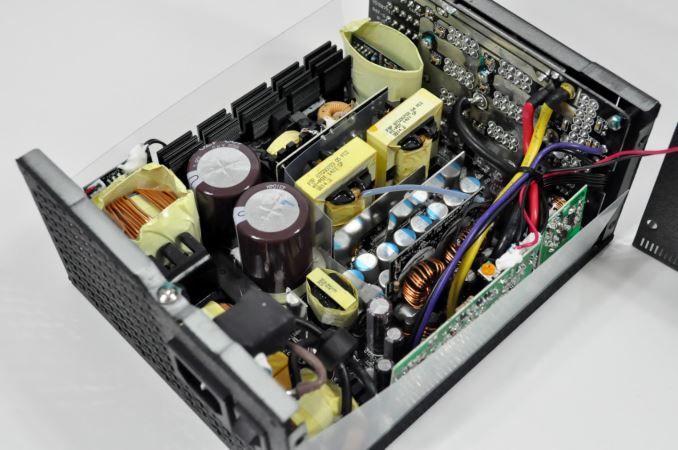
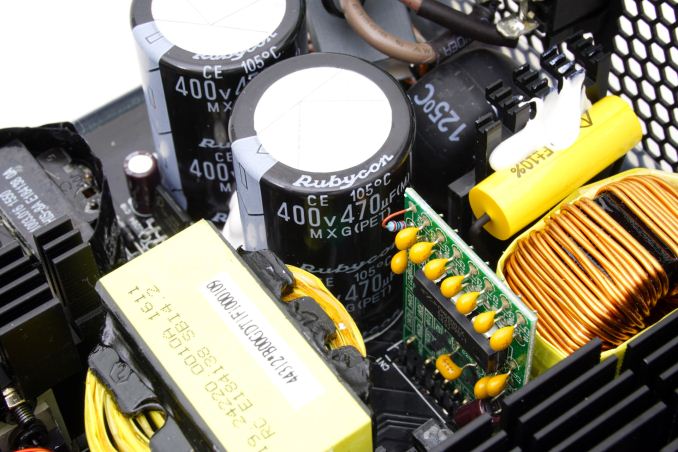
For today's holiday buyers' guide we are having a look at power supplies. Once again, I shall begin with discussing and clarifying a common misconception among users, that a higher wattage PSU is not always better. What You Need To Know About Power SuppliesIt is very important to keep in mind that all switching PSUs have been designed so as to deliver their maximum efficiency at about half-load (50% of their rated maximum capacity). The efficiency of a PSU at any given moment is tied to how many components it is powering (known as load), decreasing not only at higher loads but at lower loads as well. This is especially true at the low-end of the loading curve, usually below 15% of the unit's rated capacity, where efficiency outright plummets. It is wise to remember that the advertised performance of a PSU is within a specific load range (20% to 100% of its rated capacity) and the manufacturer is not obliged to include information on how much the performance degrades at sub-20% load conditions. Only the 80Plus Titanium guidelines dictate an efficiency requirement of 90% at 10% load. Therefore, if the goal is efficiency, the selection of a severely oversized PSU to combat the issue is both economically and practically senseless. That being said, the selection of a PSU is based on both objective (e.g. wattage, performance) and subjective (e.g. design, modular cables) parameters. Therefore it is required of every user to be capable of making at least an educated guess about the power requirements of the system. Users frequently overrate the power requirements of their systems greatly. It is not uncommon for people - even store salespersons and experienced builders - to recommend a 1kW unit to a user with just two (or even one) high-performance GPUs. Meanwhile "wattage calculators", though an improvement from blindly guessing, are usually simple tools that get their numbers from the design power (TDP) specifications of components. The TDP of a component does not represent the actual power requirements of a component - it's at best a broad guideline - and it also is next to impossible to place every single component of a system under maximum stress simultaneously. It also depends on how the manufacturer is actually calculating TDP. A system with a single CPU and a single mainstream GPU rarely requires more than 300 Watts.
If you are able to measure the actual power requirements of your system, keep in mind that you should not buy a unit that will frequently operate near its maximum capacity. Just as you would not run your car constantly near the red line, a power supply should not be under maximum stress for prolonged periods. A high-quality PSU can withstand it, but just because it can does not mean it should. Again, all switching PSUs deliver their maximum efficiency at roughly 50% of their rated capacity. Running a PSU at over 90% capacity for prolonged periods of time will not only reduce its performance but it will also make it hotter, louder, and decrease its expected lifespan. With that in mind, while the recommendations of the online tools and calculators may be overestimated, they're not overly so. Selecting a unit of the wattage they recommend is not usually a bad idea, as the recommendation usually is twice the actual power requirements of the system. The common mistake is that users usually seek to buy a significantly more powerful unit, thinking that having extra power helps, and end up with a severely oversized PSU for their system that will be both more expensive to purchase and will not operate at its peak efficiency. Finally, getting to our recommendations, for easier reading we will split our recommendations into five main wattage categories with at least two units for each. One selection will be based on the maximum possible value (e.g. bang for the buck) and one will focus on the best overall performance. 300 to 450 WattsIt is likely that most power enthusiasts and gamers will discard this power range as "too weak". The truth is that these units are adequate for a modern low-energy PC with a mainstream CPU and a single GPU. Sadly, it is not a very popular segment of the market and there is little competition, meaning that there is not a very wide selection of products for the users. Our recommendation for a low-cost unit of reasonable quality and backed up with a good warranty is the EVGA 430 W1. EVGA introduced this unit last year, but it is based on an old Heroichi platform that offers very good power quality and excellent reliability. The platform got the basic 80Plus certification nearly a decade ago, which is not very efficient by today's standards, but the W1 gets the job nicely done for a $34 product.
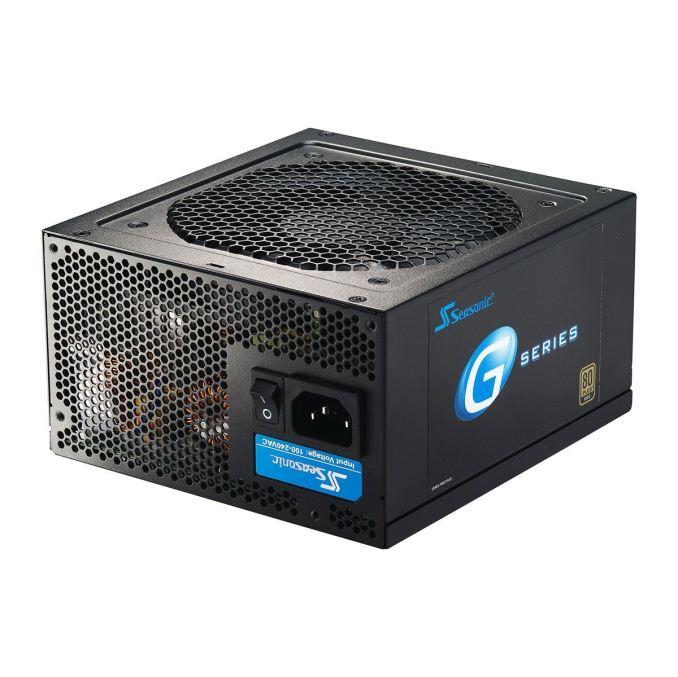
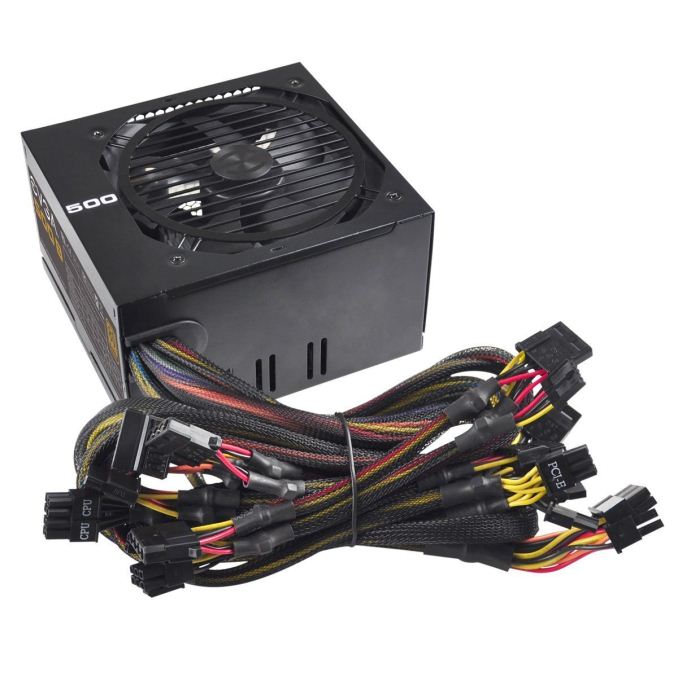
For several years in the row, the Seasonic SSR-360GP is our choice of a high-performance low wattage PSU. The 80Plus Gold certified 360W unit offers excellent power quality and long-term reliability, but costs nearly twice as much as the EVGA 430 G1. Sparkle offers an 80Plus Platinum unit based on a FSP platform for about the same price, but it is frequently out of stock and it is not (nearly) as popular as Seasonic's model. 450 to 600 WattsThis is the power range with the largest selection of products and for a good reason, as it generates the largest portion of sales. It is extremely unlikely that a PC with a single CPU and a single GPU will overcome the output of such a PSU, even if overclocked. EVGA has a very interesting option, the 500 B1, a product ideal for those seeking to combine good performance with value. It virtually is an advanced version of the Heroichi platform that the W1 is based on. The 500W unit is 80Plus Bronze certified that comes with a 3-year warranty and is currently selling for just $45 shipped.
The unit that offers the best possible performance and quality within this power range most likely is the fanless Seasonic SS-520FL2, but its retail price of $143 is disproportionately high. Therefore, our recommendation for a top quality and performance PSU goes to the Corsair RM550x, an 80Plus Gold modular PSU that provides outstanding power quality and is backed with a ten-year warranty. 600 to 800 WattsPSUs with an output between 600 and 800 Watts are very popular amongst gamers and overclockers. They are powerful enough for dual GPU gaming systems and provide enough overhead for serious overclocking and mods. This power band is also popular among users that will be using just one GPU, as the power overhead frequently creates a feeling of security. If you are seeking to combine performance with value, the Rosewill Hive 750W is a PSU that you cannot go wrong with. Rosewill nearly halved the price since our first review of the 850W version last year, which performed well but at the time cost a little too much. It may be a visually mundane product, but the current retail price of $55 is a steal for a quality 750W PSU.
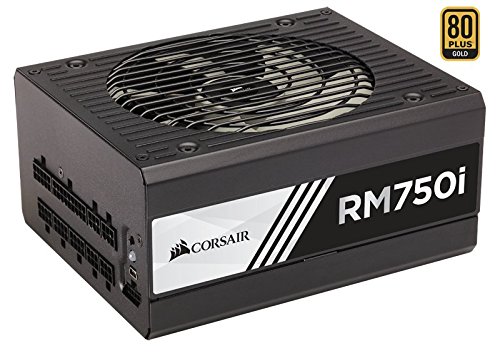
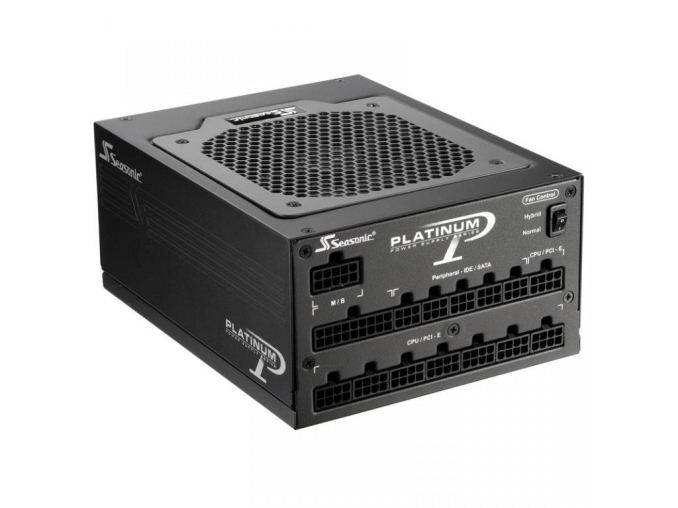
The best PSU with an output between 600 and 800 Watts most likely is the Seasonic SS-760XP2 Platinum. It is an outstanding PSU that is overshadowed by its exceedingly steep price. For years in the row, the Seasonic SS-760XP2 retails for $150 and rarely appears into sales. If the top quality and performance of the SS-760XP2 cannot justify its excessive price for you, the Corsair RM750i is a much more reasonably priced alternative. The RM750i is very similar to the SS-760XP2, with the exception of being 80Plus Gold certified, but it comes with a longer warranty and has the bonus of a USB interface. 800 to 1100 WattsThis power range should be reserved for users that want to power high-end dual or triple GPU computers. We cannot go very cheap in this power range because we believe that long-term reliability is an absolute must whether we are considering a high-end gaming system or a professional workstation. Our first recommendation for an inexpensive, yet reliable PSU in this price range would be the Corsair CS850M. There are several other high-quality units selling around the retail price of the CS850M, but this is one of the very few 80Plus Gold certified units below $100 with that kind of power output, perfectly combining performance, quality and value.
When performance is a greater concern than value, then Seasonic's SS-1050XP3 is our primary recommendation. The modular 80Plus Platinum certified PSU delivers impressive performance and quality and Seasonic significantly reduced its retail price tag this year, bringing it down to $170 including shipping and virtually obliterating its competition. Over 1100 WattsIf you require a PSU with this kind of output, chances are that you have at least three high-end GPUs and or a seriously powerful dual-CPU system with a lot of devices. These PSUs also find use in advanced servers and cryptocurrency mining systems. That being said, the PSU is going to be powering a rather expensive system, the function of which is frequently very important. Therefore, the selection of a "value" PSU within this power band is a complex procedure, as the PSU has to meet very high-reliability standards. With that in mind, our recommendation goes to the Seasonic SS-1200XP3, a very reliable 80Plus Platinum PSU that retails for $230. It is definitely not the cheapest 1200W PSU available but it offers a very good combination of value, performance and quality. The EVGA SuperNOVA 1300 G2 also is a reasonable alternative, with a lower efficiency but also a lower price tag of $177.
For those that want the absolute best and cost is not an issue, Corsair's AX1500i still is the undisputed champion. It is one of the very few 80Plus Titanium certified units available, has exceptional overall performance and outstanding quality. There is virtually no other PSU available today that combines the quality, performance, efficiency, and features of the AX1500i. The only problem is that the AX1500i currently retails for $400, enough money to buy a complete mainstream system. | ||||||||||||||||||||||||||||||||||||||||||
| 9:00a | Giveaway: Corsair RM1000i Special Edition White PSU
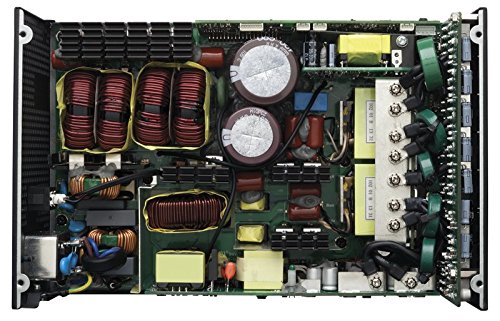
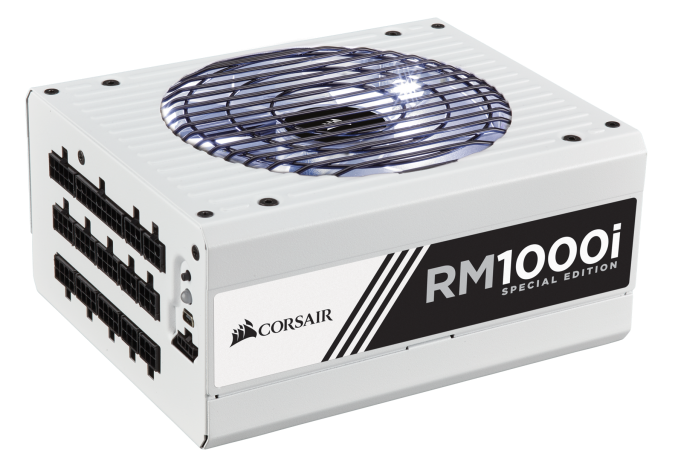
As the year starts to wind to a close, Corsair is marking their 10th year in the PSU business. All told, they have now sold over 10 million PSUs, and for that reason, they have decided to do a little celebrating. In honor of their 10th year, Corsair is making a special run of their 1000W RM1000i PSU, the aptly named RM1000i Special Edition. And better still, they’ve given us one to give away to you, our readers.
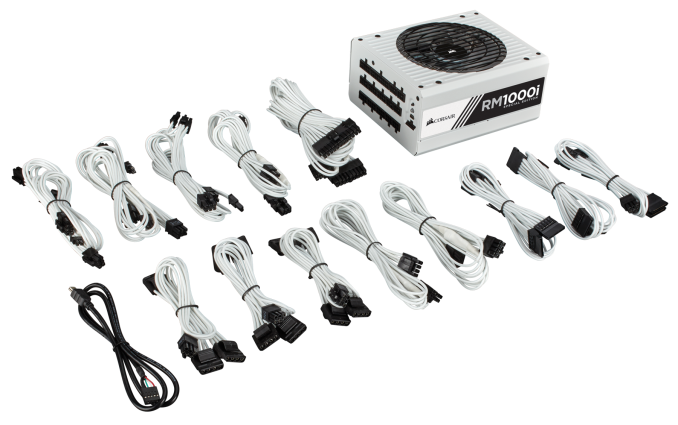
We took a look at the standard RM1000i power supply last year, and the PSU received high marks for efficiency, quiet operation, and extremely accurate power delivery, making it one of the best PSUs we reviewed in 2015. The RM1000i Special Edition, in turn, takes the RM1000i and dresses it up a bit for the occasion. Overall the special edition PSU gets a white paint job, with each unit being individually numbered. The power supply also comes with a matching set of white, sleeved Corsair type 4 (in-line capacitor) power cables.
Gallery: Corsair RM1000i
      Now for the fun part: we have one of these power supplies to give away, so in traditional AnandTech style we are taking entries for a drawing to determine which lucky winner receives our RM1000i Special Edition. This content starts now and will end at midnight on December 5th, so you have until the end of the weekend to enter. Please note that the standard AnandTech giveaway rules apply, so we’re only able to open up this contest to legal residents of the United States who are 18 years or older. Unfortunately the legal requirements for holding giveaways in other countries means that we have to limit this to the US. Anyhow, you can read the full terms and conditions below, and good luck to the winner. | ||||||||||||||||||||||||||||||||||||||||||
| 2:00p | ZOTAC VR GO Backpack PC Gets Priced: Core i7-6700T, GeForce GTX 1070, $1999
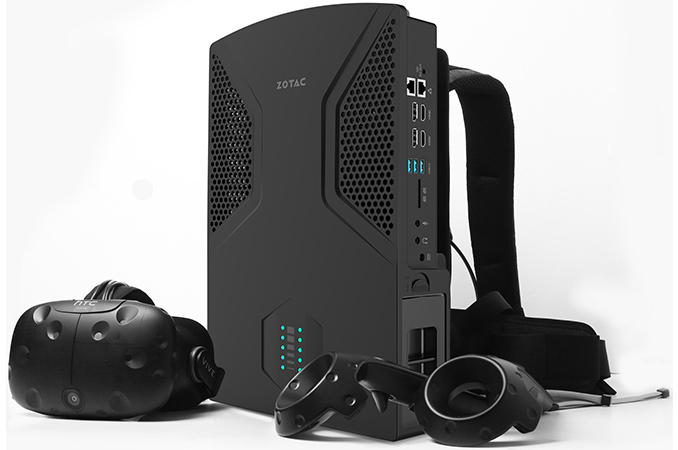
ZOTAC this week plans to start sales of its VR GO backpack PC designed for virtual reality enthusiasts. The system uses a quad-core processor from Intel, and is equipped with NVIDIA’s GeForce GTX 1070 graphics processor and comes with I/O capabilities, just like any normal desktop. The manufacturer plans to sell only fully configured VR GO backpacks for $1999, but the PCs can be upgraded by end-users themselves in a bid to meet their requirements. ZOTAC formally introduced its VR GO backpack PC earlier this month, but kept the final specifications under wraps. This week, the company revealed that the system will feature Intel’s Core i7-6700T CPU, NVIDIA’s GeForce GTX 1070 GPU with 8 GB of GDDR5 memory (MXM module), 16 GB of DDR4-2133 RAM as well as a 240 GB M.2 SSD with PCIe 3.0 x4 interface from an undisclosed supplier. End-users can then upgrade the VR GO machines with a 2.5” SATA SSD (obviously, nobody wants a hard drive in a backpack PC due to extreme failure risks) as well as install up to 32 GB of DRAM. In theory, the CPU and the GPU could be swapped for higher-performance parts, but since the proprietary low-profile air cooling system was designed with the particular components (the i7-6700T and the GTX 1070) and TDP (150W) in mind, such upgrade would be considerably trickier. Meanwhile, I/O capabilities of the ZOTAC VR GO are clearly worth a mention as the system has an HDMI 2.0 output as well as two USB Type-A ports on top to connect a VR headset as well as four additional USB 3.0/3.1 Type-A ports, four display outputs (two HDMI 2.0, two DP 1.3), an 802.11ac Wi-Fi + BT 4.2 module, two GbE ports, an SD card reader as well as two 3.5-mm audio jacks.
The ZOTAC VR GO can work autonomously for two hours (obviously, the figure depends on applications used) on two Li-ion batteries rated at 95Wh (6600mAh). The batteries can be hot-swapped and charged separately. When not in use as a backpack to play virtual reality games, the VR GO can be used like a normal desktop computer: its form-factor allows it to be placed on a desk either vertically or horizontally and all the ports will remain accessible.
ZOTAC will sell its VR GO backpack PC with Windows 10 Home for $1999 in the U.S. The MSRP of the system is similar to the price of MSI’s VR One backpack computer that became available earlier this month. Each system has its own set of peculiarities, which is good as we see a competition in an emerging segment. For example, ZOTAC’s VR GO for $1999 has the GeForce GTX 1070 GPU, whereas a comparable MSI’s VR One 6RD comes with the GeForce GTX 1060. On the other hand, MSI’s machine has a Thunderbolt 3 port and comes with Windows 10 Pro, whereas ZOTAC’s backpack has a desktop-friendly form-factor and more I/O ports, but uses Windows 10 Home. To sum up, VR enthusiasts now have at least two models of backpack PCs to choose from. Meanwhile, both are quite expensive for niche PCs. | ||||||||||||||||||||||||||||||||||||||||||
| 5:14p | Meizu Launches the PRO 6 Plus: 5.7-inch SAMOLED and Exynos 8890 SoC
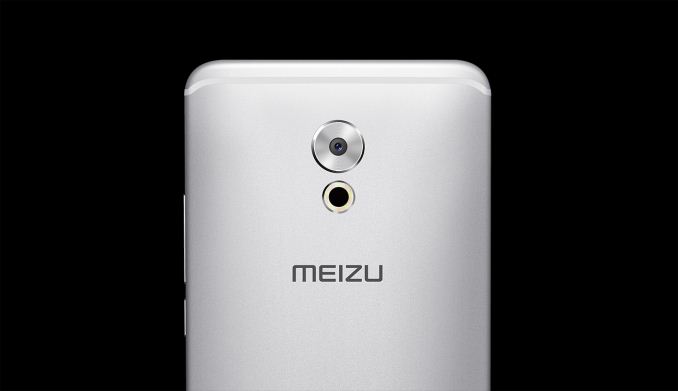
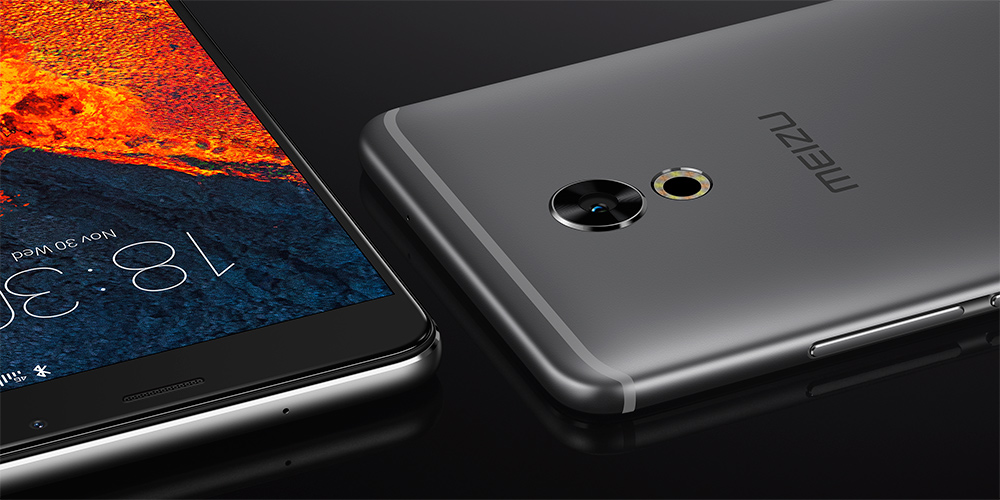
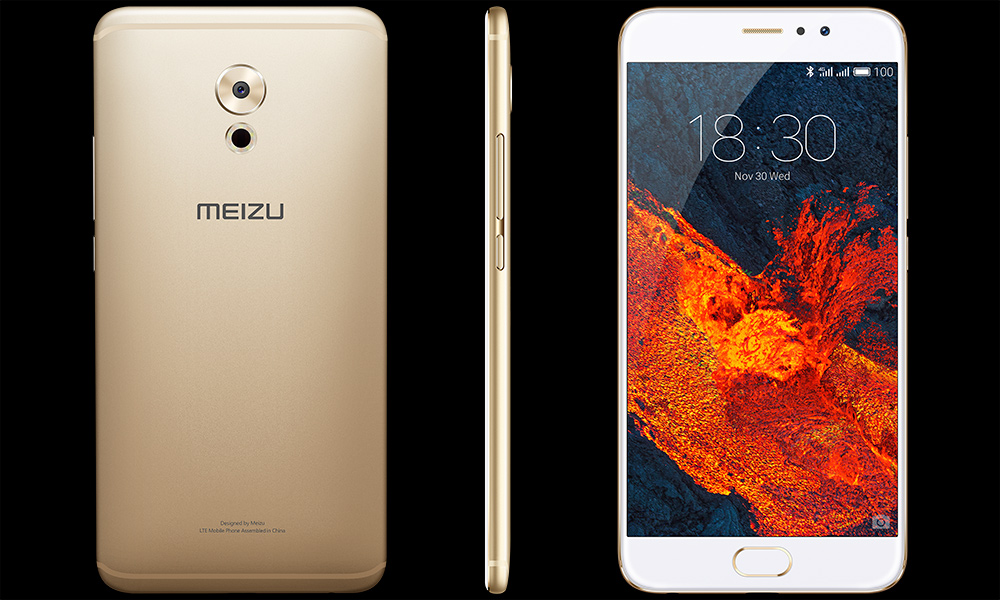
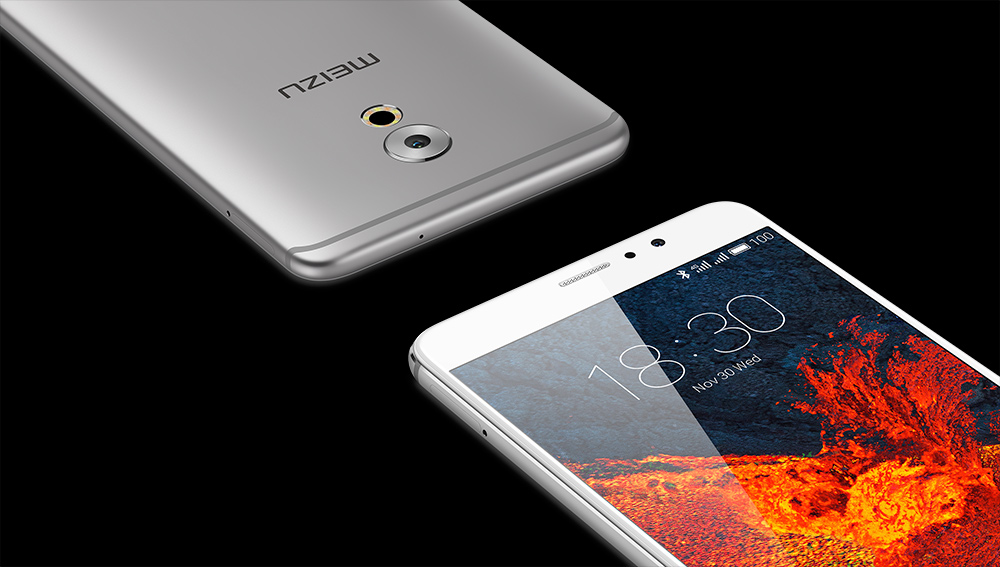
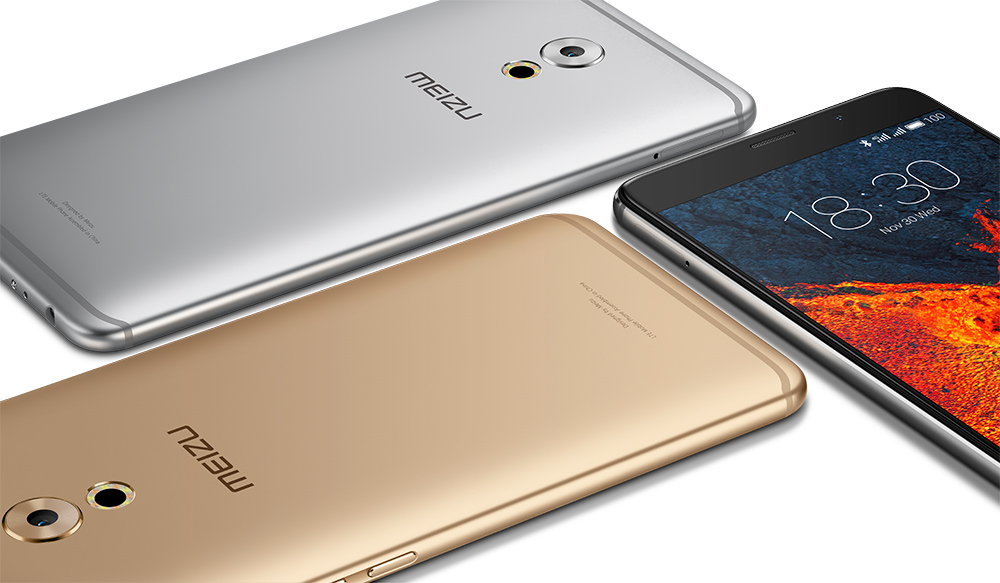
Meizu added a new flagship phablet to its smartphone lineup today. The new 5.7-inch PRO 6 Plus is the direct successor to the PRO 5, but it incorporates the updated styling from the smaller 5.2-inch PRO 6. On paper at least, the PRO 6 Plus appears to be a definitive upgrade relative to Meizu’s previously released phones, unlike the PRO 6 which trailed the older PRO 5 in performance, battery life, and audio quality and failed to separate itself from the similar but less-expensive MX6. The PRO 6 Plus incorporates the same aluminum unibody construction and elegant styling as the PRO 6. The slightly raised, circular camera surround with Meizu’s circular, dual-tone LED flash ring below give the back of the PRO 6 Plus a distinct look. The plastic antenna strips are colored to better match the sandblasted aluminum chassis and stick close to the upper and lower edges to further minimize their appearance. Its rounded edges and radiused corners make it comfortable to hold, although its smooth finish makes it feel a bit slippery. The 2.5D edge-to-edge glass covering the front eliminates sharp edges, enhancing the smooth feel of the phone.
What separates the design of the PRO 6 and PRO 6 Plus from so many other metal unibody phones, however, is Meizu’s attention to detail. Every edge and hole—the camera surround, ring flash, speaker holes—has a polished chamfer, and the single piece volume rocker and power button near the top of the right edge are inset into a polished groove. All of these extra machining features give the PRO 6 phones a premium look and feel.
The Meizu PRO 6 Plus, like the PRO 5 before it, uses a 5.7-inch SAMOLED display from Samsung; however, resolution increases to 2560x1440, which is a vast improvement over the PRO 5’s 1080p panel whose pixel density was insufficient to overcome the limitations of its PenTile subpixel arrangement. The display’s brightness ranges from 3 nits to 430 nits in direct sunlight when using the auto-brightness boost feature, according to Meizu. Although an APL value was not specified, I assume these are for 100% APL based on our measurements of the PRO 6, which achieves 436 nits at 100% APL and 512 nits at 50% APL. Meizu also claims 103% coverage of the NTSC color gamut, which is good news for people who prefer highly saturated, vivid colors. Meizu introduced several different screen modes, including a proper sRGB mode, in FlymeOS 5.2, along with a color temperature slider, to allow for some adjustment of the display’s output, although it’s unclear if these features carry over to FlymeOS 6. Most phones are now incorporating special night modes that filter out blue light for nighttime reading or low-light situations, and the PRO 6 Plus is no exception. It’s also the first Meizu phone to come with an always-on display (AOD) that shows the time, date, battery level, and notifications when the phone is locked. If enabled, Meizu claims it only consumes 1% of the battery’s charge per hour.
Inside the PRO 6 Plus is an Exynos 8890 SoC. Meizu has used Samsung’s Exynos chips in previous phones, most recently the Exynos 7420 in the PRO 5, and with Snapdragon 820/821 off the table because of its ongoing licensing disagreement with Qualcomm, the Exynos 8890 is a logical choice. The octa-core CPU uses a big.LITTLE pairing of four low-power ARM Cortex-A53 cores and four higher-performance, custom Exynos M1 cores from Samsung. Core frequencies vary depending on which storage option is selected. The version with 64GB of UFS 2.0 NAND uses a lower-binned SoC that limits the peak frequency of the Exynos M1 cores to 2.0GHz and the A53 cores to 1.5GHz, while the version with 128GB of internal storage allows the A53 cores to run at 1.6GHz and the M1 cores to run at up to 2.3GHz when three to four cores are active or 2.6GHz for better single-threaded performance when only one or two cores are active. Both versions use an ARM Mali-T880 GPU and come with 4GB of LPDDR4 RAM, but the lower-binned SoC only includes ten cores instead of the Exynos 8890's usual twelve like in the 128GB version. While the amount of internal storage is reasonable, there’s no microSD support for storage expansion. The PRO 6 Plus’ 3400mAh battery is a little on the small side given its size. Huawei’s 5.9-inch Mate 9 comes with a 4000mAh battery, for example. Even several smaller 5.5-inch phones such as Samsung’s Galaxy S7 edge (3600mAh), Xiaomi’s Redmi Note 3 Pro (4050mAh), and Meizu’s own M3 note (4100mAh) come with larger batteries. Meizu clearly prioritized thickness and weight over battery capacity, but we’ll have to wait and see how it performs in our battery tests before we can assess the impact of this decision. Regardless of how long the battery lasts, it should charge quickly thanks to Meizu’s mCharge fast charging technology that pulls up to 24W (8V/3A) at the wall. Around back is a 12MP camera based on Sony’s IMX386 Exmor RS sensor with 1.25µm pixels. It employs a hybrid autofocus system that combines the benefits of phase detection (PDAF), laser, and contrast methods. The PRO 6 Plus also includes 4-axis optical image stabilization (OIS), a first for Meizu, which should help improve low-light photography by allowing sharp exposures up to 0.25 seconds. Covering the camera sensor is a 6-element lens array with f/2.0 aperture. Meizu also says its improved image-enhancing algorithms and noise processing take full advantage of Samsung’s integrated ISP.
One of the PRO 5’s best features was its excellent sounding audio subsystem. The PRO 6 took a more traditional approach and its results were disappointing by comparison. Fortunately, the PRO 6 Plus uses the same ESS Technology es9018k2m SABRE32 DAC as the PRO 5, which supports 16/24-bit audio from 44.1kHz to 192kHz with a dynamic range of 127dB and low noise. It also includes a dual-channel AD45275 power amplifier from Analog Devices. The PRO 6 Plus comes with a touch-based, capacitive fingerprint scanner integrated into the front-mounted home button along with Meizu’s pressure sensitive screen technology it calls 3D Press, which the PRO 6 and PRO 6s also include. Because the software API’s are proprietary, the ability to press an icon on the home screen and open a shortcut menu or press on a hyperlink, email, or text message to open a preview are generally limited to Meizu’s apps. In addition to 3D Press support, Meizu’s new FlymeOS 6 includes more than 400 new features, including the “One Mind” artificial intelligence engine that optimizes system performance by monitoring how the phone is used and prioritizes resources to the most used apps.
The PRO 6 Plus is available in three different colors: gold, gray, and silver. The gold and silver colors come with a white front, while the darker gray color comes with a black front. You can also choose between 64GB (¥2,999) or 128GB (¥3,299) of internal storage. The integrated Samsung Category 12 LTE modem supports 5-mode operation (no CDMA) and the following frequency bands (no LTE support in the US): FDD-LTE B1 / B3 / B7, TDD-LTE B38 / B39 / B40 / B41, WCDMA B1 / B2 / B5 / B8, TD-CDMA B34 / B39, GSM 850 / 900 / 1800 / 1900 MHz. It will be available in many Asian and European countries in December. | ||||||||||||||||||||||||||||||||||||||||||







| << Previous Day |
2016/11/30 [Calendar] |
Next Day >> |