[Most Recent Entries] [Calendar View]
Thursday, March 16th, 2017
| Time | Event | |||||||||||||||||||||||||||||||||||||||||||||||||||||||||||||||||||||||||||||||||||||||||||||||||||||||||||||||||||||||||||||||||||||||||||
| 7:00a | AMD Releases Radeon Software ReLive Crimson Edition 17.3.2
Continuing their momentum in update frequency, we have another driver release form AMD. This latest update is a minor "point update" for the month, and it includes only two fixes and game support. However, that game is the highly anticipated Mass Effect: Andromeda. In our short list of fixes today, we have a fix for texture corruption from The Division seen while running DX12, and an oddly specific fix for texture flickering and black screens found in For Honor when performing task switching in 4-way CrossFire system configurations. AMD's last driver update was only Monday of last week, so I expect more of that lengthy “Known Issues” list to move its way up in due time. Likely more important for many, support for Mass Effect: Andromeda comes bundled in with this update as well. AMD is claiming performance gains of up to 12% on a Radeon RX 480 with an i7-6700K and 8GB of DDR4-2666 when compared with Radeon Software Crimson ReLive edition 17.3.1 (the footnote claims that rise is from 53.7 to 60.1 FPS). Meanwhile in addition to officially supporting Mass Effect, and likely contributing to any performance gains, AMD has added an Optimized Tessellation Profile for the game. As always, those interested in reading more or installing the updated hotfix drivers for AMD’s desktop, mobile, and integrated GPUs can find them either under the driver update section in Radeon Settings or on AMDs Radeon Software Crimson ReLive Edition download page.
| |||||||||||||||||||||||||||||||||||||||||||||||||||||||||||||||||||||||||||||||||||||||||||||||||||||||||||||||||||||||||||||||||||||||||||
| 8:00a | Seagate Announces Enterprise Capacity 12 TB HDD: 2nd-Gen Helium-Filled Hard Drives
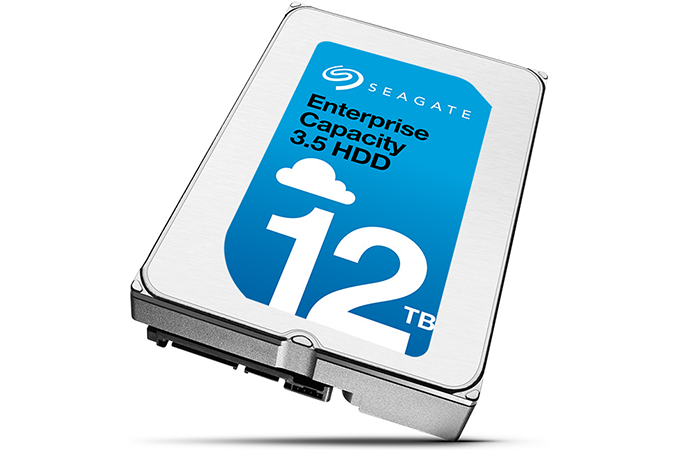
Seagate has introduced its second-generation of helium-filled HDDs. These drives will be aimed at capacity-demanding enterprise and cloud applications, and the new drives store up to 12 TB of data. The new drive uses eight platters, which is more than the first generation model, but its power consumption remains below typical air-filled HDDs. The new capacity point from Seagate should enable customers to increase the amount of data they store per standard rack by 20% when compared to previous-gen models. The Seagate Enterprise Capacity v7 3.5-inch HDDs are based on the company’s seventh-gen enterprise-class platform, with multiple features designed to reduce the number of errors, as well as reducing the vibration impact on internal components and improving the security and the endurance of the device. Traditionally such drives have more robust mounting mechanisms for internal components anyway, such as the motor, and various vibration and environmental sensors to guarantee predictable performance and reduce risks. In addition, the new HDDs support PowerChoice technology that helps to manage idle power consumption. The new PowerBalance tech enables operators of datacenters to balance power consumption and IOPS performance of the hard drives. When compared to the previous-gen Enterprise Capacity HDDa, the new ones support RSA2048-signed firmware with a secure download and diagnostics (SD&D) feature that prevents unauthorized access, modification or installation of a tampered firmware. The new Enterprise Capacity v7 3.5-inch 12 TB HDD has eight perpendicular magnetic recording (PMR) platters, each with a 1.5 TB capacity. This comes with 16 heads, and rotates at 7200 RPM. Cache is listed as 256 MB for each drive. Due to higher areal density and some other optimizations, the new-gen enterprise HDDs have up to a 261 MB/s maximum sustained transfer rate, which is a little bit higher than the helium-filled drives introduced last year. The random write performance of the new drives is also slightly higher when compared to that of their predecessors (it's still worth noting that 400 IOPS is behind that of even entry-level SSDs by orders of magnitude). Moreover, despite the addition of a platter, the maximum operating power of the new Seagate Enterprise Capacity Helium HDDs seems to be similar when compared to that of the first-gen helium hard drives, at around 8 W - 9 W (see the table for details). At the same time, the average idle power consumption of the new HDDs is slightly higher when compared to that of their predecessors.
The family of Seagate’s 12 TB Enterprise Capacity 3.5 HDDs includes 12 models with SATA 6 Gb/s or SAS-12 Gb/s interfaces, 4Kn or 512e sectors, self-encrypted drives (SEDs) as well as SED-FIPS HDDs. All of the hard drives are rated for 2.5 million hours MTBF and come with a five-year warranty.
Seagate is expected to start shipments of its 12 TB HDDs shortly, but pricing is unknown. Related Reading: | |||||||||||||||||||||||||||||||||||||||||||||||||||||||||||||||||||||||||||||||||||||||||||||||||||||||||||||||||||||||||||||||||||||||||||
| 8:00a | GIGABYTE GB-BKi7HA-7500 Kaby Lake BRIX Review The emergence of power-efficient high-performance processors has created a bright spot in the desktop PC market. The ultra-compact form factor (UCFF) heralded by the Intel NUCs has experienced rapid growth over the past few years. GIGABYTE, with their BRIX lineup, was one of the first vendors to introduce NUC clones. They went beyond the traditional Intel models and provided plenty of choices to the end users. GIGABYTE has also kept up with Intel's release cadence and updated the BRIX lineup after the launch of new U-series CPUs. Today, we are taking a look at the GB-BKi7HA-7500 - a BRIX based on the Kaby Lake Core i7-7500U, with support for a 2.5" drive, and sporting an ASMedia bridge chip for USB 3.1 Gen 2 support. | |||||||||||||||||||||||||||||||||||||||||||||||||||||||||||||||||||||||||||||||||||||||||||||||||||||||||||||||||||||||||||||||||||||||||||
| 9:00a | Qualcomm Tweaks Snapdragon Brand: No Longer a Processor, Instead a Platform
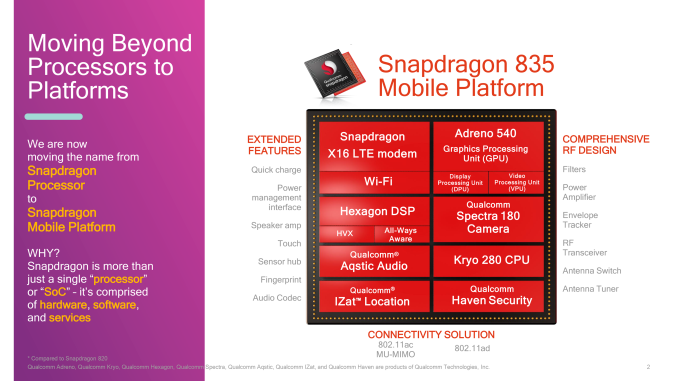
While all eyes are on Qualcomm for the impending release of devices containing their high-end Snapdragon 835 SoC, this morning the company has a slightly different kind of announcement to make. After nearly a decade since the launch of the Snapdragon brand, Qualcomm is undergoing a brand redesign of sorts ahead of their next-generation product launches. Starting today, Snapdragon is no longer a processor; instead Snapdragon is a platform. More formally, Qualcomm will no longer be referring to Snapdragon as the “Snapdragon Processor”, but rather the “Qualcomm Snapdragon Mobile Platform”. Meanwhile at the bottom end of the product stack, the Snapdragon 200 series are getting ejected from the Snapdragon family entirely; they will now simply be part of the “Qualcomm Mobile Platform” family. This rejiggering of brand names is, in all seriousness, exactly as weird as it sounds. But Qualcomm has some reasonably thought-out logic behind it. In the US and abroad, Qualcomm has been promoting the Snapdragon brand in various forms for several years now, and they’ve actually had a fair bit of success at it. Snapdragon may not be a household name, but it’s likely to be better known than Qualcomm. So there is a certain degree of emphasis on making sure Qualcomm doesn’t get overtaken by their own brand name. But the bigger shift here – and the real meat of the story – is from a processor to a platform. To be clear, the hardware isn’t changing; a Snapdragon SoC is still a Snapdragon SoC, and the Snapdragon brand continues to refer to the hardware and its supporting bits.
However Qualcomm wants to emphasize that a Snapdragon SoC is more than its CPU. It is a collection of various bits and bobs: a CPU, a GPU, a DSP, a cellular modem, RF transceivers, not to mention the various pieces of software and drivers that Qualcomm develops for their SoCs. Consequently, Qualcomm feels that “platform” is a better all-encompassing word of what they do than “processor”. And they’re not wrong, at least to an extent. While we have various kinds of processors (CPUs, GPUs, etc), “processor” is first and foremost thought of as a CPU. This is a low-level liability for a company that is definitely in competition with Intel, and yet their flagship product is a full-on System-on-Chip rather than discrete components like a CPU with integrated GPU. Furthermore while Qualcomm develops their own semi-custom CPU (Kryo), what really sets them apart from even other SoC vendors are the fully custom non-CPU bits like the modem and GPU. At the end of the day, Qualcomm wants to get more attention and focus on the hardware blocks they have developed and believe give them the greatest edge over the competition. And if they can better differentiate what they do from Intel, all the better. The risk for Qualcomm, besides any potential derailment of the Snapdragon brand, is that “platform” is badly overused across the tech industry these days. Windows is a platform, Twitter is a platform, Steam is a platform. Whereas “processor” was a generic term for a specific part of a computer, “platform” is a generic term for just about any kind of computing environment. So while platform is probably a better fit for an SoC, it’s definitely also more generic. Finally, let’s talk about the 200 series of SoCs, which are now no longer Snapdragon, leaving them as the “Qualcomm Mobile Platform”. While Qualcomm is taking this action at the same time as the above platform rename, the rationale is a bit different. Qualcomm is looking to solidify the Snapdragon brand as a brand for high-end processors, and as a budget SoC line powered by ARM’s Cortex-A7 CPU cores and 802.11n networking, the 200 series definitely doesn’t fall under that umbrella. The fact that Qualcomm is not branding the 200 series as something else does, on the surface, feel a bit odd, but at the same time it wouldn’t make much sense to put money and energy behind promoting a low-end brand. In any case, by removing the 200 series from the Snapdragon brand, Qualcomm will be throwing out the lowest performing member of the family. Which, if all goes according to plan, will make it easier for Qualcomm to better communicate that Snapdragon is a high-end brand. | |||||||||||||||||||||||||||||||||||||||||||||||||||||||||||||||||||||||||||||||||||||||||||||||||||||||||||||||||||||||||||||||||||||||||||
| 2:00p | Best Laptops: Q1 2017
It's once again time to take a look at the laptop market, and as with every quarterly update, there are always some changes to discuss. First, Intel released it's quad-core mobile Kaby Lake chips at CES 2017, meaning most larger laptops have made the switch now to the latest and greatest 7th generation Core processors, and NVIDIA also released their GP107 mobile GPUs at CES, meaning we finally have a nice upgrade from the GTX 960M and GTX 965M class devices, with the GTX 1050 and GTX 1050 Ti rounding out the middle of their lineup. Only the lowest end GPUs such as the GT 940M don't yet have a Pascal update.
In addition, we've had a chance to test several more machines, and there's been the constant evolution of devices, so it is good to check on the state of the market. Low Cost LaptopsMost of the excitement in the PC market comes at the high end, but not everyone has the budget for a several thousand dollar Ultrabook. The best low cost laptops are the ones that hit the right balance on features for the money, and while that sounds obvious, often times there can be some serious usability issues with devices that sell for less than $300. The competition here is between the Chromebook and the low-cost Windows PC, and we've not seen enough Chromebooks lately to really make any judgements there, we do have a new entry here on the Windows side. Chuwi LapBook 14.1
We've just completed our review of this new entry from Chuwi, which is a company based in Shenzhen, China. They have been in business since 2004, and they offer several tablets, laptops, PCs, and accessories. The Chuwi LapBook 14.1 offers great value for the money. It's a 14-inch notebook, offering thin display bezels, and a 1920x1080 IPS display, which is a rare thing at its price point. It's powered by the latest Intel Apollo Lake platform, with a quad-core Celeron based on the latest Atom Goldmont cores. It has 4 GB of memory, and 64 GB of eMMC, which is much nicer than the 32 GB models usually offered around this price range. If you're looking for a laptop and don't have a lot to spend, this is a great place to start. Chuwi is offering AnandTech readers a $24 discount on Amazon as well (good until 03/23/2017 at 10PM PDT). Apply this code at checkout: L9OQJYE4 Lenovo ThinkPad 11e Yoga
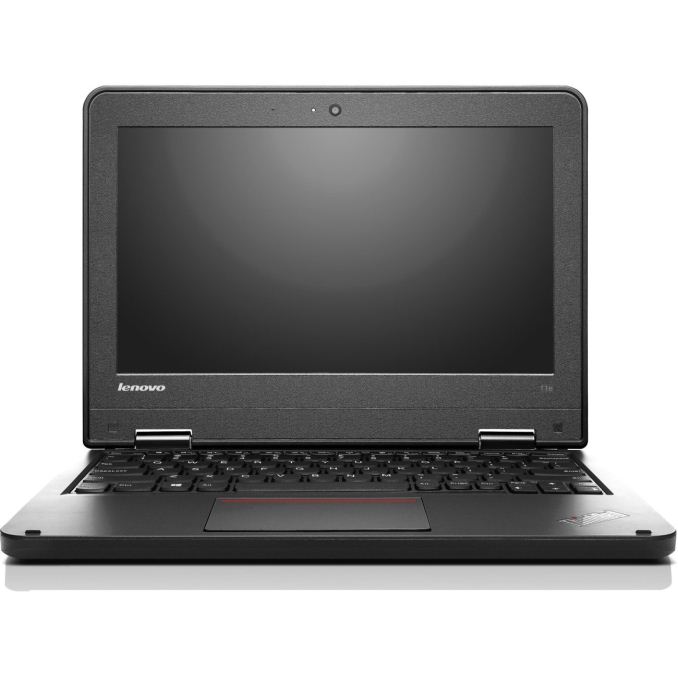
The latest generation of the Lenovo ThinkPad 11e Yoga offers some nice upgrades over its non-flexible cousin, the 11e. Besides the obvious addition of the word Yoga to the model, it means it offers the 360° hinge that has made the Yoga lineup so successful across all of Lenovo's products. The ThinkPad 11e is built for education, which means it's designed not to break easily, so this should be a strong and durable model. One of the other nice upgrades over the non-Yoga version of this laptop is that the convertible one comes with an IPS display, but in the same 11-inch 1366x768 configuration as the non-Yoga. That's going to dramatically improve the display usability, and the Yoga version isn't really that much more money. You can find this with up to a Core i3-6100U if you need more performance than Atom, but most models for sale are going to be based on the Braswell platform, so don't expect amazing performance. They do offer SSD as the only storage option, with 128/192/256 GB models. That's a big jump over eMMC in terms of performance, and the extra space is always nice. It's not the nicest looking laptop around, but it's a good buy for the price. UltrabooksUtrabooks have moved the laptop forward, with sleek and thin designs that still feature good performance with the Core i-U series processors, and even thinner and lighter models are available with the Core m-Y series models. The definition has expanded somewhat over the years, but a good Ultrabook will have at least a 1920x1080 IPS display, SSD storage, and over eight hours of battery life, with many of them over ten now. If I was to recommend an everyday notebook, it would be an Ultrabook. The traditional laptop form factor is less compromised for notebook tasks than most of the 2-in-1 designs, and there are some great choices now. HP Spectre
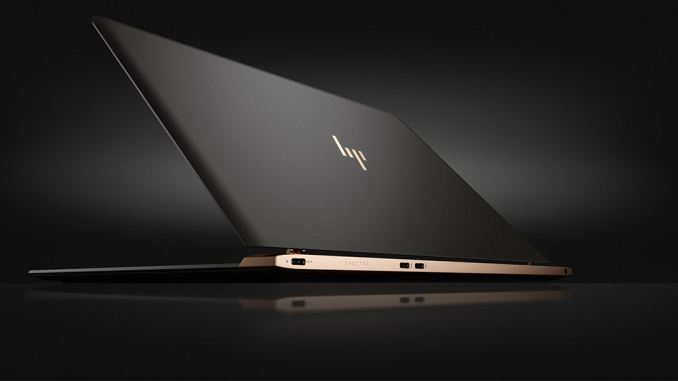
HP launched a new entrant in the Ultrabook category with the “world’s thinnest laptop” which they are calling the Spectre. It’s not quite the lightest, but the 2.45 lbs is a very low weight, and the design is stunning. Kaby Lake U series Core processors are available with 8 GB of memory, and HP has gone with PCI-E storage in 256 or 512 GB offerings. The display is a 1920x1080 IPS model at 13.3-inches. The very thin design has precluded the use of USB-A though, but the Spectre does have three USB-C ports, with two of them capable of Thunderbolt 3. The Spectre is just 10.4 mm thick, yet despite this they have still included a keyboard with a solid 1.3 mm of travel. The Spectre starts at $1169.99, which is a lot, but it’s a stunner. Dell XPS 13
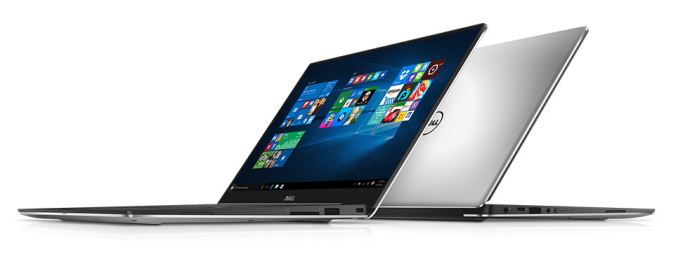
The reigning Ultrabook on the best-of lists is generally the Dell XPS 13. The Infinity Display makes it stand apart, with very thin bezels packing a large display into a small chassis. The downside of this is the webcam, which is mounted on the bottom of the display, which might make this a non-starter for people who do a lot of video chat, but despite this, Dell has crafted a great machine here. Dell has recently updated this to a Kaby Lake processor, up to the Core i7-7500U. The outgoing model did offer Iris graphics on the i7 version, but not right away, so we’ll see if Dell brings back this option once the Iris Kaby Lake processors are available. They’ve also switched from Broadcom NICs to Killer, because Broadcom is exiting the market. They now quote up to 22 hours of battery life on the 1080p model thanks to more efficiency with Kaby Lake as well as a 60 Wh battery, up from 56 Wh last year. I love the aluminum outside with the black carbon fibre weave on the keyboard deck, and the black keys make the backlighting stand out with great contrast. The XPS 13 starts at $799 for the i3 model. ASUS UX330UA
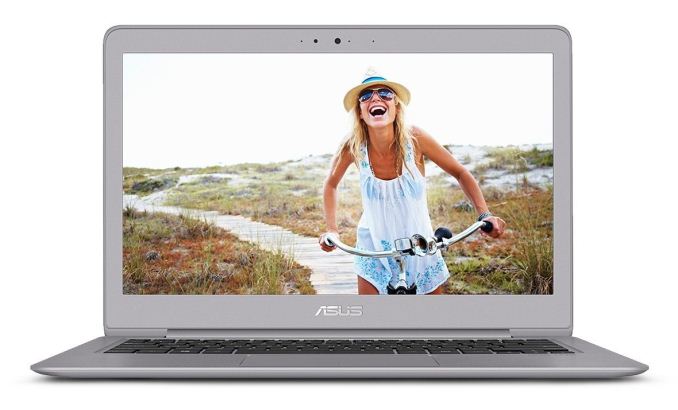
I loved the ASUS UX305CA for its thin, light, and fanless design, as well as the excellent price. With the UX305CA currently on hiatus, it is pretty easy to step up to the UX330UA, which now features Kaby Lake. Unlike the UX305CA which had Core M, the UX330UA has the 15-Watt U series processors, and specifically the Core i5-7200U Kaby Lake CPU. It also includes 8 GB of RAM, and a 256 GB SSD, along with a 1920x1080 13.3-inch display. ASUS has done a great job adding USB-C connectors to their systems without excluding the older ports, and this model is no exception, with HDMI and a SD card reader in addition to the USB ports. One crucial upgrade from the UX305CA is that this model has a newer, nicer keyboard, and it includes backlighting which was sorely missed on the older laptop. The laptop is just 13.55 mm or 0.53-inches thick, and weighs 1.2 kg or 2.65 lbs. The best part is you get all of this for a very reasonable price of $699 as of this writing. Considering most Ultrabooks ship with less storage, and cost more, this is a strong price from ASUS. Razer Blade Stealth
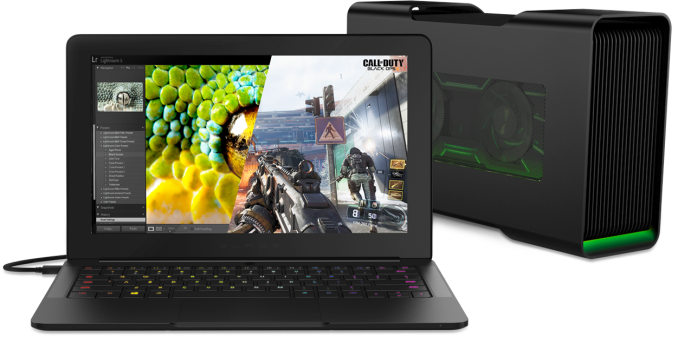
Razer has also updated the Stealth with Kaby Lake, and even more importantly they’ve increased the battery capacity as well. The Razer Blade Stealth is a fantastic notebook that was hindered by its battery life, and the new model should offer at least a bit longer time away from the mains. This CNC aluminum notebook mimics the larger Razer Blade 14 in appearance, yet is very thin and light. Razer has added some new models to the Stealth lineup, with a new i5/8GB/128GB model starting at $100 less than the original, which means they are now available starting from $899, but it's a big jump to the i7/16GB/512GB model now, since you also jump to the UHD display from QHD in the base model, which is too bad, since the QHD is the better option in my opinion. Razer went with an Adobe RGB panel for the UHD model, but they don't have a sRGB mode for it, so it ends up blowing out all the colors on the display. It’s the only laptop on this list to feature per-key RGB backlighting on the keyboard, allowing some pretty nifty looks. It can be connected to the Razer Core external graphics dock with a single Thunderbolt 3 cable as well, which is going to offer a massive boost in gaming performance when docked. I really like what Razer is doing in this market, and their pricing is very competitive. MacBook
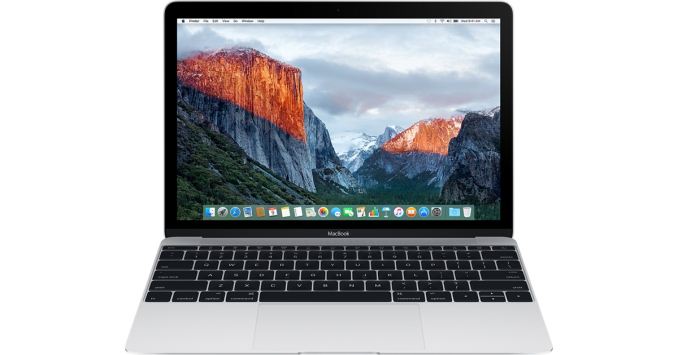
The MacBook isn’t for everyone, with limited ports and a few other caveats, but for an ultraportable PC running macOS, this is hard to ignore. Apple hasn't refreshed this lately, so it's still on the Skylake Core M series of CPUS. It’s incredibly light and thin, and although not everyone is sold on the butterfly switch keyboard, Apple clearly is since they’ve moved to it on the larger MacBook Pros as well. The display is great, and Apple continues to buck the trend and use 16:10 aspect ratio displays. The biggest controversy is the single USB-C port, which is also the charging port, but despite this the Retina display and fanless design make it a great portable laptop if you need a Mac. ConvertiblesAs much as I love an Ultrabook when I need a true laptop experience, there are some great convertible devices out there too which can serve multiple roles. They may not be the best laptop and they may not be the best tablet, but they can generally handle either chore well enough. Microsoft Surface Pro 4
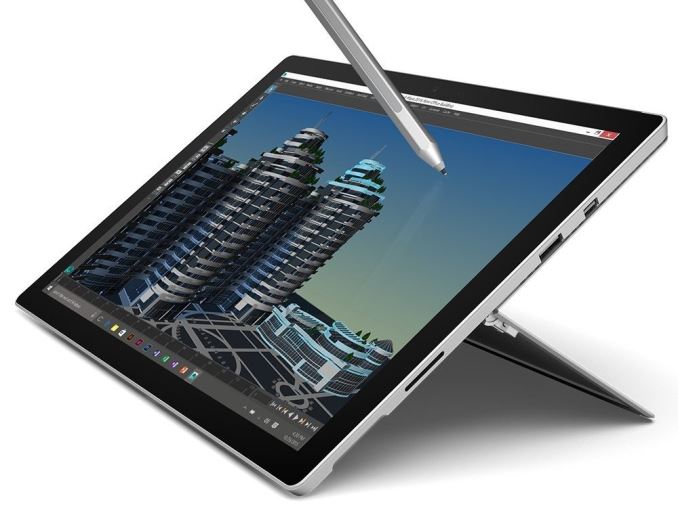
The best convertible is the Surface Pro 4. This 12.3-inch tablet has basically created the 2-in-1 tablet market, with many competitors now creating similar devices, from Dell to Google and Apple. The Surface Pro 4 certainly sets the bar high compared to the other Windows based devices, and with the legacy software support, is highly productive. All the changes from the Surface Pro 3 to the Surface Pro 4 are subtle, with a slightly larger display in the same chassis size, higher resolution, and Skylake processors, but there are new features too like the lightning fast Windows Hello facial recognition camera. Possibly the best new feature is an accessory, with the new Type Cover offering edge to edge keys and a much larger glass trackpad, meaning the Surface Pro 4 can double as a laptop much better than any previous model could. Starting with the Core m3 processor, the Surface Pro 4 starts at $899, but the more popular Core i5 version with 8 GB of memory and 256 GB of storage costs $1199 without the Type Cover. It’s not the most inexpensive 2-in-1, but it’s a leader in this category. Other companies have come into this market, often for less money, but it's tough to beat the build quality, and fantastic display, of the Surface Pro 4. I do expect this to be updated in the near future, but there's no official word from Microsoft yet. Microsoft Surface Book
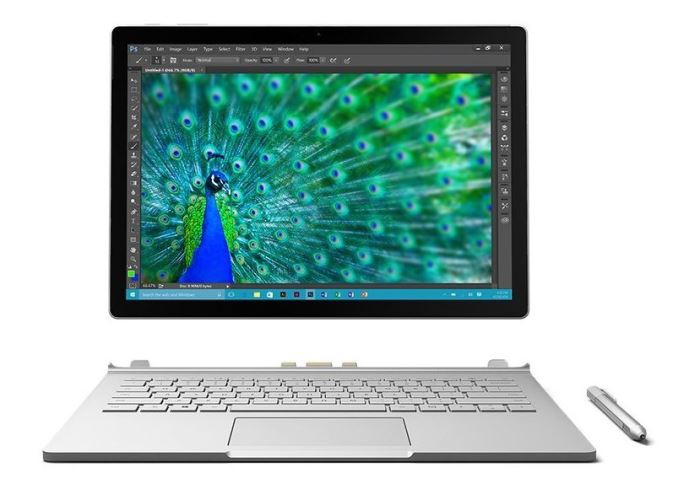
Software issues plagued the Surface Book at launch, but Microsoft has seemed to sort all of them out. The Surface Book is now easily recommended as a great 2-in-1 if you need something that’s more of a laptop than a tablet. The 13.5-inch 3:2 display with it’s 3000x2000 resolution is one of the best displays on a laptop, with a sharp resolution and great contrast. Performance is solid too with either a Core i5-6300U or Core i7-6600U, and you can also get discrete NVIDIA graphics with a custom GT 940M. It’s not a gaming powerhouse, but the NVIDIA option is pretty much double the integrated performance. The all magnesium body gives the Surface Book a great look and feel, and the keyboard and trackpad are some of the best on any Ultrabook as well. The Surface Book is not perfect though; the device is heavier than traditional Ultrabooks and the weight balance makes it feel heavier than it is. Also, there’s the price, which starts at $1349 and goes all the way up to $3199 for a Core i7 with 16 GB of memory, 1 TB of SSD storage, and the dGPU. Still, it’s got solid performance, good battery life, and a great detachable tablet. Recently Microsoft refreshed the Surface Book with a new “Surface Book with Performance Base” which is a terrible name, but the new model features a much more powerful GPU in the NVIDIA GTX 965M, as well as a larger battery. Lenovo Yoga 910
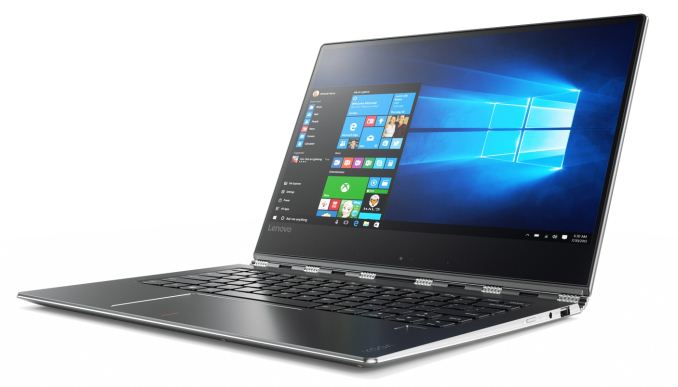
Lenovo pretty much invented the flip-around convertible with their Yoga series, and the latest Yoga 910 takes it all to the next level. It features Kaby Lake processors, up to Core i7-7500U, along with up to 16 GB of memory, and it keeps the fantastic watch band hinge introduced on the Yoga 3 Pro. The big upgrade this year are new displays, with edge to edge displays similar to the XPS 13. They’ve increased the panel size from 13.3” to 13.9” and offer both a 1920x1080 IPS panel as well as a 3840x2160 IPS panel. I would assume this means the RGBW subpixel arrangement is also gone, which should help out a lot on color accuracy and contrast. It is available in three colors, starting at $1299 and will be available in October. Large LaptopsFor some people, a 13.3-inch or 14-inch laptop is just too small. Maybe they need more performance, and the quad-core chips in larger laptops and better discrete GPUs are necessary. Maybe they just like the larger display. There are some great large form factor laptops that are available too. Dell XPS 15
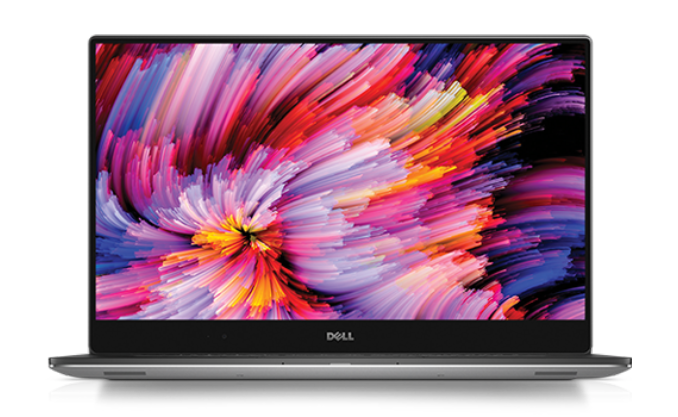
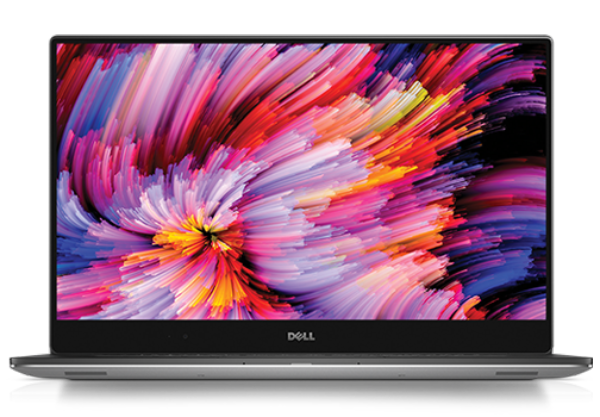
Dell took the winning formula with the XPS 13 and applied it to their larger XPS 15, and the result is a great looking laptop, which has a 15.6-inch display in a smaller than normal chassis. The latest XPS 15 9560 offers quad-core Kaby Lake CPUs, along with the latest NVIDIA GTX 1050 graphics, which is a big jump in performance over what’s available in any Ultrabook. You can get a UHD display with 100% of the Adobe RGB gamut as well, although the battery life takes a big hit with that many pixels, so the base 1920x1080 offering may be better suited to those that need a bit more time away from the power outlet. The keyboard and trackpad are both excellent, just like the XPS 13, and it features the same styling cues. The XPS 15 starts at $999. Apple MacBook Pro 15
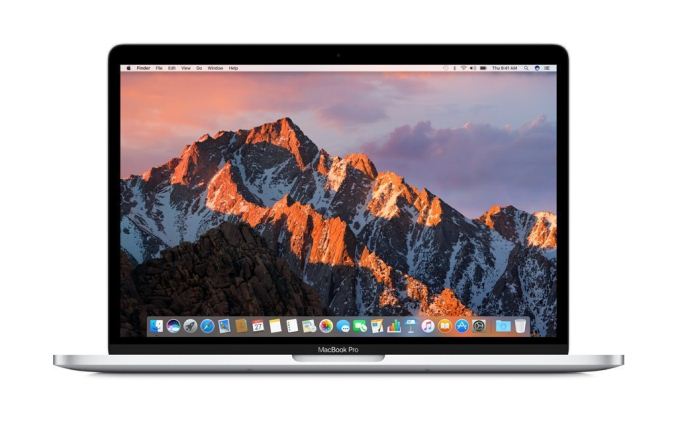
Apple has kept the same Retina display resolution for the newest MacBook Pro, but improved the color gamut to cover the P3 color space instead of just sRGB. They’ve slimmed the 15-inch model down a lot, making it only four pounds, and they’ve embraced the next generation of IO with USB-C and Thunderbolt 3. Unfortunately, they’ve completely abandoned the USB-A ports though, so be prepared grab USB-C versions of any peripherals you may need. The 15-inch MacBook launched with Skylake quad-core CPUs, and feature an AMD Polaris GPU that can drive up to six displays, or, two of the new 5K displays that were announced as well, in addition to the laptop panel. Combined with the low profile and weight, and the latest generation MacBook Pro packs a lot of performance into relatively little space. Apple has moved to the butterfly switch keyboard on this model as well, and they’ve added a touch bar instead of the function keys. I’ll reserve judgement on that for the time being, as Ryan is still wrapping up our full review, but it's definitely a major change. It’s early days though and Apple always has great developer support for these sorts of things. The MacBook Pro was in desperate need of a refresh, and although they didn’t hit on everyone’s wants, if you’ve been in the market for a new macOS device and the MacBook wasn’t performant enough for you, the new MacBook Pro 15 is the best you can get at the moment.
| |||||||||||||||||||||||||||||||||||||||||||||||||||||||||||||||||||||||||||||||||||||||||||||||||||||||||||||||||||||||||||||||||||||||||||


| << Previous Day |
2017/03/16 [Calendar] |
Next Day >> |