[Most Recent Entries] [Calendar View]
Tuesday, May 2nd, 2017
- ZOTAC GeForce GTX 1080 Ti AMP Edition
- Zotac ZBOX CI325 nano
- 1x Enermax Ostrog ADV Case & Cooling Kit, Containing
- Enermax Ostrog ADV Red Case
- Enermax Revolution XT II 750W PSU
- LEPA NEOllusion tower CPU cooler
- Enermax Air Guide Black
| Time | Event | ||||||||||||||||||||||||||||||||||||||||||||||||||||||||||||||||||||||||||||||||||||||||||||||||
| 7:00a | AMD Releases Q1 2017 Earnings, Confirms Vega and Naples Still On-Track for This Quarter
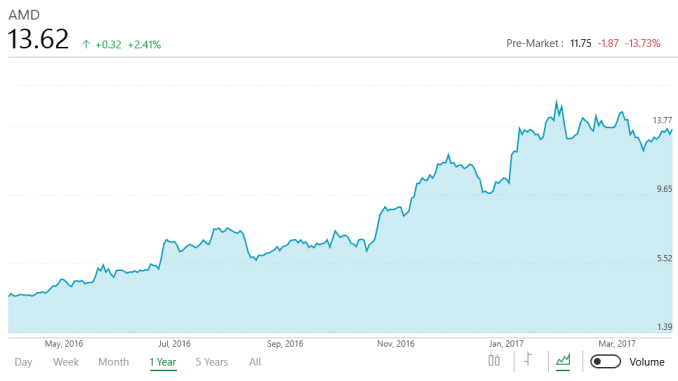
AMD’s Q1 earnings are in, capping off a very important quarter for the company. For the first quarter of the year, AMD booked $984 million in revenue, a sizable 18% jump over Q1 last year. This revenue increase was enough to narrow the company’s losses, but not to wipe them out entirely. On a GAAP basis the company lost $73M for the quarter, leading to an overall loss of $0.08 per share. Q1 is also a relatively weak quarter for technology companies in general, and AMD is no exception, with revenue down and losses up slightly compared to their revenue-strong fourth quarter of 2016. March of course saw the launch of their first CPUs based on the Zen architecture, kicking off AMD’s big comeback into the CPU space that has long been their core competency and biggest breadwinner. The Ryzen 7 launch in turn isn’t meant to turn AMD’s fortunes around overnight – especially when it was only on retail shelves for one month of the quarter – but it’s the start of something bigger for AMD. The impending launch of Naples – which AMD has reiterated is on track for this quarter – will be the second part of this turnaround.
One bit of good news here is that AMD’s gross margin is up, and is now at 34%. AMD has structured their business to be able to operate with margins in the 30% range, but 35% has long been considered the soft floor for profitability, which means AMD is getting close to that. AMD’s cash flow is a bit less rosy though; the company has $943 in cash and short-term investments as of the end of Q1’17, versus $1.26B in the prior quarter. On an overall basis, AMD’s asset value is largely unchanged, with the difference in cash being offset by an increase in the company’s inventory and accounts receivable. AMD’s non-GAAP results, which the company reports as a means to better show the state of the core business, show similar results. Non-GAAP results show a smaller loss overall, but the company is still in the red on operating income and net income. There is no single large factor this time around hurting GAAP results – AMD isn’t taking any large write-offs or the like – but rather it’s a number of smaller items, including the cost of employee stock-based compensation and charges related to AMD’s $1.41B in long-term debt.
Breaking results down by segments, AMD’s situation in Q1’17 was fairly similar to past quarters. The Computing and Graphics segment is still the largest part of AMD’s two divisions, and outside of overall stock-based compensation, is still the division losing AMD money. Overall the Computing division booked $593M in revenue for the quarter, which is up 29% from Q1’16 and in fact is barely down from the always-strong Q4. The operating loss for the quarter was $15M, down significantly from Q1’16’s $70M loss, and even still better than Q4’16’s $21M loss. The biggest factor here, of course, is Ryzen. With its high prices compared to AMD’s past desktop processors, it has been a big part in increasing AMD’s overall average selling price both on a quarterly and yearly basis. Similarly, GPU ASPs were up as well.
Meanwhile AMD’s Enterprise, Embedded, and Semi-Custom segment continued to stay in the black for the quarter, but revenue did drop from the previous quarter as holiday console sales tapered off. Revenue for the quarter was $391M, up slightly from the $372M of Q1’16, while the operating income was $9M, versus last year’s $16M. Otherwise the All Other segment booked a $23M loss due to the aforementioned stock-based compensation.
Looking towards the future, AMD a 17% revenue increase for Q2, while gross margins are expected to dip slightly to 33%. Besides enjoying a full quarter of Ryzen sales, AMD has once again confirmed that they will be launching both the Naples server CPU and the Vega GPU architecture in this quarter. Both are high-end, high-profit products that should significantly help AMD’s bottom line if they perform as expected. Though even with the Q2 launch, AMD won’t enjoy the full benefits of those launches until Q3 when they have further ramped up and collect revenue for those products over the whole quarter. | ||||||||||||||||||||||||||||||||||||||||||||||||||||||||||||||||||||||||||||||||||||||||||||||||
| 8:00a | AT20 Giveaway Day 5: Zotac GTX 1080 Ti AMP Video Card & ZBOX Mini-PC
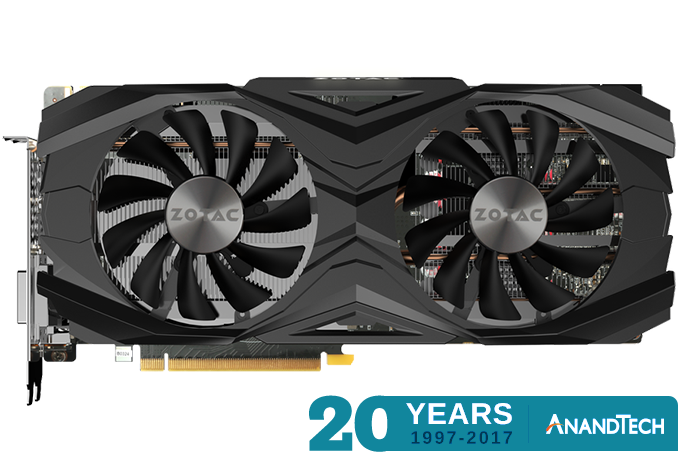
Today marks day 5 of our 20 day giveaway celebration of AnandTech’s 20th anniversary, and things are just heating up. With only 20 days to give away prizes and so many to offer, for most of the next 3 weeks we’ll be doubling up on giveaways, running one in the morning and one in the afternoon. This means that you’ll want to check in morning and night if you want to see and potentially win everything we have to offer. So far we’ve given away some high-end CPUs and motherboards, but we haven’t done anything like that for video cards. This morning Zotac will be changing that with their GeForce GTX 1080 Ti Amp Edition, a factory overclocked GTX 1080 Ti card. Or maybe you don’t need something quite so big? Then we’ll also be starting small with our first barebones PC prize, Zotac’s ZBOX CI325 nano. The AnandTech 20th Anniversary Celebration – Zotac Giveaway ZOTAC GeForce GTX 1080 Ti AMP Edition
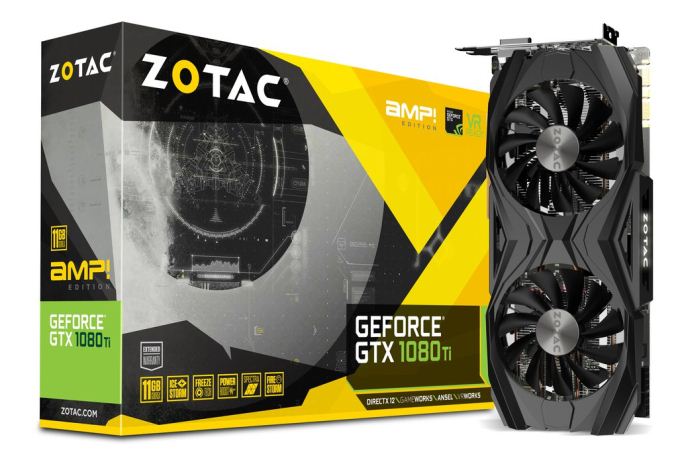
ZOTAC has long made a name for themselves with their wide range of NVIDIA-based video cards, ranging from barebones low-end cards for workstations up to their most powerful AMP family of cards for high-end gaming systems. Their GeForce GTX 1080 Ti AMP Edition in turn lives up to this name, taking NVIDIA’s already uber-powerful GeForce GTX 1080 Ti and giving it a further factory overclock.
Besides featuring a more powerful 1683MHz out-of-the-box boost clock, the GTX 1080 Ti AMP is also using a custom Zotac PCB, which implements no fewer than 16 power phases for the GPU. Cooling the beast is one of the company’s open-air dual-fan Icestorm coolers, which uses some rather sizable 100mm diameter fans (so make sure you have the space!). Zotac ZBOX CI325 nano
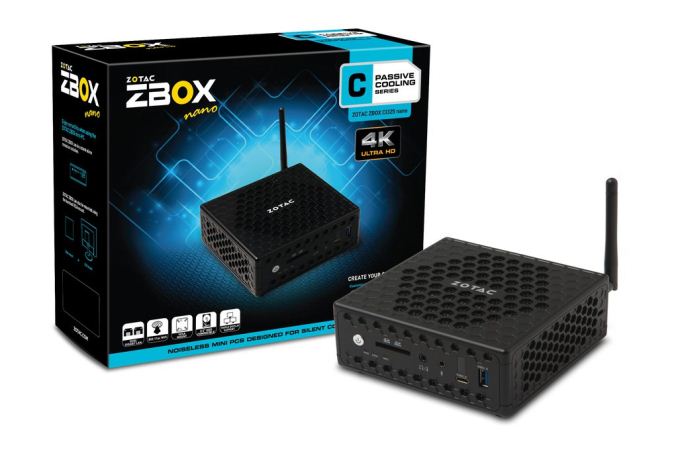
But if perhaps small is your thing, Zotac has you covered as well. The company’s other pastime is their lineup of ZBOX barebones mini-PCs, so they’re letting us give away one of those as well in the form of the ZBOX CI325 nano.
The ZBOX CI325 nano is an entry-level design with an emphasis on size, coming in at just 128mm wide and 57mm tall. Part of keeping the size down is thanks to the passive cooling design, which means no space is needed for fans. In turn, powering the ZBOX CI325 nano is Intel’s Celeron N3160 SoC, one of the company’s 14nm Airmont based SoCs. The N3160 can boost up to 2.24GHz and supports up to 2 SO-DIMMs. Rounding out the package is the usual selection of USB ports – including a USB-C port – and integrated 802.11ac WiFi with an external antenna. Finally, as with our other giveaways, today’s giveaway is only open for 48 hours, so be sure to enter soon. However please note that for legal reasons, we’re only able to open these giveaways to residents of the United States. Good luck to everyone! And be sure to check in this afternoon for our next giveaway. | ||||||||||||||||||||||||||||||||||||||||||||||||||||||||||||||||||||||||||||||||||||||||||||||||
| 12:30p | Intel Announces New DC P4500 And P4600 Datacenter SSDs
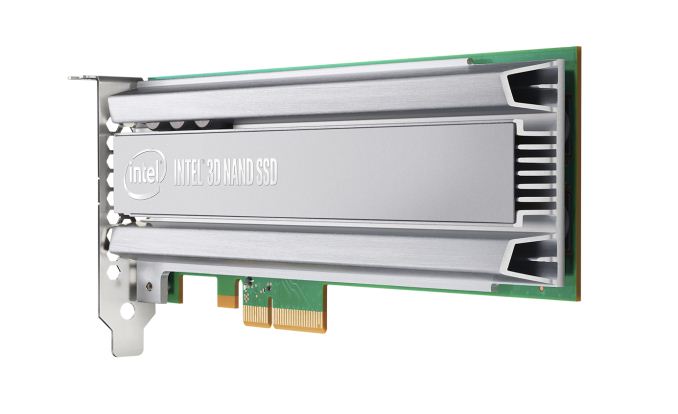
Intel has announced the most significant updates to their enterprise PCIe SSD lineup since the launch of their first NVMe SSDs. The new Intel SSD DC P4500 and P4600 are the successors to the P3500, P3600 and P3700 series, modernizing the product line with a new SSD controller and 3D NAND flash across the full range of models. Most of Intel's datacenter PCIe SSDs have still been using 20nm MLC NAND flash, though the P3500 did get replaced with the P3520 using Intel's 3D MLC. The new P4x00 generation moves everything over to Intel's 32-layer 3D TLC NAND flash. With a per-die capacity of 384Gb (48GB) compared to 128Gb (16GB) for Intel's 20nm MLC, it's no surprise to see greatly expanded capacities: where the old P3x00 generation offered capacities from 400GB to 2TB, the new P4500 and P4600 start at 1TB and initially offer up to 4TB, with 8TB models expected by the end of the year. Enterprise SSDs have mostly used MLC NAND for the past several years since SLC was abandoned by the market, but Intel's decision to go with 3D TLC for all of the new enterprise PCIe SSDs is not entirely unprecedented. A few months ago Micron's new generation of enterprise SATA SSDs was announced with 3D TLC used for even the highest-endurance models rated for five drive writes per day. Samsung also uses 3D TLC for their flagship PM1725a enterprise NVMe SSD. With the Optane SSD DC P4800X now covering the high-performance market segment using 3D XPoint memory instead of flash memory, it makes sense for Intel to choose the higher capacity offered by TLC and make up any deficit in write endurance with greater overprovisioning. The flash memory used in Intel's previous generation of datacenter PCIe SSDs wasn't the only outdated component. With the exception of the dual-port DC D3700 and D3600 and the very low-end DC P3100, Intel's entire lineup was still based on their first NVMe controller that debuted in the P3700. That controller was responsible for the 2TB limit that is inadequate in today's market (and was circumvented by the dual-controller P3608). Intel hasn't said what the maximum drive capacity supported by the new controller is, but they mention that a 16TB U.2 drive should be possible with the current generation of 3D NAND and even higher capacities will soon be possible (if not economical) from the upcoming 512Gb 64-layer 3D TLC. The new controller only provides 12 channels for connecting to the flash memory, down from the 18 channels offered by the previous generation but still substantially higher than the channel count of client/consumer-oriented NVMe controllers. Any potential loss in throughput from the lower channel count is offset by each channel now supporting the faster ONFI 4.0 interface, and the new SSDs can hit sequential read speeds of up to 3290 MB/s compared to 2800 MB/s for the Intel P3700. Since the launch of the Intel SSD DC P3700, the NVMe specification has expanded significantly, and the new controller powering the P4500 and P4600 adds quite a few new optional features from the 1.1 and 1.2 revisions of the NVMe standard. The basic functionality has also been enhanced by expanding the range of NVMe commands that are hardware-accelerated with little or no firmware involvement, and by increasing the number of queues supported from 32 to 128 (still with a maximum of 4k commands per queue). The higher queue count will help reduce contention in systems with very high CPU core counts as it is standard practice for NVMe drivers to allocate one queue per core. The biggest new feature set supported by the P4500 and P4600 is full support for the NVMe Management Interface standard for out-of-band management over PCIe or SMBus. This allows IPMI-equipped servers to offer full access to the drive's SMART data and firmware updating through the BMC regardless of the operating system running on the server. The new SSDs now also support multiple NVMe namespaces (up to 128), a drive-managed partitioning scheme that is primarily useful for virtualization scenarios. Intel's previous NVMe SSDs all supported thermal throttling, but now this is exposed and configurable through the standard NVMe power state mechanism, which allows drives to declare numerous power states—both operational and idle—along with the maximum power consumption of the drive in each state and the latency of switching in and out of idle states. The P4500 and P4600 bring support for multiple firmware slots and firmware updates without requiring a full PCIe bus reset, allowing the firmware update process to be safer and quicker and also opening the door to the possibility of toggling between firmwares tuned for different roles. The new SSD controller also brings encryption support, and Intel promises a future firmware update will deliver TCG OPAL functionality.
Taking a look at the performance specifications, the P4500 and P4600 fit in to the usual pattern of having a lower model that is intended for more read-heavy workloads while the higher model is tuned for better performance and write endurance on write intensive workloads. Both drives benefit from substantially improved sequential and random read performance compared with the previous generation, but the P4500 has a slight edge. The P4600 has a moderately better sequential write speed and much better random write speed than the P4500 or last generation's P3700. Peak power consumption is down a bit from the 25W for writes that the largest of the last generation drives required, and when comparing at equal capacity the new P4x00 generation should be substantially more power efficient. The 0.7 DWPD rating of the P4500 is a significant improvement over the 0.3 DWPD rating of the P3500 and on par with the 3D MLC-based P3520. The P4600 covers the performance role of both the P3600 and the P3700, but its endurance is only in the ~3 DWPD class of the P3600, not the 17 DWPD offered by the P3700. For extreme write endurance, Intel's recommended solution is now the Optane SSD DC P4800X at 30 DWPD. Intel hasn't disclosed pricing yet, but with a smaller controller and 3D TLC instead of 20nm MLC, the P4500 and P4600 should easily be able to offer a better value than Intel's aging first-generation NVMe SSDs. | ||||||||||||||||||||||||||||||||||||||||||||||||||||||||||||||||||||||||||||||||||||||||||||||||
| 2:00p | AT20 Giveaway Day 5.5: Enermax Ostrog ADV Case & Cooling Kit
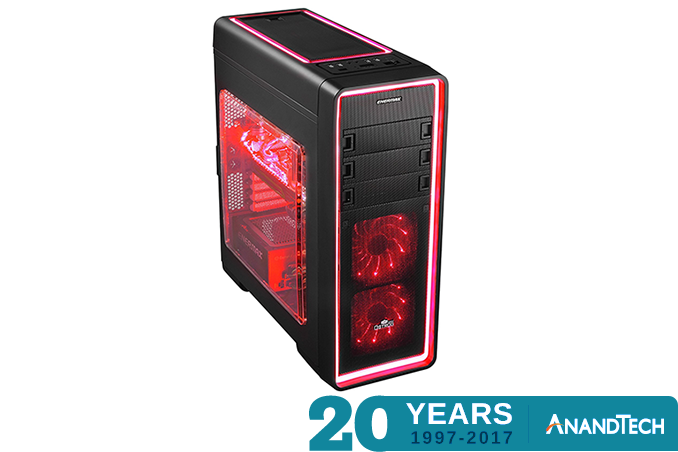
This afternoon kicks off the first afternoon giveaway in our 20 day celebration of AnandTech’s 20th anniversary. With so much stuff to giveaway, we’re just going to have to give out more stuff more often! To date we’ve giveaway away PC components, but nothing to put them in. So let’s rectify that. For our first afternoon giveaway, our pals over at Enermax have contributed a complete case & cooling kit, perfect for housing a new PC build. The kit is comprised of their Ostrog ADV case, a 750W Revolution XT II PSU, a LEPA NEOllusion tower CPU cooler, and a black air guide. The AnandTech 20th Anniversary Celebration – Enermax Giveaway Enermax Ostrog ADV Red Case & Cooling Kit
At the heart of Enermax’s case & cooling kit prize is their Ostrog ADV Red case. This is a mid-tower (~20.5-inch tall) ATX case with toollesss access, adjustable fan speeds, mesh panels, and a removable HDD cage. The Ostrog ADV comes with two 120mm fans pre-installed, along with a 120mm rear fan. The case also features red LED lighting, with LED light strips running along the case itself.
Powering the case and its contents, Enermax is including one of their 750 Watt Revolution XT II PSUs. This PSU is 80Plus Gold rated, and is capable of delivering 62A (744W) on the 12v rails alone. Connectivity is provided by a hybrid modular design, with the ATX power cable and associated 4+4 CPU power cable built-into the PSU, while the SATA, PCIe, and molex power cables are modular. The PSU supports 4 8-pin PCIe power plugs and another 8 SATA power plugs.
For cooling the CPU of an installed system, Enermax has also included a NEOllusion tower CPU cooler, from their sister company Lepa. The NEOllusion is a 162mm tall tower cooler based around a quartet of 6mm diameter copper heatpipes, leading to the aluminum headsink that runs through the body of the cooler. Active airflow is provided by the included 120mm fan. Meanwhile, as hinted at by the name, this is an LED-equipped cooler, sporting a full RGB lighting setup and a remote for controlling all of it.
For the final piece of the cooling kit, for better aligning airflow Enermax has also thrown in one of their EAG001 air guides. The adjustable guide is specifically meant for tower CPU coolers and other 120mm fan devices, allowing a system builder to change the direction of the airflow by rotating the guide’s grill. Finally, as with our other giveaways, today’s giveaway is only open for 48 hours, so be sure to enter soon. However please note that for legal reasons, we’re only able to open these giveaways to residents of the United States. Good luck to everyone! And be sure to check in tomorrow for our next giveaway. | ||||||||||||||||||||||||||||||||||||||||||||||||||||||||||||||||||||||||||||||||||||||||||||||||
| 6:15p | Acer Launches TravelMate Spin B1: Apollo Lake Convertible with Windows 10 S for $299
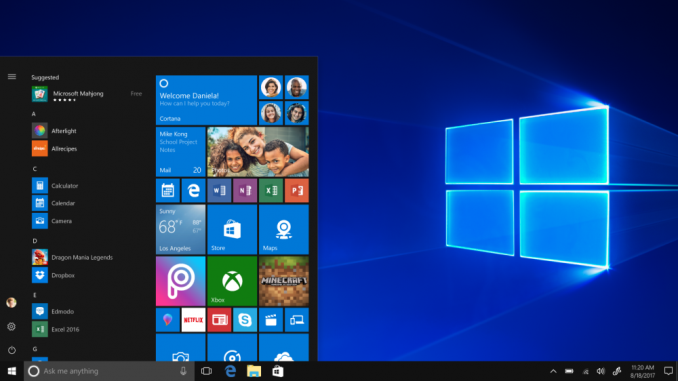
Acer on Tuesday launched its new low-cost PC, the TravelMate Spin B1. The new entry-level mobile computer comes in a convertible form-factor and is powered by Microsoft’s newly-announced Windows 10 S operating system. The device is aimed at students and will rival various Chromebooks from both Acer itself as well as other suppliers. The Acer TravelMate Spin B1 (B118) is based on Intel’s Apollo Lake platform featuring the Celeron N3450 SoC (four Goldmont cores clocked at 1.1 – 2.2 GHz, 2 MB cache, 6 W TDP, Intel HD Graphics 500 with 12 EUs) as well as Microsoft’s new Windows 10 S, which is a feature-limited edition designed primarily for the education market. Windows 10 S has a faster boot process and supports general features of the operating system (including the Cortana assistant), but can only run applications obtained from the Microsoft Store and has some additional limitations. The main purpose of the Windows 10 S is to enable Microsoft to better compete against Google’s Chrome OS-based laptops. One of the key selling points of the TravelMate Spin B1 (apart from the OS) is its 11.6” IPS display with a 1920×1080 resolution, which additionally features 10-point multitouch and has a 360-degree hinge supporting notebook, tablet, display and tent modes. The capabilities of the display look rather advanced for an entry-level PC, and as a further kicker, Acer supplies the computer with an active stylus that supports the Windows Ink technology.
As for the other specifications, they seem to be in-line with other entry-level laptops available today. The TravelMate Spin B1 is equipped with 4 GB of DDR3L memory, 64 GB of eMMC storage, a dual-band 802.11ac 2×2 MIMO Wi-Fi, Bluetooth 4.0, a GbE port, USB ports, a webcam, an SD card reader, a touchpad, a spill-resistant keyboard, and so on.
The entry level system from Acer is 0.9” (23.4 mm) thick, it is made of plastic and weighs around 3.3 lb (1.5 kg), which is comparable to competing Chromebooks designed for education market. The Acer TravelMate Spin B1 is available now from select retailers starting at $299.99 in the U.S. In the coming weeks and month, Acer plans to start sales of the product in other countries, but actual prices and configurations will differ there. Gallery: Acer TravelMate Spin B1
     Related Reading: | ||||||||||||||||||||||||||||||||||||||||||||||||||||||||||||||||||||||||||||||||||||||||||||||||
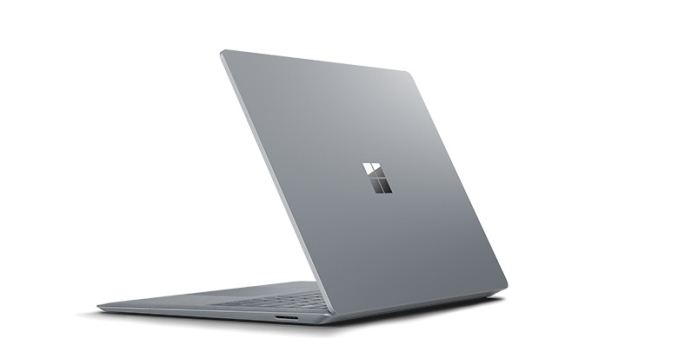
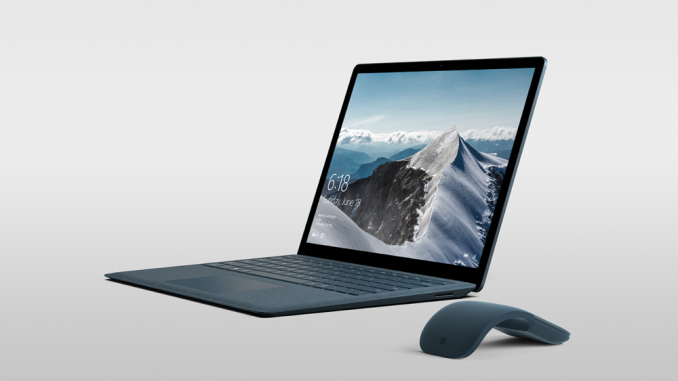
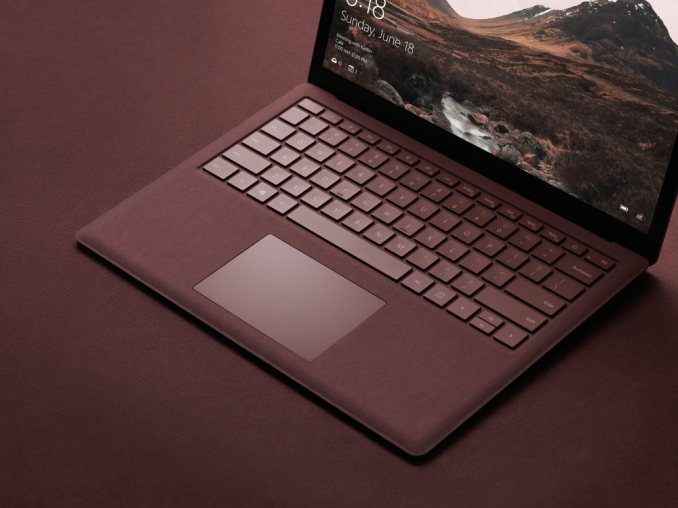
| 6:45p | Microsoft Announces The Surface Laptop In tech years, Surface has been around forever, but in actual Earth years, it’s been less than five years since Microsoft first put their toes into the PC hardware pool. The Surface lineup has always been about offering something unique on the computing landscape, with the Surface RT offering the first kickstand on a notebook, and the Surface Book offered a detachable GPU base. The quality of the products has improved very quickly over the last five years too, and with the Surface Studio, Microsoft is now offering one the best displays available to anyone in any device, and Surface Pro 4 is easily one of the best devices in its category (which it created).
But today they’ve taken a different turn. Today Microsoft is announcing the Surface Laptop. There’s no kickstand, no detachable display, no ability to fold it into a drafting table. There’s no fancy trick at all with the Surface Laptop. Microsoft just decided to finally build the one product that people were hoping they would build, and if it’s executed like most of their products, it should be a pretty strong offering compared to the competition. Although we were unable to attend the launch event in NYC today, let’s dig into what we do know about this to see how close they’ve come to the mark. With most of their products, they have tried to introduce a new category of computing, but with the Surface Laptop, there is an already large group of Ultrabooks to compete against.
Starting with the display seems to be a great jump-off point, since Microsoft, more than any other OEM, has been pushing displays as a focal point, and it is again in the Surface Laptop. It features a 13.5-inch PixelSense display, in the now common aspect ratio for Surface of 3:2. Microsoft touts its devices as productivity machines, and the 3:2 aspect ratio helps a lot there. For those with good memories, the Surface Laptop’s display is the same size as the Surface Book, but it is not the same display. The display density is lower than both the Surface Pro 4 and Surface Book, which both feature 267 pixels per inch. Likely in an effort to lower costs, and increase battery life, Microsoft has chosen a 2256 x 1504 resolution for the Surface Laptop, which works out to 3.4 million pixels, and 201 pixels per inch. As with all Surface devices, the display supports 10-point multitouch, and it can be used with a Surface Pen. Microsoft also claims 100% sRGB coverage, with individually calibrated displays. They lead the industry here, and are one of the only PC makers that offer calibrated displays across all their devices now, with perhaps the exception of Apple. Despite the lowered resolution, the excellent aspect ratio and color calibration should still make this a solid display for day to day use.
Powering the Surface Laptop is an Intel Kaby Lake processor, with either the Core i5-7200U, or the Core i7-7660U. The Core i5 is along the same lines as what everyone is offering in an i5, but the Core i7 is a nice step up, featuring Intel’s Iris Plus Graphics 640. This is a handful of a name, this is the GT3e version of Intel’s latest integrated GPU, featuring twice the execution units of the normal HD 620, and it features 64 MB of eDRAM as well, so the overall processor should be faster for most tasks. It’s nice to see the Iris available, as it is in the Surface Pro 4 i7 as well. Memory starts at a mere 4 GB for the base model, but there will be 8 GB and 16 GB models as well. The Surface Laptop is leveraging LPDDR3 memory, so 16 GB will be the maximum. Storage is 128/256/512/1024 GB SSDs, as you’d expect in an Ultrabook.
One of the more interesting aspects of the Surface Laptop is the keyboard and trackpad. The trackpad is the same trackpad as the Surface Book, which is probably the best trackpad in the PC space right now, so that’s a good thing, and the Surface Book keyboard is also excellent, so expectations for the Surface Laptop are that it will match the Surface Book in these regards, however Microsoft has chosen to outfit the Surface Laptop with an Alcantara keyboard deck. This is a synthetic fabric, and they’ve used it before in a special edition version of the Surface Pro keyboard, as well as the Surface Ergonomic keyboard. Although it’s fabric, it is coated in a anti-spill coating, so liquids should bead off of it if it does get wet. It does have a great feel to it, assuming it’s similar to the other Surface products, so this should be a nice addition. Like most Surface devices, it features a Windows Hello IR camera, allowing for facial recognition login, along with a 720p web cam. It would have been nice to see a 1080p camera here, but it should be adequate. The Surface Laptop also features a TPM 2.0 chip which should make it suitable for the enterprise. Microsoft is also showing off “OmniSonic” stereo speakers with Dolby Audio Premium, so in theory the sound quality should be ok, but with laptops the bar is always pretty low. The one real omission on the Surface Laptop is in expandability. It features the SurfaceConnect port, for charging, just like the Surface Pro 4 and Surface Book, and Microsoft does sell a dock for this too. There is also a full-sized USB 3.0 port, and a mini DisplayPort. The one major omission is USB-C, which seems to be the port that Microsoft refuses to support. USB-C was around when they launched the Surface 3 back in April 2015, but they chose to charge it over micro USB, to its detriment. When they launched the Skylake powered Surface Pro 4 and Surface Book, USB-C and Thunderbolt 3 were available, but somewhat niche. In May 2017 though, USB-C should be on everything. The amazing thing is that they used the space for USB-C to offer a mini DisplayPort, when USB-C could do DisplayPort over its alternate modes. I have no problem with them keeping the SurfaceConnect port, but not offering USB-C at all, let alone Thunderbolt 3, seems like a missed opportunity. I agree the full sized USB 3.0 port is likely what most people would need right now, but a small bit of futureproofing with USB-C would not have killed them. So that’s the hardware out of the way. Microsoft has been using Surface devices to push their software since Surface was first announced with Windows 8, and that hasn’t changed with the Surface Laptop. It will feature a new Windows version called Windows 10 S. We’ll get into Windows 10 S in another piece, but the basics are that it’s a version of Windows 10 which will only work with apps in the Windows Store. Sound familiar? Of course it does, since Windows RT had the same restriction. The difference between then and now is significant though. When Windows RT launched, the Store was an empty wasteland, and Microsoft never got the developer buy-in that they had hoped for. With Windows 10, the major difference is that Microsoft offers a Desktop bridge, allowing companies to bring their Win32 apps to the store relatively unmodified. So despite not being able to run apps from outside the Windows Store, you will still have access to Microsoft Office, and apps like Adobe Photoshop Elements. In many ways, the Store versions of these apps are superior to the legacy implementations, with much easier install and uninstall, and a more robust security model. But for those that need to install apps from outside the Windows Store, Windows 10 S can be unlocked to Windows 10 Pro, and on the Surface Laptop, that unlock will be free for the first year.
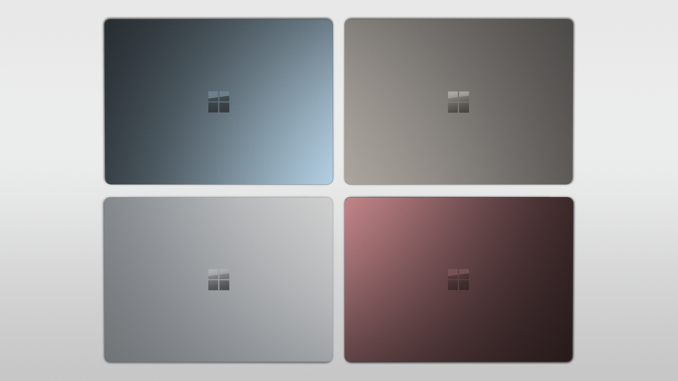
The new Surface Laptop is going to be available in four colors in the USA, with Platinum, Burgundy, Cobalt Blue, and Graphite Gold. Outside the USA, only one color will be offered initially, but the others should follow soon. And then there is the price. Microsoft is being fairly competitive with the pricing, with the Surface Laptop starting at $999 USD for the base 4 GB / 128 GB / i5 model. That’s a strong starting price for a premium Ultrabook, although the RAM limitations will make it unappealing to many. For $1299, the i5 model bumps up to 8 GB of RAM and a 256 GB SSD, which is more in the sweet spot. The i7 model with Intel’s Iris graphics starts at $1599 with the same 8 GB RAM and 256 GB SSD, and jumps to $2199 for the 16 GB / 512 GB model. Although the prices are high, the price comparisons to the competition are not that far off, meaning Microsoft likely didn’t make any friends with their OEMs today. The new Surface Laptop is available for pre-order now, with shipments starting in June. | ||||||||||||||||||||||||||||||||||||||||||||||||||||||||||||||||||||||||||||||||||||||||||||||||
| 7:20p | Microsoft Announces Windows 10 S: RT Redux
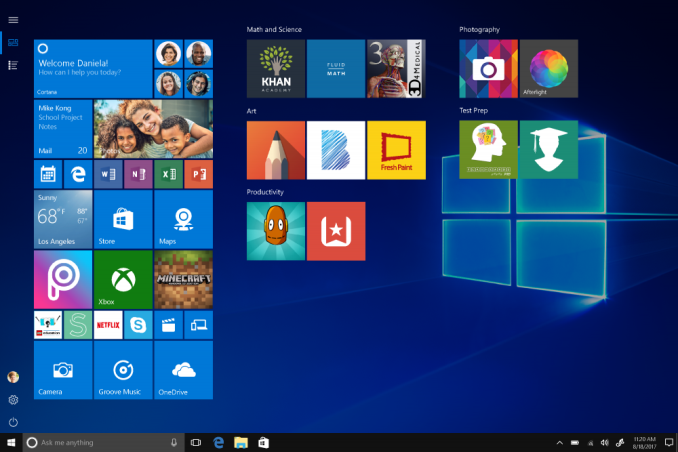
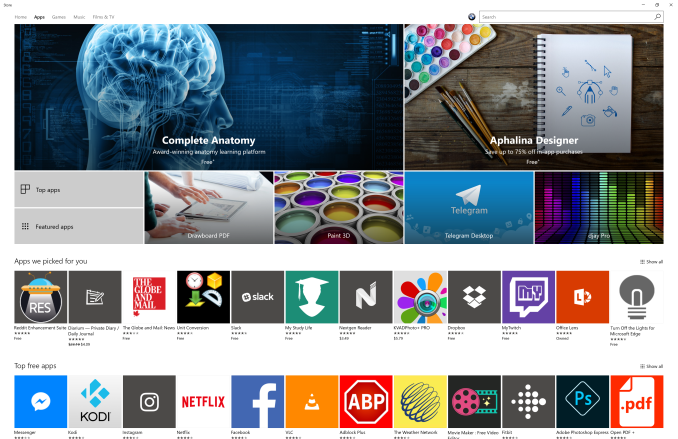
Alongside the new Surface Laptop announced today in NYC, Microsoft also unveiled their next play with Windows 10. Windows 10 S launches as a fresh take on an old idea. The old idea was “What happens when you lock Windows to only using Store bought apps, like iOS” and Microsoft has obviously given this one try already with Windows RT. Based on Windows 8, but only available on ARM based PCs, and only able to run Windows Store apps, Windows RT was a complete disaster, and it was abandoned by the Redmond company shortly after it was released. Windows RT never even got the Windows 8.1 update. It’s difficult to argue with the idea though. Windows has a fairly amazing support for legacy hardware and applications, but that same legacy opens it up to security vulnerabilities, and even applications which can wreak havoc on the system with excessive permissions, and unpatched issues. Anyone who chooses a Google Chromebook over a Windows PC does so, at least partially, to avoid these issues, and to enjoy the speed and reliability that comes with a locked down operating system.
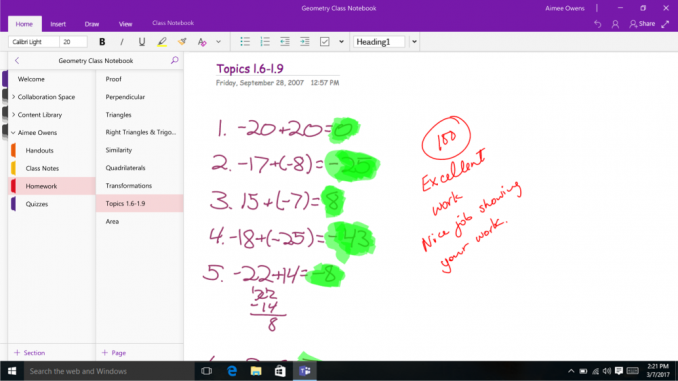
Windows 10 S is Windows 10 inspired by students and teachers, and by inspired by, Microsoft means the know that they are losing the education market to Chromebooks in a big way. Chromebooks are cheaper, more reliable, easier to setup and configure, and quicker to get using in class. No teacher wants to deal with a 15 minute login process as all the students try to get logged in the first time on a slow laptop, and for these reasons, Chromebooks have really gained a foothold in the education market more than anywhere else. Windows 10 S is Microsoft’s answer to that issue, but they are hoping for a broader adoption than just education. Honestly, it feels like the direction they want to go for Windows and although there are always going to be people who need access to apps outside of the store, we are certainly at a point where this makes more sense than it did when Windows RT launched. There are some major differences with Windows RT though. First, Windows 10 S is not restricted to ARM laptops. For that matter, it’s also not restricted to x86 laptops, and it would make sense to see Windows 10 S available on ARM based PCs coming later this year. Second, Windows 10 S can be unlocked to Windows 10 Pro. So if you do need to use apps outside of the store, you can pay to have the system unlocked. Finally, the Store has changed as well, meaning this is not quite as restrictive as it once was.
The major change with the Windows Store since the days of Windows RT came with the Windows Desktop Bridge, code named Centennial, which actually came with the Windows 10 Anniversary Edition. This one bridge allows developers of traditional Win32 apps to easily package their apps for distribution in the Store. They are not UWP apps at this point, but they are packaged apps, much like you would see on a Virtual App, and the Store can be used to update these apps in the future, rather than having to force the end-user to either manually update, or live with yet another update service running on their PC. Although we’ve not seen the UWP framework, or even the Desktop Bridge, have strong support yet, this is yet another carrot to entice developers to push their applications to the store. There are strong benefits for users, since apps are always up to date, and the installation process is simple, and uninstall is also simple. Apps can’t leave leftover registry keys or files, and it is a much better process than the traditional install methods. Here’s a great example of how the Desktop Bridge helps the user experience. Adobe Photoshop Elements 15 is available in the Windows Store. Not only does this give you the install for up to ten devices, rather than one, the install is as simple as clicking Install in the Store, and waiting. We’ve all done this on iOS and Android, and once the app is downloaded, it runs. I use this program from the Store on a couple of my PCs, and it works great. But a friend called and was trying to install Adobe Photoshop Elements 15 on their Windows 7 laptop, and every time they tried to run it, it would give an error and quit. I remotely connected to the laptop, and it took about an hour to figure out it was their backup software preventing the application from installing. That software had to be disabled, the computer restarted, and then Photoshop Elements installed, and then the backup software enabled again. With Store apps, these kinds of issues don’t happen because each store app is sandboxed.
Windows 10 S is definitely Windows RT v2, but without being quite as restrictive. There is an option to unlock full Windows as well, which is something that was never available on RT. It should be more secure, and Microsoft showed off how much quicker it is to do tasks like deploying applications and logging in for the first time. We’ll have to wait and see how much traction they have in Education with this though, and the Windows Store, while vastly improved over what was available when Windows RT launched, still doesn’t offer the wide variety of applications like you would get in iOS. Unless Microsoft can get devs to embrace UWP or even the Desktop Bridge, it may be difficult to see this having much support. The strength of Windows has always been its downfall, and that strength is the vast amount of legacy application support. Microsoft has tried before to wean people off of this legacy before, and they were not successful. Luckily, Microsoft is having their annual developer event in about a week, so we should learn more then in regards to their strategy to bring more apps to the Store. | ||||||||||||||||||||||||||||||||||||||||||||||||||||||||||||||||||||||||||||||||||||||||||||||||
| 11:00p | Apple Announces Q2 FY 2017 Earnings
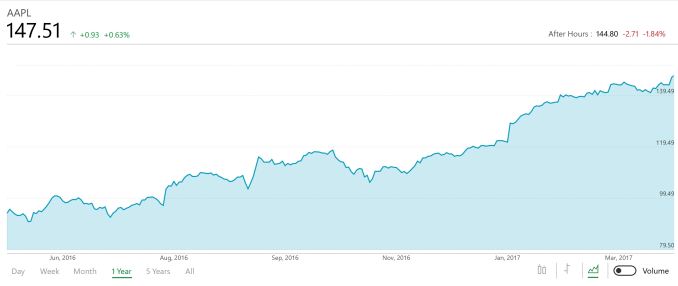
This afternoon, Apple announced their earnings for the second quarter of their 2017 fiscal year. Revenue was up 5% year-over-year to $52.896 billion. Operating income for the quarter was up 6.6% to $14.097 billion, and net income was up just under 5% to $11.029 billion. This resulted in diluted earnings per share of $2.10. Apple is also announcing they are expanding their capital return program, and the board has increased the capital return to shareholders another $50 billion, making the total program worth $300 billion in dividends and share repurchases by the time it wraps up in March 2019.
iPhone is still far and away the biggest part of Apple, but sales for this quarter were relatively flat compared to the same period a year ago. For the quarter, Apple sold 50.763 million iPhones, down 1% from a year ago, but with higher average selling prices, revenue was up 1% to $33.249 billion for the quarter. Of course, last quarter was the iPhone refresh, and they sold 78.29 million iPhones last quarter, so the business isn’t exactly doing poorly, but iPhone is the device that has transformed Apple, so we’ll have to see how sales go over this calendar year. Mac sales were strong though, considering the PC market. Mac had an increase in device sales of 4%, to 4.199 million units. With a new Mac Pro refresh, this is perhaps not as strong as expected, but revenue for the unit was up 14% to $5.844 billion, so they are making more per Mac sale. Services seem to be the next big growth area for Apple, and with an install base of iPhones as high as it is, this is arguably a good way to capitalize on that base. Apple’s services segment, which includes revenue for digital content, AppleCare Apple Pay, licensing, and other services, had revenue growth of 18% to $7.041 billion. The difference with services compared to iPhone sales is that there isn’t the massive swing quarter to quarter either, with services only dropping 2% from Q1, compared to iPhone which dropped 39% from the holiday quarter. The iPad continues its drop, and nothing Apple has done yet seems to have had any impact on this trend. iPad was down 12% in revenue year-over-year to $3.889 billion, and of course that’s still a huge amount of revenue, but when it has to compete against the iPhone it seems poorer than it is. In terms of device sales, Apple sold 8.922 million iPads this quarter, down 13% from a year ago where they sold 10.251 million.
Other products, which is where Apple puts Apple TV, Apple Watch, Beats, iPod, and accessories, actually had a solid quarter, with revenue up 31% to $2.873 billion. Apple never breaks down the individual parts of this though, which is understandable, but unfortunate. Apple is forecasting revenue for Q3 to be between $43.5 and $45.5 billion, with a gross margin of 38% plus or minus 0.5%. Source: Apple Investor Relations | ||||||||||||||||||||||||||||||||||||||||||||||||||||||||||||||||||||||||||||||||||||||||||||||||




| << Previous Day |
2017/05/02 [Calendar] |
Next Day >> |