[Most Recent Entries] [Calendar View]
Sunday, June 4th, 2017
| Time | Event | |||||||||||||||||||||||||||||||||||||||||||||||||||||||||||||||||||||||||||||
| 8:00a | Motorola Announces the Moto Z² Play
Last summer Motorola introduced its new premium Moto Z smartphone family. More than a simple redesign with the latest components stuffed inside, the Moto Zs added a modular component. Motorola’s optional Moto Mods snapped onto the phones’ flat backs with powerful magnets, making it easy to swap from a large speaker to a pico-projector to a battery pack all without requiring a reboot or any software fiddling. Among the small group of modular phones, Motorola’s solution is clearly the best, but it still comes with some compromises. The phones can feel bulky and heavy with Moto Mods attached, for example. Motorola tried to address this with the Moto Z (the middle child of the family) by making it as thin as possible (only 5.19mm thick), which limited battery size to a mere 2600 mAh. The Moto Z Play, a mid-range model that served as the entrypoint to the Moto Z family, was a pretty solid offering, with a decent camera that produced better images than the more expensive Moto Z. The Snapdragon 625 SoC and its 8 Cortex-A53 CPUs offered acceptable performance as long as you did not push it too hard or expect too much, but the higher-performing Snapdragon 650 would have been a better choice for a phone that cost more than $400. Paring those power-sipping A53 cores (on a 14nm FinFET process) with a fairly large 3510 mAh battery did give the Moto Z Play excellent battery life. With summer upon us once again, Motorola is refreshing its Moto Z lineup, starting with the Play. The new Moto Z² Play is not exponentially better than the previous model, however. Its progression is more piece-wise linear, remaining largely the same with only a few positive changes.
The Moto Z² Play’s biggest (potential) upgrade is the rear camera. It uses a new 12MP sensor that trades resolution for improved autofocus performance. Its 1.4µm pixels are split into two photodiodes, allowing each pixel to perform phase detection. This greatly improves AF accuracy and speed—up to twice as fast as regular PDAF. Dual-pixel PDAF is part of a hybrid AF system that also includes laser autofocus, which has an extended range up to 5 meters (16 feet) and works better in low-light situations, and contrast AF as a fallback option. The Z² Play also comes with a faster f/1.7 lens array that lets in 25% more light, which should improve image quality and help compensate for the lack of OIS.
The front-facing camera gets a small upgrade too. It still uses a 5MP sensor with 1.4µm pixels (presumably the same one as the previous Z Play) and an f/2.2 lens array; however, instead of a single LED flash (a nice feature that’s still fairly uncommon), the Z² Play’s front camera comes with a dual-color LED flash just like the rear camera that should help improve color accuracy when taking selfies in the dark. Inside the Z² Play’s aluminum frame is a Snapdragon 626 SoC, whose only improvement over the Z Play’s S625 is a small 10% bump in peak CPU frequency that you will not be able to notice during normal use. By rushing the Z² Play to market—the original Z Play has only been available since last September—Motorola missed an opportunity to improve the user experience in a meaningful way by using the new Snapdragon 630 (which replaces the S626 in Qualcomm’s lineup) that supports the latest memory and storage standards and includes an upgraded GPU, DSP, ISP, and modem. If Motorola really wanted to blow our minds, it could have used the new Snapdragon 660, Qualcomm’s premiere mid-range SoC that provides flagship-level features and performance. The Z² Play’s eight Cortex-A53 CPU cores and Adreno 506 GPU, which supports the OpenGL ES 3.1 and Vulkan graphics APIs, are still paired with 3GB of LPDDR3 RAM and 32GB of internal storage like the Z Play; however, there's now an optional configuration with 4GB of RAM and 64GB of storage too. This bumps the price to $500, though, which is moving into flagship territory and is pretty expensive for a phone with all A53 cores.
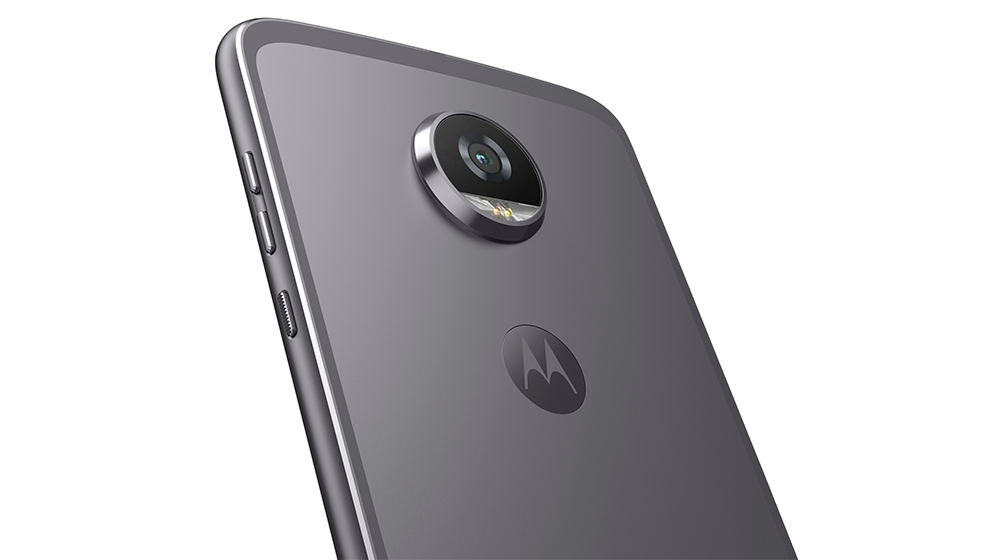
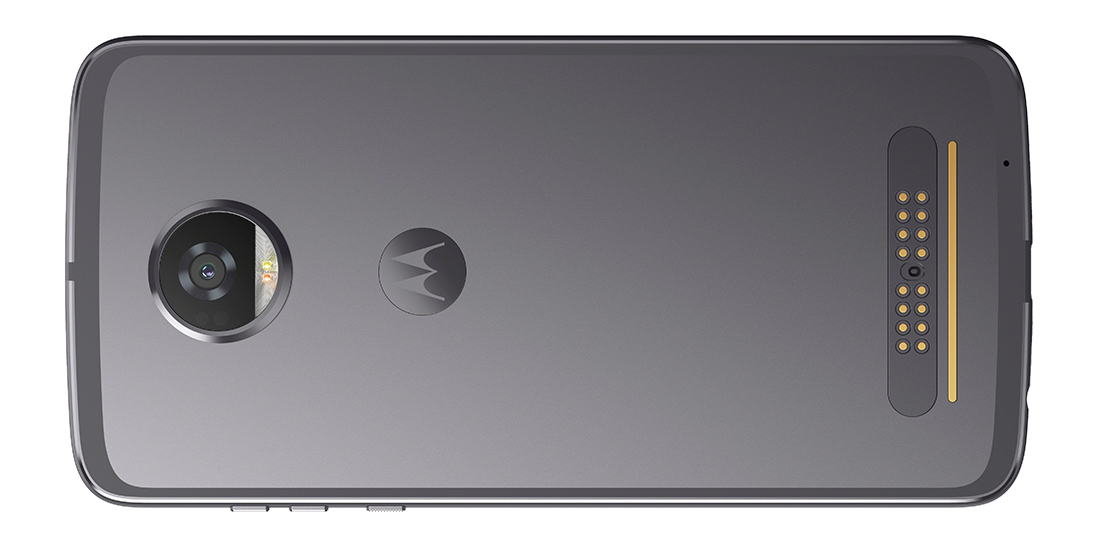
The rest of the Z² Play is largely the same as the previous version. It still comes with a 5.5-inch AMOLED display from Samsung with a 1920x1080 resolution. The PenTile subpixel layout means the effective pixel density is less than a 1080p LCD of the same size, resulting in some loss of sharpness. The Snapdragon 626 SoC includes the same X9 LTE modem as the S625. It supports 2x20 MHz carrier aggregation on both the downlink and uplink, providing up to 300 Mb/s and 150 Mb/s, respectively. Other connectivity options include Bluetooth 4.2 LE, NFC, FM radio, and 802.11n Wi-Fi (sorry, no 802.11ac) with 2.4GHz and 5GHz bands. The original Z Play’s design also survives largely intact. The back of the phone is still flat with a proprietary connector near the bottom to accommodate Motorola’s Moto Mod accessories, and there’s still a raised, circular camera module that helps anchor the Mods and Style Shells in place. The Style Shells come in a variety of colors and materials, allowing you to customize the phone’s appearance (it looks unfinished without one, which is why one is included). The small volume and power buttons sit near the top on the right side—out of the way so you do not press them accidentally—and a USB 3.1 Type-C port and 3.5mm headphone jack are on the bottom.
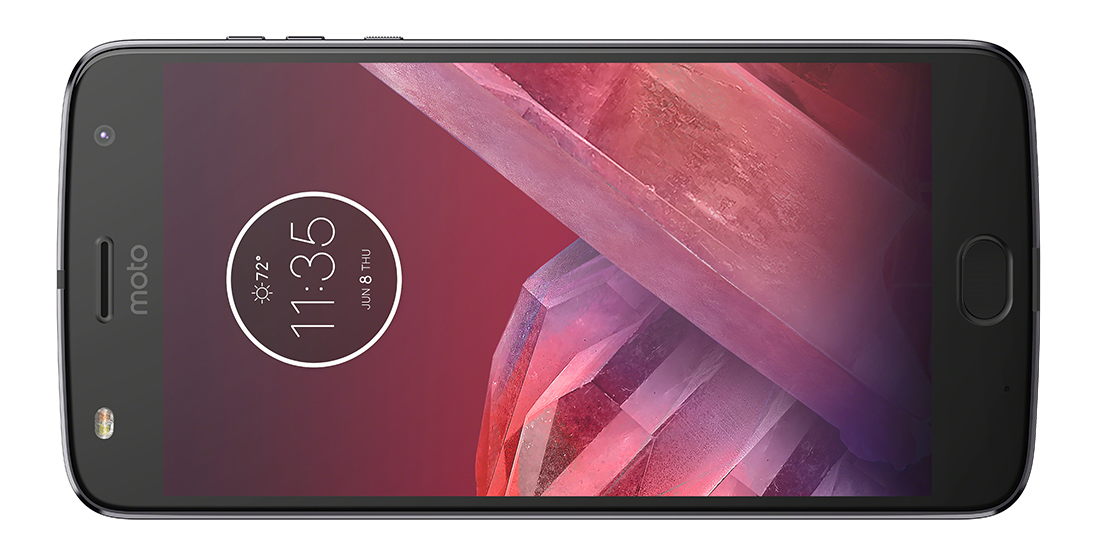
The biggest change around front is a larger, pill-shaped fingerprint sensor that replaces the Z Play’s rather small, square unit, which should make it easier to find and use. It also supports Motorola’s (optional) one-button navigation feature that replaces the onscreen navigation buttons with gestures; swiping left on the fingerprint sensor goes back, swiping right opens recent apps, tapping it goes home, and long-pressing it locks the phone. It appears Motorola placed the display circuitry in the upper bezel (behind the ‘moto’ logo) like it did for the Z Play, a good design decision that keeps the lower bezel a more reasonable size. This means the upper bezel is larger than usual, but this does not negatively affect one-handed use like a big lower bezel, and it helps the front look more balanced.
Because the Z² Play fully supports Motorola’s existing Moto Mods—along with some new ones, including Style Shells with wireless charging and the Moto GamePad—it’s essentially the same size and shape. The one exception is thickness: Motorola sliced off 1mm. The thinner profile and 20 fewer grams of weight should make it feel less bulky than the Z Play. Unfortunately, this means battery capacity also gets trimmed by nearly 15%. While the Z² Play’s battery life should still be better than average, I’m not convinced that tempering one of the Z Play’s best features is a great idea. On the flipside, you get a lighter phone that still comes with Motorola’s TurboPower fast-charging technology and the option to slap on a Style Shell with wireless charging or a 2220mAh Power Pack, although these options add to the overall price of the phone.
The Moto Z² Play will be available exclusively on Verizon in early July (without the DROID branding), but pricing is not available (the previous Moto Zs were discounted when purchased through Verizon). It will also be available unlocked directly from Motorola.com later this summer for $499 (4GB/64GB). | |||||||||||||||||||||||||||||||||||||||||||||||||||||||||||||||||||||||||||||
| 12:00p | AMD Announces Radeon Pro WX 3100 & WX 2100: Entry-Level Polaris Pro Cards
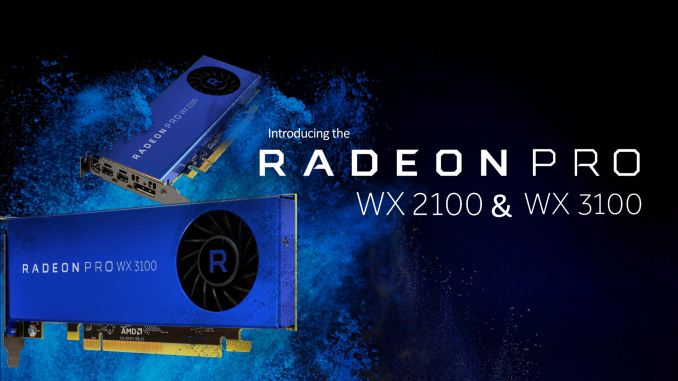
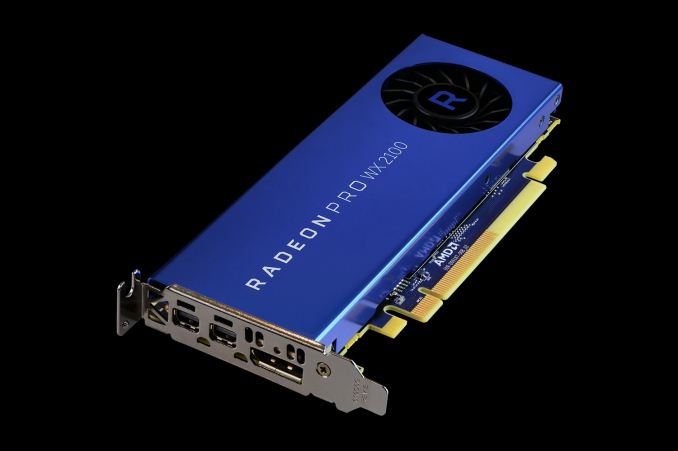
A couple of months back AMD announced their third (and presumably final) Polaris GPU, the diminutive Polaris 12. Designing for early-level video cards and laptops, in the consumer space it’s the heart of the Radeon RX 550. Now AMD is now bringing their smallest 14nm GPU to the professionals with the announcement of the Radeon Pro WX 3100 and WX 2100. The latest Radeon Pro WX cards serve to finish fleshing out the professional lineup, replacing the old Oland-based FirePro W2100. Like its predecessor the new cards are primed for the entry-level market, getting desktop users access to AMD’s pro driver set and certification for a minimal cost, but with performance to match.
Both cards are based on the same Polaris 12 GPU. In fact the only difference between them in terms of specifications is the amount of memory bandwidth and the cards’ TDP. Otherwise the two cards are almost identical. By the numbers then, the Radeon Pro WX 3100 is a “full fat” Polaris 12 card. So all 8 CUs are enabled, as is the 128-bit GDDR5 memory bus. AMD pegs the performance of the card at 1.25 TFLOPS, which works out to a GPU boost clock of about 1220MHz. The card is paired with 4GB of GDDR5 memory, clocked at 6Gbps, for a total memory bandwidth of 96GB/sec. Comparatively speaking then, the Radeon Pro WX 2100 retains the same core GPU configuration of 8 CUs and a 1220MHz boost clock, but it drops half of the memory bus. The end result is the same theoretical compute/texturing/geometry performance, but only 2GB of GDDR5 and a resulting 48GB/sec of memory bandwidth to do it with. Otherwise, as you’d expect for entry-level cards, the power consumption of both cards is rather low. The WX 3100 peaks at 50W, and the WX 2100 is even lower, at just 35W. I do have some doubts that AMD could shave 15W just by taking away 2GB of memory, so it may be that the WX 2100 is a bit more prone to throttling.
In any case, the low TDP means that both cards are being offered in the same single slot low-profile design. Though notably, these aren’t AMD’s only low-profile cards, as the more powerful WX 4100 is also a low-profile configuration. What this low-profile layout affords the user in terms of display outputs then is quite interesting. Like their other pro cards AMD has gone for an all DisplayPort configuration, but rather than using a single port type, AMD is using a mix of full-size and mini DisplayPorts. As a result both cards offer 2x mini DisplayPort 1.4, and another full-size DisplayPort 1.4. Going with a pure DisplayPort configuration is what we’d expect to see, as it allows AMD to drive home the fact that the card can potentially drive up to three 8k monitors. Otherwise the odd mix of ports appears to be due to the fact that the Polaris 12 GPU can only supply 3 display headers (though it has 5 display controllers internally, should you ever use MST). AMD’s target market for these cards then is very much the entry-level market, where users need access to the Radeon WX driver and support stack, but not large amounts of performance. So less oil & gas, and more simple media and CAD. These new cards will be going up against NVIDIA’s existing Quadro P400 and P600 cards for the low-end of the market. Wrapping things up, the WX 3100 and WX 2100 should be available from AMD’s usual distributors later this month. The WX 3100 will run for $199, while the WX 2100 will go for $149. | |||||||||||||||||||||||||||||||||||||||||||||||||||||||||||||||||||||||||||||
| 2:00p | Thecus Announces $130 and $200 Entry-Level NASes For Home Users
This month at Computex, Thecus announced two new entry level-level NASes for consumers. The new N2350 and N4350 are budget-priced NAS products designed for the basic storage tasks. The systems feature a low-power Marvell Armada dual-core CPU and 1GB of DDR4 system memory. The N2350 features two drive bays with support for RAID 0, 1, and JBOD. The larger N4350 increases the capacity to four drive bays and adds support for RAID 5, 6, 10. Slinging NAS appliances to home users is a difficult challenge. More than half of potential customers don't know the category exists, and most of the others think the systems are small form-factor PCs with a few extra drive bays. So offering basic boxes at low prices is an important aspect to expanding the bottom of the market, where consumers may not be interested in paying a high price tag for a storage appliance. Both NASes ship with the company’s latest ThecusOS 7.0 graphical operating system. And while the underlying CPU isn’t going to be especially powerful, it’s enough to offer additional functionality such as external (Internet) file access. Not to mention additional applications/functions that can be installed through the OS itself. The Thecus N2350 ($130) and N4350 ($200) have already started to ship to distributors. Both provide a low-cost entry point for users to experience NAS without spending a lot of money, and both carry a 2-year warranty. Chris Ramseyer contributed to this report | |||||||||||||||||||||||||||||||||||||||||||||||||||||||||||||||||||||||||||||
| 4:00p | MSI Shows Off GeForce GTX 1080 Ti Gaming X Card with USB Type-C Port
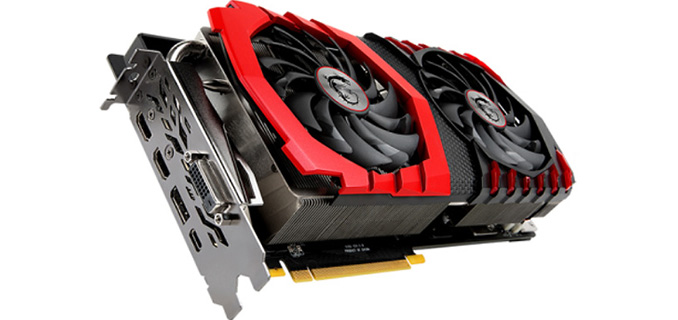
Back when the VESA announced the DisplayPort alt mode for USB Type-C, one of the most common questions was whether we’d see USB ports on a video card. As a standards body the VESA couldn’t answer this question, but ultimately whether that would happen would be up to the manufacturers. Now at Computex, MSI is showing off what looks to be the first high-end video card with a USB-C port for display purposes: the MSI GTX 1080 Ti GAMING X 11G Graphics Card with USB Type C. The USB-C equipped card is virtually identical to its regular GTX 1080 Ti GAMING X 11G counterpart, except dropping the final DisplayPort for the USB-C port, leaving it with 2 DisplayPorts, a DVI-D port, an HDMI port, and the USB-C port. From a feature perspective, thanks to DisplayPort alt mode, a USB-C port is just as good as a DisplayPort for DP signaling purposes (though it should be noted that you lose TMDS backwards compatibility), which means the switch to a USB-C port doesn’t cost anything, but it also doesn’t necessarily gain anything. What MSI isn’t commenting on right now is whether this USB-C port will offer anything besides DisplayPort alt mode functionality, such as USB 2.0 data another alt mode. The USB-C alt mode standard requires that the 4 USB 2.0 pins remain untouched, but strictly speaking they don’t seem to be necessary for alt mode to work since that’s handled by the CC pins. However DisplayPort monitors using USB-C for all of their connectivity, such as the LG UltraFine 21.5, will not appreciate the lack of USB data. In which case USB 2.0 data is required for maximum compatibility.
Ultimately, placing a USB-C port on a high-end video card serves a few different purposes for MSI. In the present, it makes the card fully compatible with USB-C monitors like the aforementioned UltraFine, along with any other display setups where you may want to quickly swap between said video card and a USB-C equipped laptop. However in the longer term, I suspect this may be the first move in a larger (and very long) transition to USB-C for all display connectivity. Part of the purpose for the USB-C standard – and why groups like the VESA embrace it – is that everyone wants to solve the increasingly difficult external bandwidth problem once, and then share the technology (and a common port) rather than each group implementing their own solution. The DisplayPort and its associated cabling are coming up on a decade old and have been through 3 revisions, with the latest standard supporting ~30Gbps of cable bandwidth. Meanwhile the USB-C port and cabling system is intended to support 80Gb/sec (or more) of cable bandwidth. So while nothing has been officially announced at this time, USB-C on video cards may not just be a DisplayPort alternative, but may end up being the future of display connectivity itself. Steven Lynch contributed to this report | |||||||||||||||||||||||||||||||||||||||||||||||||||||||||||||||||||||||||||||






| << Previous Day |
2017/06/04 [Calendar] |
Next Day >> |