[Most Recent Entries] [Calendar View]
Friday, September 1st, 2017
- Micron Discontinues Lexar Business, Plans to Focus on Higher-Margin Products
- Micron Hires New CEO: Sanjay Mehrotra, SanDisk Co-Founder And Former CEO
- Lexar Launches 'JumpDrive Tough' USB Drives up to 128GB: Focusing on Physical Endurance
- Micron Presents New SSDs and Strategy: From Components to Whole Solutions, 3D NAND Shipping Imminent
- Lexar Professional Workflow HR2 4-Bay Thunderbolt 2 / USB 3.0 Reader Hub Review
- Capsule Review: Logitech MK850 Performance Wireless Keyboard and Mouse Combo
- The Logitech G910 Orion Spectrum Mechanical Keyboard Review
- Logitech Announces G610 Orion Brown And G610 Orion Red Mechanical Keyboards
- Corsair Launches Splash-Resistant K68 Mechanical Keyboard
- Nanoxia Ncore Retro: Mechanical, Water Resistant, 'Warehouse 13' Style Keyboard
- The Das Keyboard 'Prime 13' & '4 Professional' Mechanical Keyboard Review
- The Cherry MX Board 6.0 Mechanical Keyboard Review
| Time | Event | ||||||||||||||||||||||||||||||||||||||||||||||||||||
| 1:01a | Razer Reveals Basilisk Mouse: Made for First Person Shooters
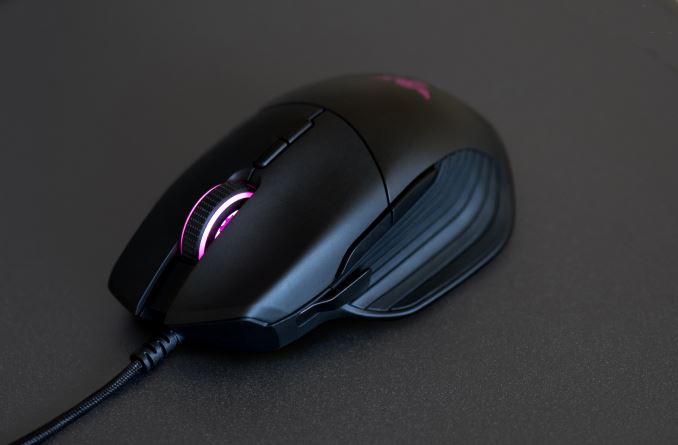
At IFA this week, Razer announced a new addition to its growing stable of mice and peripherals with the Razer Basilisk. Razer is pitching the Basilisk mouse as purpose-built for first-person shooters, while lauding the customizability of the Basilisk, saying, "This is a mouse designed for tweaking that last ounce of performance out of each gamer's specific FPS playstyle". That will all come out in testing and user preference, but we are able to sift through the boasting and give some information.
The Basilisk uses the same 16,000 DPI optical sensor found in the Lancehead Tournament Edition as well as the Death Adder Elite mice. It includes eight customizable buttons using Razer's mechanical mouse switches, which have a 50M click lifespan, and a scroll wheel with variable resistance. The mouse is also part of their Chroma family of lighting-equipped products, using RGB LEDs on the scroll wheel as well as the Razer symbol on the palm rest area. Razer seems to be going against the trend of more is better, which I personally applaud. All programmable buttons and LEDs are controlled by Razer’s Synapse 3 Software. From the application, personalized settings can be stored on the mouse itself, or on Razer's servers.
One unique feature on the Basilisk is the clutch. The clutch is a small removable paddle/button on the left-hand side for easy access to additional mouse functionality. The default action is for on the fly DPI settings though it can be programmed for other uses. This can be useful in FPS games where one can quickly go from sniping where you don’t want twitch movements using low DPI, to a close battle where speed is of the essence requiring a faster response and high DPI. Razer includes two paddle sizes, a short and longer one, for accommodating different hand sizes. Alternatively, for users who don't want the clutch, the included rubber thumb cap can be placed over it to prevent accidental use. The clutch is also customizable in the Synapse software.
The Basilisk will be available from Razerstore.com sometime in September with worldwide availability in Q4 2017. Pricing is $69.99 in the US and €69.99 in the EU. Related Items: | ||||||||||||||||||||||||||||||||||||||||||||||||||||
| 8:20a | Huawei Shows Unannounced Kirin 970 at IFA 2017: Dedicated Neural Processing Unit
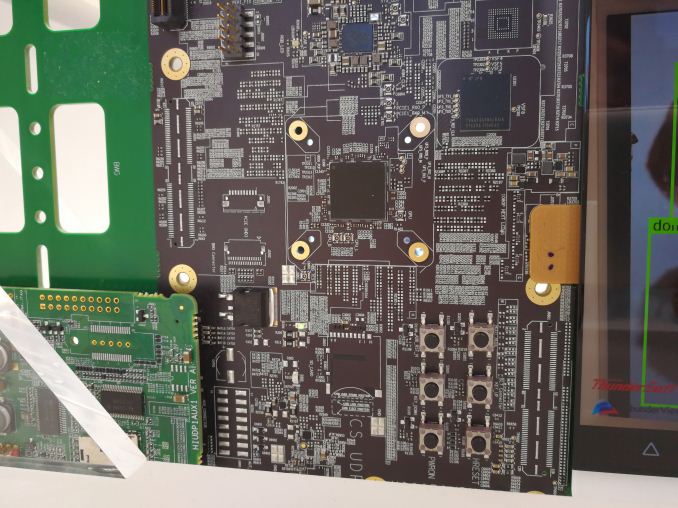
A surprise at this year’s IFA is the previously unannounced Kirin 970 SoC hitting the show floor. Normally Huawei announces a new SoC with plenty of press details, and we were expecting perhaps some musings towards what is next from Huawei (it’s usually around this time of year), but this time they pushed it through to the show floor without any pomp and show (or any notice). Cue my surprise when I saw it…
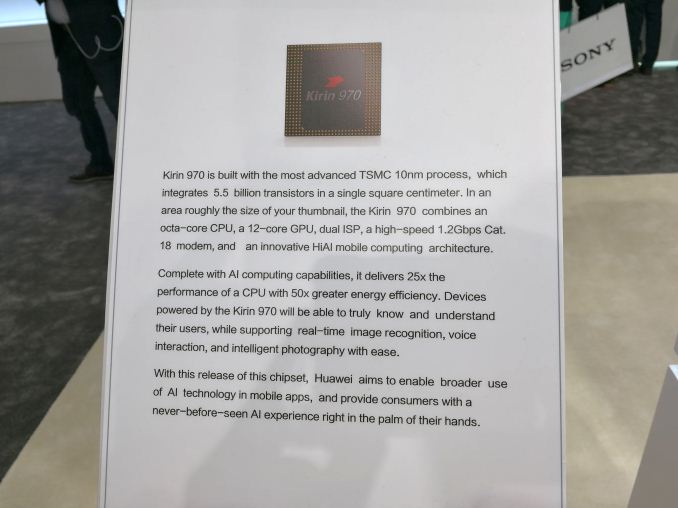
The headline that Huawei seems to want to promote is the addition of dedicated neural network silicon inside the Kirin 970, dubbed the Neural Processing Unit (NPU). The sticker performance of the NPU is rated at 1.92 TFLOPs of FP16, which for reference, is about 3x what the Kirin 960's GPU alone can do on paper (~0.6 TFLOPs FP16). Or to put this in practical terms, Huawei says that the NPU is capable of discerning 2005 images per minute from internal testing, compared to 97 images per minute without the NPU – and presumably on the CPU – using the Kirin Thundersoft software (likely a future brand name). Obviously, depending on the implementation and power use, I would expect Huawei to try and leverage the NPU as much as possible in upcoming designs.
Other details for the Kirin 970 show improvements over the Kirin 960. First is the movement to TSMC’s 10nm process, from 16FF+. The Kirin 960 launched a few months before the 10nm ramp up for other high-end smartphone SoCs hit the shelves, so Huawei is matching their competitors here. The core configuration is the same as the 960, with four ARM Cortex A73 cores and four ARM Cortex A53 cores, this time clocked at 2.4 GHz and 1.8 GHz respectively. The integrated graphics is the newest Mali G72, announced alongside the A75/A55 processors earlier this year, which will be in an MP12 configuration. Frequency was not listed.
Other sticker features include dual ISP for motion detection and low light enhancement, support for HDR10 with 4K60 decoding, 4K30 encoding, and an LTE Category 18 modem, which Huawei states is good for 1.2 Gbps download. I’d be under the assumption that this is 4x carrier aggregation with 128-QAM. The Kirin 970 will also ship with an embedded Security Engine, supporting TEE and inSE. Huawei’s final declarations on the NPU state that it is 25x the performance of a CPU with 50x the energy efficiency, and using a new HiAI (Hi-Silicon AI) nomenclature. Huawei’s CEO, Richard Yu, has a keynote later this week and we also have some meetings with Huawei. I’m going to probe for details. The only smartphones with Kirin 970 on the show floor were generic models hooked up to development boards. Any devices coming to market (such as a Mate 9) will be a few weeks away, given launches from previous years. | ||||||||||||||||||||||||||||||||||||||||||||||||||||
| 8:30a | Windows 10 Fall Creators Update Coming October 17 This morning at IFA in Berlin, Terry Myerson, EVP of the Windows and Devices Group at Microsoft, announced that the next Windows 10 update will be launched worldwide on October 17. Dubbed the Fall Creators Update, it’s the first such update since the Creators Update debuted in the spring, and with this update, Microsoft will officially begin their bi-annual update cadence. The Fall Creators Update was first announced at Microsoft’s developer conference, Build. It, like the other updates to Windows 10 preceding it, continues the evolution of Windows 10, bringing some new features to the table, and updating the underlying platform with new capabilities. This will be the fourth major update to Windows 10 since it launched in July of 2015, and with the benefit of time, it’s easy to forget the dramatic changes it brought, merging the touch-first design of Windows 8, with the desktop happy Windows 7, into a very capable, and flexible platform. Windows 10 brought some major changes, and most notably was the move to a continuous servicing model, which is the underlying basis for these bi-annual updates. The original servicing model was a lot more fluid, and with the traction of Windows in the enterprise market, Microsoft needed to offer a model that could be planned for, which they now have. You could easily argue that this model of twice a year updates to Windows 10 is too fast for the enterprise, and I would not disagree, but having a plan is better than the random updates seen prior to this. There’s quite a bit coming to the Fall Creators Update, despite the name being only one word different than the Creators Update it is superseding. Not all of the features announced at Build have ended up making it in, which is likely the trade-off of moving to a rigid release schedule, but the majority are. It’s also interesting to note that Microsoft has, for some time, been able to update portions of Windows 10 without these larger feature updates, but has more or less chosen the stance of not doing that, perhaps in an effort to beef up the content of each update, but one of the main features announced at Build has already started to creep into the current version of Windows, and that is the Fluent Design.
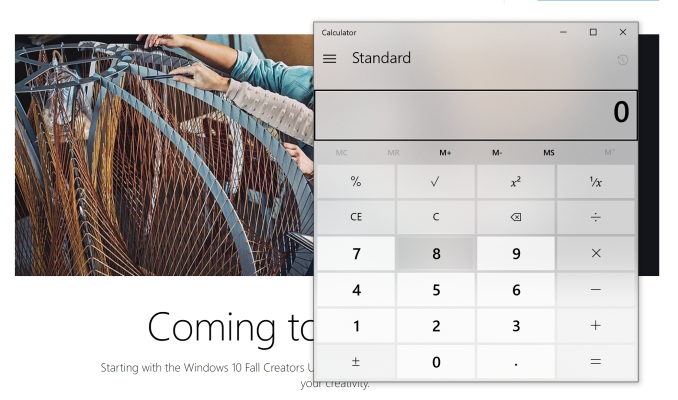
For a full recap of Fluent Design, check out our coverage from Build, but it’s a new design language for Windows 10 which takes us further away from the extreme flat look of Windows 8, and brings about effects with lighting and transparency which both look great, and add functionality. Lighting and movement are going to be key elements now, bringing contrast and context to buttons and more. Some apps have already been updated with Fluent Design, such as the calculator on the current version of Windows, and the contemporary design looks great.
Windows Ink is getting some more love, as it tends to with each update. Microsoft loves the digital pen, and that plays out in both their software and hardware developments. Windows 10 is finally going to let you ink right onto PDFs in the Fall Creators Update, which should please many. There’s now a Find my Pen feature built into Windows, and while pens don’t have GPS built-in for perfect tracking, Windows will be able to tell you where it last was connected to your pen, which should help those of us who can’t seem to keep track of them. Inking is also gaining more AI capabilities to automatically make items into what you’re attempting to create, such as turning boxes into a table. Photos is getting new features added to let you remix your photos, videos, music, and more, into stories. Luckily, Photos is still going to be called Photos though, so you should still be able to find your pictures even though there will be additional capabilities added to the app.
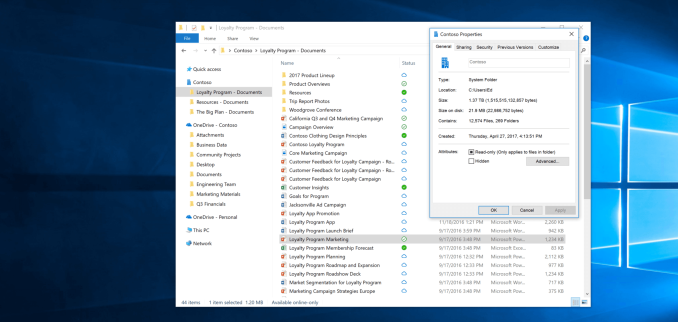
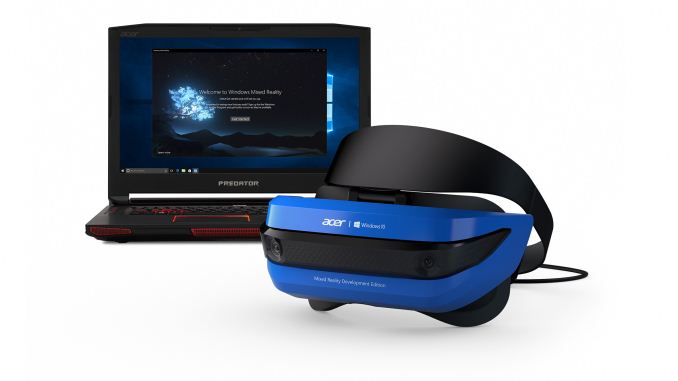
The one feature I am looking forward to more than any other is easily OneDrive Files On-Demand. Finally, we’ll be able to see our entire OneDrive in Windows Explorer without having to download it first, and because modern PCs have limited storage thanks to solid state drives, the on-demand files don’t take up any space on your system unless you need them. This feature originally existed in Windows 8.1, but underlying issues with the solution at that time could lead to apps throwing errors, because they weren’t aware of this feature. With it now being built into the file system of Windows, that should hopefully be avoided. The only issue people will run into is if they forget to download the file they need before going offline, and we’ll see if the file graphics added will be enough to make it obvious. Another feature coming is the ability to automatically delete files from your Download folder over time. As someone who tends to download and forget, this could be very helpful in keeping my drive clean. Eye control is also coming to Windows 10, which should be a great help making Windows 10 more accessible to those that can’t operate a mouse, or use touch. The ability to control the mouse with your eyes is the next step on Microsoft’s path to making Windows 10 more accessible to all. Windows Mixed Reality is also coming as part of the update, and several OEMs such as Acer, Dell, HP, and Lenovo, will all have mixed reality headsets available when the Fall Creators Update ships. The push for VR seemed to be a very strong want from everyone, until it arrived and very few bought in, but we’ll see how these lower priced mixed reality headsets do before passing judgement.
There’s plenty of other features coming as well, such as improved HDR and wide color gamut support, advances in the Windows Subsystem for Linux, and security enhancements as well. The Windows Store is going to be adding more desktop apps using the Desktop App Converter, formerly known as Project Centennial. iTunes, as an example, is supposed to be coming to the Windows Store via this desktop bridge, and many other big-name apps as well. Microsoft never got the buy-in they wanted or needed with UWP, but this is a good step to at least get the apps everyone knows and needs available on the store, and then they can go from there. This is especially important thanks to Windows 10 S, which only allows app installs via the store. There’s more to come later as well. Almost a year ago, Microsoft and Qualcomm came together to announce new PCs running on Qualcomm CPUs, meaning Windows 10 is going to be available on ARM, with x86 emulation. Intel isn’t too happy about this though, as they mentioned in an earnings call, but we should be seeing some of these devices soon, since they are supposed to be available in the second half of 2017. We’ll look into some of these Windows 10 features with a more in-depth look when they features are available to all, so stay tuned. Source: Microsoft | ||||||||||||||||||||||||||||||||||||||||||||||||||||
| 10:00a | Longsys Acquires Lexar Brand from Micron
Longsys on Thursday announced that it has acquired the Lexar brand name from Micron. The China-based supplier of NAND flash memory-based products will use the trademark to sell Lexar’s traditional devices — removable storage like memory cards and USB flash drives. The company believes that going forward usage of removable storage will expand. Micron announced plans to discontinue its Lexar business in late June, possibly because of its slow growth and Micron’s intentions to focus on businesses that are more profitable. The company indicated that it would sell all or a part of its Lexar business, but it clearly wanted to exit the market of inexpensive removable storage devices. The two companies did not disclose financial terms of the transaction, but it is likely that Micron will have to reveal the sum in its quarter results. Longsys is a large China-based supplier of NAND flash-based storage solutions that include everything from memory cards to SSDs and embedded storage. The company was established in 1999 and currently sells hundreds of millions of NAND flash-based products every year, primarily in China, but also in many other countries. The acquisition of Lexar enables Longsys to enter the U.S. market with products carrying a well-known brand and therefore increase its sales. Unlike Micron, Longsys believes in long-term growth of removable storage products because new types of devices emerge (such as drones). “Lexar has built a great brand name and our vision is to make it even greater,” said Huabo Cai, CEO of Longsys Electronics. “Existing customers can rest assured that the innovative solutions and excellent support that they have experienced from Lexar will continue. The mission to make Lexar the go-to brand for high-performance removable storage continues, and we will expand upon it to offer even more compelling solutions as the age of wireless and big-data impact the consumer storage markets.” What remains to be seen is whether Longsys intends to use the Lexar brand to market SSDs in the U.S., or only hopes to make memory cards, flash drives and embedded storage under the trademark. If the company decides to expand usage of the brand to SSDs, then it will compete against Micron using the latter’s NAND in the U.S., which would be an interesting turn of events. | ||||||||||||||||||||||||||||||||||||||||||||||||||||
| 11:00a | Lenovo Immerses into Windows Mixed Reality with Lenovo Explorer
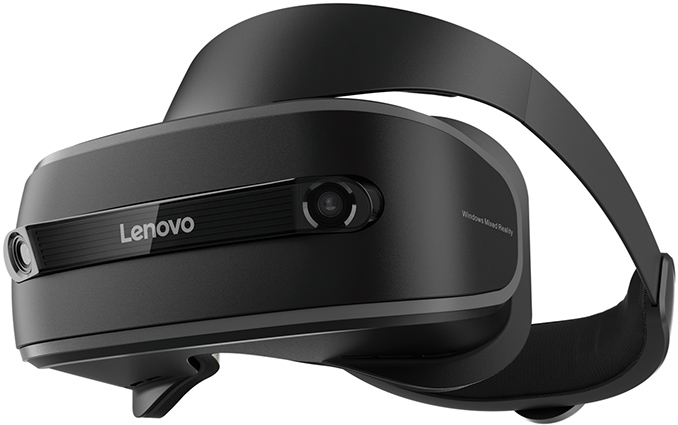
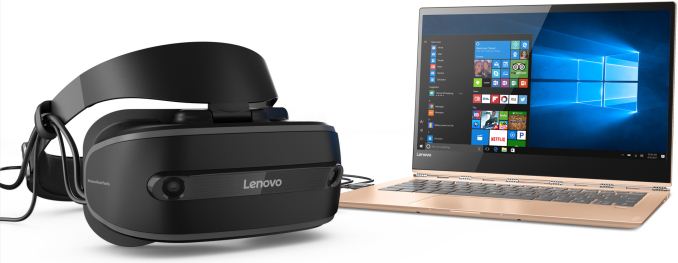
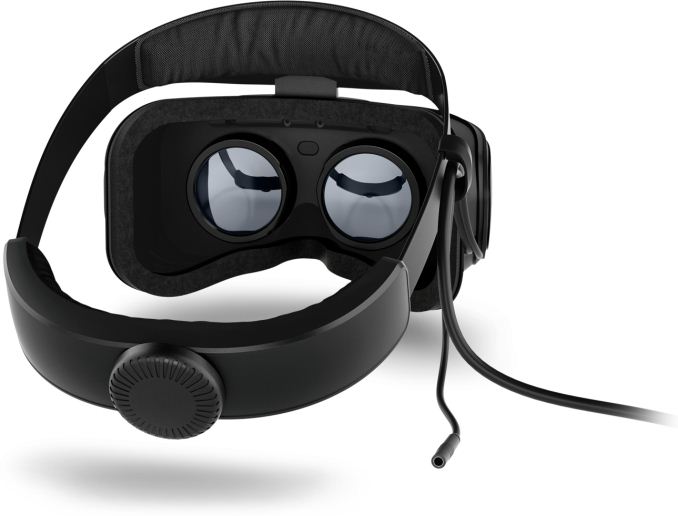
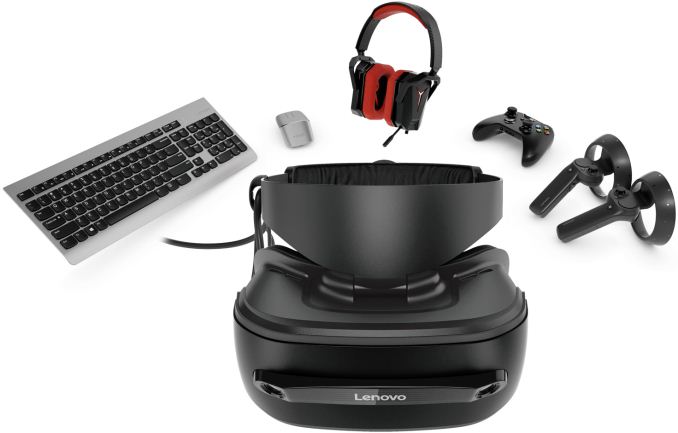
Lenovo has introduced its augmented/virtual reality head mounted display (HMD) compatible with the Windows Mixed Reality platform. The Lenovo Explorer device requires a PC to operate and runs applications developed for WMR or Microsoft HoloLens and other AR/VR devices. From technical point of view, the Lenovo Explorer HMD does not differ from WMR devices by Acer, ASUS or Dell: it has two 1440×1440@90 Hz LCD panels (for a total resolution of 2880×1440) and two cameras to capture the outside world. The Lenovo Explorer headset connects to a modern Windows 10-based PC using USB and HDMI cables and blends virtual reality with the real world. The HMD has integrated sensors, so users can move around in an area of up to 3.5 by 3.5 meters and do not need any external tracking systems.
Lenovo claims that its headset was engineered to ensure maximum comfort for its users. In particular, the HMD is light and is easy to wear.
Just like other companies involved into the Windows Mixed Reality initiative, Lenovo positions its HMD for VR games and entertainment, 360° video, work, AR-supporting programs and other emerging workloads. For those, who plan to use apps designed for the WMR platform, Lenovo will offer Motion Controllers (similar to those supplied with other WMR HDMs), whereas for gamers the company will offer an Xbox One controller. Lenovo will sell its Lenovo Explorer HMD starting from October for the price of $349. When bundled with motion controller, the headset will cost $449.
Gallery: Lenovo Explorer
      Related Reading: | ||||||||||||||||||||||||||||||||||||||||||||||||||||
| 12:00p | Acer Announces the Aspire S24 AIO: 8th Gen Intel CPU, Wireless Charging
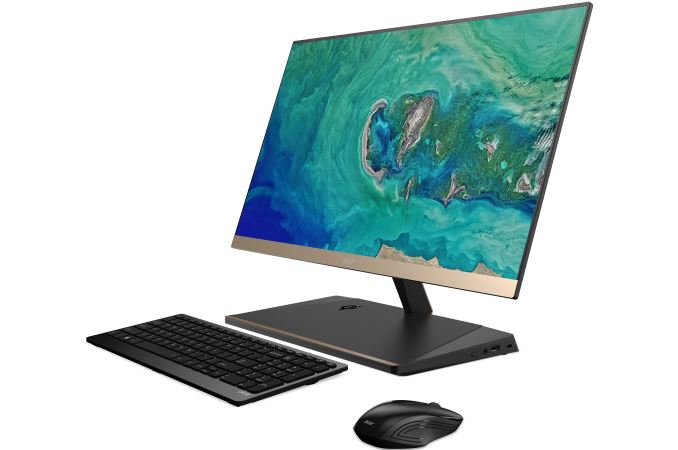
Another announcement coming out of IFA this week from Acer is their new All-In-One, the 23.8” Aspire S24. The goal for the S24 was to be Acer’s slimmest ever AIO. The C series AIOs were thin towards the top as well, but as the PC internals sat behind the lower-part of the monitor, it widened out quite a bit at the bottom. With the S24, the PC internals are moved in the the base/monitor stand making for a very thin display and clean overall appearance.
The slim part of the S24 is on the display’s side profile, where it measures 5.97mm(~0.24”). The Full HD IPS screen offers 178-degree viewing angles and a 90% borderless display with its ultra-thin bezels (2.7mm). The side bezels are black while the thicker bottom bezel is Champagne Gold. This color scheme with the black base gives the S24 a very stylish, elegant appearance.
Hardware wise Acer didn’t share much about specifications, and furthermore the specs will vary by region. Acer did say the S24 will use an 8th Generation Intel Core i5/i7 processors (likely “U” series CPUs). Both the 8th Gen i5 and i7 U series CPUs are quad-core with hyper threading, making the latest 8th gen chips a worthy successor to the 7th generation CPUs in Acer AIOs before this one. On the storage side, they will offer up to a 256GB SSD and 2TB HDD. From the image above we can see a couple of USB ports, an SD card reader, a USB Type-C port, and HDMI. Power, network, and video appear to come out the back of the base. Sparse hardware specifications aside, one cool feature is the wireless charging area on the base. Simply place your Qi-enabled phone on top and let it charge.
The Aspire S24 will be available in North America in January 2018 starting at $999, and in EMEA in November 2017 starting at €999. | ||||||||||||||||||||||||||||||||||||||||||||||||||||
| 1:00p | Logitech’s G613 "Lightspeed" Wireless Mechanical Keyboard Cuts Wires & Input Lag
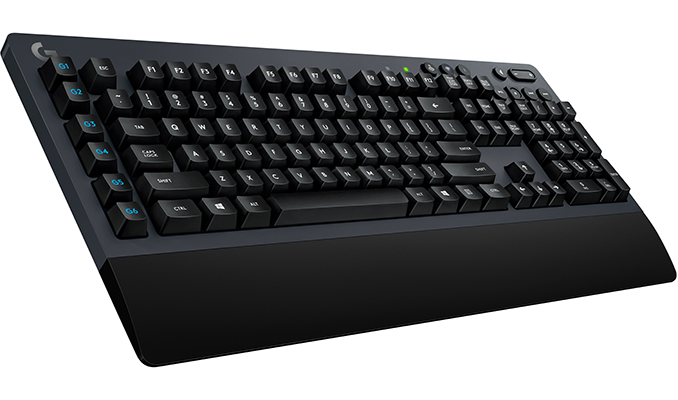
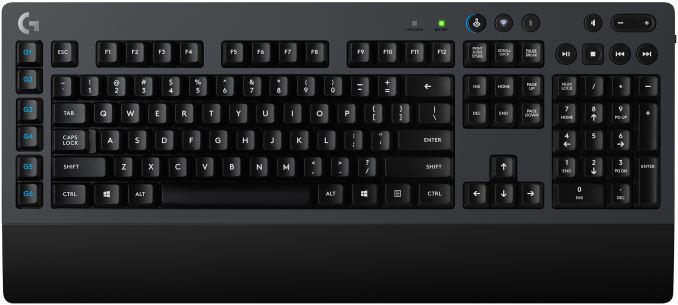
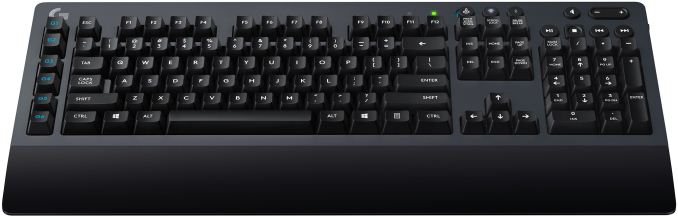
Logitech this week introduced its new wire mechanical keyboard aimed at gamers, touting its low input lag for a wireless keyboard as a defining feature. While the Logitech G613 was designed for gamers and has a number of gaming-oriented features, it is not overloaded with them and it can connect to two host systems using different wireless technologies, which makes it suitable for business environments as well. Mechanical keyboards for gamers and wireless keyboards have existed for ages, but well-known manufacturers of keyboards have restrained themselves from wedding “gaming” and “wireless” for multiple reasons; the relatively high input lag being the primary one. Logitech’s Lightspeed platform promises to cut the input lag by optimizing internal architecture of keyboards/mice, decreasing polling rate of wireless receivers to 1 ms, increasing signal strength, applying a proprietary frequency agility mechanism to avoid interference and optimizing drivers. The Lightspeed-enabled input devices use special receivers, which are different from Logitech’s popular Unifying receivers.
The Logitech G613 mechanical wireless keyboard uses the company’s Romer-G switches featuring 1.5 mm actuation distance and rated for 70 million key presses. The device is equipped with six programmable keys, media playback control keys and can connect to hosts using the Lightspeed or Bluetooth radio technologies. Each G613 keyboard comes with a bundled Lightspeed receiver, which requires a USB Type-A port as well as Windows 7 or later, Mac OS X 10.8 or later, ChromeOS, or Android 3.2 or later to work. The Logitech G613 looks rather minimalistic, it has no programmable RGB LED lighting and resembles advanced office keyboards with a palm rest, so apart from gamers it can address other demanding users as well. One of the key features that Logitech advertises about its G613 is its battery life: it can operate on two AA batteries for up to 18 months, which will be appreciated by people interested in not only gaming performance, but overall comfort in general.
Logitech says that the G613 mechanical wireless keyboard will be available shortly for $149.99 in the U.S. Prices in other countries may vary. Related Reading: | ||||||||||||||||||||||||||||||||||||||||||||||||||||
| 2:00p | Acer Reveals Predator Orion 9000 Gaming Desktop: Up To 18 Cores, 4 Vega GPUs
In one of many announcements from Acer at IFA, the company has revealed a powerful new gaming desktop in their Predator line, the Acer Predator Orion 9000. The new desktop will support up to an i9 Extreme Edition processor, Intel's i9 7980XE, with up to 18 cores and 36 threads. The higher core count versions will appeal more to prosumers and workstation users than to the bulk of a typical gamer's budget. It will also be able to squeeze in four AMD Radeon RX Vega graphics cards in CrossfireX, or up to two NVIDIA GTX 1080Ti’s in SLI. The Orion 9000 is being pitched for gaming at 4K+ resolutions, is VR capable, and can certainly take on compute loads. Acer says the Orion 9000 series is “power you can see” and "the most powerful PC we've ever made."
Outside of the high-end specifications, the chassis itself looks to intimidate. It uses both black and silver colors with an angled front bezel like that of a stealth vehicle designed to deflect radar with angled cues around the entire chassis. There is a large windowed side panel with a latch on top for access inside. In fact, both sides of the case have that latch up top for tool less entry. RGB lighting flanks the angled front of the case as well as inside with optional LED fans lighting up the room and showing off the inside. Moving the case should be easier with the integrated handles up top as well as casters/wheels on the bottom.
If overclocking is your thing and do not like to play around in the BIOS, Acer includes ‘one-punch’ overclocking to select turbo performance with a single press of the button. With overclocking though comes extra power use and of course heat. The Orion 9000 series feature liquid cooling and Acer’s IceTunnel 2.0, an airflow management solution separating the system in several thermal zones, each with an individual airflow tunnel to remove the heat. The front and top of the chassis have large metal mesh panels to take in and expel air. Five 120mm fan locations help move the air through, with some of the airflow intentionally directed behind the motherboard tray to cool storage devices. Detailed system specifications are a mystery outside of being Intel X299 based. Though it is labeled a gaming machine, in practice it's going to pull double-duty as both a gaming and workstation machine, depending on the CPU used. Intel's high-end 18 core i9 7980XE makes for a good workstation, and conversely gamers are likely better off with the lower core count CPUs and their higher frequencies. We do know the system can support up to 128GB of quad-channel DDR4 memory allowing for plenty of memory intensive activities on the machine. Other connectivity includes two USB3.1 Gen 2 ports (Type-A and Type-C), eight USB3.1 Gen 1 ports (1xType-C and 7x Type-A) as well as two USB2.0 ports. The Predator Orion 9000 supports a total of three M.2 slots for storage purposes. Other details were not provided.
The Predator Orion 9000 Series gaming desktops will be available in North America in December with prices starting at $1,199; and in EMEA regions in November, starting at €1,999. Related Items: | ||||||||||||||||||||||||||||||||||||||||||||||||||||
| 3:00p | Philips Demos 328P8K: 8K UHD LCD with Webcam, Docking, Coming in 2018
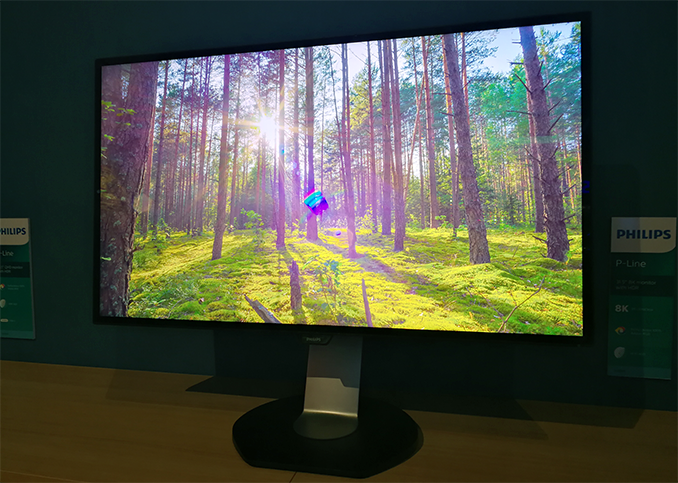
TPV Technology is demonstrating a preliminary version of its upcoming 8K ultra-high-definition display at IFA trade show in Germany. The Philips 328P8K monitor will be a part of the company’s professional lineup and will hit the market sometimes next year. Philips is the second mass-market brand to announce an 8K monitor after Dell, which has been selling its UltraSharp UP3218K for about half of a year now. The primary target audiences for the 328P8K and the UP3218K are designers, engineers, photographers and other professionals looking for maximum resolution and accurate colors. Essentially, Dell's 8K LCD is going to get a rival supporting the same resolution. At present, TPV reveals only basic specifications of its Philips 328P8K display — 31.5” IPS panel with a 7680x4320 resolution, a 400 nits brightness (which it calls HDR 400) and presumably a 60 Hz refresh rate. When it comes to color spaces, TPV confirms that the 328P8K supports 100% of the AdobeRGB, which emphasizes that the company positions the product primarily for graphics professionals. When it comes to connectivity, everything seems to be similar to Dell’s 8K monitor: the Philips 8K display will use two DP 1.3 cables in order to avoid using DP 1.4 with Display Stream Compression 1.2 and ensure a flawless and accurate image quality. It is noteworthy that the final version of the 328P8K will be equipped with a webcam (something the current model lacks), two 3W speakers as well as USB-A and at least one USB-C port “allowing USB-C docking and simultaneous notebook charging”. In order to support USB-C docking with this 8K monitor, the laptop has to support DP 1.4 alternate mode over USB-C and at present, this tech is not supported by shipping PCs. In the meantime, since in the future USB-C may be used a display output more widely, the USB-C input in the Philips 328P8K seems like a valuable future-proof feature (assuming, of course, it fully supports DP 1.4 alt mode over USB-C).
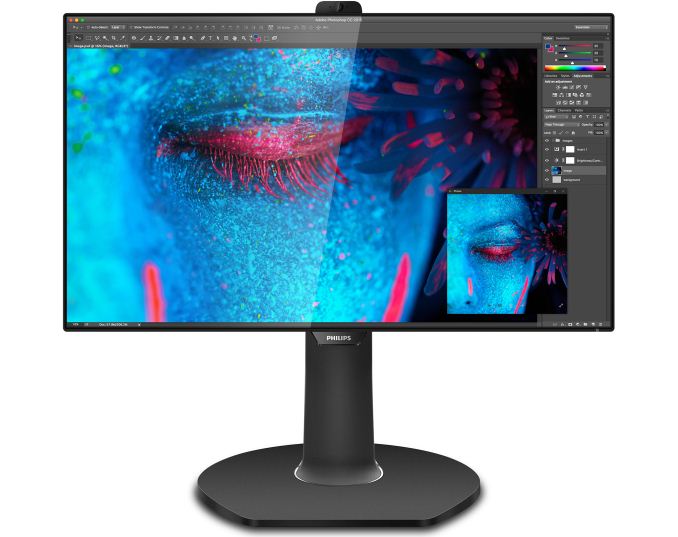
Philips does not disclose whose panel it uses for the monitor, but given that the specs of the Philips 328P8K are similar to those of the UP3218K, it is highly likely that both models use the same panel from LG Display (with whom TPV has a joint venture in China). Meanwhile, Dell’s UP3218K ended up supporting 98% of the DCI-P3 color gamut (in addition to 100% of the AdobeRGB and 100% of the sRGB color spaces), hence, if the panels are the same, the Philips 328P8K may well support DCI-P3 as well. In fact, the company has published a marketing rendering of the 328P8K that displays the Adobe Photoshop CC working under macOS. Apple has been gradually transiting its own devices to P3-supporting displays for some time now and therefore offering Apple customers a non-P3 monitor in 2018 does not seem like a bright idea. So I'd be surprised if we don't see DCI support in the final version.
TPV intends to ship its Philips 328P8K sometimes in Q1 or Q2 next year, but the company has not made any decisions regarding the final timeframe. High-end products require a lot of tweaking, so do not expect TPV to rush the 8K monitor to the market. As for pricing of the Philips 328P8K, it is hard to make guesses without knowing market situation, availability of the panels and competition. For example, Dell has cut the price of its UltraSharp UP3218K by 22% since the launch in late March to $3,899 despite the lack of any rivals. In any case, since the Philips 328P8K is aimed primarily at professionals, do not expect it to be affordable from a consumer point of view. Related Reading: | ||||||||||||||||||||||||||||||||||||||||||||||||||||












| << Previous Day |
2017/09/01 [Calendar] |
Next Day >> |