[Most Recent Entries] [Calendar View]
Monday, September 4th, 2017
| Time | Event | ||||||||||||||||||||||||||||||||||||||||||||||||||||
| 9:00a | Playing as a Jedi: Lenovo and Disney’s Star Wars Augmented Reality Experience
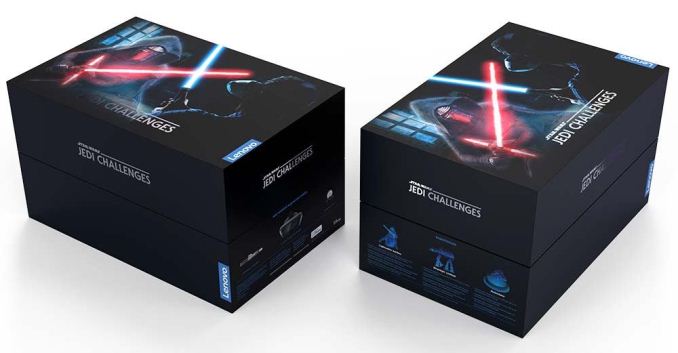
“The chosen one you are, with great promise I see.” Now that Disney owns the Star Wars franchise, the expansion of the universe is seemingly never ending. More films, more toys, and now more technology. We’re still a few years away from getting our own lightsabers [citation needed], but until then Disney has partnered with Lenovo to design a Star Wars experience using smartphones and augmented reality.
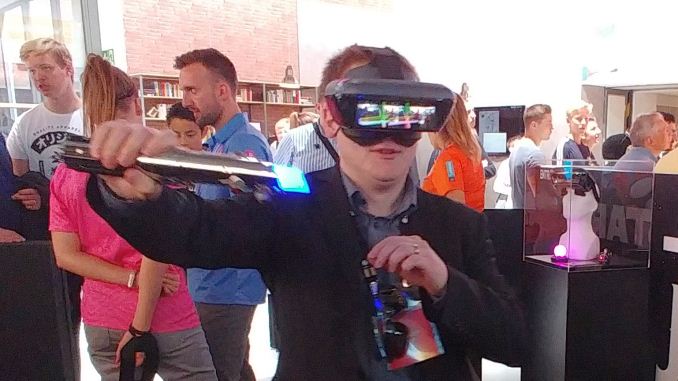
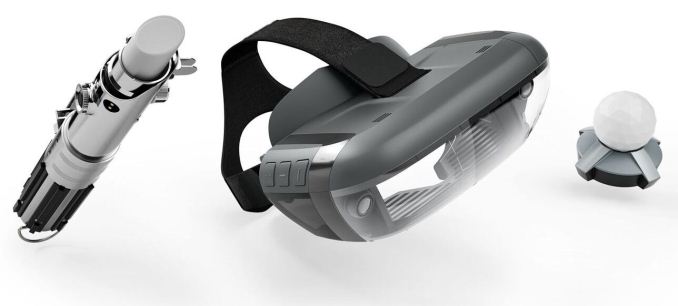
Lenovo is creating the hardware: a light beacon, a tracking sensor, a lightsaber controller, and the augmented reality headset designed for smartphones. The approach for Lenovo’s AR is different to how Samsung and others are approaching smartphone VR, or how Microsoft is implementing Hololens: by implementing a pre-approved smartphone into the headset, the hardware uses a four-inch diagonal portion of the screen to project an image that rebounds onto prisms and into the user’s eyes. The effect is that the user can still see ahead of them, but also images and details on the screens – limited mostly by the pixel density of the smartphone display.
Lenovo already has the hardware up for pre-order in the US ($199) and the EU (249-299 EUR), and is running a curated system of Android and iOS smartphones. This means that the smartphones have to be on Lenovo’s pre-approved list, which I suspect means that the limitation will be enforced at the Play Store level (I didn’t ask about side loading). But the headset is designed for variable sized devices.
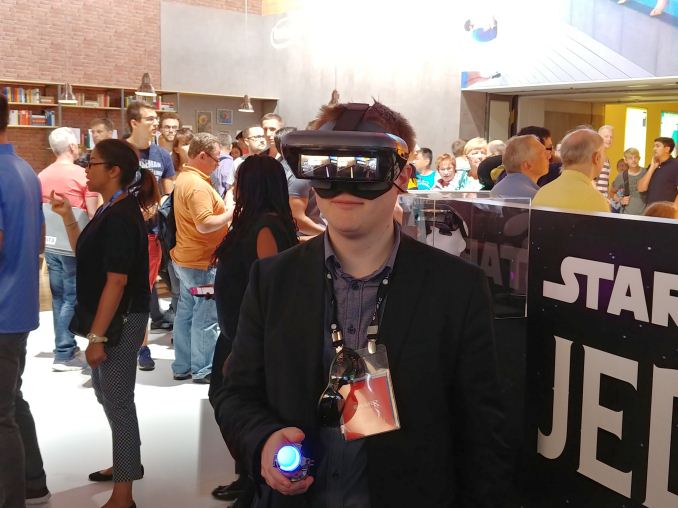
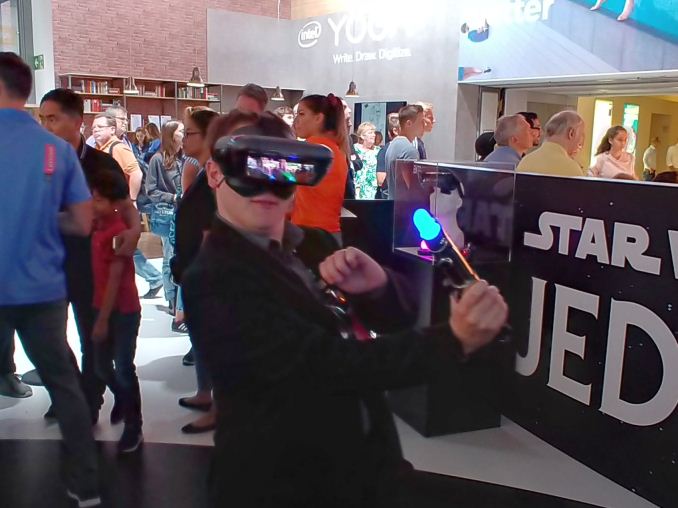
In the two minute demo I participated in, I put on the headset and was given a lightsaber into a 10ft diameter circle, and fought Kylo Ren with my blue beam of painful light. Despite attempting harakiri in the first five seconds (to no effect), it was surprising how clear the image was without any IPD adjustment. The field of view with the headset is only 60 degrees horizontal and 30 degrees vertical, which is bigger than the Hololens and other AR headsets I have tried, but it still remains one of the biggest downsides to AR. In the demo, I had to move around and wait to counter-attack: after deflecting a blow or six from Kylo, I was given a time-slow opportunity to strike back. When waiting for him to attack, if I rushed to attack nothing seemed to happen. In typical boss-fight fashion, three successful block/hit combinations rendered me the victor – I didn’t see a health bar but this was a demo designed to encourage the user to have a positive experience. One thing I did notice is that most of what I saw was not particularly elaborate graphically: 2D menus and a reasonable polygon model. Without the need to render the background, relying on what the user is in front of to do this job (Lenovo had it in a specific dark corner for ease of use) this is probably a walk in the park for the hardware in the headset. The lightsaber connects directly to the phone via Bluetooth, which I thought might be a little slow, but I didn’t feel any lag. The lightsaber was calibrated a bit incorrectly, but only by a few degrees. I asked about different lightsabers, such as Darth Maul’s variant, and was told that it there are possibilities in the future for different hardware, although based on what I saw it was unclear if they would implement a Wii-mote type of system with a single controller with a different skin attached. The limit at the time was that the physical lightsaber only emits a blue light for the sensor for now; it does go red, but only when there’s a low battery. Think about that next time you watch Star Wars: red saber means low batteries. The possibilities for the AR headset could feasibly be endless. The agreement at this time is between Lenovo and Disney Interactive, so there is plenty of Disney IP that could feature in the future. Disney also likes to keep experiences on its platform locked down, so I wonder what the possibilities are for Lenovo to work with other developers and IP down the road. I was told by my Lenovo guide that it is all still very much a development in progress, with the hardware basically done and the software part going to ramp up. The current headset is given the name ‘Mirage’, and most smartphones should offer 3-4 hours of gameplay per charge.
Pre-orders are being taken now, shipments expecting to start in mid-November. US price is listed as $199.99 (without tax) and EU pricing at 299.99 EUR (with tax).
Related Reading | ||||||||||||||||||||||||||||||||||||||||||||||||||||
| 11:00a | Huawei Mate 10 and Mate 10 Pro Launch on October 16th, More Kirin 970 Details
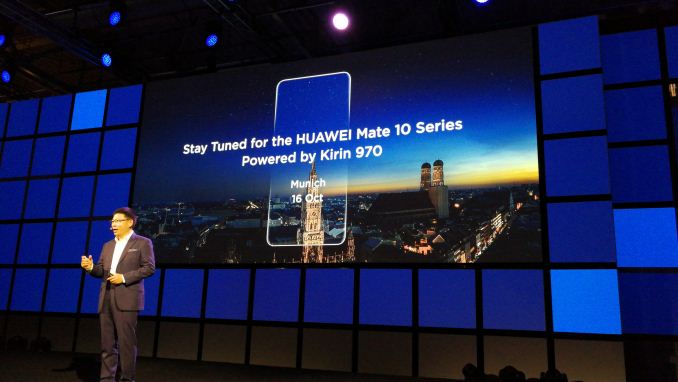
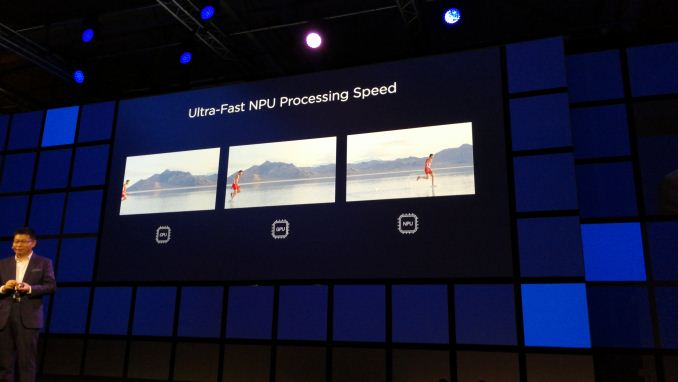
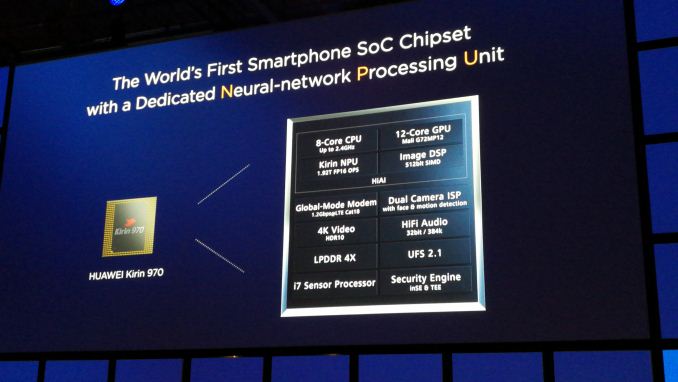
Riding on the back of the ‘not-announced then announced’ initial set of Kirin 970 details, Huawei had one of the major keynote presentations at the IFA trade show this year, detailing more of the new SoC, more into the AI details, and also providing some salient information about the next flagship phone. Richard Yu, CEO of Huawei’s Consumer Business Group (CBG), announced that the Huawei Mate 10 and Mate 10 Pro will be launched on October 16th, at an event in Munich, and will feature both the Kirin 970 SoC and a new minimal-bezel display.
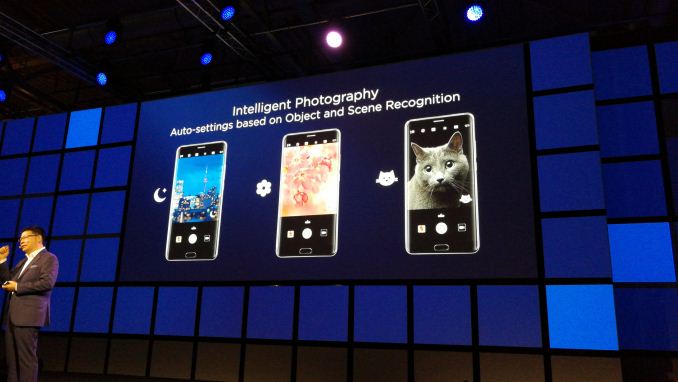
Suffice to say, that is basically all we know about the Mate 10 at this point: a new display technology, and a new SoC with additional AI hardware under-the-hood to start the process of using AI to enhance the experience. When speaking with both Clement Wong, VP of Global Marketing at Huawei, and Christophe Coutelle, Director of Device Software at Huawei, it was clear that they have large, but progressive goals for the direction of AI. The initial steps demonstrated were to assist in providing the best camera settings for a scene by identifying the objects within them – a process that can be accelerated by AI and consume less power. The two from Huawei were also keen to probe the press and attendees at the show about what they thought of AI, and in particular the functions it could be applied to. One of the issues of developing hardware specifically for AI is not really the hardware itself, but the software that uses it.
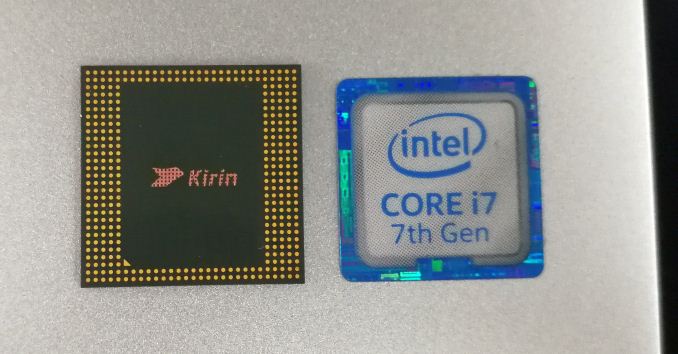
The Neural Processing Unit (NPU) in the Kirin 970 is using IP from Cambricon Technology (thanks to jjj for the tip, we confirmed it). In speaking with Eric Zhou, Platform Manager for HiSilicon, we learned that the licensing for the IP is different to the licensing agreements in place with, say ARM. Huawei uses ARM core licenses for their chips, which restricts what Huawei can change in the core design: essentially you pay to use ARM’s silicon floorplan / RTL and the option is only one of placement on the die (along with voltage/frequency). With Cambricon, the agreement around the NPU IP is a more of a joint collaboration – both sides helped progress the IP beyond the paper stage with updates and enhancements all the way to final 10nm TSMC silicon.
We learned that the IP is scalable, but at this time is only going to be limited to Huawei devices. The configuration of the NPU internally is based on multiple matrix multiply units, similar to that shown in Google’s TPU and NVIDIA’s Tensor core, found in Volta. In Google’s first TPU, designed for neural network training, there was a single 256x256 matrix multiply unit doing the heavy lifting. For the TPUv2, as detailed back at the Hot Chips conference a couple of weeks ago, Google has moved to dual 128x128 matrix multiply units. In NVIDIA’s biggest Volta chip, the V100, they have placed 640 tensor cores each capable of a 4x4 matrix multiply. The Kirin 970 TPU by contrast, as we were told, uses 3x3 matrix multiply units and a number of them, although that number was not provided.
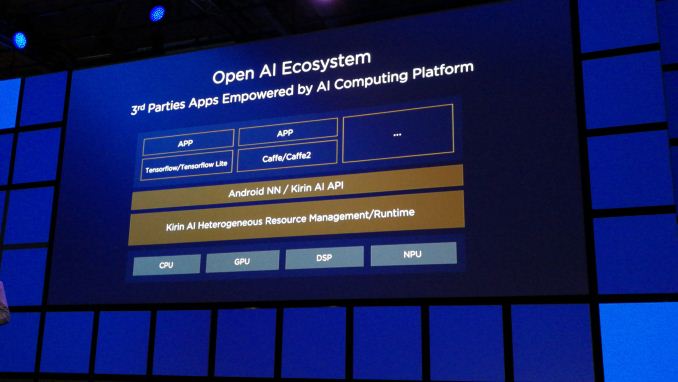
One other element to the NPU that was interesting was that its performance was quoted in terms of 16-bit floating point accuracy. When compared to the other chips listed above, Google’s TPU works best with 8-bit integer math, while Nvidia’s Tensor Core does 16-bit floating point as well. When asked, Eric stated that at this time, FP16 implementation was preferred although that might change, depending on how the hardware is used. As an initial implementation, FP16 was more inclusive of different frameworks and trained algorithms, especially as the NPU is an inference-only design. At the keynote, and confirmed in our discussions after, Huawei stated that the API to use the NPU will be available for developers. The unit as a whole will support the TensorFlow and TensorFlow Lite frameworks, as well as Caffe and Caffe2. The NPU can be accessed via Huawei’s own Kirin AI API, or Android’s NN API, relying on Kirin’s AI Heterogeneous Resource Management tools to split the workloads between CPU, GPU, DSP and NPU. I suspect we’ll understand more about this nearer to the launch. Huawei did specifically state that this will be an ‘open architecture’, but failed to mention exactly what that meant in this context.
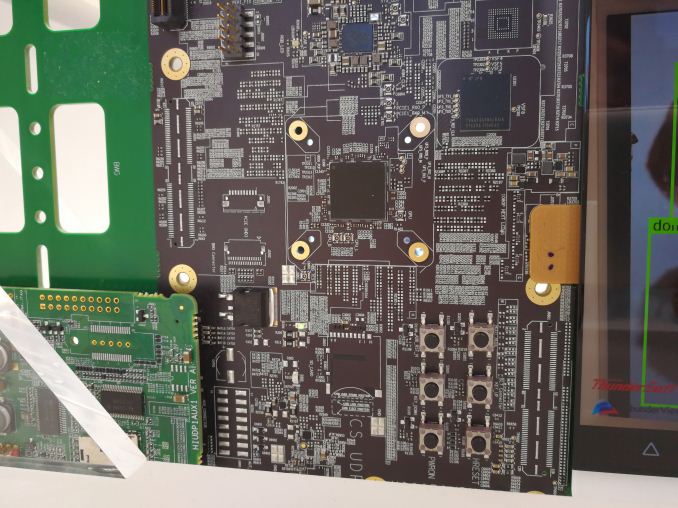
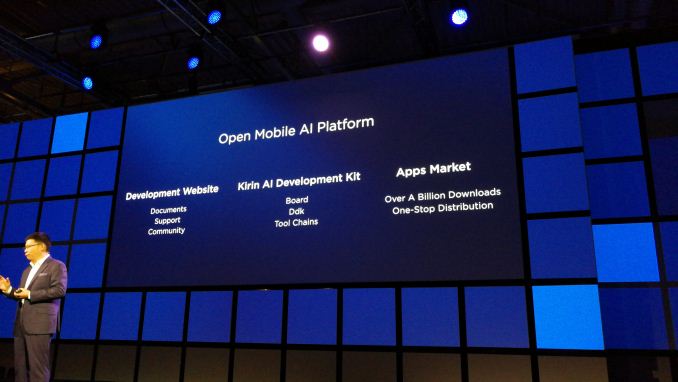
The Kirin 970 will be available on a development board/platform for other engineers and app developers in early Q1, similar to how the Kirin 960 was also available. This will also include a community, support, dedicated tool chains and a driver development kit.
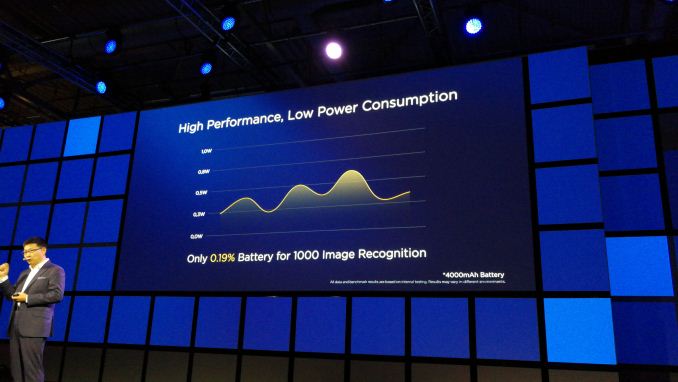
We did learn that the NPU is the size of ‘half a core’, although it was hard to tell if this was ‘half of a single core (an A73 or an A53)’ or ‘half of the cores (all the cores put together)’. We did confirm that the die size is under 100mm2, although an exact number was not provided. It does give a transistor density of 55 million transistors per square mm, which is double what we see on AMD’s Ryzen CPU (25m per mm2) on GloFo 14nm vs TSMC 10nm. We were told that the NPU has its own power domain, and can be both frequency gated and power gated, although during normal operation it will only be frequency gated to improve response time from idle to wake up. Power consumption was not explicitly stated (‘under 1W’), but they did quote that a test of 1000 images being recognized drained a 4000 mAh battery by 0.19%, fluctuating between 0.25W and 0.67W.
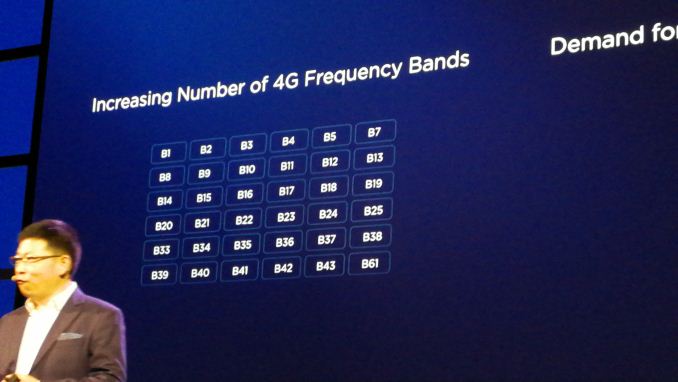
We did draw a few more specifications on the Kirin 970 out of senior management unrelated to the NPU. The display controller can support a maximum screen size of 4K, and the Kirin 970 will support two SIM cards at 4G speeds at the same time, using a time mux strategy. While the model is rated for Category 18 for downloads, giving 1.2 Gbps with 3x carrier aggregation, 4x4 MIMO and 256-QAM, the chip will do Category 13 downloads (up to 150 Mbps). The chip can handle VoLTE on both SIMs as well. Band support is substantial, given in the list below.
Audio is an odd one out here, with the onboard audio rated to 32-bit and 384 kHz (although SNR will depend on the codec). That’s about 12-15 bits higher than needed and easily multiple times the human sampling rate, but high numbers are seemingly required. The storage was confirmed as UFS 2.1, with LPDDR4X-1833 for the memory, and the use of a new i7 sensor hub.
Related Reading | ||||||||||||||||||||||||||||||||||||||||||||||||||||
| 1:00p | Ockel Sirius A is Nearing Primetime: Smartphone-Sized PC with 6-inch 1080p Display
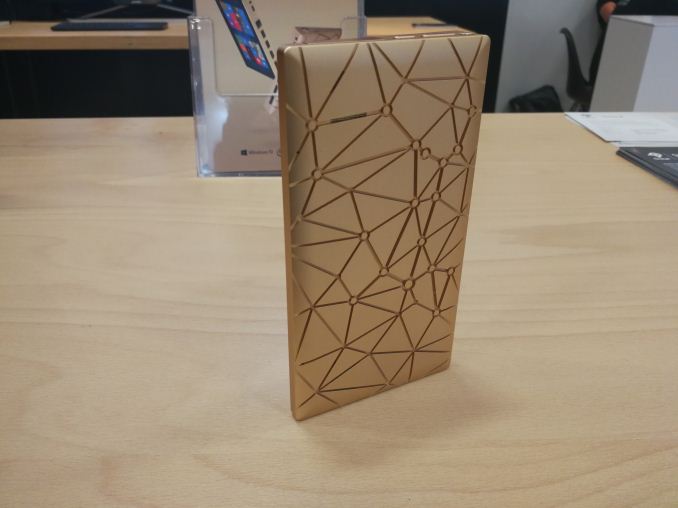
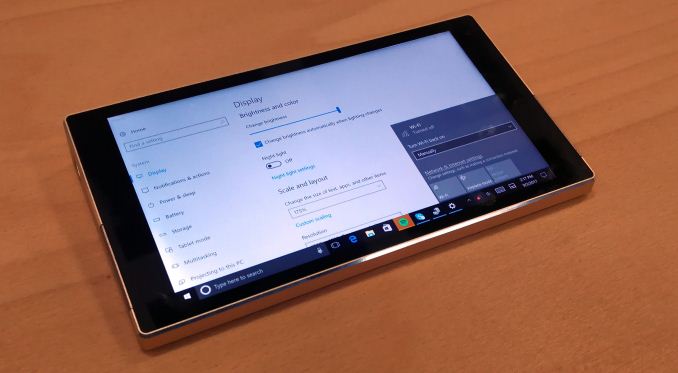
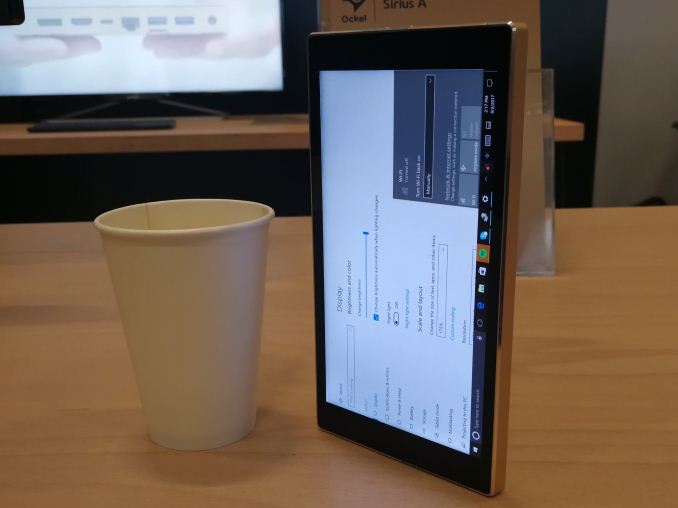
Last year, at IFA 2016, I stumbled across the Ockel Sirius project. In its infancy, the device was seemingly straight forward: put a full PC into a smartphone sized chassis. At the time the project was in its early stages, and in my hands was a non-functioning mockup before the idea went to crowd funding. Normally we do not cover crowdfunding projects as a general rule, so I did not write it up at the time. But I did meet the CEO and the Product Manager, and gave a lot of feedback. I somehow bumped into them again this year while randomly walking through the halls, and they showed a working version two months from a full launch. Some of those ideas were implemented, and it looks like an interesting mash of smartphone and PC.
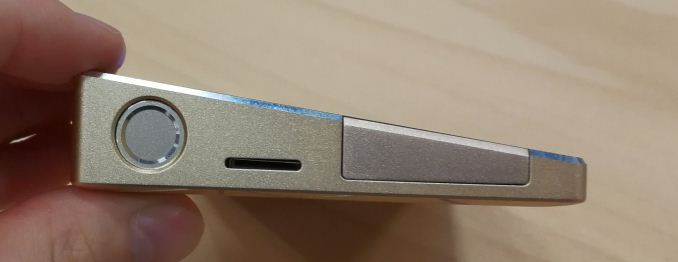
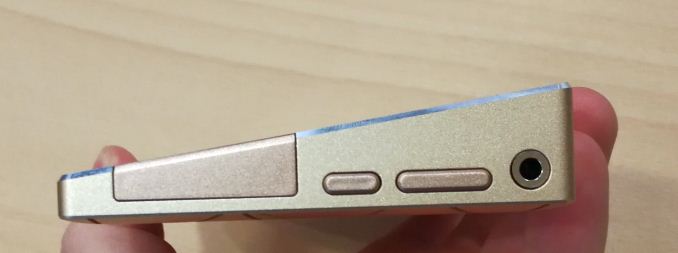
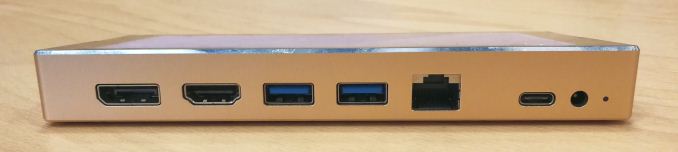
The Sirius A is easily as tall as, if not slightly taller than, my 6-inch smartphones, the Mate 9 and LG V30, and the requirements for PC ports means that it is also wider, particularly on one side which has two USB 3.0 ports, a HDMI 1.4 port, a DisplayPort, Gigabit Ethernet (alongside internal WiFi) and two different ways to charge, via USB Type-C or with the bundled wall adaptor. The new model was a bit heavier than the prototype from last year, namely because this one had a battery inside – an 11Wh / 3500 mAh battery, good for 3-4 hours of video consumption I was told. The weight of the prototype was around 0.7 lbs, or just over 320 grams. This is 2-2.5x a smartphone, but given that I carry two smartphones anyway, it wasn’t so much of a big jump (from my perspective).
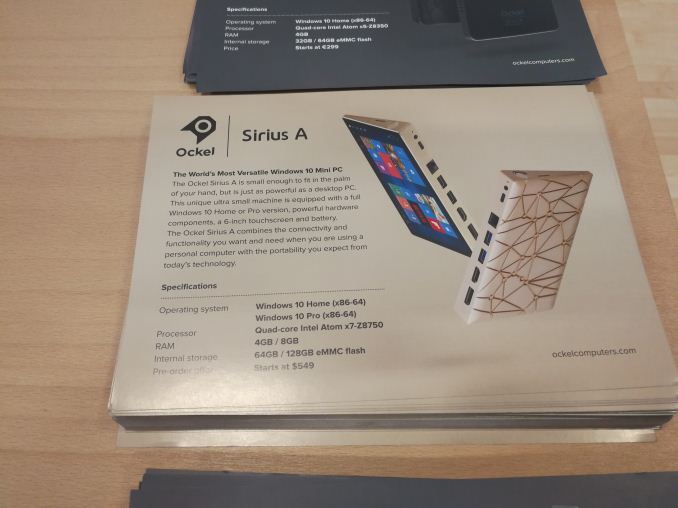
Perhaps the reason for such a battery life number comes from the chipset: Ockel is using Intel’s Cherry Trail Atom platform here, in the Atom x7-Z8750. This is a quad-core 1.60-2.60 GHz processor, with a rated TDP of 2W. It uses Intel’s Gen8 graphics, which has native H.264 decode but only hybrid HEVC and VP9, which is likely to draw extra power. The reason for Cherry Trail is one of time and available parts – Intel has not launched a 2W equivalent processor with its new Atom cores, and also Ockel has been designing the system for over a year, meaning that parts would have had to have been locked down. That aside, they see the device more as a tool for professionals that need a full windows device but do not want to carry a laptop. With Windows 10 in play, Ockel says, the separate PC and tablet modes take care of a number of pain points with Windows touch screen interactions.
Implemented since the last discussion with them was a fingerprint sensor, for an easy unlock. Ockel are using a Goodix sensor, similar to the Huawei Matebook X and Huawei smartphones. This feature I requested just for easy access to the OS after picking the device up, rather than continually inserting a password. The power button in this case merely turns off the display, rather than putting the device into a sleep/hibernate state.
The hardware also supports dual display output, from both the HDMI and DisplayPort simultaneously, with the idea that a user can plug the device into desktop hardware when at a desk. Ockel is set to offer two versions of the Sirius: the Sirius A and the Sirius A Pro. Both systems will have the same SoC, the same 1920x1080 IPS panel, and the same ports, differing in OS version (Win 10 Home vs Win 10 Pro), memory (4GB vs 8GB LPDDR3-1600) and storage (64GB vs 128GB eMMC). There is an additional micro-SD slot, and Ockel will be offering both versions of the device with optional 128GB micro-SD cards.
Pricing will start at $699 for the base Sirius A model (W10 Home, 4GB, 64GB), $799 for the Sirius A Pro model (W10 Pro, 8GB, 128GB), and an additional $50 for the microSD card but $150 cheaper via Indiegogo. This will come across as a lot, for what is an Atom-based Windows 10 PC in such a small form factor, when similar full-sized laptops can be had for $300-$400, depending on specifications, such as the HP Stream or Chuwi Lapbook which are strong contenders. Ultimately Ockel is going after a crowd that wants a smartphone-like sized mobile PC with a mobile like experience. There will be barriers to this, such as the lack of a direct dialling app (could use Skype), no rear facing camera, and potential battery life.
Sales are still available through Indiegogo, with mass production to start in October and shipments from November 20th. Buying it through Indiegogo also provides a set of wireless earbuds. We’ve been offered a review sample – I’m unsure at this point if we should get Ganesh to review it as a mini-PC, Brett to review it as a laptop, or someone else to review it as a smartphone. Related Reading | ||||||||||||||||||||||||||||||||||||||||||||||||||||
| 5:00p | Logitech Launches MX Sound Bluetooth and PC Speakers
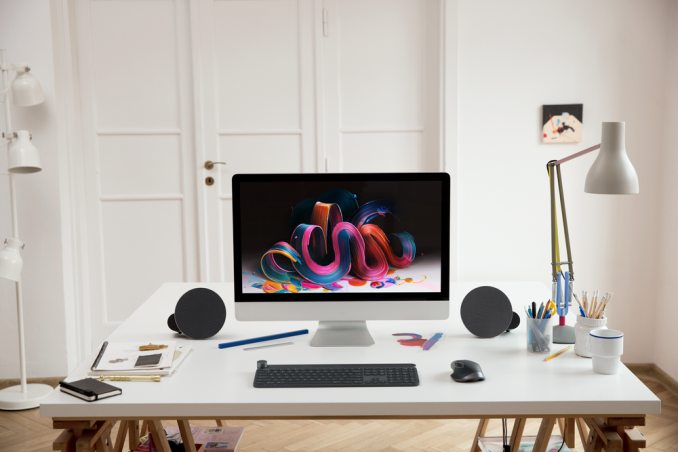
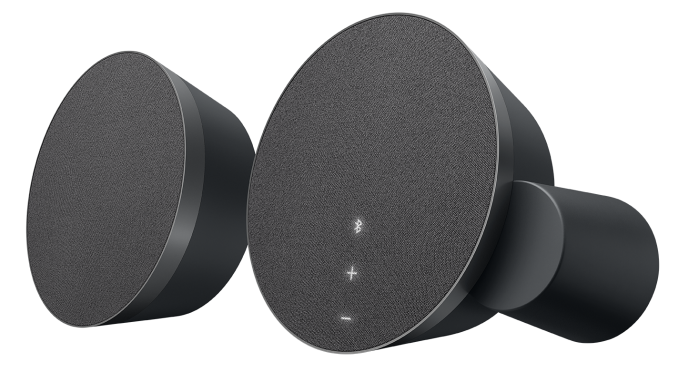
Logitech has been in the PC speaker game for some time, and they’ve just announced a new set into their portfolio. The MX Sound speaker system is a two-channel PC speaker system which also integrates multiple inputs, as well as Bluetooth 4.1, to allow the owner to provide the improved audio capabilities of external speakers to their PC, phone, and more.
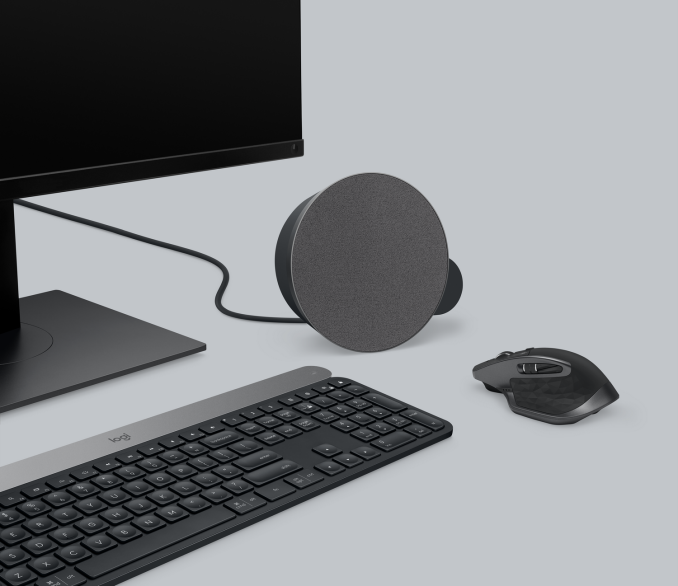
There’s no dedicated subwoofer, which shrinks the footprint of this setup, but the two speakers should offer decent punch with rear-facing port tubes to improve bass response, and 12-Watts of RMS power (24 peak) should provide plenty of authority for the two drivers. The speaker housings are 160mm in diameter, or just over six inches, so these are reasonable sized speakers for a desktop set. The set of speakers weighs in a t 1.72 kg / 3.8 lbs as well. Logitech doesn’t provide a frequency response chart for these, but compared to any laptop, there will be a big step up in terms of audio quality thanks to the larger drivers and more powerful amplifier, but that’s not all these are made to connect to. Logitech allows for pairing with up to two Bluetooth devices, as well as two 3.5 mm input jacks. This versatility should be welcomed to many who use multiple devices. There’s also a headphone jack, to easily move from speakers to headphones without having to change any settings on the PC or phone.
The MX branding is due to these speakers matching well with the other MX devices Logitech sells, with similar styling cues and coloring to their mice and keyboards. The speakers have fabric covers, and motion-activated backlit controls. These new speakers will be available starting in October, for $99.99. Source: Logitech | ||||||||||||||||||||||||||||||||||||||||||||||||||||
| 5:30p | Logitech Announces The CRAFT Keyboard With Creative Dial Integration
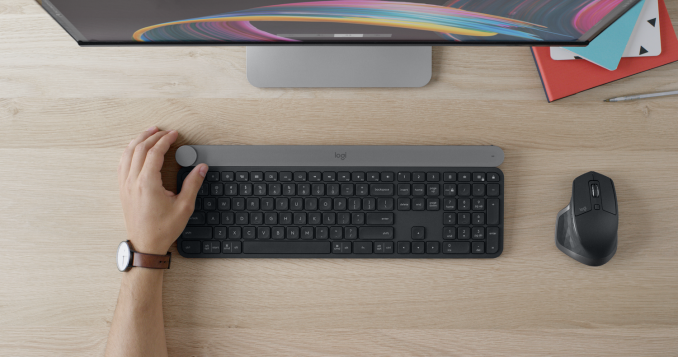
Logitech has added another keyboard to its arsenal, and this time they’ve integrated an input dial into it as well. The CRAFT Advanced Keyboard is designed for “creators” in the same vein as the Surface Dial, and it provides similar functionality, albeit without the on-display capabilities.
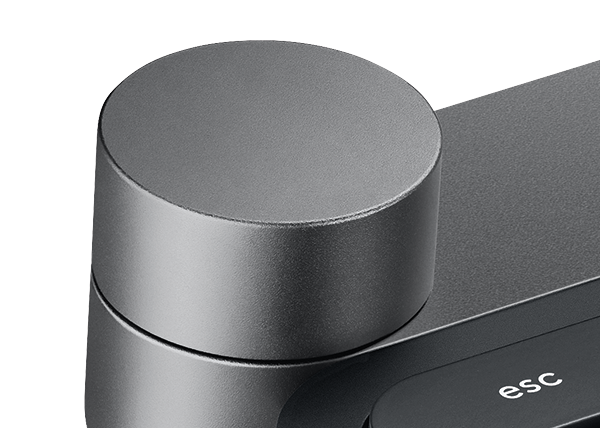
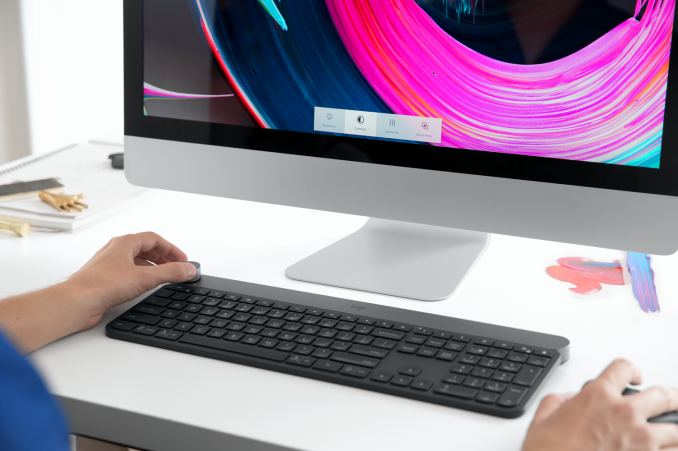
Logitech is calling their dial the Crown, and it sits in the top left corner of the keyboard. The idea behind it is much like the Surface Dial, in that you would use your left hand to run the Crown, while your right hand is on the mouse. There’s no reason you couldn’t swap those hands around if you prefer mouse duties with your left hand, but the placement of the Crown isn’t going to be as well suited to that without moving the keyboard. Logitech is touting the same functionality as the Surface Dial as well, in particular in creative apps like Adobe Photoshop, where you can control context-specific functions. Ian got a chance to check out the CRAFT keyboard at IFA doing just that. In addition to the Crown, the keyboard itself is typical membrane keyboard, but it does offer “Smart Illumination” which automatically lights up the keys when your hands approach the keyboard, and the lighting adjusts to the ambient lighting. The keyboard can be connected to up to three devices, and has a switch to change which device has focus. It can be connected either over the Logitech Unifying receiver, of with Bluetooth LE. With macOS and Windows support, the keyboard would be a way to bring the Surface Dial to a Mac.
On either OS, the capabilities of the Crown are connected through Logitech’s software suite. On a Mac, that makes sense, but on Windows, it would have been nice to see integration with the Windows Dial APIs so that the Crown could be used with any app that supported that as well, but that’s not the case, and that’s a miss by Logitech. Even if the Dial doesn’t have widespread support, there’s already plenty of apps that do support it, and none of those can be controlled via the Crown. Logitech’s CRAFT keyboard is at the premium end of their lineup, and will be available on October for $199.99 Source: Logitech | ||||||||||||||||||||||||||||||||||||||||||||||||||||


| << Previous Day |
2017/09/04 [Calendar] |
Next Day >> |