[Most Recent Entries] [Calendar View]
Tuesday, October 2nd, 2018
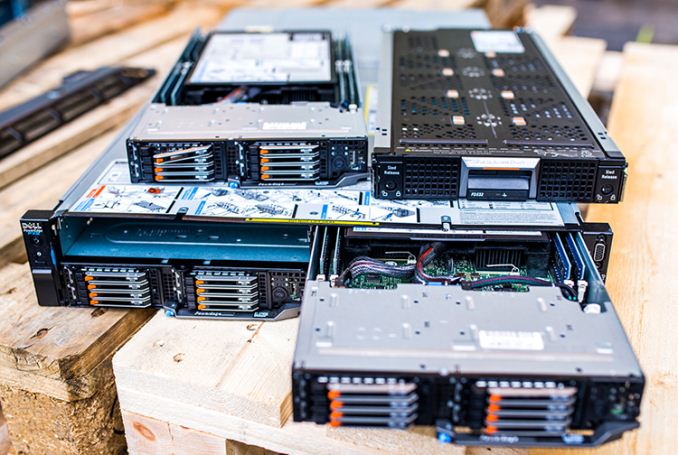
- Dell EMC Launches PowerEdge XR2 Rugged Server: 1U, 44 Cores, 512 GB RAM, 30 TB Storage
- Intel Server Roadmap: 14nm Cooper Lake in 2019, 10nm Ice Lake in 2020
- Cray Adds AMD EPYC Processors to CS500 Cluster Supercomputers
- More EPYC Servers: Dell Launches 1P and 2P PowerEdge for HPC and Virtualization
| Time | Event |
| 10:00a | The Asus ROG Swift PG27UQ G-SYNC HDR Monitor Review: Gaming With All The Bells and Whistles Delayed past its original late 2017 timeframe, let alone the other shipping dates, NVIDIA’s G-Sync HDR technology finally arrived over the last couple months courtesy of Asus’ ROG Swift PG27UQ and Acer’s Predator X27. First shown at Computex 2017 as prototypes, the 27-inch displays bring what are arguably the most desired and visible aspects of modern gaming monitors: ultra high resolution (4K), high refresh rates (144Hz), and variable refresh rate technology (G-Sync), all in a reasonably-sized quality panel (27-inch IPS-type). In addition to that, of course, are the various HDR-related capabilities with brightness and color gamut. Individually, these features are just some of the many modern display technologies, but where resolution and refresh rate (and also input latency) are core to PC gaming, those elements typically work as tradeoffs, with 1440p/144Hz being a notable middle ground. So by the basic 4K/144Hz standard, we have not yet had a true ultra-premium gaming monitor. But today, we look at one such beast with the Asus ROG Swift PG27UQ. |
| 11:30a | Dell EMC’s Older PowerEdge iDRAC BMC Vulnerable to Firmware Replacement Attack
Every modern server is equipped with a baseboard management controller (BMC) that enables its remote management. A BMC is essentially a computer within a computer with its own memory, firmware, graphics, and, like any other computer, potential vulnerabilities. Last week it was discovered that Dell EMC’s proprietary iDRAC (integrated Dell Remote Access Controller) hardware/software system used on the 13th Generation PowerEdge servers (and older) is vulnerable to an attack that allows the unauthorized replacement of the BMC's firmware, swapping out the stock firmware with a malicious one. The vulnerability allows the firmware swap to take place with either local or remote access. With physical access to the server, it's possible to replace the firmware even without valid login credentials. Meanwhile it's also possible to perform the attack remotely, though in that case it does require a valid login. The vulnerability of iDRAC on previous-gen servers implicates swapping the signed firmware with a different firmware package, evading several defenses that Dell EMC has in place for its prior-gen machines. Once a perpetrator gains access to BMC firmware and servers, they can load and run whatever code they need, reboot machines when they perform critically important tasks, or steal secret information. What is particularly important is that BMC firmware can be altered before servers are deployed and even made. Companies like Google and Microsoft have implemented sophisticated hardware root of trust chain methods in order to prevent unauthorized access (both remote and physical). Dell EMC has added a similar tech to its 14th Generation PowerEdge machines, but previous-gen iDRAC-enabled servers are still vulnerable. Furthermore, one thing to keep in mind is that Dell EMC still ships its 13th Gen PowerEdge machines to interested parties. Dell EMC admits that certain versions of iDRAC firmware are vulnerable, but claims that the latest revisions have addressed the issue and modern machines are as secure as possible. At the same time, a physical swap of an exposed BMC, and usage of weak passwords for access still represent a threat for the industry in general Related Reading: Source: ServeTheHome |
| 4:00p | Kingston HyperX Savage EXO External SSD Capsule Review
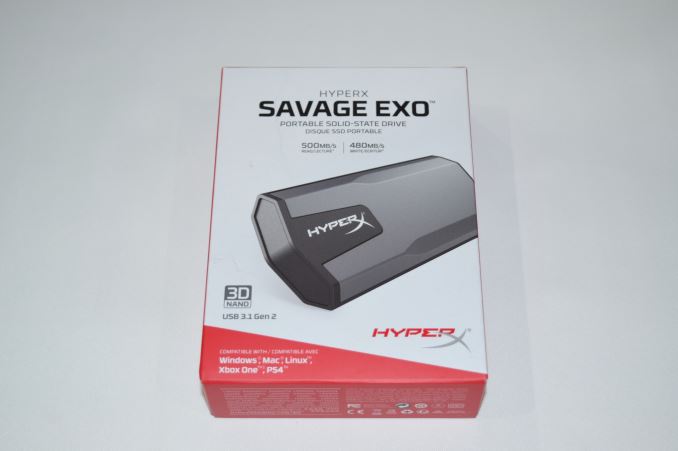
Kingston had announced plans at the 2018 CES for a high-performance external SSD targeting the gaming market. The HyperX Savage EXO USB 3.1 Gen 2 SSD went on sale last week. Read on for an in-depth look at the performance profile of the drive and its position in a highly competitive market segment. |
| 5:30p | Windows 10 October 2018 Update Now Available
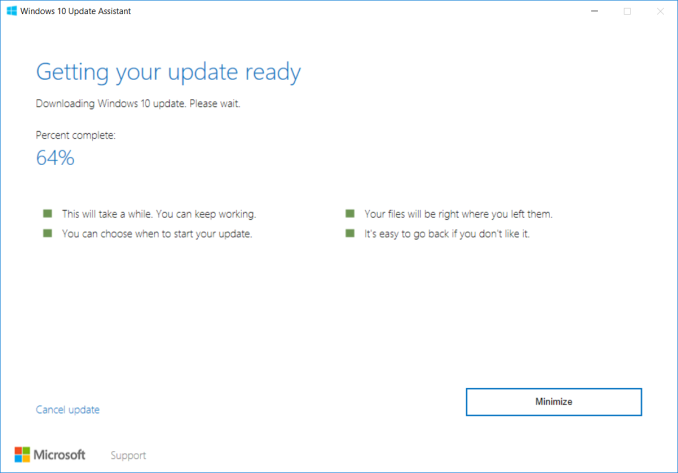
This afternoon at the Microsoft Fall 2018 event, Microsoft announced that the latest Windows 10 Update, version 1809, is now generally available for those that want to download it from the Windows 10 download page. As with previous rollouts, the update is first available via the download tool for those actively looking to update, but will roll out via Windows Update for all users, starting in this case on October 9th. The previous version 1803 had a pretty quick rollout, and with the less hefty changes in the last couple of Windows 10 releases, it would make sense to see this one also enjoy a quick turnaround.
Windows 10 at this point is a mature, stable platform, and although I would argue the twice-yearly updates are a bit too aggressive considering the extensive use in business, it has been nice to see the updates being much smaller in nature, with fewer features which can cause issues and disruptions. The October 2018 update contains many of the same small tweaks we’re used to in past updates, including nice touches like finally being able to control auto-playing media in Edge, additional Group Policies for Edge, and PDF rendering improvements. There’s new emoji in an emoji panel which is now available in over 190 locales, compared to just the USA when it first came out, and some other smaller items we’ll cover when we go over the release in a future article. There’s also some really nice features that should improve productivity, like a cloud clipboard that will let you save and pin items you often copy and paste, rather than only having the previous copied item in memory. There’s an updated screen snipping tool based on the already built-in Win+Shift+S command from Windows 10, but you can customize where the clips go and what you do with them. Arguably the biggest new feature is the Your Phone App, which can be used to link an Android phone with a PC to get access to your photos and texts quickly and easily. It’ll also allow you to send text messages from your PC, without having to utilize Cortana as was required in the past. For Android users, this should be pretty powerful and useful. We’ll be digging into all the changes here for a future piece. Source: Microsoft |
| 5:55p | Microsoft Refreshes Surface Lineup
In addition to the Windows 10 October 2018 update being launched, Microsoft also refreshed the majority of its Surface lineup today. This was very much an evolutionary update, and one that was sorely needed for some of their products, but with today’s announcement their entire lineup is now using the latest generation of CPUs and GPUs. We don’t have the full range of specs and pricing yet, but Nate is at the event today and will be doing a hands-on soon and will hopefully be able to get some more information. Also apologies for the photo quality Microsoft hasn't sent out press shots yet. Surface Pro 6
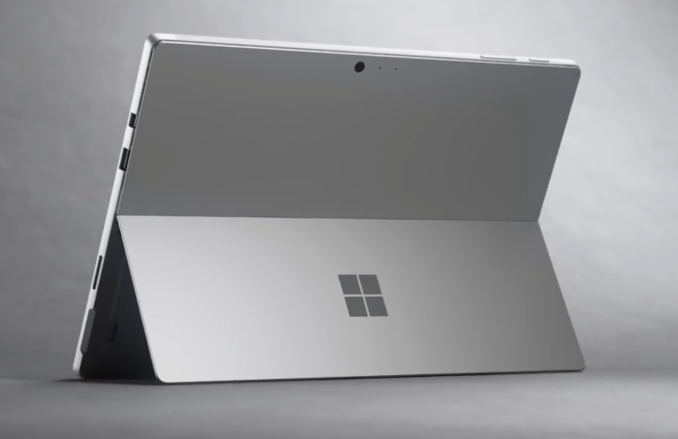
Last June, Microsoft updated the Surface Pro 4 to the Surface Pro, dropping the numbering system while refreshing to Kaby Lake processors and therefore fixing the power management issues that plagued the Skylake lineup. Today, Surface Pro is now Surface Pro 6, meaning they’ve decided to go back to numbering. Naming aside, this is a good update to the product which was already near or at the top of its class in most categories. Other than moving to an 8th generation CPU, the rest of the Surface Pro 6 stays the same, including the lack of USB-C. Microsoft is offering it in a new matte black color though, which does look good. Surface Laptop 2
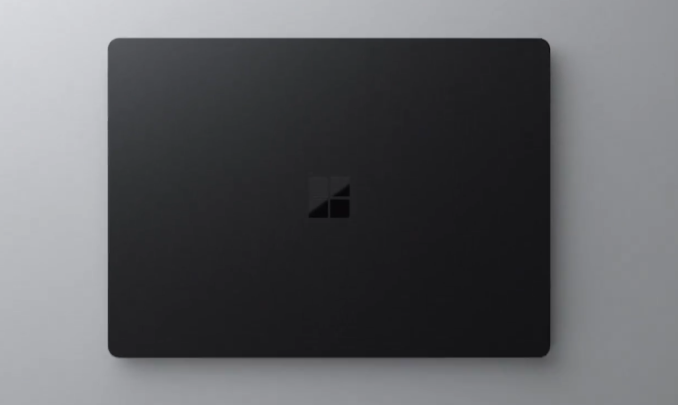
Much like the Pro, Surface Laptop was stuck on dual-core Kaby Lake when the world had moved on to the quad-core Kaby Lake Refresh parts last fall. As such, it was in a pretty tough spot. It offers a nice design, great display, and comfortable Alcantara keyboard, but had sat idle for well over a year. The refreshed Surface Laptop 2 fixes this with the same 8th generation CPUs as Pro, and also the same matte black offering. Microsoft is claiming up to 14.5 hours of battery life on the new laptop, as well as 85% more performance, but the 85% gain is only because it sat with dual-core Kaby Lake for so long. Surface Studio 2
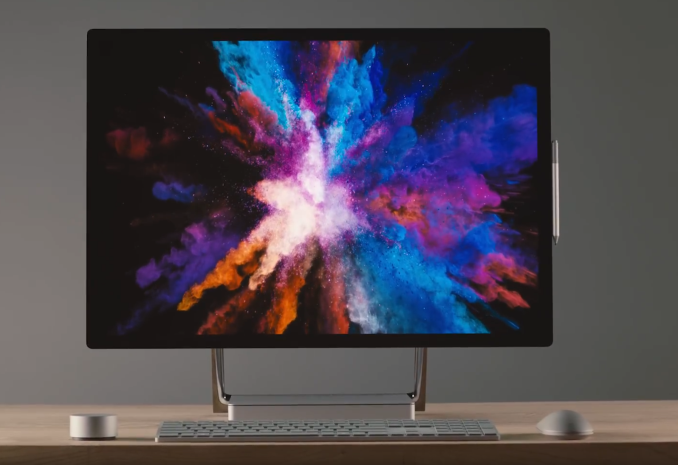
We were one of the lucky few sites to get a chance to review the original Surface Studio, and it remains one of the best displays available on any PC, tied together with an all-in-one PC. The original version suffered from a couple of issued though, including being launched right at the tail end of NVIDIA’s Maxwell generation of GPUs, meaning as soon as it was available, it was also pretty much out of date. Today Microsoft is fixing many of the original complaints though. Not only does it come in a new “oxide transistor” color, the Surface Studio 2 now features a Pascal GPU with “6 TFLOPS” of performance, which should put it around a GTX 1070. That is a huge upgrade over the outgoing GTX 980M in the top model. Also, Microsoft is finally offering the Surface Studio with pure SSD storage. The hybrid SSHD in the original was one of its major faults. The amazing display with 192 PPI and a calibrated sRGB, P3 D65, and DCI-P3 gamut now offers improved contrast thanks to better polar alignment of the filters. Surface Headphones
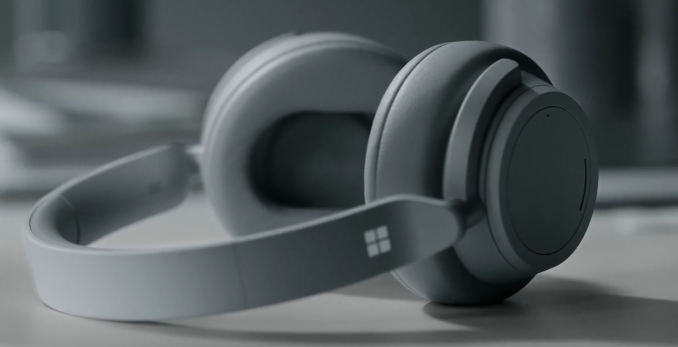
The new product in the lineup is the Surface Headphones, which offer 13 levels of noise cancelation, as well as two beam-forming microphones for Cortana and voice calls, and 8 total microphones for noise cancellation. They connect over Bluetooth, and will be available this holiday season. Overall this event was pretty much as expected, with refreshes of the lineup. That’s not a bad thing though, since Microsoft tends to be slow on their refreshes, and all of these devices were in need of an update. We didn’t quite get the wow factor that Panos Panay and the rest of the Surface team can sometimes deliver, but there’s nothing wrong with iterating an already proven design. Nate will check in soon with some hands-on of the new devices. |
| << Previous Day |
2018/10/02 [Calendar] |
Next Day >> |