[Most Recent Entries] [Calendar View]
Monday, January 7th, 2019
- Alienware Rolls Out Thin & Powerful m15 Laptop: Coffee Lake & GTX 1070 Plus 4K
- Origin PC Unveils EON15-S Laptop: Core i9, GTX 1060, Two PCIe SSDs
- Lenovo's Halo: The ThinkPad X1 Extreme Announced
- Dell's Spring Range: New 8th Gen Alienware, Laptops, and Monitors
- Alienware 13 R3: Quad-Core CPU, GeForce GTX 1060, QHD OLED, VR Ready
- Alienware Refreshes The Alienware 15 And 17 Gaming Notebooks At PAX
-
AC3000 Mesh-Enabled Smart Wi-Fi Router, $199.99
-
AC2600 Mesh-Enabled Smart Wi-Fi Router, $179.99
-
AC1900 Mesh-Enabled Smart Wi-Fi Router, $159.99
-
AC1750 Mesh-Enabled Smart Wi-Fi Router, $119.99
-
AC1300 Mesh-Enabled Smart Wi-Fi Router, $79.99
-
AC2000 Mesh-Enabled Wi-Fi Extender, $99.99
-
AC1300 Mesh-Enabled Wi-Fi Extender, $79.99
- Deco X10 2-pack (Q3 2019 / $350)
- Archer AX1800 Router (Q3 2019 / $130)
- Archer AX1500 Router (TBD)
- RE705X AX1800 Wi-Fi Range Extender (Q3 2019 / $100)
| Time | Event | |||||||||||||||||||||||||||||||||||||||||||||||||||||||||||||||||||||||||||||||||||||||||||||||||||||||||||||||||||||||||||||||||||||||||||||||||||||||||||||||||||
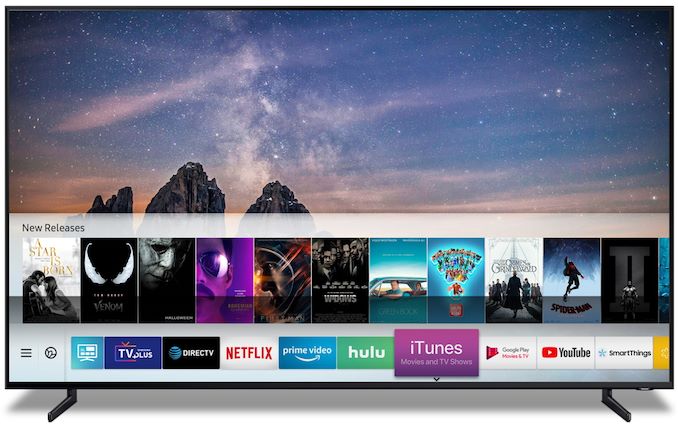
| 12:15a | Samsung Announces iTunes Movie & TV Show Support In Its 2018, 2019 Smart TVs
Samsung has announced that 2018 and 2019 Smart TVs will offer Apple iTunes Movies and TV Show support, along with support for Apple’s AirPlay 2. The surprise announcement made today has wider implications to Apple’s content service as well as future plans for the Apple TV hardware. The new “iTunes Movies and TV Shows” Smart TV application will be available on all new 2019 TV models from Samsung beginning this spring, as well as seeing support for 2018 models via firmware updates. The adoption of the iTunes library of movies and TV shows gives Samsung TV users a new content delivery source, but most importantly, it gives Apple unprecedented access to a userbase of potential new customers for its service. This also represents the first time that Apple will allow access to its service from a non-Apple/non-iTunes device, essentially bypassing the need for a customer to buy Apple hardware such as the Apple TV. There are still some open and unanswered technical questions on how the implementation will work – for example the fact that Samsung TVs do not support Dolby Vision is certainly an aspect that will in some way or other affect the way HDR content will be delivered and played back. Given that the announcement is made by press release by Samsung, it seems that the deal has some sort exclusivity – leaving out other Smart TV vendors for the time being. | |||||||||||||||||||||||||||||||||||||||||||||||||||||||||||||||||||||||||||||||||||||||||||||||||||||||||||||||||||||||||||||||||||||||||||||||||||||||||||||||||||
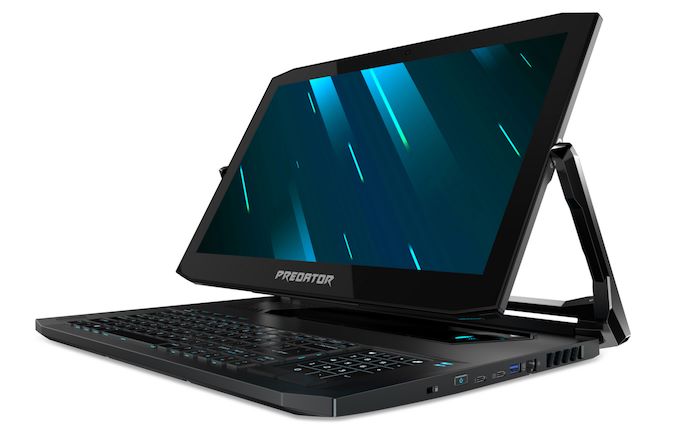
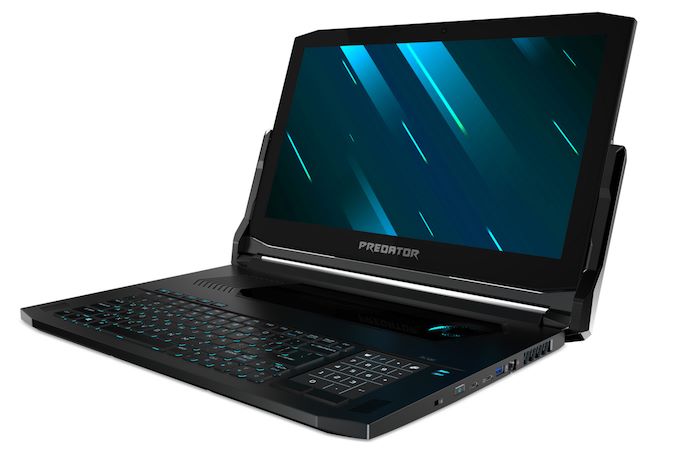
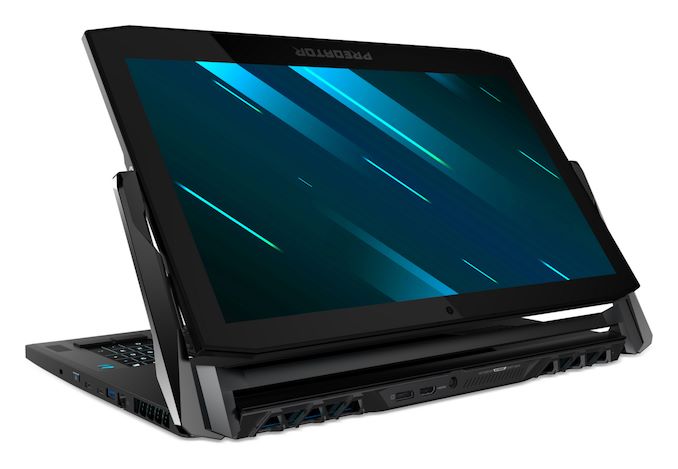
| 1:00a | Acer at CES 2019: Predator Triton Gaming Laptops With RTX GPUs
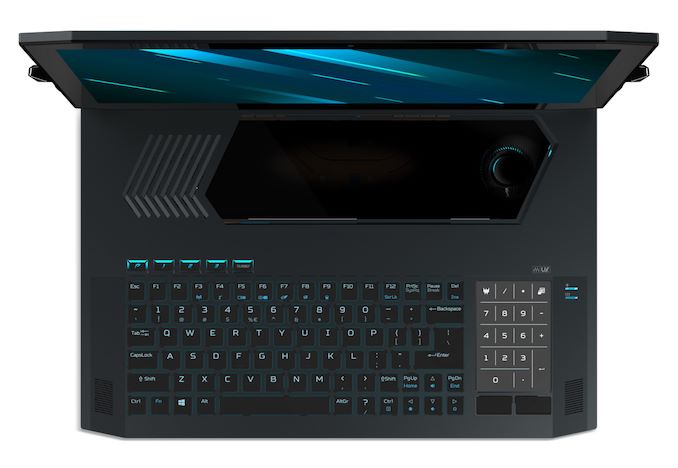
Today at CES, Acer has launched two new gaming laptops under their Predator branding with the Predator Triton 900, and Predator Triton 500. Both feature the just announced NVIDIA GeForce RTX GPUs, but the Predator Triton 900 also brings some very unique features for a gaming laptop. Acer Predator Triton 900
Let’s take a look at the Predator Triton 900 first, since it’s such a unique idea in the gaming laptop space. This 17-inch notebook features the same Ezel hinge system we first saw way back with the Acer Aspire R13, but seeing this type of convertible design in a gaming laptop brings some unique advantages not really seen in the Ultrabook form factor. The first advantage would be if the Triton 900 was to be used as a desktop replacement device. The screen could be rotated around to be used with an external keyboard and mouse, but allowing the user to still utilize the 17.3-inch 3840x2160 G-SYNC display. It would also be a powerful platform for any sort of touch gaming, or an insanely powerful tablet replacement. I think it’s a pretty smart way to increase the usability of a large form factor gaming laptop.
The Predator Triton 900 is well-outfitted too. It features the hex-core Intel Core i7-8750H processor, with six cores, twelve threads, and a frequency of 2.2 to 4.1 GHz in a 45-Watt envelope. Acer couples this with the just announced laptop form-factor NVIDIA GeForce RTX 2080, with 8 GB of GDDR6. System memory is up to 32 GB of DDR3. Storage is 2 x 512 GB SSDs in RAID 0, which is of course silly but seems to still be a thing in the gaming market. Interestingly, despite the high-performance components inside, the Predator Triton 900 is just a hair under 1-inch thick, at 0.94-inches.
Other gaming features include a built-in Xbox wireless receiver, allowing the laptop to connect to Xbox controllers over the faster Wi-Fi Direct, rather than Bluetooth. We’ve seen other fast gaming laptops with the keyboard forward idea before, but the convertible design of this Acer laptop is very interesting indeed. Availability will be March for $3999.
Acer Predator Triton 500
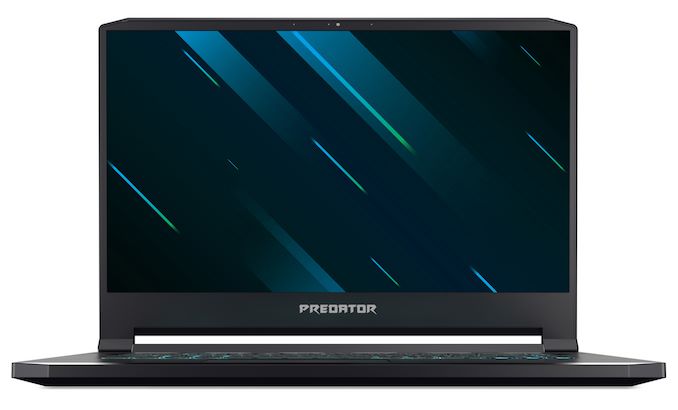
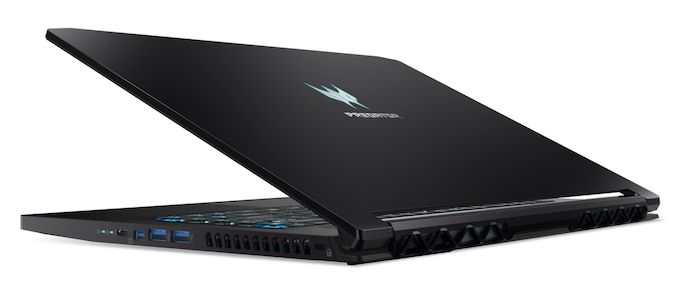
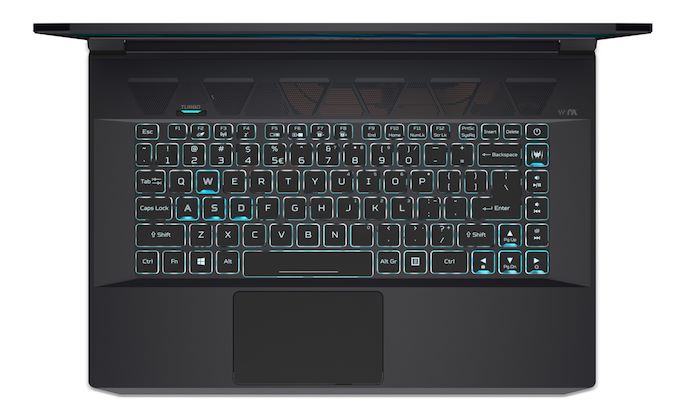
Although the bigger 900 series is likely going to get more press, the 15.6-inch Predator Triton 500 is no slouch either. Although it’s a more traditional design, it features the same CPU in the Intel Core i7-8750H, and can be had with either the GeForce RTX 2060, or the RTX 2080 Max-Q. Both GPUs support overclocking as well. The display choices are all 1920x1080 IPS panels, but the 15.6-inch panels support 144 Hz refresh rates, and the models with the RTX 2080 Max-Q also feature G-SYNC. Although it can’t match the thin-bezel design of the latest Ultrabooks, the Triton 500 does offer 81% screen-to-body, which slims down the dimensions nicely.
As with the higher tier Triton 900, the Triton 500 also offers up to 32 GB of DDR4, and up to 1 TB of PCIe SSDs in a 2 x 512 GB RAID 0 configuration. Interestingly, Acer is claiming up to 8 hours of battery life from the Triton 500, which would be a big jump over most gaming laptops, although of course that will not be 8 hours of gaming.
Both of these models look like nice updates in the Predator lineup. The Predator Triton 500 will be available in February starting at $1799.
Source: Acer | |||||||||||||||||||||||||||||||||||||||||||||||||||||||||||||||||||||||||||||||||||||||||||||||||||||||||||||||||||||||||||||||||||||||||||||||||||||||||||||||||||
| 1:00a | Dell at CES 2019: Alienware m15 Gets Core i9, GeForce RTX, & 4K HDR400 Display Upgrade
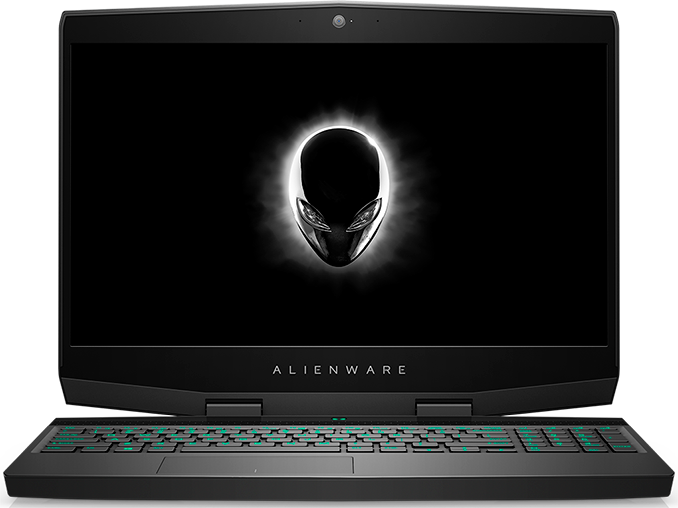
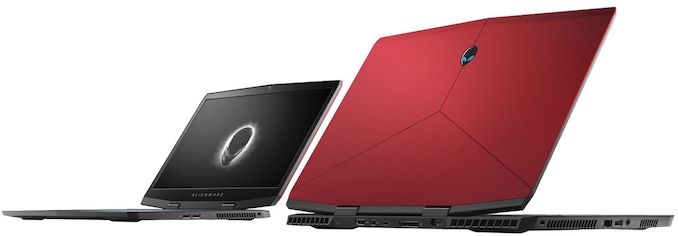
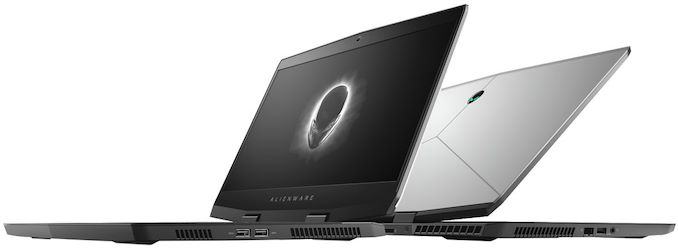
Released last October, Dell's Alienware m15 laptop was the brand’s first attempt to address the growing market for stylish and portable gaming laptops. The 15.6-inch machine indeed looks very impressive and with new CPU, GPU, and display upgrades that Dell is going to offer, the notebook is set to get even faster and should offer performance comparable to that of small form-factor gaming desktops. Starting late January, Dell will offer updated versions of its Alienware m15 notebooks that powered by up to Intel’s latest mobile CPUs – including its six-core Core i9-8950HK CPUs – and accompanied by NVIDIA’s GeForce RTX 2060, RTX 2070 Max-Q, or 2080 Max-Q graphics processors. There will also be entry level configurations equipped with NVIDIA’s GeForce GTX 1050 Ti, but it remains to be seen how widespread such configs will be.
Besides the new CPU and GPU options, the updated Alieware m15 will offer slightly different storage subsystems. The upcoming models will come with up to a 1 TB PCIe SSD in a single-drive builds (up from 256 GB SATA SSDs today) as well as up to two 1 TB PCIe SSDs in dual-drive configurations (up from 1 TB PCIe SSD + 1 TB HDD today).
On the display side of things, top-of-the-range Alienware m15 models will come with a 4K HDR 400-rated display panel, which will be able to hit up to 500 nits brightness in HDR mode. Dell will continue to offer Full-HD and Ultra-HD IPS LCDs with cheaper models, as well as Full-HD 144 Hz TN panels to hardcore gamers seeking the highest refresh rates.
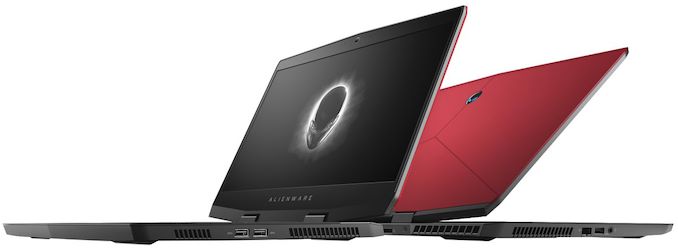
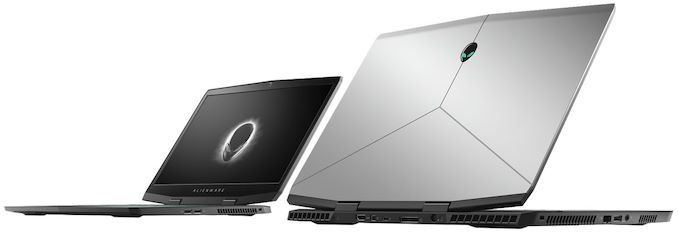
The new Alienware m15 will retain the current Epic Silver and Nebula Red chassis designs, outfitted with the AlienFX RGB lighting. The laptops are 20.99 mm (0.8264 inch) thick and weigh 2.16 kg (4.76 lbs). The upcoming laptops will also keep using a 60 Wh battery that will be installed by default and is rated for 7.1 hours of video playback, with an optional 90 Wh upgrade for build-to-order configurations (obviously, such builds will weigh more than 2.16 kilograms).
The new Alienware m15 laptops will hit the market on January 29, 2019. Prices will start at $1,580. The entry level config is said to use the “latest NVIDIA graphics”, presumably the GeForce RTX 2060 since the GeForce GTX 1050 Ti belongs to the previous generation.
Related Reading: Source: Dell | |||||||||||||||||||||||||||||||||||||||||||||||||||||||||||||||||||||||||||||||||||||||||||||||||||||||||||||||||||||||||||||||||||||||||||||||||||||||||||||||||||
| 1:30a | D-Link at CES 2019: Mesh-Enabled Exo Routers and Extenders with McAfee Security
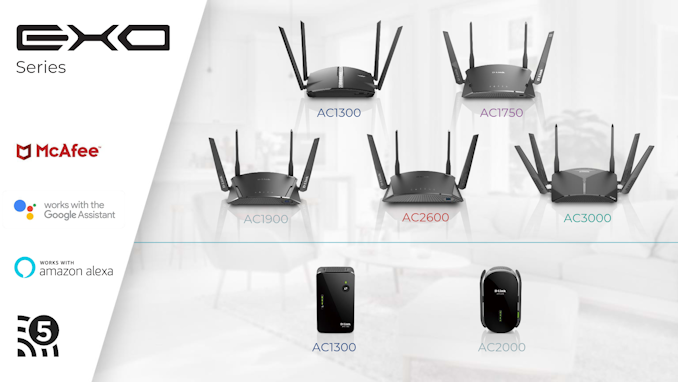
D-Link introduced their Exo series of routers in early 2016. Since then, the traditional router form factor with middle-of-the-road specifications has become a mid-range product for all networking product vendors. In order to stand out in this competitive market segment, D-Link is announcing a new lineup of 802.11ac Exo routers and extenders with mesh networking support. The products are being made more attractive with the bundling of a McAfee security suite. D-Link is also bringing in elements found commonly in the whole-home Wi-Fi system market (such as easier plug-and-play setup, and seamless addition of endpoints as requirements evolve over the deployment time period) into the Exo lineup. All routers and endpoints include a gigabit wired port.
The McAfee security suite adopts a cloud-based approach, and threats identified in one deployment are automatically recognized and passed on to other deployments for better security. In keeping with the current marketing buzzwords, D-Link and McAfee are using the 'cloud-based machine learning' moniker to advertise this real-time threat detection and database update approach. The security suite also includes a host of commonly requested features like parental controls and IoT device protection. The Exo routers come with Google Assistant and Alexa support. It also includes a security suite with 2 years free subscription to McAfee anti-virus for every device in the network and a 5 year subscription for the IoT device protection scheme. Combined together, these services represent a $700 value according to D-Link - this makes the Exo lineup a very attractive proposition in its market segment. Other networking vendors also have similar tie-ups for the security aspect, but, we have not seen anything approach the value of the D-Link / McAfee combination yet. The Exo lineup will be available for purchase in Q2 2019, and includes the following products: Additional details about each product are available in the gallery below. | |||||||||||||||||||||||||||||||||||||||||||||||||||||||||||||||||||||||||||||||||||||||||||||||||||||||||||||||||||||||||||||||||||||||||||||||||||||||||||||||||||
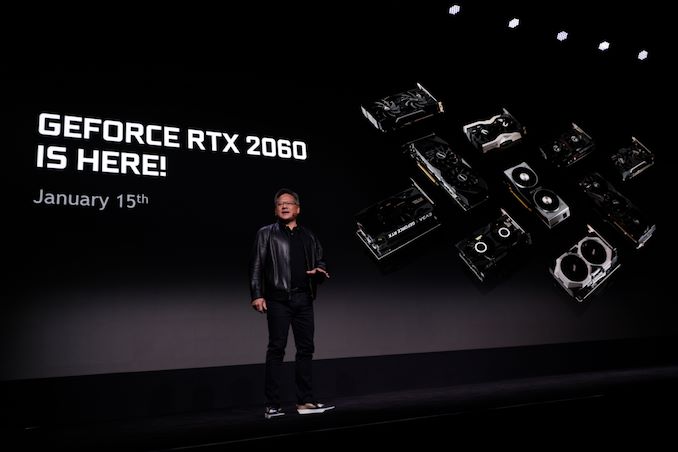
| 2:15a | NVIDIA Announces GeForce RTX 2060: Starting At $349, Available January 15th Kicking off CES 2019 with a surprisingly announcement-packed keynote session, NVIDIA this evening has announced the next member of the GeForce RTX video card family: the GeForce RTX 2060. The newest and now cheapest member of the RTX 20 series continues the cascade of Turing-architecture product releases towards cheaper and higher volume market segments. Designed to offer performance around the outgoing GeForce GTX 1070 Ti, the new card will hit the streets next week on January 15th, with prices starting at $349. We don’t yet have top-to-bottom specifications for the card, but based on the information NVIDIA has released thus far, it looks like the GeForce RTX 2060 is based on a cut-down version of the TU106 GPU that’s already being used in the GeForce RTX 2070. This is notable because until now, NVIDIA has used a different GPU for each RTX card – TU102/2080TI, TU104/2080, TU106/2070 – making this the first such card in the family. It’s also a bit of a shift from the status quo for GeForce xx60 parts in general, which have traditionally always featured their own GPU, with NVIDIA going smaller to reduce costs.
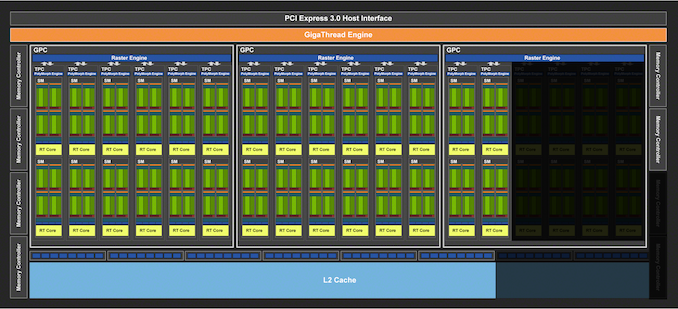
In any case, let’s dive into the numbers. The GeForce RTX 2060 sports 1920 CUDA cores, meaning we’re looking at a 30 SM configuration, versus RTX 2070’s 36 SMs. As the core architecture of Turing is designed to scale with the number of SMs, this means that all of the core compute features are being scaled down similarly, so the 17% drop in SMs means a 17% drop in the RT Core count, a 17% drop in the tensor core count, a 17% drop in the texture unit count, a 17% drop in L0/L1 caches, etc. Unsurprisingly, clockspeeds are going to be very close to NVIDIA’s other TU106 card, RTX 2070. The base clockspeed is down a bit to 1365MHz, but the boost clock is up a bit to 1680MHz. So on the whole, RTX 2060 is poised to deliver around 87% of the RTX 2070’s compute/RT/texture performance, which is an uncharacteristically small gap between a xx70 card and an xx60 card. In other words, the RTX 2060 is in a good position to punch above its weight in compute/shading performance.
However TU106 has taken a bigger trim on the backend, and in workloads that aren’t pure compute, the drop will be a bit harder. The card is shipping with just 6GB of GDDR6 VRAM, as opposed to 8GB on its bigger brother. The result of this is that NVIDIA is not populating 2 of TU106’s 8 memory controllers, resulting in a 192-bit memory bus and meaning that with the use of 14Gbps GDDR6, RTX 2060 only offers 75% of the memory bandwidth of the RTX 2070. Or to put this in numbers, the RTX 2060 will offer 336GB/sec of bandwidth to the RTX 2070’s 448GB/sec. And since the memory controllers, ROPs, and L2 cache are all tied together very closely in NVIDIA’s architecture, this means that ROP throughput and the amount of L2 cache are also being shaved by 25%. So for graphics workloads the practical performance drop is going to be greater than the 13% mark for compute throughput, but also generally less than the 25% mark for ROP/memory throughput. I also have some specific concerns here about the inclusion of just 6GB of VRAM – especially in an era where game consoles are shipping with 8 to 12GB of VRAM – but this is something we can look at later with the eventual review. Moving on, NVIDIA is rating the RTX 2060 for a TDP of 160W. This is down from the RTX 2070, but only slightly, as those cards are rated for 175W. Cut-down GPUs have limited options for reducing their power consumption, so it’s not unusual to see a card like this rated to draw almost as much power as its full-fledged counterpart.
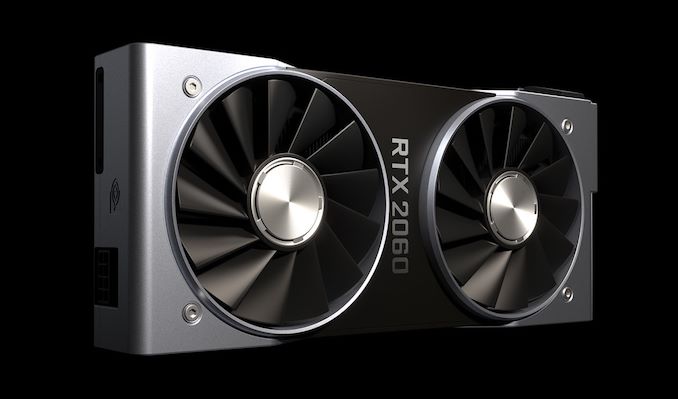
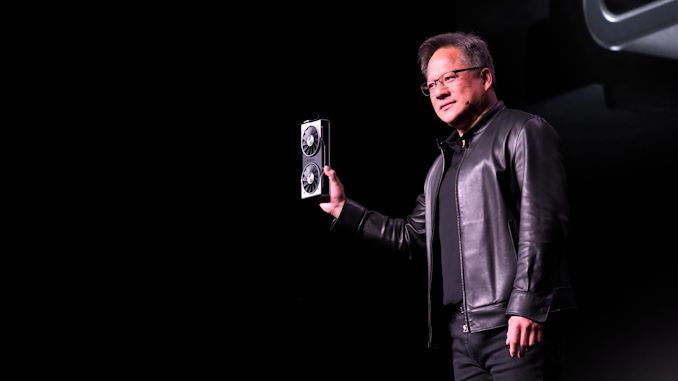
Past that, looking at NVIDIA’s specifications there are no feature differences between the RTX 2060 and RTX 2070. The latter for example already lacked SLI support, so there’s nothing to take away here. Other than being slower and cheaper than its bigger sibling, the RTX 2060 offers all the features we’ve come to expect from the Turing architecture family. In terms of card design, next week’s launch is going to be a simultaneous reference and custom card release. NVIDIA will be releasing a Founder’s Edition card with their usual stylings – and in the pictures NVIDIA has released, it looks exactly like the RTX 2070 – while board partners have already worked with the TU106 GPU for a few months now thanks to RTX 2070, and have used the time to gain the experience needed to design their own boards. Like the custom RTX 2070 boards that have since launched, expect these cards to run the gamut from petite, mITX-sized cards with a single fan to large, tri-fan monsters.
Hardware aside, while NVIDIA is calling this an xx60 class card, the price tag and general power requirements for the RTX 2060 make it feel like it’s out of place. The xx60 series has traditionally been NVIDIA’s mainstream cards; and up until the launch of the GTX 1060 6GB, these were typically around $200. GTX 1060 6GB went to the high end of this scale at $249 for custom cards (and a whopping $299 for the Founders Edition), however the $349 RTX 2060 is now well outside of the mainstream sweet spot for pricing. With 3 other GeForce cards above it, it may not be high-end, but it’s definition an enthusiast card. This also means that performance comparisons to the GTX 1060 feel similarly out of place. With 1920 CUDA cores the RTX 2060 is going to be significantly faster than the GTX 1060, but it also costs $100 more and draws 30W more power. So if anything, this feels like the new GTX 1070 (original MSRP $379) than it does the new GTX 1060. We’ll have to see what real-world performance is like when we get to review the new card, but thus far it looks like NVIDIA is going to be keeping their general price/performance curve for the RTX 20 series, meaning that in terms of performance in current games, the card is only going to be a mild improvement over the GeForce GTX 10 series card it replaces at this price tier. Though even if the performance improvement is mild, it will significantly alter the competitive landscape. If NVIDIA’s GTX 1070 Ti-like performance claims are valid, then it’s going to undermine AMD’s Vega 56/64 cards, and the company will need to respond if they want to keep holding a piece of this market. All told then, the value proposition argument for the RTX 2060 looks to be very similar to the rest of the RTX 20 series: NVIDIA is betting consumers will be willing to pay a premium for the Turing architecture’s next-generation features – mainly ray tracing acceleration and the various applications of the tensor cores. Which is why NVIDIA needs to continue to promote these features, bring developers on board, and sell the image quality improvements in general. Still, even NVIDIA seems to realize that this isn’t going to be easy, which is why they’re also launching a new GeForce game bundle program that will include the new RTX 2060, where buyers can get a free copy of either Battlefield V or Anthem. The GeForce RTX 2060 will be hitting retail shelves next week on January 15th, with prices starting at $349. And we intend to take a look at this new card very soon, so please stay tuned.
| |||||||||||||||||||||||||||||||||||||||||||||||||||||||||||||||||||||||||||||||||||||||||||||||||||||||||||||||||||||||||||||||||||||||||||||||||||||||||||||||||||
| 3:45a | Seagate Introduces IronWolf SSD for NAS
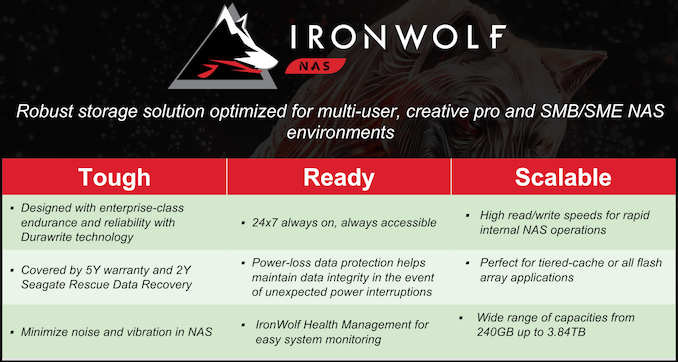
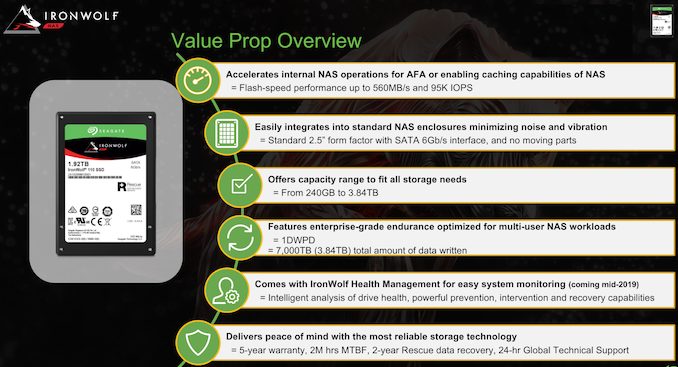
The recent drop in flash pricing has resulted in high-performance SSDs at wallet-friendly price points. NAS units currently being introduced also come with tiering support, allowing the flash-based storage devices to act as caches and improve the performance for real-world workloads. SMBs and SMEs are currently using enterprise SSDs for this purpose, while home consumers / prosumers have no qualms about using consumer SSDs for this purpose. The current trends indicate that there is a market for SSDs specifically targeting the NAS market, as long as it is at the right price point.
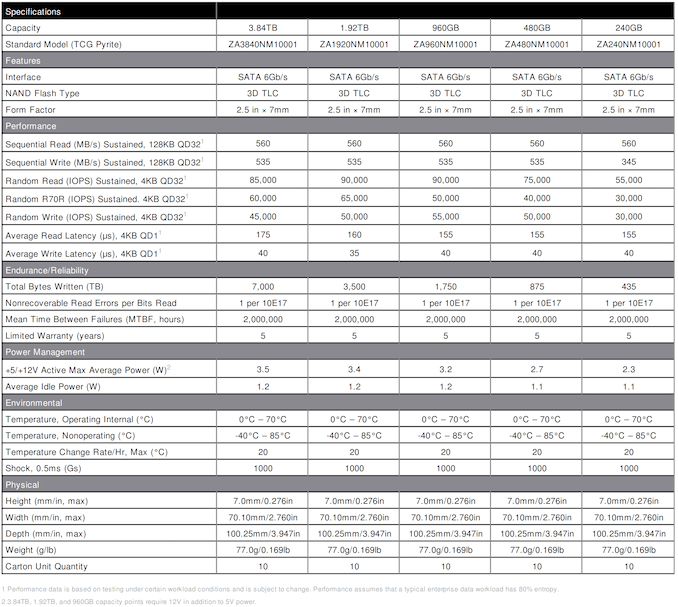
Seagate is introducing the IronWolf 110 SATA SSD series at CES 2019, with retail availability slated for late January. Available in capacities ranging from 240GB to 3.84TB, the new SSDs are touted to be enterprise-class. They come with DuraWrite technology, pointing to a Seagate controller based on SandForce technology. The SSDs use 3D TLC and have sustained performance numbers of 560 / 535 MBps sequential reads / writes across the 480GB - 3.84TB capacity class. Detailed specs for each capacity are available below.
The IronWolf 110 SSD series supports 1 DWPD endurance, which implies that Seagate expects them to be used for the typical read-heavy NAS scenarios (which is characteristic of most prosumer / SMB use-cases). Many readers might recognize that the IronWolf 110 seems very similar to the Seagate Nytro 1351, and in fact, they both share the same hardware design - right down to the 1TB and higher models requiring a 12V rail. The controller (Seagate proprietary, with DuraWrite technology similar to the compression scheme used in the SandForce controllers) and PCB are the same. However, the firmware is slightly different to target NAS use-cases and enable easier qualification with NAS OEMs. The IronWolf SSDs also supports the NAS Health Management utility and comes with 2 years of Rescue service (which is not available with the Nytro series).
Seagate is hoping to sell the IronWolf SSDs to prosumers, creative pros, SMB, and SME NAS users. Prosumers and creative professionals with 10G-capable NAS units are bound to benefit from flash-equipped bays. While enterprise SSDs are the way to go for all-flash arrays with write-heavy workloads, other SSD-in-NAS use-cases in the SMB and SME space can benefit from SSDs such as the IronWolf 110. The warranty and bundled data-recovery services are key value additions in this market. However, pricing will be key when it comes to choosing between the IronWolf 110 and other enterprise / high-end consumer SATA SSDs in the market. | |||||||||||||||||||||||||||||||||||||||||||||||||||||||||||||||||||||||||||||||||||||||||||||||||||||||||||||||||||||||||||||||||||||||||||||||||||||||||||||||||||
| 4:00a | Seagate at CES 2019: BarraCuda 510 and FireCuda 510 M.2 NVMe
Seagate recently returned to the consumer SSD market with the BarraCuda SSD. It didn't make much of a splash, but Seagate got their feet wet and kicked off a new strategy as a seller of Phison-based consumer SSDs. Now Seagate is using Phison's new E12 NVMe controller to enter the high-end market segment with a lineup of M.2 NVMe SSDs: the BarraCuda 510 and FireCuda 510. At first glance, it may seem silly for Seagate to use two different names to refer to what are essentially two halves of the same product line. However, the current state of high-end consumer NVMe SSDs is that only the largest models are able to reach the impressive speeds that are closing in on the limits of a PCIe 3 x4 link. Smaller models are held back by having too few NAND flash memory dies for the SSD controller to access in parallel. This has always been true to some extent, but now that each 3D TLC die is providing either 256Gb or 512Gb, the small-drive performance penalty is affecting rather mainstream drive capacity points. For this reason, it makes sense for Seagate to reserve their gaming/enthusiast-oriented FireCuda branding for the 1TB and 2TB models, while their more mainstream BarraCuda branding is applied to the 256GB and 512GB models.
Aside from capacity, there are a few minor differences between the BarraCuda 510 and the FireCuda 510. The BarraCuda 510 models have less overprovisioning, with power of two capacities of 256GB and 512GB while the FireCuda 510 is 1000 or 2000 GB. This difference also affects the write endurance rating, which is 0.3 drive writes per day for the BarraCuda 510 and 0.5 drive writes per day for the FireCuda 510; both figures are more typical of mainstream consumer SSDs rather than high-end models. The lower capacity of the BarraCuda 510 models allows them to be single-sided M.2 cards, which helps fit them into thinner notebook systems. The BarraCuda 510 will also be available in versions with or without TCG Opal encryption support, while the FireCuda will only ship in non-encrypting form. The two drives are still essentially the reference hardware designs from Phison, and we expect real-world performance to be in line with other drives based on the same platform, such as the Corsair MP510 or the MyDigitalSSD BPX Pro. Seagate has not announced pricing for the new models, which will ship in March 2019. Seagate's pricing on the BarraCuda SATA SSD has been nothing special but still falls within the reasonable range for a mainstream drive. With the new NVMe models, we hope to see Seagate be a little more aggressive in order to reestablish their brand in an era where consumers no longer have much need for mechanical hard drives. Source: Seagate | |||||||||||||||||||||||||||||||||||||||||||||||||||||||||||||||||||||||||||||||||||||||||||||||||||||||||||||||||||||||||||||||||||||||||||||||||||||||||||||||||||
| 4:10a | NVIDIA To Officially Support VESA Adaptive Sync (FreeSync) Under “G-Sync Compatible” Branding
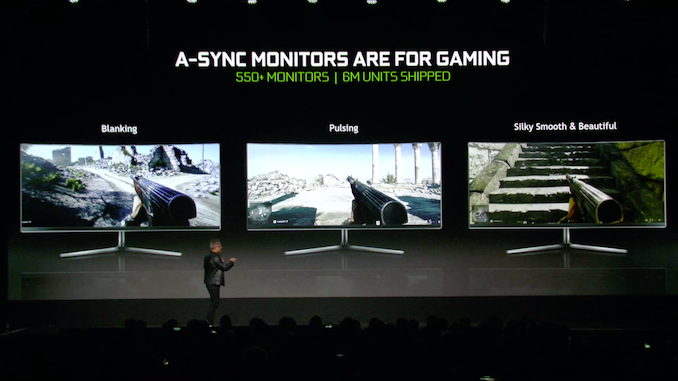
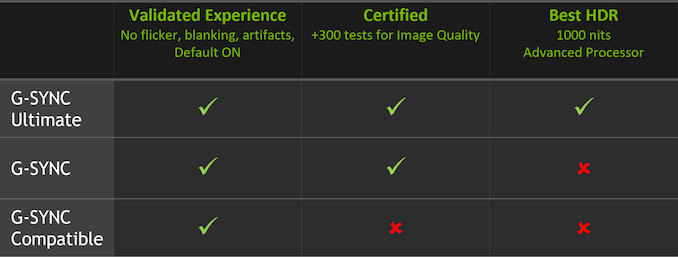
The history of variable refresh gaming displays is longer than there is time available to write it up at CES. But in short, while NVIDIA has enjoyed a first-mover’s advantage with G-Sync when they launched it in 2013, the ecosystem of variable refresh monitors has grown rapidly in the last half-decade. The big reason for that is that the VESA, the standards body responsible for DisplayPort, added variable refresh as an optional part of the specification, creating a standardized and royalty-free means of enabling variable refresh displays. However to date, this VESA Adaptive Sync standard has only been supported on the video card side of matters by AMD, who advertises it under their FreeSync branding. Now however – and in many people’s eyes at last – NVIDIA is going to be jumping into the game and supporting VESA Adaptive Sync on GeForce cards, allowing gamers access to a much wider array of variable refresh monitors. There are multiple facets here to NVIDIA’s efforts, so it’s probably best to start with the technology aspects and then relate that to NVIDIA’s new branding and testing initiatives. Though they don’t discuss it, NVIDIA has internally supported VESA Adaptive Sync for a couple of years now; rather than putting G-Sync modules in laptops, they’ve used what’s essentially a form of Adaptive Sync to enable “G-Sync” on laptops. As a result we’ve known for some time now that NVIDIA could support VESA Adaptive Sync if they wanted to, however until now they haven’t done this. Coming next week, this is changing. On January 15th, NVIDIA will be releasing a new driver that enables VESA Adaptive Sync support on GeForce GTX 10 and GeForce RTX 20 series (i.e. Pascal and newer) cards. There will be a bit of gatekeeping involved on NVIDIA’s part – it won’t be enabled automatically for most monitors – but the option will be there to enable variable refresh (or at least try to enable it) for all VESA Adaptive Sync monitors. If a monitor supports the technology – be it labeled VESA Adaptive Sync or AMD FreeSync – then NVIDIA’s cards can finally take advantage of their variable refresh features. Full stop. At this point there are some remaining questions on the matter – in particular whether they’re going to do anything to enable this over HDMI as well or just DisplayPort – and we’ll be tracking down answers to those questions. Past that, the fact that NVIDIA already has experience with VESA Adaptive Sync in their G-Sync laptops is a promising sign, as it means they won’t be starting from scratch on supporting variable refresh on monitors without their custom G-Sync modules. Still, a lot of eyes are going to be watching NVIDIA and looking at just how well this works in practice once those drivers roll out next week. G-Sync Compatible BrandingPast the base technology aspects, as is often the case with NVIDIA there are the branding aspects. NVIDIA has held since the first Adaptive Sync monitors were released that G-Sync delivers a better experience – and admittedly they have often been right. The G-Sync program has always had a validation/quality control aspect to it that the open VESA Adaptive Sync standard inherently lacks, which over the years has led to a wide range in monitor quality among Adaptive Sync displays. Great monitors would look fantastic and behave correctly to deliver the best experience, while poorer monitors would have quirks like narrow variable refresh ranges or pixel overdrive issues, greatly limiting the actual usefulness of their variable refresh rate features.
Looking to exert some influence and quality control over the VESA Adaptive Sync ecosystem, NVIDIA’s solution to this problem is that they are establishing a G-Sync Compatible certification program for these monitors. In short NVIDIA will be testing every Adaptive Sync monitor they can get their hands on, and monitors that pass NVIDIA’s tests will be G-Sync Compatible certified. Right now NVIDIA isn’t saying much about what their compatibility testing entails. Beyond the obvious items – the monitor works and doesn’t suffer obvious image quality issues like dropping frames – it’s not clear whether this certification process will also involve refresh rate ranges, pixel overdrive features, or other quality-of-life aspects of variable refresh technology. Or for that matter whether there will be pixel response time requirements, color space requirements, etc. (It is noteworthy that of the monitors approved so far, none of them are listed as supporting variable overdrive)
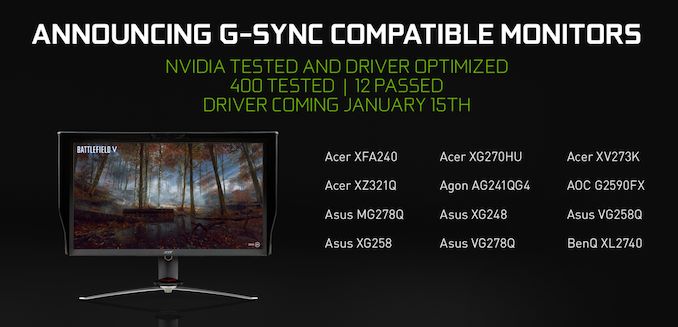
At any rate, NVIDIA says they have tested over 400 monitors so far, and of those monitors 12 will be making their initial compatibility list. Which is a rather low pass rate – and indicating that NVIDIA’s standards aren’t going to be very loose here – but it still covers a number of popular monitors from Acer, ASUS, Agon, AOC, and bringing up the rest of the alphabet, BenQ. As for what G-Sync Compatibility gets gamers and manufacturers, the big advantage is that officially compatible monitors will have their variable refresh features enabled automatically by NVIDIA’s drivers, similar to how they handle standard G-Sync monitors. So while all VESA Adaptive Sync monitors can be used with NVIDIA’s cards, only officially compatible monitors will have this enabled by default. It is, if nothing else, a small carrot to both consumers and manufacturers to build and buy monitors that meet NVIDIA’s functionality requirements.
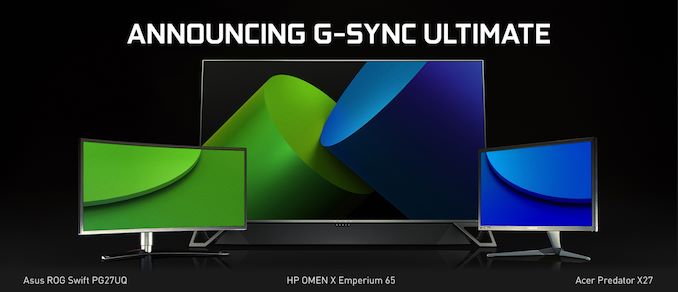
Meanwhile on the business side of matters, the big wildcard that remains is whether NVIDIA is going to try to monetize the G-Sync Compatible program in any way, as the company has traditionally done this for value-added features. For example, will manufacturers also need to pay NVIDIA to have their monitors officially flagged as compatible? After all, official compatibility is not a requirement to be used with NVIDIA’s cards, it’s merely a perk. And meanwhile supporting VESA Adaptive Sync monitors is likely to hurt NVIDIA’s G-Sync module revenues. If nothing else, I fully expect that NVIDIA will charge manufacturers to use the G-Sync branding in promotional materials and on product boxes, as NVIDIA owns their branding. But I’m curious whether certification itself will also be something the company charges for. G-Sync HDR Becomes G-Sync UltimateFinally, along with the G-Sync Compatible branding, NVIDIA is also rolling out a new branding initiative for HDR-capable G-Sync monitors. These monitors, which until now have informally been referred to at G-Sync HDR monitors, will now go under the G-Sync Ultimate branding.
In practice, very little is changing here besides establishing an official brand name for the recent (and forthcoming) crop of HDR-capable G-Sync monitors, all of which has been co-developed with NVIDIA anyhow. So this means all Ultimate monitors will need to support HDR with high refresh rates and 1000nits+ peak brightness, use a full array local dimming backlight, support the P3 D65 color space, etc. Given that it’s likely only a matter of time until G-Sync capable monitors with lesser HDR features hit the market, it’s a good move for NVIDIA to establish a well-defined brand and quality requirements now, so that a G-Sync monitor being HDR-capable isn’t confused with the recent high-end monitors that can actually approach a proper HDR experience. | |||||||||||||||||||||||||||||||||||||||||||||||||||||||||||||||||||||||||||||||||||||||||||||||||||||||||||||||||||||||||||||||||||||||||||||||||||||||||||||||||||
| 4:35a | Seagate at CES 2019: LaCie Mobile Drive and SSD External Storage Solutions
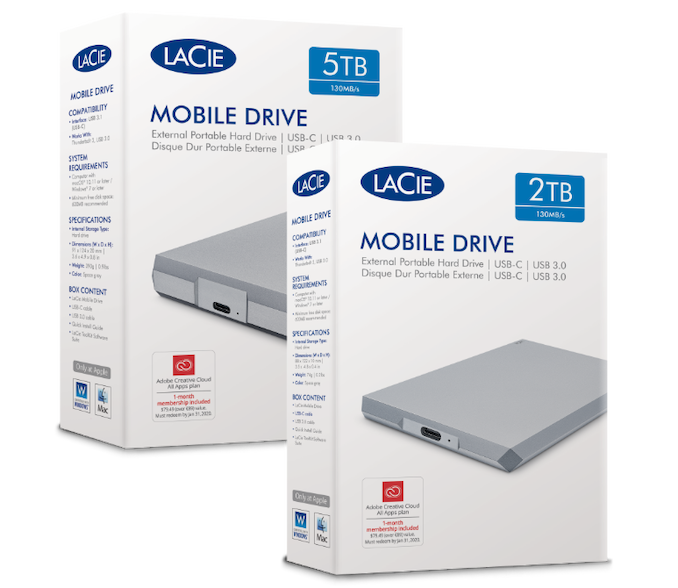
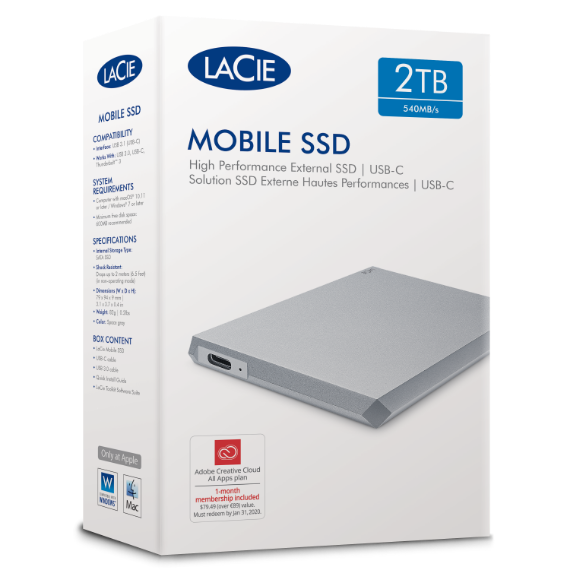
Seagate has made it customary to launch a few external storage solutions at CES each year. This time around, the LaCie brand is getting a couple of newly designed all-aluminium enclosures. The two have an 'eye-catching diamond-cut' design, and complement the look and feel of the current Apple notebooks (LaCie's primary target market).
The LaCie Mobile Drive (external hard-drive) comes in capacities ranging from 2TB (10mm thick) to 5TB (20mm thick), while the LaCie Mobile SSD (external SSD) comes in capacities up to 2TB. Both have a USB 3.1 Gen 2 Type-C interface, and come with the LaCie Toolkit software (for backup / mirroring purposes that external drives are commonly used for).
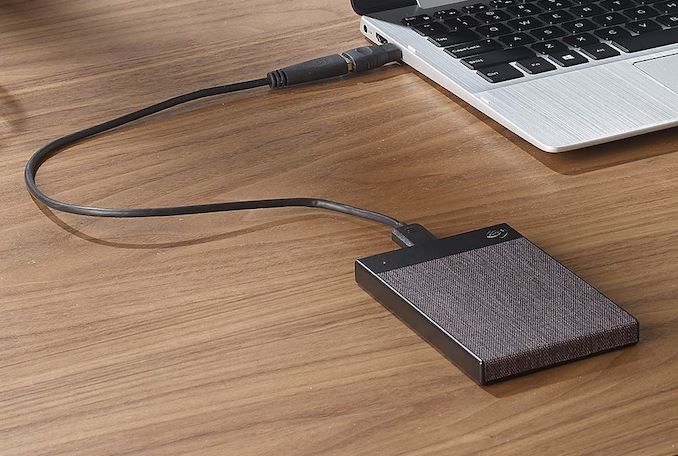
The Mobile Drive is a capacity play (up to 5TB capacity), while the Mobile SSD is a performance one (with speeds of up to 540 MBps). Both products include a 1-month subscription to the Adobe Creative Cloud App Apps plan. The LaCie Mobile Drive will be available in January and comes with a 2-year warranty. The Mobile SSD comes with a 3-year warranty as well as a 3-year subscription to the Seagate Rescue Data Recovery plan. Pricing and exact details of the retail availability are yet to be disclosed. In addition to the LaCie products, Seagate's Backup Plus family is getting the new Ultra Touch lineup in 1TB and 2TB capacities with a woven textile enclosure. This product line comes with features such as automatic backup with multi-device folder sync and data protection with hardware encryption. The 1TB version is priced at $70 and and the 2TB at $90.
The Backup Plus Slim (1TB and 2TB capacities) and Backup Plus Portable (4TB and 5TB capacities) now come with lustrous aluminum finishes The new Backup Plus models include a complimentary 2-month subscription to the Adobe Creative Cloud Photography Plan. The products are expected to be available for purchase later this quarter. | |||||||||||||||||||||||||||||||||||||||||||||||||||||||||||||||||||||||||||||||||||||||||||||||||||||||||||||||||||||||||||||||||||||||||||||||||||||||||||||||||||
| 9:00a | The NVIDIA GeForce RTX 2060 6GB Founders Edition Review: Not Quite Mainstream Launching next Tuesday, January 15th is the 4th member of the GeForce RTX family: the GeForce RTX 2060. Based on a cut-down version of the same TU106 GPU that's in the RTX 2070, this new part shaves off some of RTX 2070's performance, but also a good deal of its price tag in the process. And for this launch, like the other RTX cards last year, NVIDIA is taking part by releasing their own GeForce RTX 2060 Founders Edition card, which we are taking a look at today. | |||||||||||||||||||||||||||||||||||||||||||||||||||||||||||||||||||||||||||||||||||||||||||||||||||||||||||||||||||||||||||||||||||||||||||||||||||||||||||||||||||
| 9:05a | CES 2019: The Huawei Mediapad M5 Lite
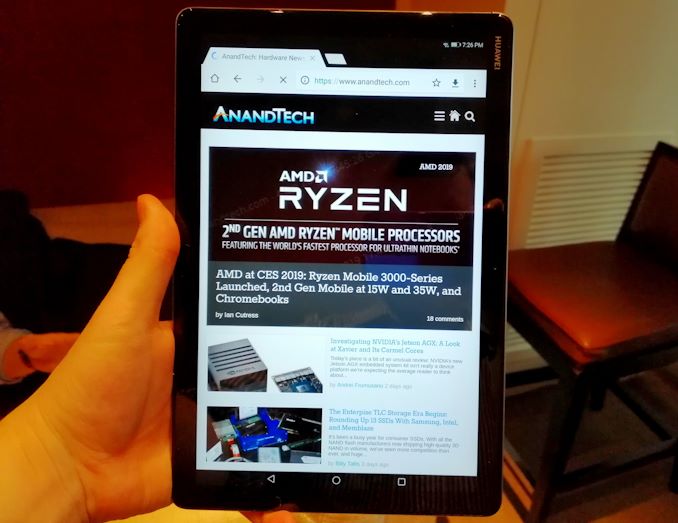
Back at MWC 2018 we saw the launch of the MediaPad M5 and M5 Pro: high-end tablets attempting to revitalise the premium Android tablet market. Today Huawei is announcing a cost-down version of those devices for the US market, in the MediaPad M5 Lite.
The M5 Lite sits between the two versions of the M5 at a 10.1-inch display, although with a smaller 1920x1200 resolution. The chipset is also lower down the stack, as rather than the Kirin 960 these parts have the Kirin 659: an octa-core A53 variant. This is valid in a cost-down model for sure, as the MediaPad M5 Lite, with a bundled 2048-level pressure sensitive M-Pen, will be $299.
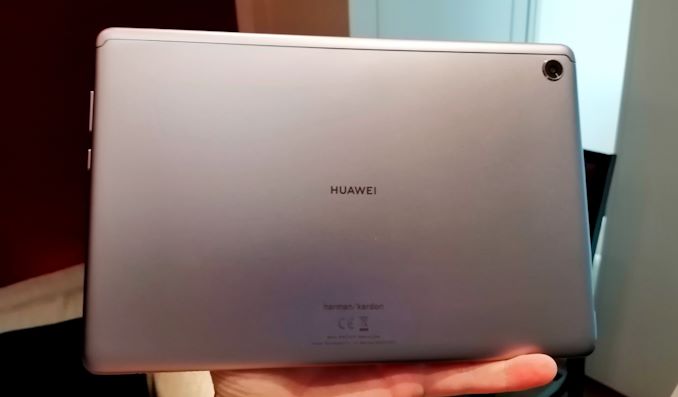
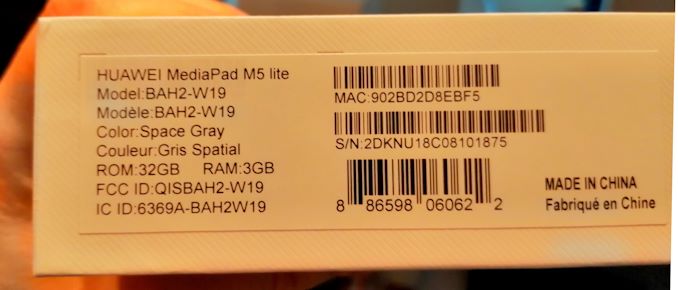
On the M5 Lite there is a quad speaker system developed in partnership with harmon/kardon, and the 3.5mm headphone jack supports Dolby Atmos. The M5 Lite will be offered as a Wi-Fi model only, but the large size allows for a 7500 mAh battery which should give 10-12 hours of video playback time and 40 days of standby. The port on board is a Type-C, and the unit comes with an 18W (9V/2A) charger. Memory and storage is fixed at 3GB and 32GB respectively, however there is a microSD card slot good for up to 256GB. Cameras are listed as 8MP for both front and rear.
User experience features on the device include an enhanced eye-comfort mode, user profiles based on finger print entry, the aforementioned M-Pen, and a ‘Kid’s Corner’ technology that allows parents to limit what applications their children can use and also fix time limits on various apps.
Dimensions for the device come in at 6.39 x 9.58 x 0.30-inches and 16.76 oz (475g). It is expected to hit the market early in Q1. | |||||||||||||||||||||||||||||||||||||||||||||||||||||||||||||||||||||||||||||||||||||||||||||||||||||||||||||||||||||||||||||||||||||||||||||||||||||||||||||||||||
| 10:00a | CES 2019: Huawei Launches the Matebook 13
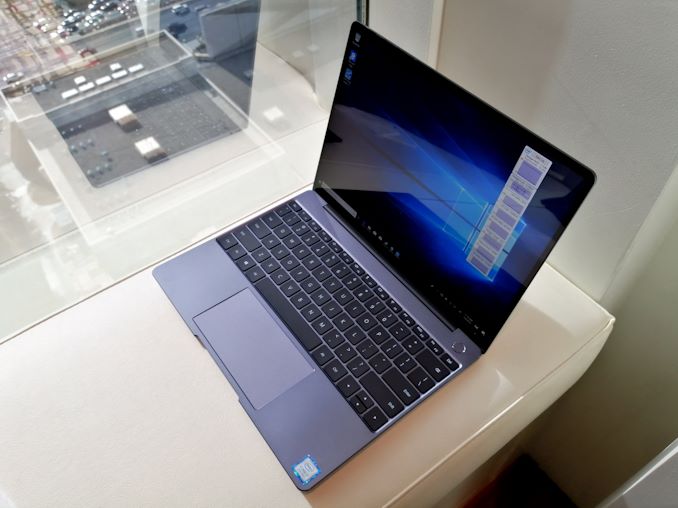
Today one of the best notebooks I’ve ever tested is getting an update: Huawei’s new Matebook 13 is the generational update to the Matebook X. In it we get the latest generation of Whiskey-Lake U processors, the same 2160x1440 3:2 display, an optional MX150 variant, and a new cooling implementation based on a shark fin design. | |||||||||||||||||||||||||||||||||||||||||||||||||||||||||||||||||||||||||||||||||||||||||||||||||||||||||||||||||||||||||||||||||||||||||||||||||||||||||||||||||||
| 11:00a | CES 2019: LG Press Event (starts 8am PT, 4pm UTC) We're here at CES to hear what LG is going to present. Stay tuned for our Live Blog! | |||||||||||||||||||||||||||||||||||||||||||||||||||||||||||||||||||||||||||||||||||||||||||||||||||||||||||||||||||||||||||||||||||||||||||||||||||||||||||||||||||
| 12:45p | CES 2019: LG Announces Signature OLED TV R - A Rollable TV
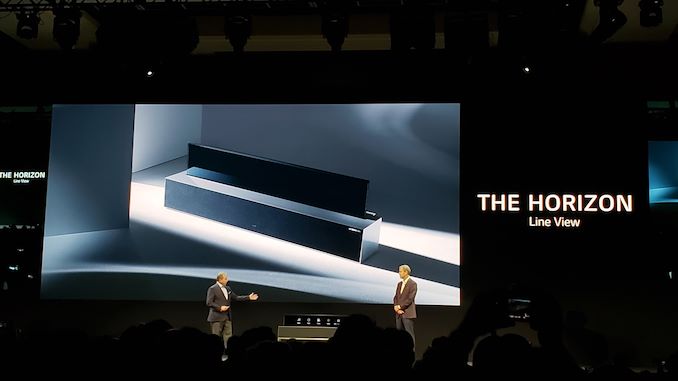
Today at LG's CES press event, one of the more intriguing announcements was the fact that LG is bringing its rollable OLED TV technology as an actual product later in 2019. The TV consists of a large base stand which represents the audio system as well as the innards into which the actual OLED panel can roll itself down into. The panel is of 65" dimensions - we currently don't have any more information about the technical specifcations of the panel, other than it is seemingly powered by LG's newly announced second generation Alpha9 SoC. The OLED panel has a window-blind like back that is able to fold into a cylinder within the base. LG here offers three uses: A traditional full-screen "Full View" experience with the screen fully rolled out, a partially rolled out mode where only a third of the screen is rolled out, showcasing only essential information, called "Line View", and finally a mode in which the panel is completely hidden "Zero View", in which the TV stand solely serves as an audio device.
LG has only announced that the product is coming later in 2019 - we'll try to see if we can get further detailed hardware specifications. | |||||||||||||||||||||||||||||||||||||||||||||||||||||||||||||||||||||||||||||||||||||||||||||||||||||||||||||||||||||||||||||||||||||||||||||||||||||||||||||||||||
| 1:00p | CES 2019: Riotoro’s Morpheus Convertible Case, Growing & Shrinking
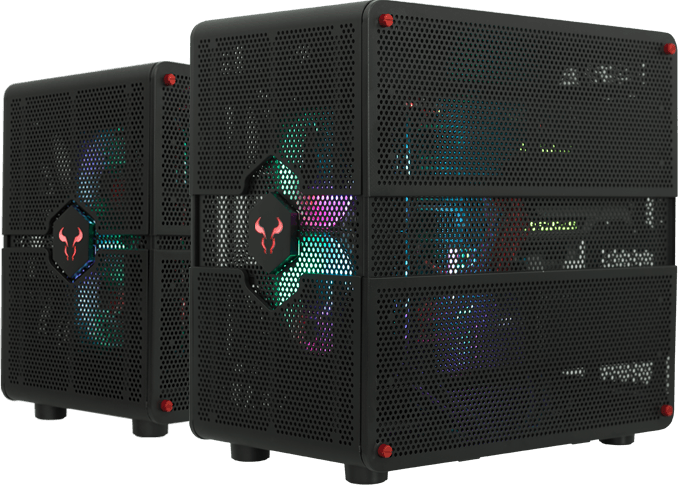
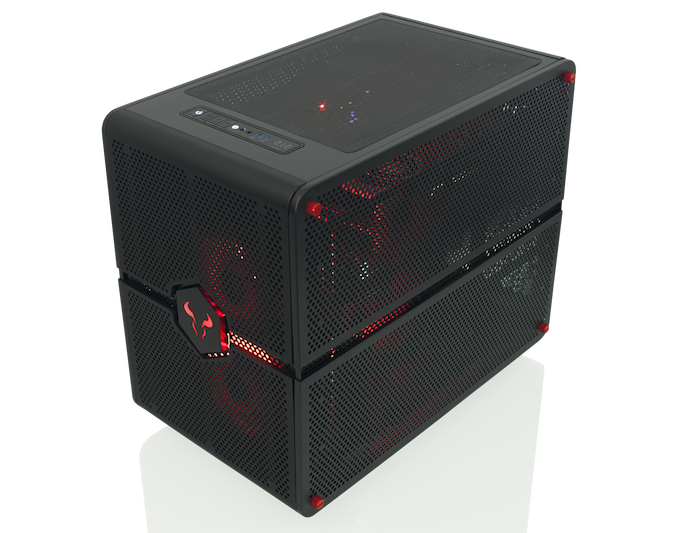
One of the features of the modern PC trade show is that someone somewhere is going to show off a chassis that either does something crazy, looks crazy, or makes you go ‘eh, what?’ (ed: it gets us every time). In recent memory that includes the In-Win case that stood up and presented itself, the iBuyPower Snowblind LCD-as-a-case-panel from last year, and a 40kg aluminium behemoth, another In-Win design. This time, it’s Riotoro’s turn.
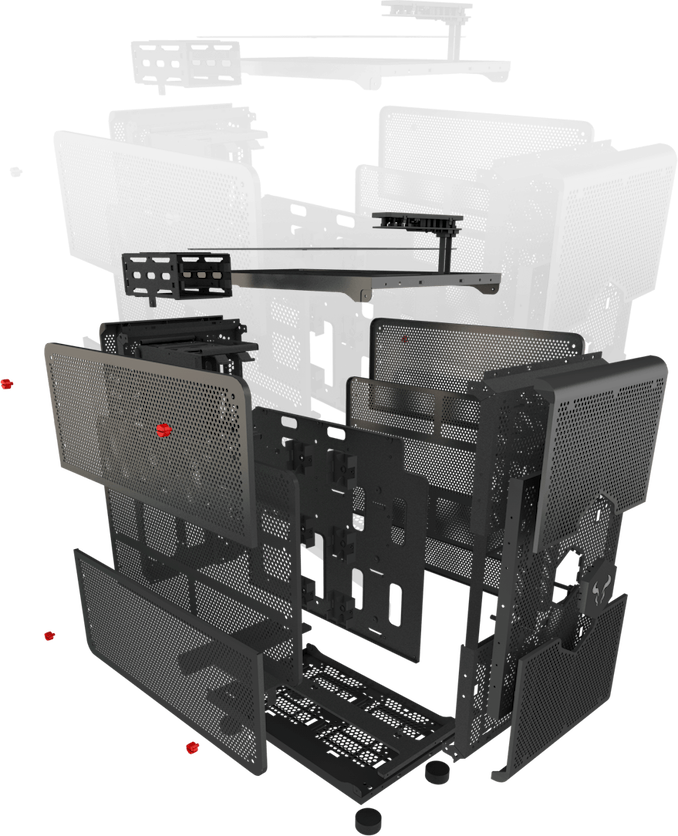
Morpheus is all about the mighty morphing. If the normally micro-ATX chassis isn’t big enough, then users can literally pull the bottom half of the case away from the top of the case, add a support connector, and rebuild the design in E-ATX mode. These modes are called Mid-Tower and Mini-Tower. Moving from one to the other changes the height from 15.1 inches to 17.5 inches.
In order to make assembling easier, Riotoro has gone for a dual chamber design, with Motherboard/CPU/GPUs in one half and PSU/Storage in the other. This helps for cable management and cooling when everything is in place. The motherboard uses an upside down placement, meaning the GPUs are at the top, so that should be taken into account. Aside from supporting bigger motherboards in the larger mode, the chassis can also take up to 4 GPUs and another couple of SSDs with two more tool less 2.5” drive bays. The case comes with two RGB fans fitted to the front and one in the rear. The front fans can be used in both modes. In Mid-Tower mode, a total of six 120/140mm fans can be used, while Mini-Tower also gives six, but the reduced z-height doesn’t allow for liquid cooling on the top of the case.
While the case looks like it is full of holes, there are dust filters on the front, an acrylic panel on the top, and magnetic dust filters in other places. The front panel has two USB-C ports, two USB 3.0 Type-A ports, and the whole case is a toolless design. The only response I really have is ‘eh, what?’. It’s a neat concept and all, but don’t most users know the size of their build before buying the chassis? Now I can imagine that the chassis is retained through multiple builds, and users might go between a smaller system and a larger system, but where exactly do I keep the extra parts while in the small mode? I can imagine losing them, or putting them in box that I won’t remember a few years down the line. Perhaps I don’t get it. Do you? | |||||||||||||||||||||||||||||||||||||||||||||||||||||||||||||||||||||||||||||||||||||||||||||||||||||||||||||||||||||||||||||||||||||||||||||||||||||||||||||||||||
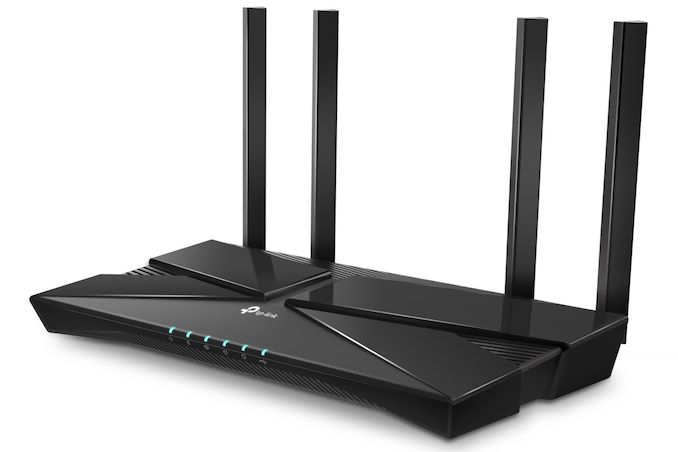
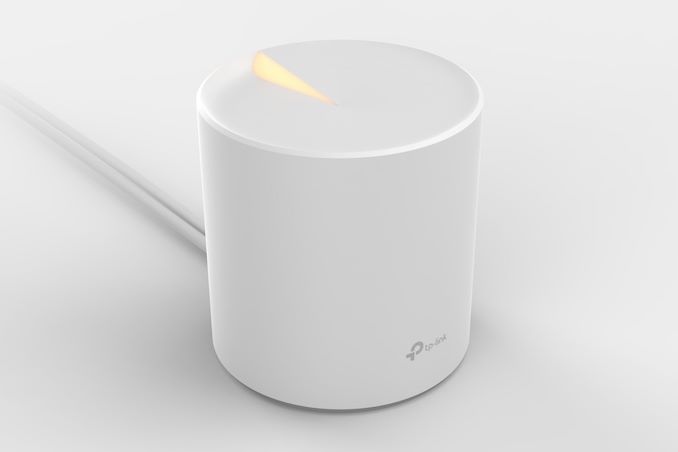
| 2:15p | TP-Link at CES 2019: Wallet-Friendly 802.11ax Products Announced
TP-Link recently introduced a couple of Wi-Fi 6 (802.11ax) routers based on Broadcom's platform. At CES 2019, the company announced multiple new Wi-Fi 6 products to provide wallet-friendly entry points to the new technology. However, the key introduction in our opinion is the Deco X10 - the latest update to their Deco lineup of mesh networking / whole-home Wi-Fi products. The Deco lineup has traditionally used Qualcomm's platforms. For the Deco X10 with 802.11ax support, TP-Link has decided to adopt a Broadcom platform.
The list of 802.11ax products announced by TP-Link at CES include: Since these are essentially early product announcements, we do not have concrete technical details yet. Most vendors are focusing on the high-end market with their Wi-Fi 6 (802.11ax) product portfolio. TP-Link's decision to bring 802.11ax products across a wider price range will enable faster market adoption for the new technology. | |||||||||||||||||||||||||||||||||||||||||||||||||||||||||||||||||||||||||||||||||||||||||||||||||||||||||||||||||||||||||||||||||||||||||||||||||||||||||||||||||||
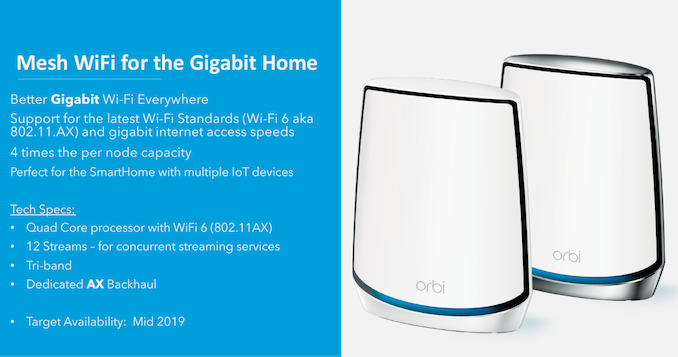
| 3:00p | Netgear Orbi Whole-Home Wi-Fi System to Adopt Qualcomm's Wi-Fi 6 802.11ax Platform
Netgear's Orbi Wi-Fi system / mesh networking product line has been well-received in the market since its introduction in Q3 2016. Since then, Netgear has been regularly rolling out new hardware and firmware upgrades to keep up with the market requirements. All the Orbi products in the market currently are based on Qualcomm's Wi-Fi 5 (802.11ac) platforms. Wi-Fi 6 (802.11ax) has had a relatively slow start in the market, with the absence of client devices holding back widespread acceptance of the new routers from various vendors. Even though many products were announced at CES 2018, they started rolling out in retail only towards the end of last year. Netgear's flagship Wi-Fi 6 routers (RAX80 and RAX120) were launched in November 2018, and the Broadcom-based RAX80 is already available for purchase. The Qualcomm-based RAX120 will be available in retail shortly. Given these two parallel developments, it comes as no surprise that Netgear will incorporate a Wi-Fi 6 (802.11ax) platform into the next-generation Orbi. The product will continue to use Netgear's patented Fastlane3 technology (with a dedicated 4x4 802.11ax backhaul, in addition to 5 GHz and 2.4 GHz channels for use by clients). The Wi-Fi 6 backhaul enables true gigabit wireless links between the Orbi nodes. Netgear also announced that the Orbi products will continue to use a Qualcomm platform (in fact, the early specifications seem to indicate that the RAX120 platform is being used with the addition of another 802.11ax radio).
Pricing for the Orbi kits with Wi-Fi 6 was not announced, as the products are slated to become available only in H2 2019. The announcement is particularly interesting because vendors such as TP-Link are moving to Broadcom-based 802.11ax platforms for their whole-home Wi-Fi / mesh networking products. | |||||||||||||||||||||||||||||||||||||||||||||||||||||||||||||||||||||||||||||||||||||||||||||||||||||||||||||||||||||||||||||||||||||||||||||||||||||||||||||||||||
| 4:51p | CES 2019: Samsung Press Event (starts 2pm PT, 10pm UTC) We're here at Samsung CES 2019 press conference in Las Vegas. | |||||||||||||||||||||||||||||||||||||||||||||||||||||||||||||||||||||||||||||||||||||||||||||||||||||||||||||||||||||||||||||||||||||||||||||||||||||||||||||||||||
| 5:52p | Intel CES 2019 Keynote: A Live Blog (4pm PT, Midnight UTC) We're here at Intel, ready for their keynote presentation. Gregory Bryant and Nevin Shenoy are presenting. Starts at 4pm local time. | |||||||||||||||||||||||||||||||||||||||||||||||||||||||||||||||||||||||||||||||||||||||||||||||||||||||||||||||||||||||||||||||||||||||||||||||||||||||||||||||||||
| 7:45p | Intel’s Keynote at CES 2019: 10nm, Ice Lake, Lakefield, Snow Ridge, Cascade Lake This year it seems that Intel is finally ready to talk about 10nm. After next-to-nothing on the subject at CES 2018, Intel is now talking about three new processor families: Ice Lake, Lakefield, and Snow Ridge. Despite the naming, it looks like Intel might be coming in out of the cold, to finally let it go, and roadmaps on upcoming products are being discussed. | |||||||||||||||||||||||||||||||||||||||||||||||||||||||||||||||||||||||||||||||||||||||||||||||||||||||||||||||||||||||||||||||||||||||||||||||||||||||||||||||||||
| 7:50p | CES 2019 Quick Bytes: Intel’s 10nm Hybrid x86 Foveros Chip is Called Lakefield
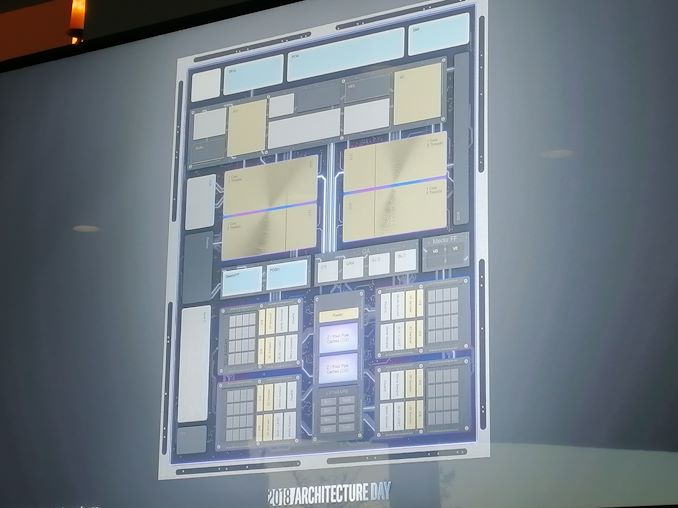
At Intel’s Architecture Day, the company showed off a new stacking technology called ‘Foveros’, which is designed to allows the company to make smaller chips. The idea behind Foveros is to have a base ‘interposer’ that also integrates common I/O functionality, while using connections through the chip to another piece of silicon on top that has the CPU cores and the graphics subsystem. We saw chips that were working and processing data, and it all looked really cool. The reason this chip exists is because one of Intel’s customers requested a processor with integrated graphics that can idle at 2 milliwatts. After a few years of engineering, Intel is finally there. There’s also another trick at play here.
The chip uses a combination of Intel’s high power and low power cores. Inside the new chip, which Intel announced at CES is called Lakefield, is one of its high-powered Core architecture Sunny Cove cores, and four low-powered Tremont Atom cores. This is the first Intel chip, or consumer chip at least, to use both core designs at once. This is fairly common for Arm chips in smartphones, but we have not seen it yet in the PC space. We have a block diagram showing cache layouts and things, and at the first showing, Intel’s Jim Keller said that the company were having fun with the technology with designing things that could become future parts.
Today’s announcement is around the Lakefield family name for the processor. We’re expecting this to generate a family of *field parts in the future. For bonus guesses, we think that this chip is likely to end up in something like Lenovo’s Yogabook, rather than anything from Apple. That’s our professional opinion. Or it could end up in a tablet, or something with a new use case or form factor. Quick Bytes are shortened news pieces about topics mentioned at large press events. Because sometimes smaller announcements get buried at a keynote presentation because a dozen key points are mentioned in one article, and our Quick Bytes series separates out a few topics for targeted discussion. You can read the full article here. | |||||||||||||||||||||||||||||||||||||||||||||||||||||||||||||||||||||||||||||||||||||||||||||||||||||||||||||||||||||||||||||||||||||||||||||||||||||||||||||||||||
| 7:55p | CES 2019 Quick Bytes: Consumer 10nm is Coming with Intel’s Ice Lake
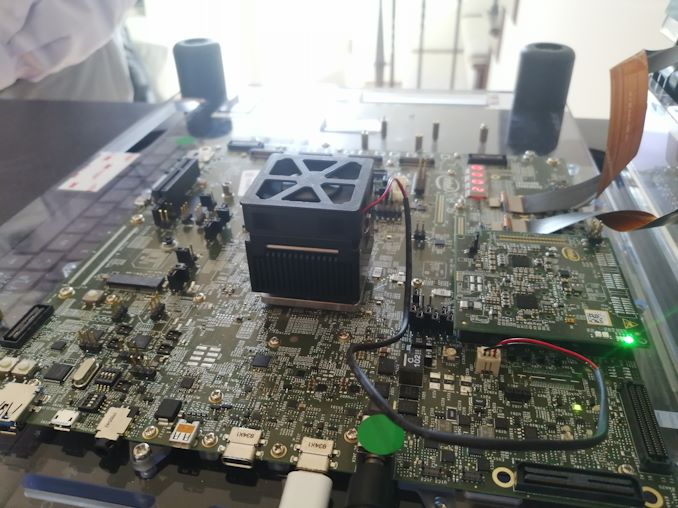
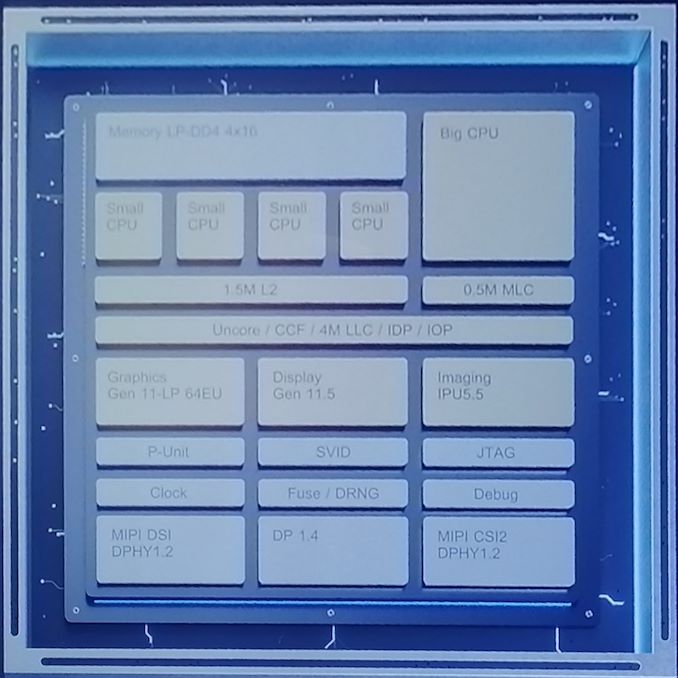
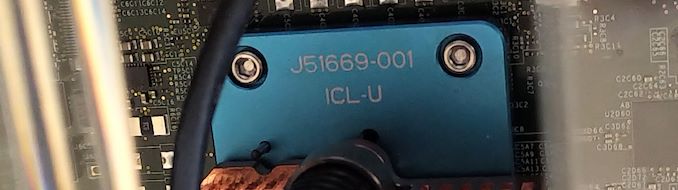
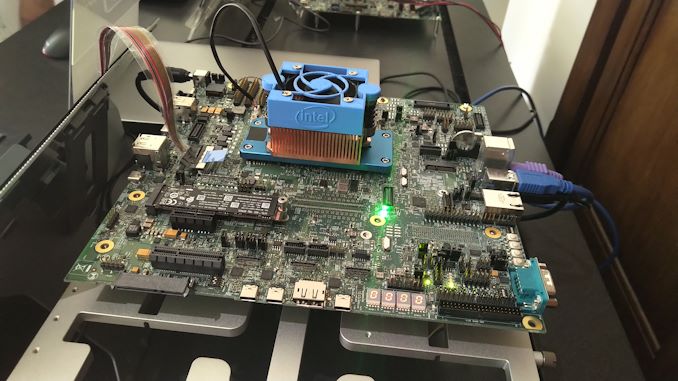
We’ve been on Intel's case for years to tell us when its 10nm parts are coming to the mass market. Technically Intel already shipped its first 10nm processor, Cannon Lake, but this was low volume and limited to specific geographic markets. This time Intel is promising that its first volume consumer processor on 10nm will be Ice Lake. It should be noted that Intel hasn’t put a date on Ice Lake launching, but has promised 10nm on shelves by the end of 2019. It has several products that could qualify for that, but Ice Lake is the likely suspect. Ice Lake-UAt Intel’s Architecture Day in December, we saw chips designated as ‘Ice Lake-U’, built for 15W TDPs with four cores using the new Sunny Cove microarchitecture and Gen11 graphics. Intel went into some details about this part, which we can share with you today.
The 15W processor is a quad core part supporting two threads per core, and will have 64 EUs of Gen11 graphics. 64 EUs will be the standard ‘GT2’ mainstream configuration for this generation, up from 24 EUs today. In order to drive that many execution units, Intel stated that they need 50-60 GB/s of memory bandwidth, which will come from LPDDR4X memory. In order for those numbers to line up, they will need LPDDR4X-3200 at a minimum, which gives 51.2 GB/s. These processors will end up in the same kinds of designs that we see with quad-core 15W Whiskey Lake-U parts today, typically as part of product refreshes. But we could also see some new user experiences based on the chip given its increased performance.
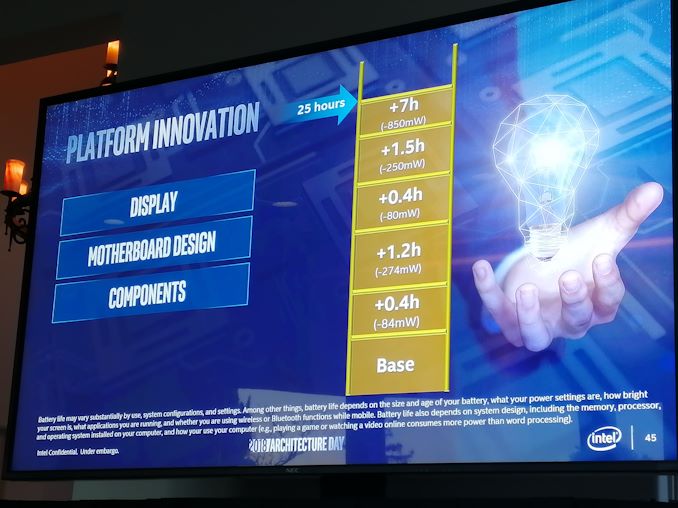
Intel also focused on two other areas with this new chip in its announcement: connectivity and battery life. For connectivity, the chips will support Wi-Fi 6 (802.11ax) if the laptop manufacturer uses the correct interface module, but the support for Wi-Fi 6 is in the chip. The processor also supports native Thunderbolt 3 over USB Type-C, marking the first Intel chip with native TB3 support. On battery life, Intel discussed how they had been working to optimize every area of a reference design to help OEMs get better longevity. This includes the special 1W display technology we saw back at Computex, but also separate items such as better optimized power modes. Some interfaces were changed too, to make the motherboard smaller, so that a larger battery could fit in. With an optimized design, Intel says that 25 hours of battery should be possible with Ice Lake-U. There is also extra improvements in the Image Processing Unit for performance and power.
Security is important, and we expect this chip to match the in-hardware fixes for Spectre v2 and Meltdown (v3a) that the enterprise chips do. We expect to see systems with Ice Lake-U being announced, hopefully, by the end of 2019. Quick Bytes are shortened news pieces about topics mentioned at large press events. Because sometimes smaller announcements get buried at a keynote presentation because a dozen key points are mentioned in one article, and our Quick Bytes series separates out a few topics for targeted discussion. You can read the full article here. | |||||||||||||||||||||||||||||||||||||||||||||||||||||||||||||||||||||||||||||||||||||||||||||||||||||||||||||||||||||||||||||||||||||||||||||||||||||||||||||||||||
| 9:30p | Netgear at CES 2019: Multi-Gig Cable Modems and Armor Cybersecurity Service Updates
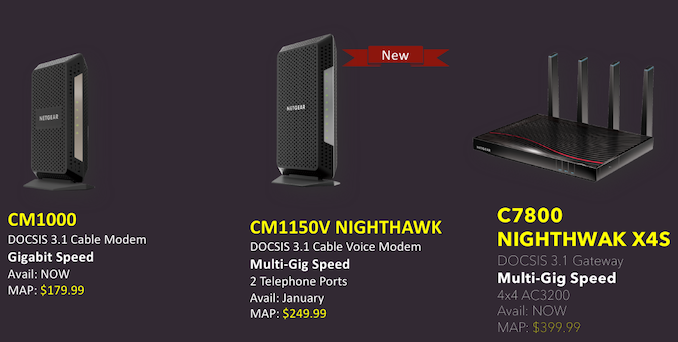
Netgear has a couple of interesting consumer products-related announcements at CES 2019 - one related to their cable modem lineup, and the other related to the Armor cybersecurity service offering. Back at CES 2017, Netgear had launched their first DOCSIS 3.1 cable modem, the CM1000. In that, I had mentioned that the Ethernet port for connecting the downstream router was still 1 Gbps, and hence, not taking full advantage of the capabilities of the Broadcom chipset. In any case, it was a moot point since there were no consumer routers capable of handling multi-gig ports (NBASE-T, or, even just link-aggregated WAN ports). Forward to 2019, the scenario is a little bit different. Netgear's own RAX80 (as well as a number of 802.11ax routers from other vendors) now come with multiple ports that can be link-aggregated for a WAN uplink (or, even just a 2.5 Gbps WAN port). This led Netgear to introduce the CM1100 cable modem (a Costco exclusive) in Q4 2018. The CM1100 was the first modem from Netgear to support dual gigabit Ethernet ports. However, it was not compatible with cable-bundled voice services.
The new CM1150V Nighthawk is a DOCSIS 3.1 cable voice modem, and is very similar to the CM1100, except for the addition of two telephone ports. As the RAX80 takes off in the market, the new CM1150V (and the CM1100) can turn out to be excellent complementary additions. The CM1150V will be available later this month for $250. The product joins the two other non-exclusive ones in Netgear's DOCSIS 3.1 lineup - the CM1000 cable modem, and the C7800 Nighthawk X4S DOCSIS 3.1 gateway. Netgear launched the ARMOR cybersecurity service for select Nighthawk devices at CES 2018. Powered by BitDefender, it provides subscription-based protection for all home network and mobile devices. The service has steadily gained features over the last year. Gallery: Netgear ARMOR Updates at CES 2019
     At CES 2019, Netgear announced that the Orbi lineup would soon become ARMOR-capable with a firmware upgrade in late Q1. Subscription rates remain unchanged at $70, but, the service now includes a copy of the Anti-virus & Anti-Theft Bitdefender Total Security software for all end devices in the network. This should be seen in the context of D-Link's EXO routers being bundled with McAfee's cybersecurity and anti-virus service. Based solely on that feature, we believe the D-Link / McAfee partnership provides better value for money when it comes to cybersecurity and anti-virus bundling. | |||||||||||||||||||||||||||||||||||||||||||||||||||||||||||||||||||||||||||||||||||||||||||||||||||||||||||||||||||||||||||||||||||||||||||||||||||||||||||||||||||
| 9:45p | Netgear Expands SMB Networking Lineup at CES 2019
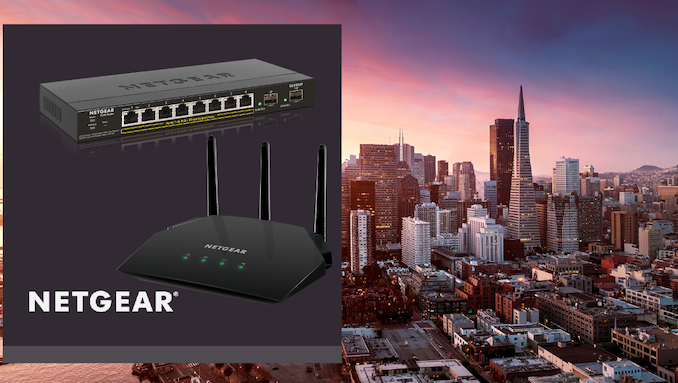
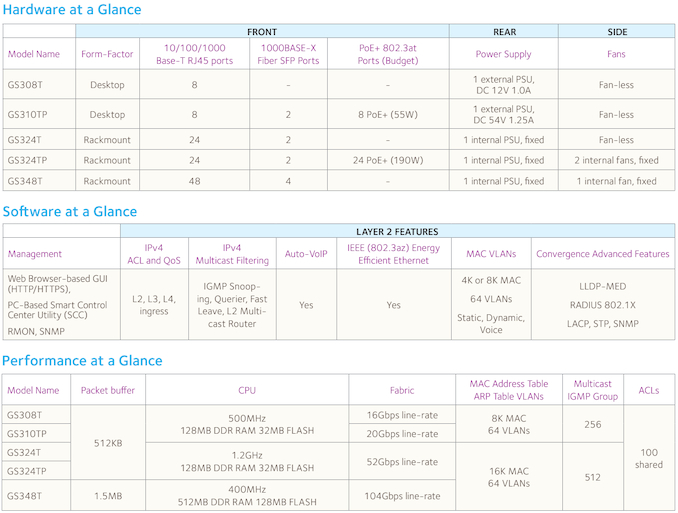
In addition to the consumer product announcements, Netgear is also releasing a number of new products targeting commercial deployments. The company has been heavily pushing cloud-managed devices in this market segment - providing VARs and IT administrators with an easy way to deploy, monitor, and maintain the network at small and medium businesses (SMBs) using their Insight service. Keeping this in mind, all the new products (except for the S350 series switches) are Insight-compatible. The company is also adding new features to their cloud management platform. Netgear is launching five new switches in the Smart Managed Pro S350 series with 8 / 24 / 48 ports (and 2 / 4 SFP ports for uplinks). The 8 and 24-port models have Poe+ variants. A summary of the features of the five models is provided below.
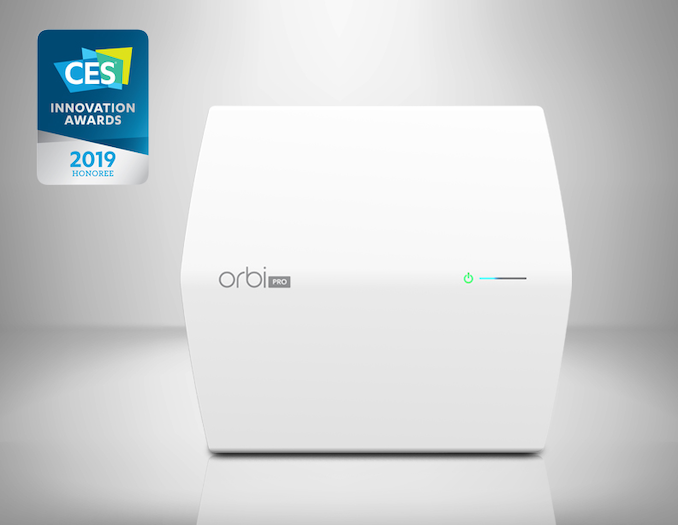
Netgear is launching a new Orbi Pro Mesh Wi-Fi Ceiling Satellite. It can connect to an existing Orbi Pro router or satellite and comes with a 4x4 MU-MIMO radio for a dedicated wireless backhaul. This satellite finally brings PoE support to the Orbi Pro family (a shortcoming that we had pointed out in our launch coverage).
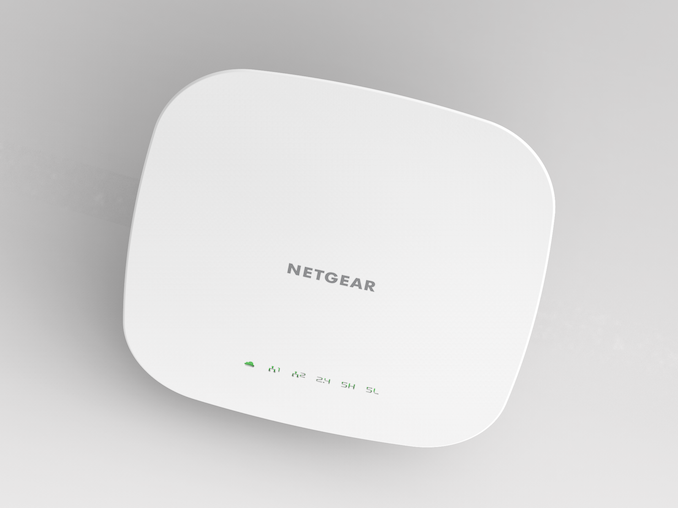
The Insight-Managed Smart Cloud Tri-band 4x4 Wireless Access Point (WAC540) is being introduced to target dense high-traffic deployments. As its name indicates, it comes with 3 separate radios (1x 2.4 GHz, 2x 5 GHz), and can support hundreds of Wi-Fi clients. The WAC124 AC2000 Wi-Fi router is being launched as a cost-effective business 4x4 802.11ac Wave 2 router for simple installations.
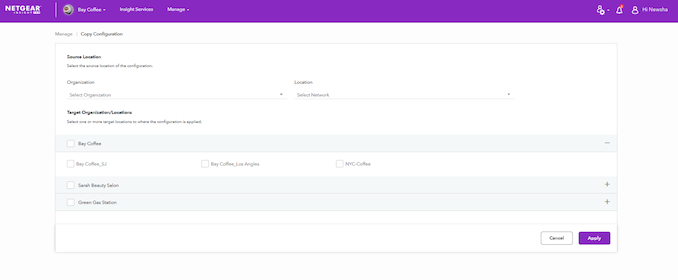
All of the above three devices can be managed with the Insight platform. New core features include instant Wi-Fi setup, RADIUS authentication on Insight Switches (with Premium subscription), and the ability to easily backup and restore device configurations. The Insight Pro features target VARs and integrators who can add their own management fees for recurring revenue.
The Pro features include custom reports for multiple installation sites (including troubleshooting, network health reports, and change logs), ability to rapidly deploy network configurations across multiple sites, along with the backup and restore functionality. Cloud management can be done using any web browser. Mobile applications are also available. | |||||||||||||||||||||||||||||||||||||||||||||||||||||||||||||||||||||||||||||||||||||||||||||||||||||||||||||||||||||||||||||||||||||||||||||||||||||||||||||||||||
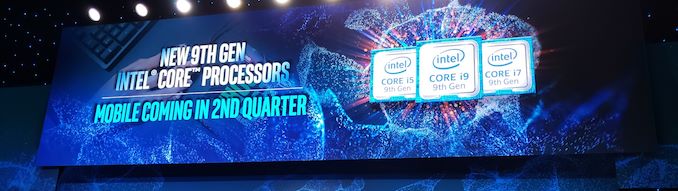
| 9:50p | Intel’s New 9th Gen Desktop CPUs: i3-9350KF, i5-9400F, i5-9400, i5-9600KF, i7-9700KF, i9-9900KF
At Intel’s keynote presentation today, the company announced that it would be expanding its current line of 9th Generation desktop processors, to include new models from Core i3 up to Core i9. Almost immediately, we were given the details, and here they are. | |||||||||||||||||||||||||||||||||||||||||||||||||||||||||||||||||||||||||||||||||||||||||||||||||||||||||||||||||||||||||||||||||||||||||||||||||||||||||||||||||||






















| << Previous Day |
2019/01/07 [Calendar] |
Next Day >> |