[Most Recent Entries] [Calendar View]
Thursday, January 2nd, 2020
- Dell Unveils Updated XPS 13 with Intel’s 10th Gen Core CPUs & 4K Panel
- Dell Launches XPS 15 7590: Up to 5 GHz and Overclockable, 15.6-Inch OLED
- Dell’s XPS 13 2-in-1 7390 Available: Intel’s 10th Gen Core CPUs Inside
- When Ice Matters: Dell Announces XPS 13 2-in-1 with Ice Lake-U
- Dell at CES 2019: Latitude 7400 2-in-1 with 24hr Battery, Optional QC Modem
- Dell’s Latitude 7220 Rugged Extreme Tablet Gets Quad-Core CPUs & 1000-Nits Display
- The Dell XPS 13 7390 2-in-1 Review: The Ice Lake Cometh
- Dell’s XPS 13 2-in-1 7390 Available: Intel’s 10th Gen Core CPUs Inside
- The Dell Latitude 13 7390 2-in-1 Review
- Dell Refreshes XPS 13 2-in-1: Amber Lake 5W CPUs with Thunderbolt 3
- Dell Unveils Precision 2-in-1 5530 Workstation: 15.6-inch Kaby Lake-G with Pro WX
- Dell U4919DW Curved Display Unveiled: 49 Inches, 5120x1440
- LG Unveils 43UN700 Monitor: 42.5-Inch 4K w/ HDR10 for Work & Gaming
- LG 43UD79-B Launched: 42.5-inch 4K IPS with FreeSync
- Philips Unveils 43-Inch 4K Gaming LCD with DisplayHDR 1000, DCI-P3, FreeSync
- IO Data Announces M4K651XDB: A 4K 64.5-Inch Display with HDR10
- JapanNext 75 and 86-Inch 4K IPS HDR Monitors: What Separates TVs from Monitors, Anyhow?
- Dell’s 75-Inch 4K Display with Multitouch: A Rival for Microsoft Surface Hub
- Microsoft Announces Surface Hub 2S: 50-Inch for $9000
- Microsoft Announces The Surface Hub 2
- Microsoft Surface Hub Availability And Specifications Announced
- Dell’s Introduces UltraSharp 27-Inch 4K Monitor (UP2720Q) With Integrated Colorimeter
- Dell Announces Ultrathin S2719DC LCD: FreeSync USB-C with HDR600
- NEC's MultiSync PA311D, a 10-bit IPS 4K Professional Monitor
- NEC Launches Narrow Bezel MultiSync EA271U Display: 4K & USB-C Charging
- Philips Brilliance 272P7VUBNB: A Sub-$350 27-Inch 4K IPS Monitor with 65W USB PD & GbE
- HP Unveils EliteDisplay E243d Docking Display with Webcam, GbE, & 65W Power Delivery
- EIZO Launches FlexScan EV2780: 27” 2560×1440 Display with USB Type-C Connector
- 280 Hz Fast: ASUS Releases TUF Gaming VG279QM IPS Monitor w/ 280 Hz
- Supersonic: ViewSonic’s Elite XG270 240 Hz IPS Monitor w/ VRR & HDR
- Need for Speed: The LG UltraGear (27GN750) 240 Hz IPS Monitor with G-Sync
- Fast & Furious: The Alienware 27 (AW2720HF) 240 Hz IPS Monitor with FreeSync
- HP's Omen X 27: A 240Hz QHD Monitor with FreeSync 2 HDR
- It Hurtz a Lot: ASUS's New 300 Hz Laptops
- Blink Quickly: Acer’s Predator Triton 500 Gets a 300 Hz Display
- Power Outage at Samsung’s Fab Destroys 3.5% of Global NAND Flash Output For March
- Toshiba & WD NAND Production Hit By Power Outage: 6 Exabytes Lost
- Samsung to Expand 3D NAND Fab in China
- Japan Partly Removes Restrictions on Photoresists Exports to South Korea
- Samsung Launches Single-Chip uMCP Packages with LPDDR4X DRAM & UFS 3.0 Storage
| Time | Event | |||||||||||||||||||||||||||||||||||||||||||||||||||||||||||||||||||||||||||||||||||||||||||||||||||||||||||||||
| 4:20a | Imagination and Apple Renew IP Licensing Agreement
Today Imagination Technologies has announced that Apple has signed a new multi-year licensing with the company, giving the Cupertino company continued access to Imagination’s IP. | |||||||||||||||||||||||||||||||||||||||||||||||||||||||||||||||||||||||||||||||||||||||||||||||||||||||||||||||
| 8:00a | How to Tarnish Platinum: Sell It as Xeon 9200 in 2019, Intel announced its Cascade Lake family of enterprise processors, and sitting at the top of the stack was the Cascade Lake-AP family: a quartet of parts that changed Intel’s paradigm for high-end processors. This hardware used two of Intel’s large 28-core silicon dies in the same package, providing a weakly linked dual-processor system in a single package, built to look like a single processor up to 56 cores and 12 memory channels with up to a 400W TDP. Despite not providing pricing, Intel is keen to promote the Xeon 9200 as its extreme performance platform up against AMD’s 64-core EPYC "Rome" offering. We saw a number of Xeon 9200 systems on display at the Supercomputing 2019 show, and the discussions we had were interesting in their own right. | |||||||||||||||||||||||||||||||||||||||||||||||||||||||||||||||||||||||||||||||||||||||||||||||||||||||||||||||
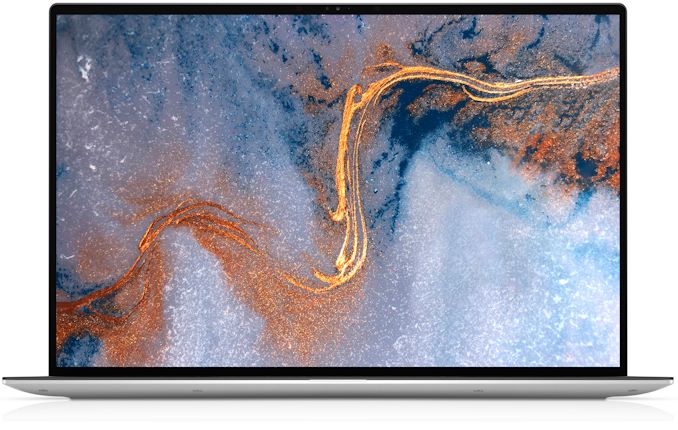
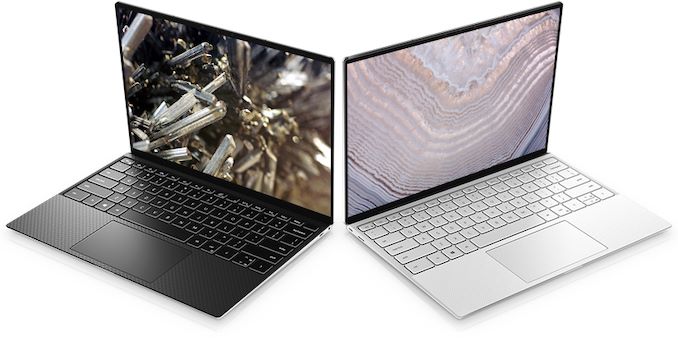
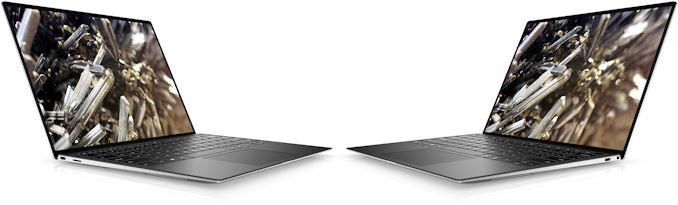
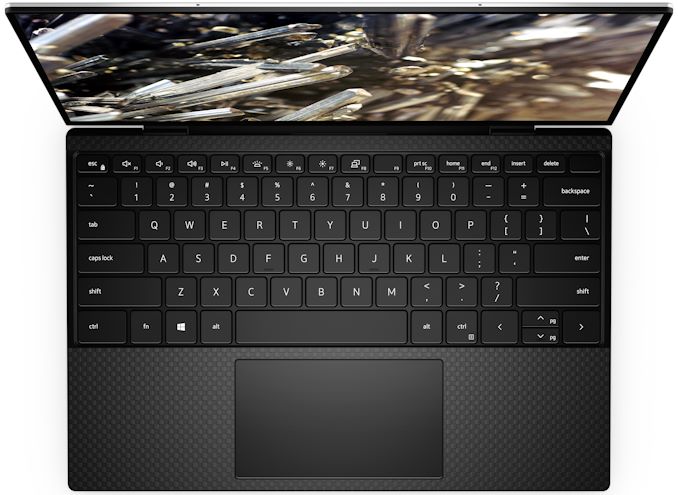
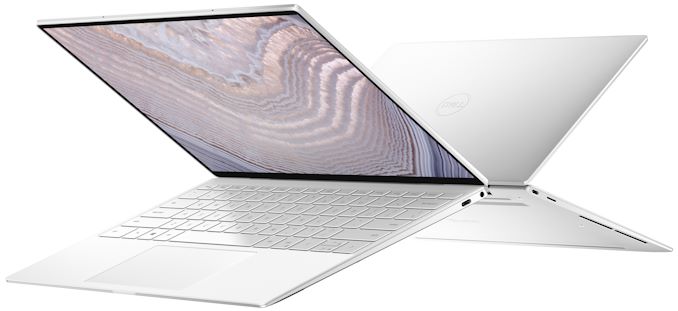
| 9:00a | Dell’s 2020 XPS 13 (9300) Gets Ice Lake & A 13.4-Inch Ultra-HD+ Display
Ahead of next week's 2020 CES, Dell has introduced a new version of its ultra-portable XPS 13 notebook that is based on Intel’s 10th Gen Core ‘Ice Lake’ processor. The new XPS 13 machines will offer higher graphics performance than predecessors powered by Intel's Comet Lake CPUs, but the latter offer more general-purpose processing cores. Meanwhile, Dell is also giving the XPS 13 a display upgrade to go with the new Ice Lake processors, reformatting the laptop to use larger 16:10 displays, with a resolution increase to match. Overall, the Comet Lake and Ice Lake versions of the XPS 13 PCs will co-exist on the market, so users will have a choice.
The Dell XPS 13 9300-series laptops are aimed at people looking for maximum performance in a rather unique 13.4-inch form-factor, so in addition to Intel’s Ice Lake CPU with built-in Iris Plus Graphics, they can pack up to 32 GB LPDDR4X-3733 of memory as well as an up to 2 TB PCIe SSD. To cool down the processor and ensure its consistent performance under high loads, Dell used a new cooling system with two fans, two heat pipes, and multiple air inlets. As for connectivity, the system has a 2x2 Killer Wi-Fi 6 + Bluetooth 5.0 adapter, two Thunderbolt 3 ports, a microSD card reader, and a 3.5-mm audio jack.
As previously mentioned, Dell is also using this opportunity to include a slightly larger display on their latest XPS 13 laptops. The newest edition of the laptop makes the move to 16:10 aspect ratio panels – an increasingly popular option for high-end laptops these days – with the overall panel size increasingly slightly to 13.4 inches diagonal. Dell in turn is offering two panels: a 1920x1200 panel with full sRGB coverage, or a 3840x2400 "Ultra-HD+" panel with support for 90% of the DCI-P3 space as well as HDR 400 certification. Both panels are Dolby Vision certified as well. To outfit the XPS 13 with a larger panel, Dell has both worked to shrink the bezel around the panel as well as enlarging the laptop overall. The notebook comes in a black or white CNC-machined aluminum chassis that is 14.8 mm thick (vs. up to 11.6 mm) and weighs 1.2 kg – 1.27 kg depending on the touch support. The net result is that the laptop has a volume about 25% greater, mostly due to being 3.2mm thicker.
Traditionally for Dell XPS-branded laptops, the new XPS 13 boasts rather advanced multimedia capabilities, including a 720p webcam, 2W stereo speakers with Waves MaxxAudio Pro enhancements, and a far-field Microsoft Cortana-capable microphone array. As for security, the new XPS 13 has a Windows Hello-compliant fingerprint reader in the power button.
The new XPS 13 will come equipped with a 52 Wh battery rated for up to 19 hours of operation in case of models equipped with a Full-HD+ display.
Dell’s new XPS 13 will be available in the US and select European countries on January 7 with prices starting at $999.99. In other regions, the laptop will hit the shelves in February. In addition to Windows 10-based versions of of the new XPS 13, Dell will offer Linux-powered models. Related Reading: Source: Dell | |||||||||||||||||||||||||||||||||||||||||||||||||||||||||||||||||||||||||||||||||||||||||||||||||||||||||||||||
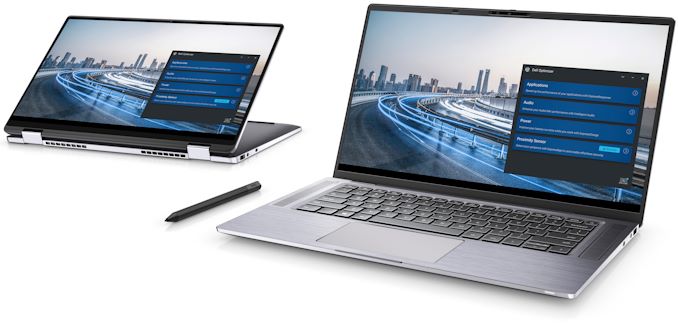
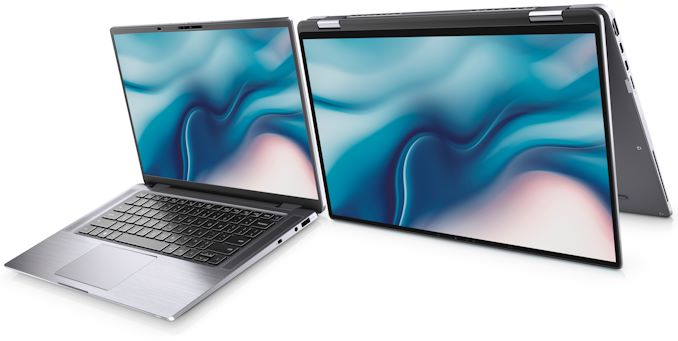
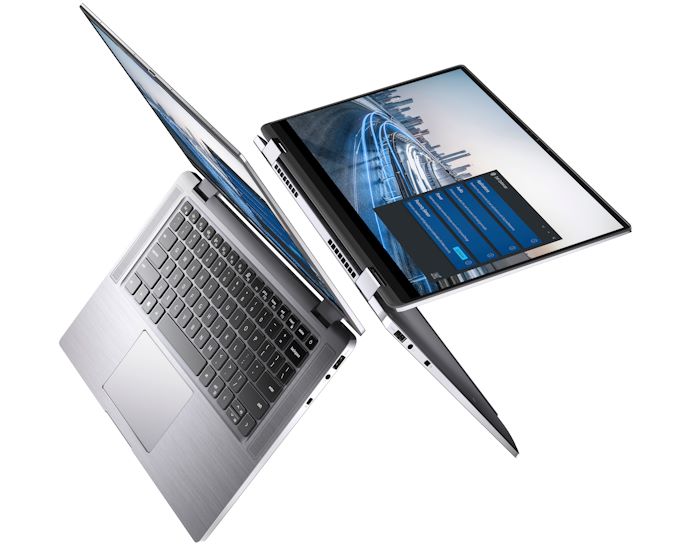
| 9:30a | CES 2020: Dell’s 360-Degree Latitude 9510 to Offer 30 Hrs Battery and 5G Modem
Building a workstation-class mobile PC that would be easy to carry around, but which would offer a proper screen, decent performance, robust connectivity, and a long battery life is extremely challenging. In fact, it takes efforts of multiple companies, not just one manufacturer. At CES, Dell is going to introduce two \15.6-inch Latitude 9510 designs, a laptop and a convertible, that promise to pack all of the hardware required into a 14-inch-class body that is up to 17 mm thick, and even add Qualcomm’s Snapdragon X55 5G modem on top as an optional extra. Typically, notebooks and convertibles use different chassis even within the same model family. This is not the case with the Dell Latitude 9510 family: the notebook and the convertible use very similar aluminum unibody chassis that have the same dimensions with a 14 mm ~ 17 mm z-height, but the convertible has different hinges. Both types of machines also come with similar ‘super low power’ 15-inch display panels of a Full-HD resolution, 400 nits brightness, and wide viewing angles. Meanwhile, the screen of the convertible supports touch (as well as Dell’s Active Pen stylus that is sold separately) and is protected using Corning Gorilla Glass 6.
Inside the new Dell Latitude 9510 mobile PCs is Intel’s 10th Generation quad or six-core Core processor (Comet Lake-U) with built-in UHD Graphics that is accompanied by up to 16 GB of onboard LPDDR3-2133 memory as well as an M.2-2230 SSD of up to 1 TB capacity. Evidently, Dell had to sacrifice upgradeability and capacity of its storage device to make its 14-inch machines as portable as possible.
Being aimed at demanding users, the Latitude 9510 laptop and hybrid have rather robust I/O capabilities that include Wi-Fi 6, Bluetooth 5, has two Thunderbolt 3 ports that can be used for charging, one USB 3.1 Gen 1 Type-A connector, an HDMI output, a microSD card reader, a 3.5-mm audio jack for headsets, and an optional SmartCard reader. Those users who want ultimate mobility can also install Qualcomm’s Snapdragon X24 4G/LTE or even Snapdragon X55 5G modem. Other ports are provided through dongles.
Since Dell’s Latitude systems are the company’s most advanced offerings for business, corporate, and government clientele, these machines come equipped with cutting-edge security features. In addition to IR-equipped webcam (Windows Hello-compatible), the Latitude 9510 mobile PCs have a fingerprint reader as well as contactless and contacted Smart Card readers with Control Vault 3.0 authentication with FIPS 140-2 Level 3 certification (Windows Hello-compliant fingerprint scanner is also possible). Furthermore, the systems feature a FIPS-140-2-certified TPM 2.0 module, self-encrypting Class 35 storage, and a variety of optional software enhancements. Typical versions of Dell’s Latitude 9510 laptop and Latitude 9510 2-in-1 will come with a 4-cell 52 Wh battery (either with ExpressCharge or Long-Life Cycle), but the most advanced SKUs will be equipped with a rather monstrous 6-cell 88 Wh Li-polymer ExpressCharge-capable battery that promises to enable a battery life of over 30 hours. This one will likely be heavier than others, but if you need to work for a long time on a single charge or just work comfortably with increased brightness, then this is the only way.
Dell’s Latitude 9510 laptop and Latitude 2-in-1 convertible will be available starting March 26, 2020. Those who would like to have an integrated 5G modem will have to wait till July. Related ReadingSource: Dell | |||||||||||||||||||||||||||||||||||||||||||||||||||||||||||||||||||||||||||||||||||||||||||||||||||||||||||||||
| 10:00a | CES 2020: Dell Announces UltraSharp U4320Q 42.5-Inch 4K IPS Monitor
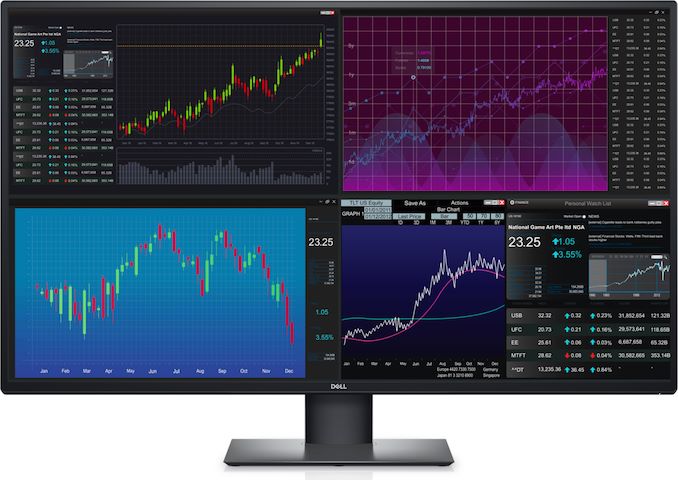
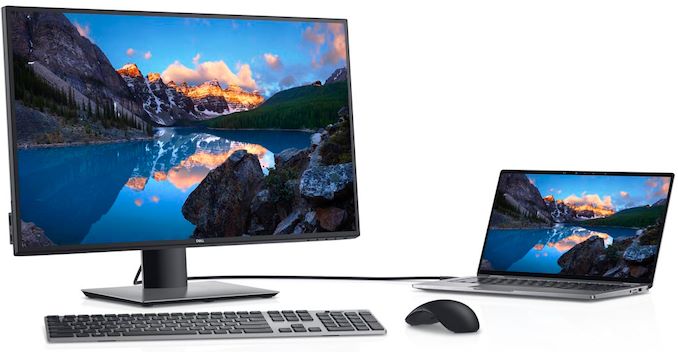
Dell was among the first companies to introduce a 43-inch monitor designed for office and environments where multi-display configurations have traditionally been used. At CES, the company rolled out its new UltraSharp U4320Q 42.5-Inch 4K display that features a newer panel, an improved stand, and a USB-C input. Dell continues to position its UltraSharp U4320Q monitor as an ultimate tool for productivity applications as well as a replacement for multiple smaller displays. To that end, specifications of the display are pretty modest: a 3840×2160 resolution, 350 nits typical brightness, a 1000:1 contrast ratio, 178°/178° horizontal/vertical viewing angles, a 5 ms GtG response time in Fast mode, and a 60 Hz refresh rate. The display does not support HDR10 transport, a variable refresh rate technology, and other multimedia enhancements. Being a ‘workhorse’ type monitor, the UltraSharp U4320Q supports only sRGB color gamut, which is good enough for Windows.
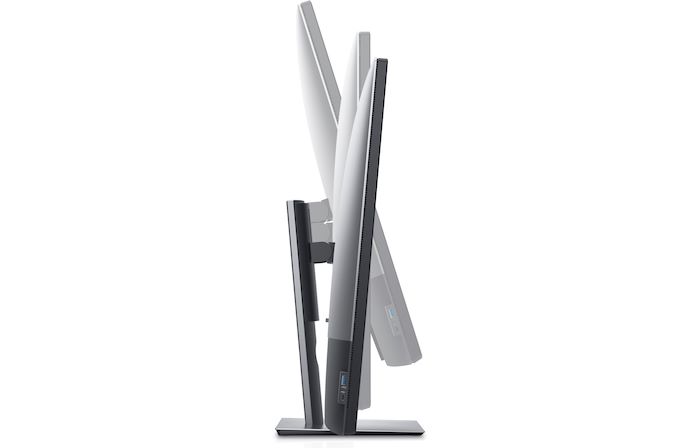
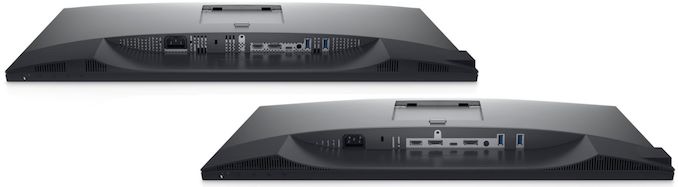
The key improvement that the UltraSharp U4320Q has over its predecessor is its adjustable stand that can now regulate height, tilt, and swivel, as well as a modernized set of connectors. In addition to usual DisplayPort and HDMI inputs, the new unit has a USB Type-C port that supports DisplayPort alt mode and can deliver up to 90 W of power to the host. The monitor fully supports Picture-by-Picture and Picture-in-Picture capabilities and can work with up to four PCs at once. Unfortunately, the display does not have a built-in KVM. Moreover, it does not have built-in speakers either.
Dell’s UltraSharp U4320Q will be available starting January 30, 2020, at an MSRP of $1049.99.
Related Reading: Source: Dell | |||||||||||||||||||||||||||||||||||||||||||||||||||||||||||||||||||||||||||||||||||||||||||||||||||||||||||||||
| 10:30a | CES 2020: Dell’s Interactive Touch Monitor Grows to 85.6-Inches, Gets USB-C
Dell has introduced a new version of its 4K Interactive Touch Monitor designed, as its name implies, for interactive and collaborative work by groups of people. The new version comes with an 85.6-inch display panel, which outpaces Microsoft’s Surface Hub 2 in size and makes the product biggest in this class of devices. The Dell 86 4K Interactive Touch Monitor (C8621QT) uses an IPS panel of a 3840x2560 resolution as well as standard brightness and contrasts for this type of panels. The display features ‘In Glass’ touch surface supporting up to 20 touch points simultaneously, which allows multiple users to work with the LCD at the same time. Meanwhile, the display comes with only one stylus, so collective drawing/writing will require an appropriate number of pens. Unlike Microsoft’s Surface Hub, Dell’s 75-inch and 85.6-inch 4K Interactive Touch Monitors are not full-fledged PCs, but are displays which can work with any host that connects to them. For those who want to transform these LCDs into a tightly-integrated all-in-one PC with a corporate software image that takes into account security policies, Dell offers an optional OptiPlex Micro PC that can be installed into a special slot on the rear of these monitors. Being very versatile, the Dell 86 4K Interactive Touch Monitor has six inputs: a DisplayPort, four HDMI connectors, and a USB Type-C port with DP Alt Mode and a 90 W Power Delivery to the host. The LCD also has four USB Type-A ports (along with three USB Type-B upstream connectors) as well as GbE and RS232 ports for management. The LCD has its own mounting mechanism, but also has VESA mounting holes, providing some additional flexibility. Dell plans to start sales of its 86-Inch Interactive Touch Monitor in April. The manufacturer does not disclose pricing of the display just yet, but since we are talking about a unique commercial-grade product that has just one rival, expect an appropriate MSRP. Related Reading: Source: Dell | |||||||||||||||||||||||||||||||||||||||||||||||||||||||||||||||||||||||||||||||||||||||||||||||||||||||||||||||
| 11:00a | CES 2020: Dell’s New UltraSharp U2520Q & U2720Q USB-C Monitors for Designers
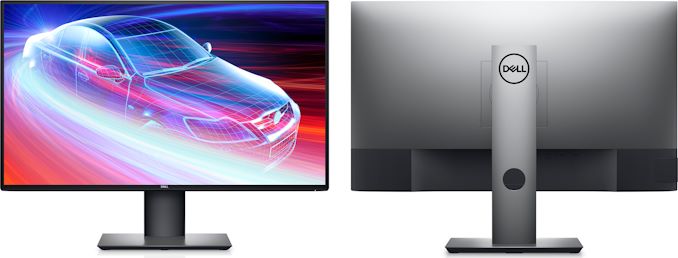
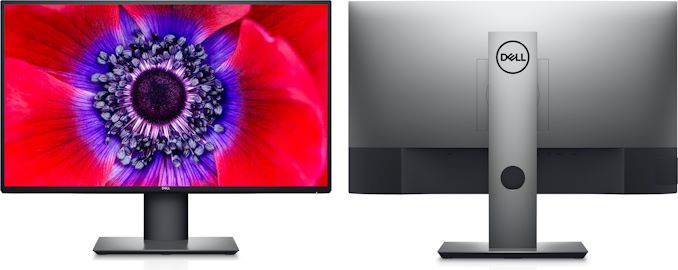
Dell has introduced its new 25-inch and 27-inch displays that are aimed at artists and designers with color-critical workloads. The new UltraSharp U2520Q and U2720Q monitors feature a 3H anti-glare coating and are factory calibrated to a Delta-E<2 accuracy to ensure correct reproduction of colors in different conditions.
Dell’s UltraSharp U2520Q and UltraSharp U2720Q displays are built upon IPS panels of a 2560×1440 and a 3840×2160 resolution (respectively), 350 nits typical brightness, a 1000:1 and 1300:1 contrast ratio (respectively), a 8 ms GtG response time in normal mode, and a 60 Hz refresh rate. The 25-incher can display 16.78 million colors, whereas the 27-incher can display 1.07 billion colors. Also, both LCDs can reproduce a 95% of the DCI-P3 color gamut and a 99% of the sRGB color space.
Apart from dimensions and specifications of the IPS panels, Dell’s UltraSharp U2520Q and UltraSharp U2720Q monitors are very similar. The displays feature the same design with ultra-thin bezels to make it easier for owners to use multi-display configurations (which is particularly important for 25-inch LCDs these days as in many cases they are bought to work in pairs) and the same adjustable stands that can regulate tilt, pivot, and swivel.
As for connectivity, the monitors feature a DisplayPort 1.4 (with a DisplayPort MST output to daisy chain another display), an HDMI 2.0, and a USB Type-C input. The latter port can deliver up to 90 W of power to the host, which is enough for most 15.6-inch-class notebooks. In addition, the units also come with a dual-port USB 3.0 hub featuring a Type-A and a Type-C connector. Since in many cases the U2520Q and U2720Q LCDs will be used in offices, they do not have built-in speakers, but they have a headphone output. Speaking of offices, it is necessary to note that the monitors can be remotely managed using Dell’s Command Center software.
Dell’s UltraSharp U2520Q and U2720Q monitors will be available starting from January 30. The 25 incher will have an MSRP of $479.99, whereas the 27-incher will be priced at $709.99.
Related Reading: Source: Dell | |||||||||||||||||||||||||||||||||||||||||||||||||||||||||||||||||||||||||||||||||||||||||||||||||||||||||||||||
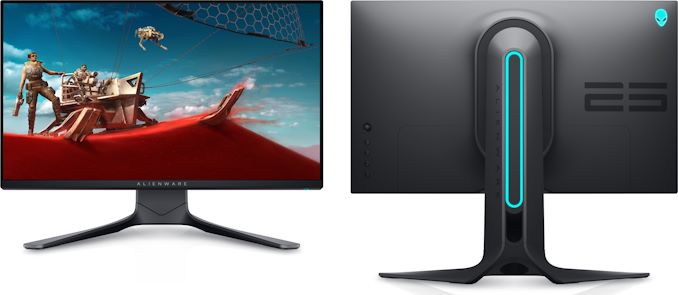
| 12:00p | Quick & Deadly: Alienware 25 (AW2521HF) 240 Hz Fast IPS Monitor Revealed
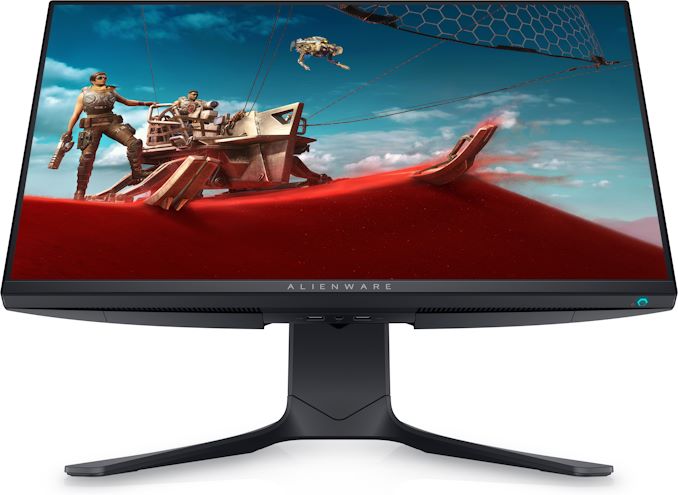
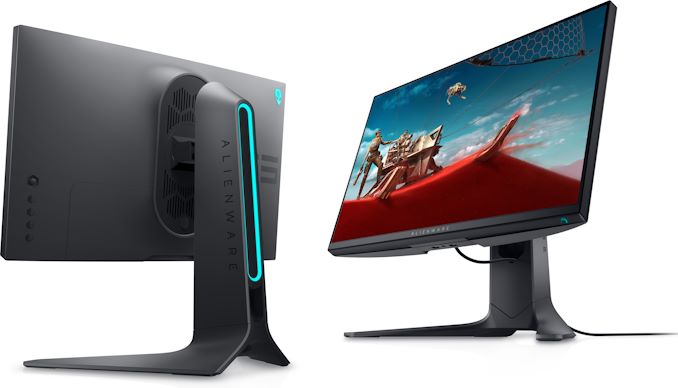
Dell’s Alienware was among the first brands to offer a 27-inch Fast IPS gaming display featuring a 240 Hz refresh rate back in August, 2019. This spring, the company will in turn be one of the first suppliers to start selling a 25-inch "Fast IPS" monitor, which will combine high quality color reproduction with the kind of extreme performance that the Alienware brand is known for. The Alienware 25 (AW2521HF) gaming monitor is based on a 25-inch "Fast IPS" panel featuring a 1920x1080 resolution, 178°/178° viewing angles, a 1 ms GtG response time, and a variable refresh rate of up to 240 Hz. Officially, the monitor supports AMD’s FreeSync technology, but it is also pending for the NVIDIA G-Sync compatible logotype. For now, Dell does not disclose other characteristics of the display, but expect its brightness and contrast ratio to be similar to that of the Alienware 27 launched in 2019.
Like other products carrying the Alienware brand, the new AW2521HF monitor uses the ‘Legend’ futuristic design language with addressable AlienFX RGB LEDs. Obviously, the monitor comes with an adjustable stand and versatile connectivity with integrated cable management, in line with other higher end gaming LCDs.
Dell will start sales of the Alienware 25 gaming monitor on March 11, 2020. The company yet has to announce pricing of the device, but it is safe to say that it will be lower than that of its 27-inch 240 Hz counterpart which carries an MSRP of $599.99.
Related Reading: Source: Dell | |||||||||||||||||||||||||||||||||||||||||||||||||||||||||||||||||||||||||||||||||||||||||||||||||||||||||||||||
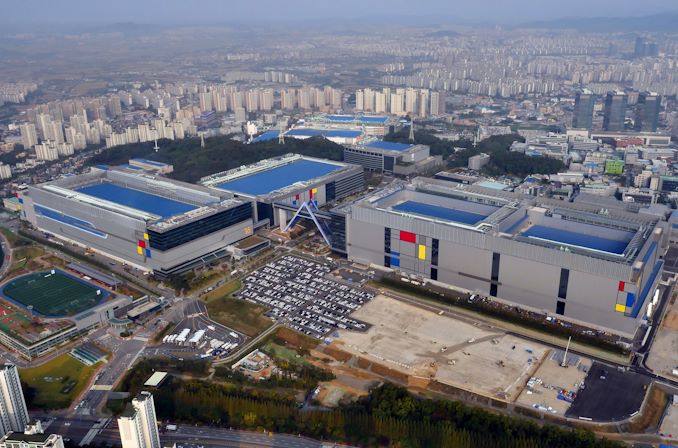
| 5:00p | Samsung’s Fab in Hwaseong Suffers Power Outage
Samsung had to stop production of DRAM and V-NAND memory at its fab near Hwaseong, South Korea, due to power outage earlier this week. Damage caused by disruption of production is something that is yet to be determined, but the company told local news agencies that it would take days to restore operations of the fab. The power outage lasted for about a minute and was caused by an explosion of a power transmission cable at a local substation. According to media reports citing sources with knowledge of the matter, it will take Samsung two or three days to restore operations of the production facility, but the sources declined to reveal whether or not manufacturing equipment was broken. It is unclear how many wafers containing DRAM and V-NAND memory were processed at the time of the outage and how many of them were damaged, but we do know that the fab complex produces both types of memory at the same time. Power outages tend to happen on various semiconductor plants. Back in March 2018 a blackout took place at Samsung’s memory fab near Pyeongtaek, South Korea, whereas in June 2018 an outage happened at Yokkaichi Operations complex operated by Toshiba/Kioxia and Western Digital. In both cases the outages damaged production and caused massive financial losses. Samsung is currently gearing up to release its new high-end smartphones in the first half of the 2020. Typically, the company (just like its rivals) is stockpiling DRAM and V-NAND memory ahead of major launches, so the consequences of the outage remain to be seen. Related Reading: | |||||||||||||||||||||||||||||||||||||||||||||||||||||||||||||||||||||||||||||||||||||||||||||||||||||||||||||||






| << Previous Day |
2020/01/02 [Calendar] |
Next Day >> |