
|
|


Пишет AnandTech (![[info]](http://lj.rossia.org/img/syndicated.gif) syn_anandtech) syn_anandtech)@ 2014-08-01 11:11:00 |
 |
|
 |
|
|
|
|
|
|
 |
|
 |


With yesterday's launch of AMD's 65W Kaveri APUs, it seemed a good time to give some recommendations for new system builds. We're starting out at the budget end of the spectrum, however, and pricing/availability on Kaveri generally rules it out. We'll keep things short and look at two builds, one AMD and one Intel. Outside of the CPU/APU and motherboard, parts are generally interchangeable.
| Budget AMD System | ||
| Component | Description | Price |
| CPU | AMD A6-6400K (2x3.9GHz, 1MB, 65W, 32nm) | $65 |
| Motherboard | MSI A88X-G41 | $73 |
| RAM | Team Vulcan 8GB (2x4GB) DDR3-2133 CL10 | $71 |
| Storage | Seagate Barracuda ST1000DM003 1TB | $55 |
| SSD | SanDisk Ultra Plus SDSSDHP-128G-G25 128GB | $60 |
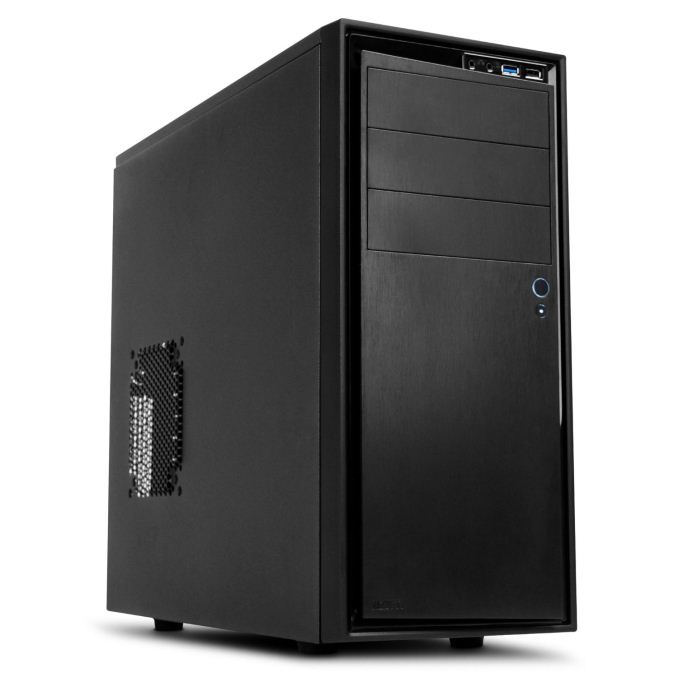
| Case | NZXT Source 210 S210-001 | $40 |
| Power Supply | Seasonic SS-300ET 300W 80 Plus Bronze | $38 |
| Total (without OS) | $402 | |
The Kaveri APUs provide a decent blend of general and gaming performance, but finding one priced reasonably for a budget system is still a bit difficult (depending on your definition of budget, of course). While the idea of an inexpensive system capable of running games is fine, the cost to go from the A6-6400K we've selected to one of the Kaveri A10 models is more than the cost of a moderate dedicated graphics card like the R7 250, and the A6-7400K and A8-7600 are hard to find – and when you can find them, they're priced $15 higher than the MSRP. If you can wait a bit, the A6-7400K and A8-7600 should become more readily available. In the meantime, the A6-6400K will provide similar performance with a slightly slower graphics configuration.
 For the rest of the system, the MSI motherboard can support both existing Richland APUs like the A6-6400K we've selected as well as Kaveri APUs. Similarly, the DDR3-2133 RAM can provide better bandwidth than DDR3-1600 RAM that would only save you a buck. For storage, you've got three options: go pure SSD and have fast storage performance but without a lot of capacity, buy the 1TB HDD and sacrifice performance for capacity, or get both. Personally, I'd go with a pure SSD or the SSD+HDD configuration.
Wrapping things up, the case is a decent looking and not too expensive NZXT Source 210. Cases can be a very subjective topic, and there are plenty of reasonable options, but the NZXT is a good choice for a budget build. You could also drop down to a micro-ATX case and motherboard, and if that's what you're after the MSI A78M-E45 would be a good alternative. For the power supply, the small increase in efficiency offered by 80 Plus Gold isn't really worth the added cost at this price, and Seasonic makes a good 300W unit that will provide good efficiency for a low-power system like this while still allowing for the use of a moderate discrete GPU down the road should you choose to upgrade.
| Budget Intel System | ||
| Component | Description | Price |
| CPU | Celeron G1850 (2x2.9GHz, 2MB, 53W, 22nm) | $50 |
| Motherboard | Gigabyte GA-H97M-D3H | $80 |
| RAM | Team Vulcan 8GB (2x4GB) DDR3-1600 CL9 | $70 |
| Storage | Seagate Barracuda ST1000DM003 1TB | $55 |
| SSD | SanDisk Ultra Plus SDSSDHP-128G-G25 128GB | $60 |
| Case | Corsair Carbide Series SPEC-01 | $50 |
| Power Supply | Seasonic SS-300ET 300W 80 Plus Bronze | $38 |
| Total (without OS) | $403 | |
The Intel budget build is going to provide a pretty similar experience to the AMD build overall; single-threaded performance will be a bit higher, but graphics performance will be lower. The price for these two builds is equivalent at around $400 – which includes both a 128GB SSD and a 1TB HDD, so you can shave off $50 by dropping one or the other storage option. The Celeron G1850 is Intel's least expensive Haswell option right now, and while budget CPUs aren't going to win in any performance contests, for normal tasks they're still plenty fast. Paired with a 128GB SSD they can make for a decent home/office system and the price is certainly appealing. Overclocking isn't really a goal of either of these builds, and Gigabyte's GA-H97M-D3H should do fine for stock clocks.
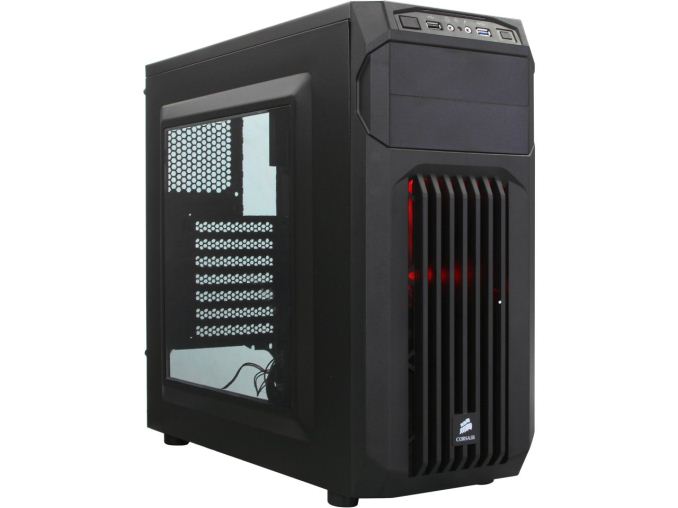 The one other noteworthy change is that we've included a slightly more expensive (and perhaps a bit too gaudy for some) Corsair Carbide SPEC-01 case. It has lots of angles and vents, and while Corsair has made some very good cases opinions on aesthetics are still up for debate. It ships with two 120mm fans for cooling, which is going to be overkill for a budget build like this but will give you room to grow. It also has a case window and red LED lighting for those that want to show off a bit.
Of course we're still missing the OS, keyboard, mouse, and display; these are all commodity items and most people have existing accessories they can carry over from an old PC. Unless you're running a free OS like Ubuntu or some other flavor of Linux, the cost of Windows is going to represent a significant increase in price of nearly $100, putting us at the $500 mark referenced in the title. Adding a 20" to 22" LCD will tack on another $100-$140, and a keyboard and mouse will be $25 combined for a basic set. So all told if you want a complete new PC the price will be closer to $650, but $500 for the core system and software is a good starting point. You can also find some mail-in rebates on quite a few parts that might drop the price a bit, but as those change regularly I haven't included any in the above tables.

